





FM ID
26031118
Nation
Cyprus
City
Pafos
Founded
2014
Nickname
Pafites
Stadium
Stelios Kyriakidis
Capacity
9,394
Reputation
5,550
Club Status
Professional
Gender
Male
Pafos FC is a professional football club based in Pafos, Cyprus, formed on June 10, 2014, through the strategic merger of local clubs AEP Paphos and AEK Kouklia. Playing their domestic home games at the Stelios Kyriakidis Stadium, the club has rapidly transformed into a major powerhouse in Cypriot football under its current ownership. Sporting blue and white colors, the team captured their first major domestic trophy by winning the Cypriot Cup in 2024, followed by a historic Cypriot First Division league title in the 2024–25 season. As Cypriot champions, Pafos entered the elite UEFA Champions League qualifiers for the first time. They eliminated rigorous opponents like Maccabi Tel Aviv, Dynamo Kyiv, and Red Star Belgrade to book a historic spot in the prestigious Champions League league phase. Pafos shocked the international football community by securing their first-ever Champions League win with a 1–0 triumph over Spanish giants Villarreal, marking the first time any Cypriot club has defeated a Spanish side in Europe's premier competition.


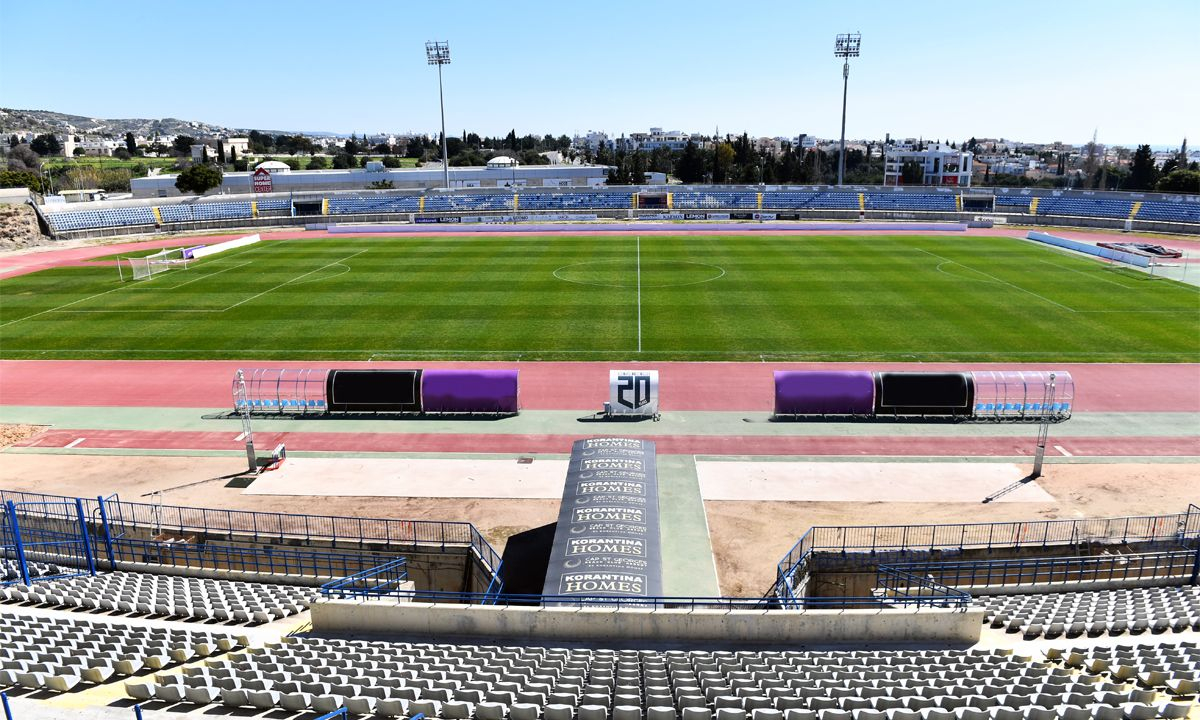
Stelios Kyriakidis
9,394
·
Pafos
Pafos Concept Stadium
Pafos Futsal Arena
1,000