
Skip to content
View in the app

A better way to browse. Learn more.

Football Manager Graphics

A full-screen app on your home screen with push notifications, badges and more.

To install this app on iOS and iPadOS
  1. Tap the Share icon in Safari
  2. Scroll the menu and tap Add to Home Screen.
  3. Tap Add in the top-right corner.
To install this app on Android
  1. Tap the 3-dot menu (⋮) in the top-right corner of the browser.
  2. Tap Add to Home screen or Install app.
  3. Confirm by tapping Install.

Samsunspor

FM ID 1878
Nation Turkiye
City Samsun
Founded 1965
Nickname Kuzeyin Kralı
Stadium Samsun Yeni 19 Mayıs Stadyumu
Capacity 33,919
Reputation 5,800
Club Status Professional
Gender Male
Samsunspor, founded in 1965 and based in the coastal city of Samsun, Turkey, is a resilient and historic club that plays its home matches at the modern Samsun Yeni 19 Mayıs Stadyumu. Known affectionately as the Red Lightning (Kırmızı Şimşekler), the club achieved its greatest sporting heights in the mid-1980s, consistently challenging the "Big Three" Istanbul giants and finishing as Süper Lig runners-up in 1986. However, the club’s history was permanently shaped by the tragic January 20, 1989 bus crash, a devastating accident that claimed the lives of manager Nuri Asan and several key players, leading Samsunspor to adopt black into their red-and-white colors as a symbol of mourning. Throughout its history, the club has nurtured and fielded legendary Turkish talent, most notably launching the career of Tanju Çolak, Europe’s Golden Shoe winner, as well as iconic forward Ertuğrul Sağlam and visionary playmaker Celil Sağır, cementing its legacy as one of the most respected and passionate football communities in the Black Sea region.
Official Logo
Logo Variants
Alternative Logo
+1
Alternative Logo
Competition
Süper Lig
Süper Lig
Nation
Turkiye
Turkiye
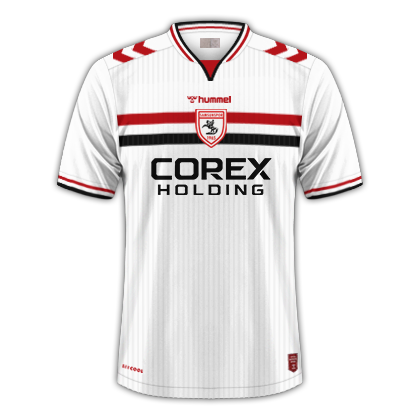
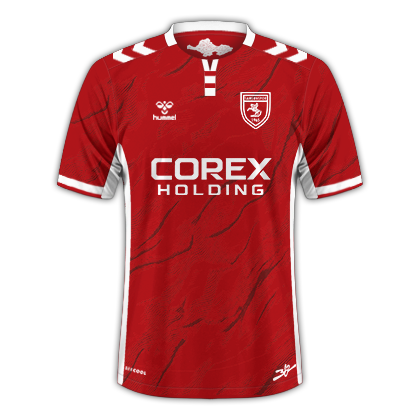
Kits (2026-27)
Home Shirt
Home Shirt
Away Shirt
Away Shirt
Third Shirt
Third Shirt

Account

Navigation

Search

Search

Configure browser push notifications

Chrome (Android)
  1. Tap the lock icon next to the address bar.
  2. Tap Permissions → Notifications.
  3. Adjust your preference.
Chrome (Desktop)
  1. Click the padlock icon in the address bar.
  2. Select Site settings.
  3. Find Notifications and adjust your preference.