Loki Doki
Creator
-
Joined
-
Last visited
Never
Everything posted by Loki Doki
-
 FM26 - A Save Alisson could only dream of - EP15 Reading RevivalView the full article
 -
FM26 - Am I actually good at this game? - EP14 Reading Revival
-
FM26 - More GK loans & the king arrives- EP13 Reading Revival
-
-
FM26 - It took 8 hours to do this transfer window - EP12 Reading Revival
-
Should Football Manager have a difficulty setting?
-
FM26 - I bought a house then got called into the boardroom.... - EP11 Reading Revival
-
FM26 - THE Youth Intake - EP10 Reading Revival
-
FM26 - CRAZY (not really) TRANSFER WINDOW! - EP9 Reading Revival
-
FM26 - Youth Intake Preview - EP8 Reading Revival
-
Football Manager 26 - My Full Honest Review
-
FM26 - The Revival Starts Here! - EP7 Reading Revival
-
FM26 - I'M TIRED BOSS - EP6 Reading Revival
-
FM26 - OPERATION WIN A GAME BEFORE I GET FIRED! - EP5 Reading Revival
-
FM26 - Turning to God. I AM NOT FINISHING RECORDING UNTIL WE WIN! - EP4
-
FM26 - If you enjoy RAGE and MISERY, watch this - Reading Revival - EP3
-
FM26 - Mistakes Were Made! - Reading Revival - EP2
-
Football Manager has problems and Sports Interactive are finally talking about them!
-
FM26 THE FINAL EPISODE. THE CHAMPIONS LEAGUE FINAL AND THE WORST TIME FOR A CRASH EVER! LFC - 9
-
FM26 - Welcome to the Reading Revival - EP1
-
FM26 The Quadruple is ON! LFC - 8
-
 Sports Interactive. You make it so hard to love youView the full article
 -
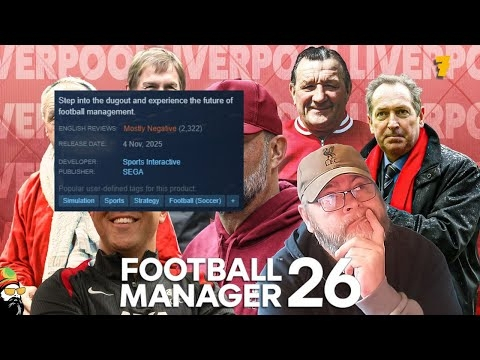 FM26 Let's Talk About Those Reviews LFC - 7View the full article
 -
 FM26 RELEASE DAY HYPE..... A detailed look at the Patch Notes LFC - 6View the full article
 -
 FM26 My Lines are not Lining LFC - 5View the full article