






FM ID
976
Nation
Greece
City
Thessaloniki
Founded
1908
Nickname
Giraios
Stadium
Kaftanzogleio
Capacity
28,020
Reputation
5,250
Club Status
Professional
Gender
Male
Iraklis F.C. (officially P.O.T. Iraklis), famously nicknamed The Demigod, is one of the oldest active sports clubs in Greece, founded in 1908 in Thessaloniki. The club’s iconic history is a dramatic mix of exceptional football highs and agonizing, administrative lows. The undisputed golden era of the club arrived in 1975 with the signing of Vasilis Hatzipanagis, a footballing magician widely considered the greatest and most spectacular Greek player of the 20th century. Behind his legendary dribbling, Iraklis captured the Greek Cup in 1976 and the Balkans Cup in 1985, while regularly drawing massive crowds to the Kaftanzoglio Stadium. Despite their rich legacy, the 21st century brought severe instability, as devastating financial mismanagement and ownership crises forced the club into multiple administrative relegations down to the amateur divisions. True to their resilient nature, Iraklis fought their way back through the tiers, eventually securing their return to the top-flight Super League Greece.
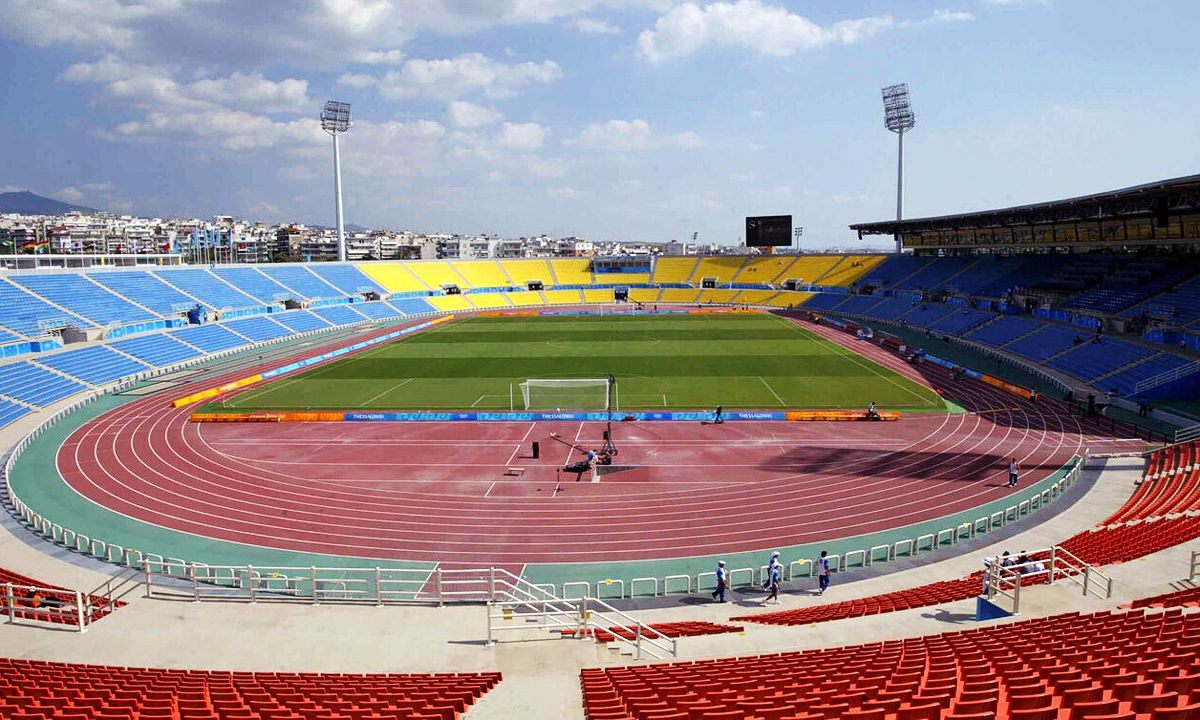
Kaftanzogleio
28,020
·
Thessaloniki
Athletic Center of Mikra
Thessaloniki
Iraklis Concept Stadium
Iraklis Futsal Arena
1,000