ScottishBaller
Members
-
Joined
-
Last visited
-
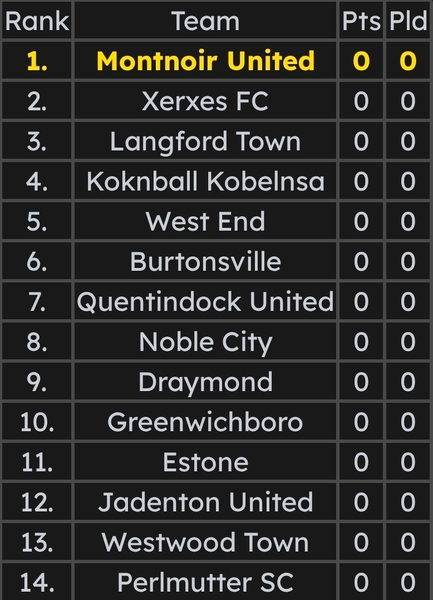
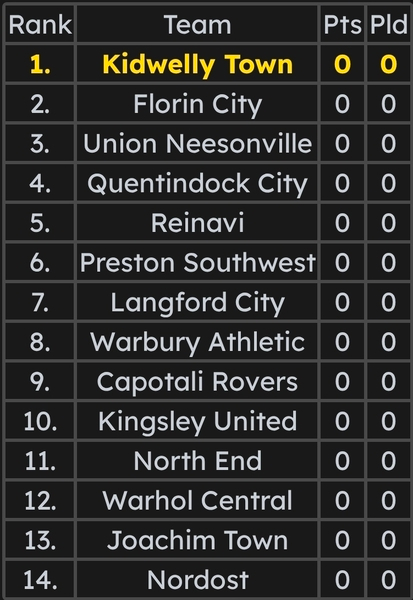
Hello! If anyone is watching, I'm new to Football Manager and need someone to create me logos for a league system I have to create for a project, that would be great! I'll send you the teams of the bottom two tiers, as well as the top two tiers in image form. They will be below. The other two tiers are as follows: **TRIESELIGE CLUBS** Perceval Athletic Mereboro Spetemf 05 Bristol United Highbury Athletic Swinton Town Liversedge Maanan Athletic Darlington United Union Atlantic Paisley Patrick Gloucester City Neuesdeutsch Hackney Wick Westminster Royals Grangemouth Holyhead United Wood End Tigers **QUASERLIGE** 1973 Watfordsville Northwestern Maastricht Rotherham Town Fordwich SC East Ham Rovers St. Helen's Drachen Koknball Oldham Sparta Lichtenburg Staplegrove Bridlington United Jaegerstro Ordsall King's Lynn Atholl Amsterdam Royals Fordwich Town Marian City Istrians Locomotova Please note that if there are too many clubs to make that is perfectly fine. I have another person whose agreed to do these, and I do want to make sure he doesn't have to make very much lol. At least the bottom two tiers will suffice. Colors to me don't necessarily matter, you have the freedom to choose as you desire, except I want Montnoir United (in the top flight) needs to be black and white to symbolize their city name's meaning. Cheers!