





Detritus
Members
-
Joined
-
Last visited
-
That worked for me and it looks better as you say even with the old logo in the profile. Get the logos before you start a CAC game is the message. Massive thanks for all your work on this.
-
Attached below Paul Calf - Manchester FC V2.fm
-
Because it's a smaller version of the 180x180 logo it's making the league wonky

-
I grabbed the logo from the 'Retro' folder in the megapack when I created the club.
-
https://community.sigames.com/forums/topic/572288-create-a-club-logo-issue/#comment-13899400 There are a couple of posts around on this and I'm worried the logo is somehow 'hard-coded' into the game once chosen from the outset
-
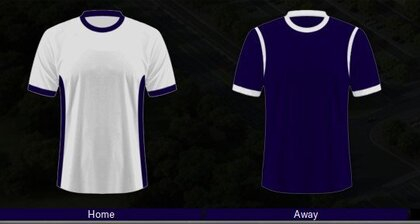
The logo looks fantastic but I cannot get it to show in game. Is there a known issue with adding custom logos to clubs created via the 'create a club' function in game?I've been having a lot of fun with a new club named Manchester FC, the idea is a 3rd club to challenge the dominance of City/Utd. I picked the crest of the City of Manchester for the logo but it'd be awesome to get something a bit more footballish. I was thinking to retain the 7 bees around the globe but make the globe a football instead as a centre piece. Happy to lose the heraldic elements (lion, antelope, helmet, etc) but the motto could stay and the club was founded in 2023. These are the club colours if required:



Important Information
Terms & Conditions