Jump to content
View in the app

A better way to browse. Learn more.

Football Manager Graphics

A full-screen app on your home screen with push notifications, badges and more.

To install this app on iOS and iPadOS
  1. Tap the Share icon in Safari
  2. Scroll the menu and tap Add to Home Screen.
  3. Tap Add in the top-right corner.
To install this app on Android
  1. Tap the 3-dot menu (⋮) in the top-right corner of the browser.
  2. Tap Add to Home screen or Install app.
  3. Confirm by tapping Install.

Featured Replies

Hi, could you make some kits and a logo for my club? 
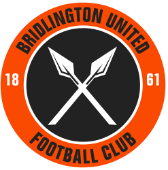
The club is Bridlington United. They have similar colors to Hull City.  The club logo is similar to Sheffield United.  But instead of blades on the inside, could you put spears on the inside? The club was founded in 1861.  The logo can be orange and black. Black interior with orange exterior with a black or white outline. If possible could the sponsor be Bridlington Shellfish Co.?  Could the Manufacturer be Adidas?  The kits are the same as Hull City's The team ID is  2000247395. 

Thank you.     



Sheffield_United_FC_logo_svg.thumb.png.d9f4ce52b64f395179cfe8cc14838969.png

Sponsor

bridlington-shellfish-co-logo-black.png.37cc35950f0effeabb15064d2cda355d.png

hull-city-20-21-kit-3.thumb.jpg.7fde6829a3847d8ad340e8e92707c049.jpg

Hullaway.thumb.jpg.51abc94473fb46304730fdb53dbf5c02.jpg


  • Author

@Derek Thank you so much. These are awesome. 

Create an account or sign in to comment

Important Information

Terms & Conditions

Configure browser push notifications

Chrome (Android)
  1. Tap the lock icon next to the address bar.
  2. Tap Permissions → Notifications.
  3. Adjust your preference.
Chrome (Desktop)
  1. Click the padlock icon in the address bar.
  2. Select Site settings.
  3. Find Notifications and adjust your preference.