Derek
Administrators
-
Joined
-
Last visited
Everything posted by Derek
-
-
The background packs won't continue mate as they are just too large to make which leads to a real lack of interest. I've left them up so people can choose to download if they wish. Any logos in the alternatives folder have to be moved into the main 'Normal' folder to work. Effectively you are replacing the main logo. I would advise to make a copy or move the original to not lose it completely. Be sure to remove the alt text too. 😀
-
It looks like you now have another file labelled FMG Background Megapack.zip Where did that come from?
-
Their pretty dark logos which is why I like them and Grunge.
-
For me it's like trying to choose my favourite kid 🤣🤣🤣 I switch logos pretty much after each save to be honest. Mainly I use FMG, Vapour and Grunge. I had been using Steel for years so a bit of a change was due. 😀
-
DF11 Faces Update 3 DF11 GRAPHICS TEAM - UPDATE 3 REBO - Herthos - Tom - Jartsi - JaviSSoria - Pochi Ouz - Spurs12345 - Tobias - Copywriter - Ivan - Axel Bingbangboem - DelVisoManda - FMParloq - @Jeff Truly amazing job with many HQ faces. Well done guys! Overview Update 3: 6442 New faces for leagues in: Argentina, Belgium, Brazil, Czech Rep, Denmark, England, France, Greece, Hongkong, Italy, Netherlands, Northern Ireland, Poland, Portugal, Saudi Arabia, Spain, Turkiye.
-
FMV Logos Update 1 2023.01 Pack Contents Clubs: 2,153 Competitions: 103 Total: 2,256 Pack by Derek Research Team: @AndreaSSL1900 @Isak @cameosis @Markitos @ateesz @Johno @Jamaicaman90 @Moondog777 @Shark @kristo @diego1960 @minky79 @rioplworks @ElMatador @Taludo @Baz @Bankje @shadow
-
FMG Vapour Logos Update 1 2023.01 Pack Contents Clubs: 2,153 Competitions: 103 Total: 2,256 Pack by Derek Research Team: @AndreaSSL1900 @Isak @cameosis @Markitos @ateesz @Johno @Jamaicaman90 @Moondog777 @Shark @kristo @diego1960 @minky79 @rioplworks @ElMatador @Taludo @Baz @Bankje @shadow
-
FMG Stone Logos Update 1 2023.01 Pack Contents Clubs: 2,153 Competitions: 103 Total: 2,256 Pack by Derek Research Team: @AndreaSSL1900 @Isak @cameosis @Markitos @ateesz @Johno @Jamaicaman90 @Moondog777 @Shark @kristo @diego1960 @minky79 @rioplworks @ElMatador @Taludo @Baz @Bankje @shadow
-
-
FMG Standard Logos Update 1 2023.01 Pack Contents Clubs: 2,153 Competitions: 103 Total: 2,256 Pack by Derek Research Team: @AndreaSSL1900 @Isak @cameosis @Markitos @ateesz @Johno @Jamaicaman90 @Moondog777 @Shark @kristo @diego1960 @minky79 @rioplworks @ElMatador @Taludo @Baz @Bankje @shadow
-
-
FMG ING Logos Update 1 2023.01 Pack Contents Clubs: 2,153 Competitions: 103 Total: 2,256 Pack by Derek Template by @Tempelman Research Team: @AndreaSSL1900 @Isak @cameosis @Markitos @ateesz @Johno @Jamaicaman90 @Moondog777 @Shark @kristo @diego1960 @minky79 @rioplworks @ElMatador @Taludo @Baz @Bankje @shadow
-
FMG Grunge Logos Update 1 2023.01 Pack Contents Clubs: 2,153 Competitions: 103 Total: 2,256 Pack by Derek Research Team: @AndreaSSL1900 @Isak @cameosis @Markitos @ateesz @Johno @Jamaicaman90 @Moondog777 @Shark @kristo @diego1960 @minky79 @rioplworks @ElMatador @Taludo @Baz @Bankje @shadow
-
FMG Button Logos Update 1 2023.01 Pack Contents Clubs: 2,153 Competitions: 103 Total: 2,256 Pack by Derek Research Team: @AndreaSSL1900 @Isak @cameosis @Markitos @ateesz @Johno @Jamaicaman90 @Moondog777 @Shark @kristo @diego1960 @minky79 @rioplworks @ElMatador @Taludo @Baz @Bankje @shadow
-
I absolutely love it too mate. It's in the Alternatives folder but I had to use it in the previews.
-
All logo updates for this month are now released! FMG Logos Update 1 2023.01 Pack Contents Clubs: 2,153 Competitions: 103 Total: 2,256 Pack by Derek Research Team 👏🤝👏 @AndreaSSL1900 @Isak @cameosis @Markitos @ateesz @Johno @Jamaicaman90 @Moondog777 @Shark @kristo @diego1960 @minky79 @rioplworks @ElMatador @Taludo @Baz @Bankje @shadow
-
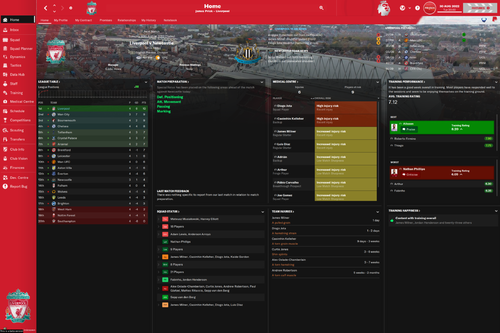 It is finally here guys! Priisek Retro Skin for FM23 😀 Amazing work as always from the very talented @priisek 👏👏👏 We are delighted to have this skin on FMG 🤝
- 1 review
-
-

-

- 2
-
-
Great gesture mate 👏👏
-
@Jamaicaman90 I'll get these done this week based on your brief mate. @slikkapee Welcome to FMG mate. I'll this done too if nobody else gets there before me. I need to finish the logo updates and one or two things for Minky with his requests and I'm on it.
-
Hi guys I'm delighted to announce we've made another fantastic appointment to the staff team here at FMG by adding @Statomatic to the team. Statomatic has created the brilliant Stato skin for FM23 and joins @a31632 and @Shark in what is an excellent group of skinners.
-
If these are not done in the next day or so I can have a crack at them once I finish the logo updates mate. Love the back story I must say. 🙂 Anything I should stick to in terms of shapes etc. I presume keep with the colours.
-
I'll squeeze these in mate. I've remade this one and added an alternative too.


-
Ok so all logos have been collected, prepared and the updates will start shortly. Anything posted after this will be in next months updates. A big thank you to all the researchers and members for their invaluable help. Total logo count for this update is 2,251.
-
Yes it's in the pack mate. I think it was just a timing thing.