AndreaSSL1900
Moderators
-
Joined
-
Last visited
-
COMPETITIONS FA Vase new logo - ID 89022624 https://www.thefa.com/competitions/fa-vase
-
COMPETITIONS English Southern League correct logo - ID 94048275, 94048276, 5111904, 5111905 MAIN https://southern-football-league.co.uk/
-
Lugo 1982 logo is for this season and for FM 26 too. From next season they’ll be changing their name and logo to Baracca Lugo, so on FM 27 they should be using this logo here which they’ve already shown:
-
This is the current successor to Stuoie Baracca Lugo with new logo. It was re-founded this summer and competes in Italy’s eighth tier. They have announced that from next season, they will once again adopt the name and logo of the historic Baracca Lugo: https://www.instagram.com/p/DMZvkyQsXoX/?img_index=1 https://www.facebook.com/stuoie1982 https://www.instagram.com/official_lugo_1982/ https://www.tuttocampo.it/EmiliaRomagna/SecondaCategoria/GironeMRavenna/Squadra/Lugo1982/1000839/Scheda
-
I also found this link, but it seems there’s no way to verify whether the logo is correct. Unfortunately, informations about North Korean teams are always difficult to find: https://grokipedia.com/page/chadongcha_sports_club
-
What I meant was that the logos without a name are used in a wide variety of colours, all of which are reminiscent of pink and black, which are Palermo’s official colours. I didn’t explain myself very well
-
Top quality. Where else can you find images of such high quality?
-
The version with the name on it is my personal favourite (I hate logos without the team name). But as you can see, it’s used in loads of different colour schemes depending on the social media platform, so there isn’t an official version with set colours. Any version featuring pink and black is fine by them
-
There isn’t really an official version. Let’s say that, as you mentioned, the most commonly used ones are the unbranded black and white versions, but, for example, the first pink kit features a completely white logo, whilst the third kit uses a logo from the 1930s. On social media, depending on the background colour, they range from white to pink. The only thing that's certain is that the logo featuring the letter P and the eagle is plastered everywhere in every colour variation
-
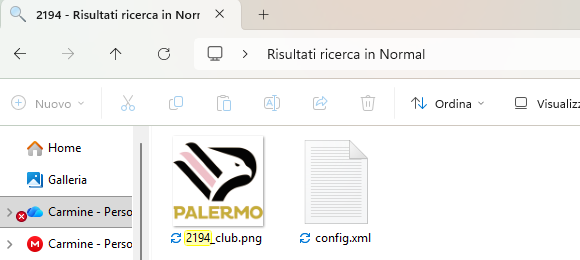
Mate i don’t know which logo pack you’re using or whether you play FM 26, but this one is available as the main logo, complete with the name: That's my logos folder: As you can see from their website, they use several versions of the logo, some with a name and some without https://www.palermofc.com/en
-
Because I didn’t know the pre-game editor existed and didn’t know how to download it. I’ve got it now thanks to the information provided by Inhocanoss, whom I’d like to thank. Without this, FMREF was the only semi-reliable source, even if unofficial. Or you could look for them in-game. I used whatever I had available to do the same thing you all do. That’s all.
-
Where can I find the pre-game editor?
-
Boldmere Falcons updated logo - ID 2000026540 Earlswood Town updated logo - ID 2000026542
-
It's the only way I know of to view IDs, apart from looking them up in-game
-
It is not in the database Report it here: https://community.sports-interactive.com/bugtracker/1644_football-manager-26-bugs-tracker/1877_database-research/1912_mens-football/chile-data-issues/?d=8