




Skip to content
View in the app

A better way to browse. Learn more.

Football Manager Graphics

A full-screen app on your home screen with push notifications, badges and more.

To install this app on iOS and iPadOS
  1. Tap the Share icon in Safari
  2. Scroll the menu and tap Add to Home Screen.
  3. Tap Add in the top-right corner.
To install this app on Android
  1. Tap the 3-dot menu (⋮) in the top-right corner of the browser.
  2. Tap Add to Home screen or Install app.
  3. Confirm by tapping Install.

2 Screenshots

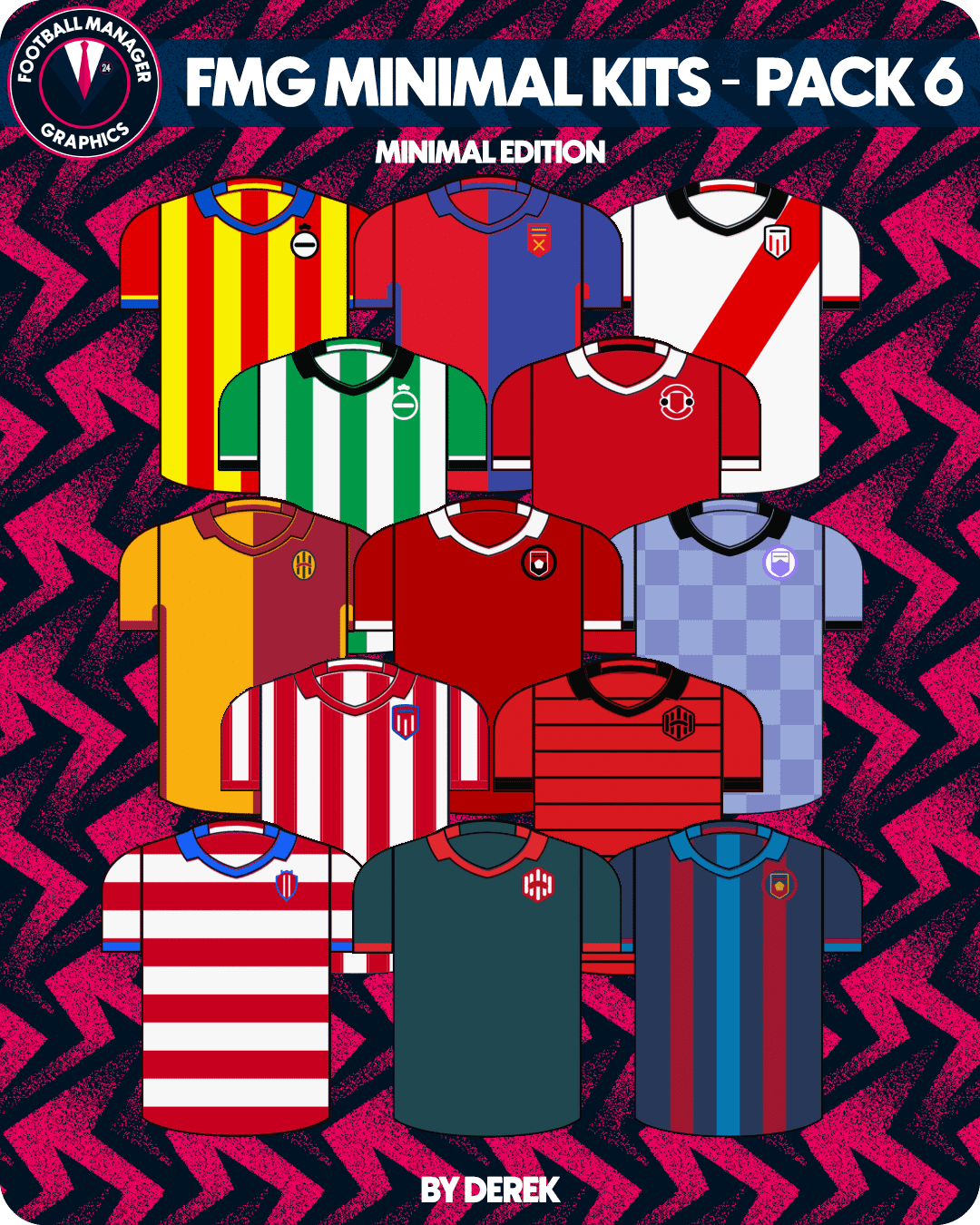
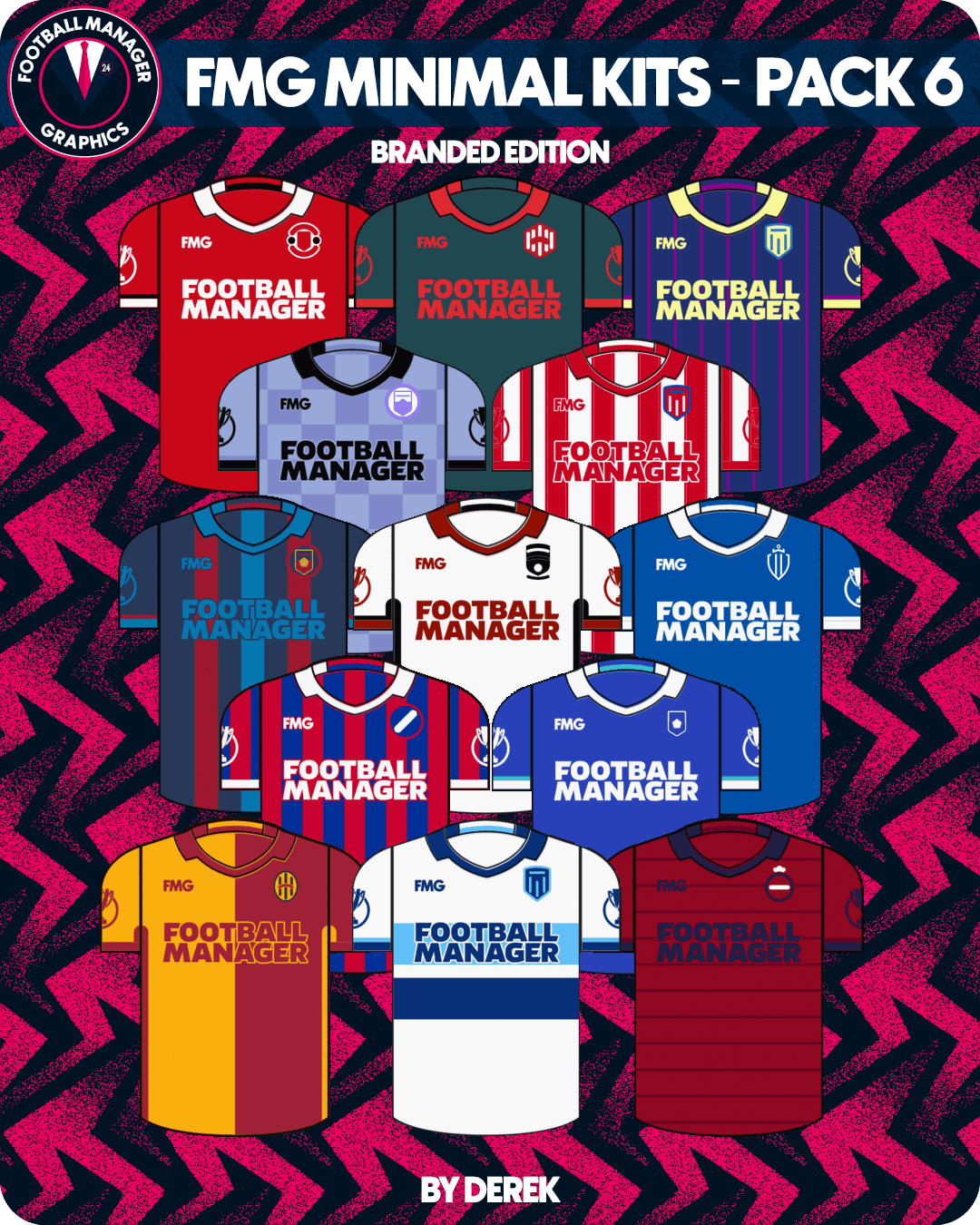
FMG Minimal Kits Pack 6

This pack contains two options for this style. One is minimal and the other minimal with branding.


Installation instructions

Choose which style you want to use (Minimal or Branded) and then drag and drop the 'kits' and 'logos' folders into the appropriate location below.

Windows

C:\Users\XXXX\Documents\Sports Interactive\Football Manager 2024\graphics\pictures

Mac

Users/XXXX/Library/Application Support/Sports Interactive/Football Manager 2024/graphics/pictures


Notes

If you wish to change the appearance of a kit you can do so in the FM24 Editor. This is a default pack which builds using the kit information in the editor.

Logos will only appear on kits if you have not installed a logo pack.

If you wish to use the standard default logos on these kits simply do not use the 'logos' folder included in the pack.

What's New in Version 2024.00

Released

No changelog available for this version.

User Feedback

Recommended Comments

Pumpkin King

Members

Hello again, I have a little problem with the kits, the basic ones already present in the game are displayed instead of the new ones.

How can I remove them to only have FMG Minimals?


Thx for your help ! (example : image.thumb.png.1cc1265f113f2bc3631dafe4db195ede.png

  • Administrators
5 hours ago, Pumpkin King said:

Hello again, I have a little problem with the kits, the basic ones already present in the game are displayed instead of the new ones.

How can I remove them to only have FMG Minimals?


Thx for your help ! (example : image.thumb.png.1cc1265f113f2bc3631dafe4db195ede.png

Place this config file in the kit folder and it will remove 99% of the original kits. I just need some time to resolve them all.

Sports Interactive/Football Manager 2024/graphics/pictures/kits

config.xml

These kits come with the game and can be extracted using the Resource Archiver. However, dropping this config file in should remove them.

l0werleagues

Members

Hi, 

Thanks for the great work!

I have the same problem. After I installed the new config file only some kits have been replaced by your designs. Some leagues it seems to be 50/50.

Any ideas how to fix it?

Join the conversation

You can post now and register later. If you have an account, sign in now to post with your account.

Guest
Add a comment...

Important Information

Terms & Conditions

Account

Navigation

Search

Search

Configure browser push notifications

Chrome (Android)
  1. Tap the lock icon next to the address bar.
  2. Tap Permissions → Notifications.
  3. Adjust your preference.
Chrome (Desktop)
  1. Click the padlock icon in the address bar.
  2. Select Site settings.
  3. Find Notifications and adjust your preference.