






Markitos
Moderators
-
Joined
-
Last visited
Everything posted by Markitos
-
Upload the logo with the name of the new club and mention me, and I will check the official DB to see if it exists as a new club or with the ID of one of the existing ones.
-
The club existed for 2 years, replacing another one in Colombia's 2nd division (change of city). It kept the format of the original club logo (Real Santander) changing only the name and little else. There was no other logo or anything like that. Last year a new club was founded with the same name, but it is not the same and the logo is different.
-
New ID 2000316751

-
New ID 2000290703 (Simoiben FC)

-
No mate, this competition don't exist
-
New ID 2000316043 (Club Gramadeportes)
-
52064246 & 52064247 don't exist
-
ID 2000280026
-
New Logo ID 76058672

-
Update ID 19013098 New logo ID 2000272553


-
Update (Correct colors) ID 2000069667
-
New Logo ID 2000069663
-
Clubs missing ID 2000258090 ID 2000256733 ID 2000257410 ID 2000257398


-
2000289984
-
Mate, if you look better the logo I put it's new with new name "Clan FC" without FL (FL Clan it's ex name, logo in pack already with FL Clan)
-
New logo ID 2000117120
FotosyvideosdeInstagram.thumb.png.b14fff445690e9c06f1d4297df0375c3.png)
-
ID 2000294941
-
Correct ID Dinamo City 2000288897 Dinamo City II ID 2000288913
-
New logos from Colombia, Bolivia and Venezuela Club.rar
-
@Derek please do not accept any more logos that are "club name change" logos until the new edition of the FM comes out or I look at the IDs. I have found some logos that, due to "name change" are with IDs of previous clubs and it is a waste of time to correct them.
-
Yes mate, send me this pack
-
@Derek Correct ID 2000262119
-
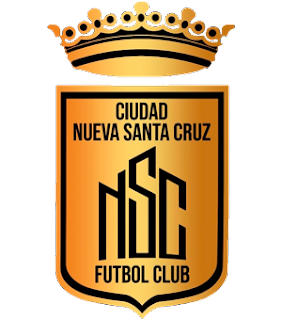
The case is "curious". Ciudad Nueva Santa Cruz joined with Academia F.C. (both teams from the same city) and "created" Ciudad Nueva Santa Cruz Academia F.C. to play in the Simon Bolivar Cup (2nd division of Bolivia). At the same time, Ciudad Nueva Santa Cruz continued to participate in the regional league as did Academia F.C., the latter decided not to do so and the new club in question "CNSCA" did. The league did not allow 2 teams with the same name, so the first one changed to Deportivo Nueva Santa Cruz. Remember, I work for FM, that's why I put the correct IDs (I had to create the new club and change the name of the other one hahaha).
-
So Nueva Santa Cruz ID 2000134817 Ciudad Nueva Santa Cruz Academia ID 2000288306

-
Ciudad Nueva Santa Cruz it's another team





FotosyvideosdeInstagram.png.e9ecd328edd4ac9def4740539ca064a9.png)
