





MustermannFM
Creator
-
Joined
-
Last visited
Everything posted by MustermannFM
-
 The TRANSFER Episode: Reinforcements and a Youth Overhaul | PAOK | Football Manager 24Long-time Football Manager player, short-time Football Manager skinner, complete novice Football Manager Youtuber . Twitter (X) @MustermannFM
 -
 RIVALRY: A Championship 6-Pointer | PAOK | Football Manager 24Long-time Football Manager player, short-time Football Manager skinner, complete novice Football Manager Youtuber . Twitter (X) @MustermannFM
 -
 EXCELLENCY: Recognising Your ACHIEVEMENTS | PAOK | Football Manager 24Long-time Football Manager player, short-time Football Manager skinner, complete novice Football Manager Youtuber . Twitter (X) @MustermannFM
 -
 Moneyball Clinic: WOLVES | Team, Tactic & Transfer Guide | FM24Long-time Football Manager player, short-time Football Manager skinner, complete novice Football Manager Youtuber . Twitter (X) @MustermannFM
 -
 The DATA Episode: Using Stats to Improve Your Team in FM24 | PAOK | Football Manager 24Long-time Football Manager player, short-time Football Manager skinner, complete novice Football Manager Youtuber . Twitter (X) @MustermannFM
 -
 NEMESIS: The Olympiacos Rivalry | FM24 | PAOK | Football Manager 24Long-time Football Manager player, short-time Football Manager skinner, complete novice Football Manager Youtuber . Twitter (X) @MustermannFM
 -
 Larry The Labrador: OI, OOP and OMG | FM24 | PAOK | Toumba No. 5Long-time Football Manager player, short-time Football Manager skinner, complete novice Football Manager Youtuber . Twitter (X) @MustermannFM
 -
 The DIAMOND: A Tactical Overview | FM24 | PAOK | Toumba No. 5Long-time Football Manager player, short-time Football Manager skinner, complete novice Football Manager Youtuber . Twitter (X) @MustermannFM
 -
 It's All GREEK To Me - The BEGINNING! | FM24 | PAOK | Football Manager 24Long-time Football Manager player, short-time Football Manager skinner, complete novice Football Manager Youtuber . Twitter (X) @MustermannFM
 -
 Super clean. Really gentle colour scheme. Very easy to use!
 -
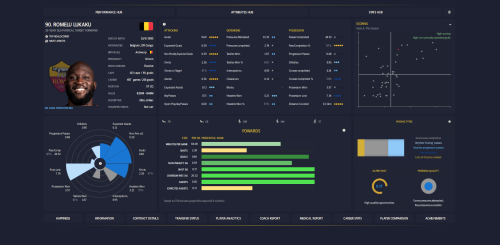 One of the most innovative skins around. A really well thought out tear down and rebuild of the FM interface. Feels like a completely new game.
 -
 Wonderful skin. Really good balance of colour and spacing. Not saying this just because he credited me, either!
 -
 The cleanest, most well considered skin out there. Absolutely professional standard work. For free!
 -
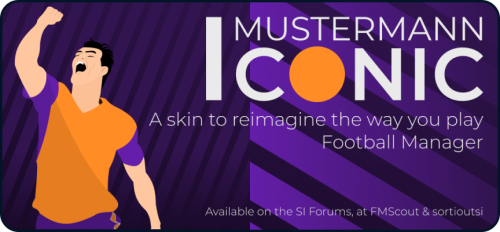 Installation Guide & Feature Overview Credits Quite a few to mention, and I'm sure there will be some that I've missed. If I've inadvertently used something you believe I haven't credited please let me know! tcsskin - An elder statesman of skinning, taught me a lot and been a wonderful sounding board. All round solid fella. keysi - For all the assistance to my many skinning queries. Wozzie - Tad Twenty was the first skin I used. Arguably to blame for me going down this rabbit hole! Michaeltmurrayuk - For those base skins all those years ago. wkdsoul - For all the assistance to my man skinning queries. sebastian_starttrbts - For setting me down the path of pseudo-attributeless skinning. Tyburn - Also for setting me down the path of pseudo-attributeless skinning. _Ben_ - For being a fabulous sounding board and helping to push new ideas over the last 18 months. Just Howie - For entertaining late night conversations on completely inconsequential skinning related nonsense. Groot - For building my ego and helping me with various skinning queries. Snowofman - For all the assistance to my many skinning queries. a31632 - For being a master of buttons. Jellico - For his consistent and constructive feedback. VonTrips - For his consistent and constructive feedback, and assistance with Czech translations. FERIA - For help with French translations. Herr Jones - For help with Portuguese translations. thebuildupplay - For help with Russian translations. FAQs What is a Pizza Chart What is an Archetype? How Do I Change the Colour Scheme? Where is Light Mode? Some Words Are in English. How Do I Change This? How Do I Change Attribute Ranges? Will You Make a “Normal” Version with Numerical Attributes? I Want [feature]. When Will You Add It? Usage Rights This skin is completely free for personal use, but may not be sold or placed behind a paywall. If you plan on using the skin publicly, or repurposing a unique element for your own released skin, you must provide credit and a link to this post. Donations If, for whatever reason, you are so enamoured with this skin you want to send me a coffee, feel free to donate via PayPal. I would like to stress there is no obligation whatsoever!
 -
 This Skin Is a GAME-CHANGER for FM24, Literally | Mustermann IconicLong-time Football Manager player, short-time Football Manager skinner, complete novice Football Manager Youtuber . Twitter (X) @MustermannFM
 -
 Everything or Nowt: AJAX - A Football Manager Story | Can We Become Invincible? | FM OneshotsLong-time Football Manager player, short-time Football Manager skinner, complete novice Football Manager Youtuber . Twitter (X) @MustermannFM
 -
 Even their teammates don't know who they are | #FM23 #Shorts #NFFCLong-time Football Manager player, short-time Football Manager skinner, complete novice Football Manager Youtuber . Twitter (X) @MustermannFM
 -
 Pep is once again asking for your support | #FM23 #Shorts #ManCityLong-time Football Manager player, short-time Football Manager skinner, complete novice Football Manager Youtuber . Twitter (X) @MustermannFM
 -
 The End of FM23, The Mustermann Skin & FM24 Plans | Channel UpdateLong-time Football Manager player, short-time Football Manager skinner, complete novice Football Manager Youtuber
 -
 How to Use DATA to Sign PLAYERS in FM23 - Is This Moneyball? | Guide | Ajax | FM OneshotsLong-time Football Manager player, short-time Football Manager skinner, complete novice Football Manager Youtuber
 -
 How to Recruit STAFF Realistically in FM23 | Guide | Ajax | FM OneshotsLong-time Football Manager player, short-time Football Manager skinner, complete novice Football Manager Youtuber
 -
 How to IMPROVE Your TACTIC in FM23 | Guide | Ajax | FM OneshotsLong-time Football Manager player, short-time Football Manager skinner, complete novice Football Manager Youtuber
 -
 How to Assess Your STARTING SQUAD in FM23 | Guide | Ajax | FM OneshotsLong-time Football Manager player, short-time Football Manager skinner, complete novice Football Manager Youtuber
 -
 Make Your Own COUNTER ATTACK Tactic in FM23 | FM One Shots: Sampdoria - BONUS VIDEOLong-time Football Manager player, short-time Football Manager skinner, complete novice Football Manager Youtuber
 -
 The Most EXCITING League To Play According to Data | FM23Long-time Football Manager player, short-time Football Manager skinner, complete novice Football Manager Youtuber
