Leaderboard
-

Derek
Administrators33Points7,131Posts -
minky79
Moderators12Points222Posts -
dark warrior
Creator3Points15Posts -
HJFJHFJH
Members2Points1Posts



Popular Content
Showing content with the highest reputation since 02/09/21 in File Comments
-
3 points@AndreaSSL1900 @cameosis @Markitos @spankz @diego1960 @hlourencoam @rioplworks @Moondog777 @douyilmaz @ateesz This is definitely worth checking out guys and downloading. Thanks to @schweigi for sharing his files. Club logos to follow in time. 🤝3 points
-
2 points
 We have been continuously updating the FM24 packs for older FM versions and include everything you outlined above including the small logos. Have you downloaded these packs (2026.00, 2026.01, 2026.02, 2026.03)? https://footballmanagergraphics.com/files/category/63-fm24-fmg-standard-logos/ We released FM24, FM26 and FM Mobile megapacks versions in October and update them all each month.2 points
 -
2 points
 IT WORKED! I dind´t do anything different, but it worked this time jajajaja. Thank u guys for helping me. This is how it is now, but I'm 100% sure I tried before like this:2 points
 -
2 points
The women's logo (as many as possible) will be added in next weekends update.2 points
-
2 points
It's an issue only SI can rectify atm. Not something Derek can personally fix or give you updates on about it getting fixed. I'd recommend just starting your save, because there's no guarantee it'll be resolved anytime soon2 points
-
2 points
Independiente, Boca and a few other clubs from First division do not have logos. All second division clubs do. I haven't checked Brazil. Its weird as I can see those clubs badges (Independiente, Boca) in the files2 points
-
2 points
 The pack will work across all current FM versions without the 180x180 logos which are for FM Mobile use only. To clarify to other members too, this pack will work with all FM versions.2 points
 -
1 point
 Thank you so much for the quick response @Derek . You're really helpful! I'll be waiting for the next update.1 point
 -
1 point
-
 Hi guys, I see a wrong NK Osijek logo (Croatian HNL league, 440 id - it's logo for a women team, not men).1 point
 -
1 point
 Yes you will need to download the megapack first mate and then apply this update.1 point
 -
1 point
-
1 point
 Download link for 1.7 Version SFLogos Download More info here : https://www.patreon.com/posts/serbianfm-logo-1-143108819?source=storefront1 point
 -
In progress at the moment. Thanks I've collected these. Best to post any further logos in the Logo Update Thread to ensure there not missed 👍 Make sure you close Steam and FM26. Then reopen and the files should appear. The Mega link is now fixed.1 point
-
Thanks mate, we all work very hard here. The FM24 packs are still available and updated from the FM24 Logo section. You will see the list of logo types on the right hand side when you click the link. https://footballmanagergraphics.com/files/category/58-football-manager-2024-logos/1 point
-
1 point
-
IMPORTANT The FMG Standard Logos Megapack for FM26 has now been updated with a fix. This fix has been tested and will require the pack to be downloaded as the structure of the pack has changed. Please delete any previous versions. The other packs are in progress but it will take some time however.1 point
-
Amazing - thank you! That saves me having to try and figure out what's wrong when it was nothing 😂 Appreciate all your hard work on these!1 point
-
1 point
 Yes it's an ID conflict with FM26 at the moment where If a club and person have the same ID it doesn't display. If it's not resolved after full release we will update the megapacks. Trying/hoping not to do that.1 point
 -
1 point
-
I had the problem that even with the logo pack, some leagues had the teams having a fake logo, to solve this just rename the name of the folder where the logos are installed to "_logos" that alone solved it Argentine teams still have fake logos but this problem is not with the pack but with themselves1 point
-
1 point
-
1 point
-
 I will try to make the FC Partizan Jersey, they are kappa so no template so il mix something and post on the threat about jerseys1 point
 -
1 point
first of all, thank you for providing such a good logo pack. but there's several things that is confusing for me 1. from what I see, the logos consists of several type (normal, retro, alternatives, etc.). do I have to choose which type that I would use in each category (Nations, Competitions, Club, etc.) and only copy the folder of the type that I chose to the FM24 game directory or just copy the folder as it is? 2. what does Nations FA.zip and Original Default.zip do? should I unzip it before copying it to the game directory? I apologize if there's a guide or answer to my questions already, but I just can't find it. once again, thank you1 point
-
1 point
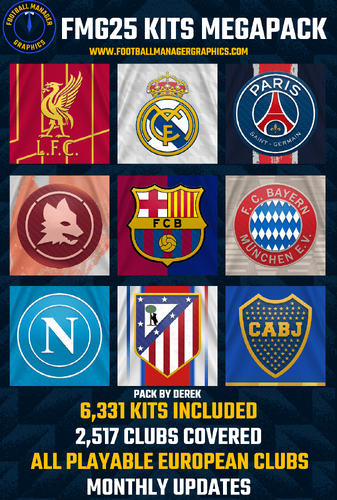 It’s unlikely mate as they didn’t seem too popular. I’ve now started to work on a new kit style.1 point
 -
1 point
-
1 point
-
1 point
-
1 point
To make it clear the content you are downloading is made here on FM Graphics. If other sites decide to link their pages here that's on them. Ads are necessary to keep the content free, despite data transfer fees for large files being expensive. How do I know this? I'm the one who pays those bills. The reason you need an account here is so we can limit downloads which as mentioned above are expensive. I don't want, share or need your data if that's what you are getting at. If you don't like it request to delete your account/data and get your content elsewhere. So nothing scammy about it really is there?1 point
-
1 point
bit scammy like having ur link on sortitoutsi then directing me to a page where i have to make an account to download but once u make an account u cant find the download. ads are crazy too1 point
-
1 point
 It's the same logo mate. We just updated the pack with a slight quality improvement.1 point
 -
1 point
 FAKEL russia new logo https://fakelfc.ru/ premierliga.ru/netcat_files/6/6/Fakel_Logo_RGB_0.svg old NEW1 point
 -
1 point
i have a question: is there any new logo included in here that wasnt included in the last 24 update? I suppose no but just in case1 point
-
1 point
-
1 point
 Hey, mate. I found a logo that has a lot of artifacts. 8114887.png and 8114888.png in competitions1 point
 -
1 point
-
1 point
 Perfect! Works now 🙂 I plan on renaming just some so wanted the graphics! Thank you so much1 point
 -
1 point
When I try to download the file, it downloads with 0 bytes. Am I doing something wrong?1 point
-
1 point
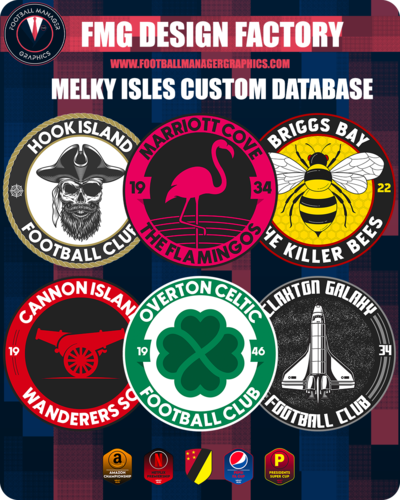 Thanks @minky79 I'll put all this together over the next few days. Hope you feel better 👊1 point
 -
1 point
sorry its taken so long, mixture of feeling crap with working in retail for xmas1 point
-
1 point
-
1 point
-
1 point
Melky Isles.fmfthe editor so far if anyone is interested in playing and letting me know of any improvements i could make1 point
-
1 point
-
1 point
-
1 point
-
1 point
-
1 point
-
1 point