






Derek
Administrators
-
Joined
-
Last visited
Everything posted by Derek
-
Thanks @a31632 It certainly feels like uncertain times for skinners at the moment.
-
Some Bundesliga and Wolves updated third.
-
Anyone having issues downloading the FM24 Standard Logos Megapack should use the link below. Some websites which link to our site/packs are using outdated or broken urls which are effecting downloads and logging members out of their accounts here. I have sent links to many of these sites but they remain unchanged on their end.
-
Note: At the top of this page you will see a link to FM Reference by Sortitoutsi to check ID's etc.
-
I feel like I update the Ancona logo every 2-3 months 🤣
-
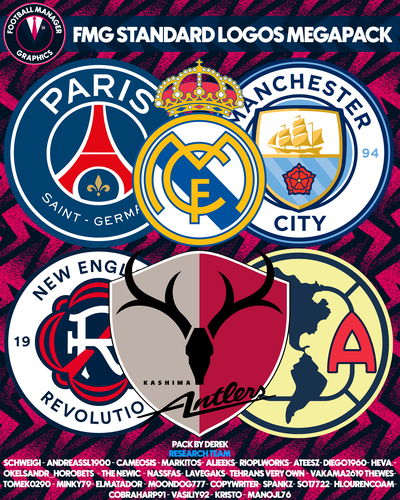 Yes this is the FM24 Standard Megapack. It has 11 updates and the final one will be released before the end of the month. You can download all the updates or wait until the end of the month when the new megapacks are released. Megapacks are released once per year only. https://footballmanagergraphics.com/files/category/63-fmg-standard-logos/ Further information on the megapacks is available by clicking the green notice at the top of the page.@bermudaflower @vincepee @alvarFrom looking at your account you have only downloaded update 11 rather than the megapack. To download that pack click the link below.La LigaDF11 GRAPHICS TEAM - UPDATE 1 REBO, JaviSSoria, Tom, Jartsi, @Copywriter, Spurs12345, Pochi, Tobias, Andreas, Caioba, @Jeff The 1st update pack for the season 24-25! Overview Update 1: 1002 New faces for leagues in: England, Germany, Brazil, Austria, Chile, China, Czech Republic, Denmark, Ireland, Uruguay and many more! Note: While most Premier League faces are included to this update, the Man Utd faces may be expected shortly for the release of FM25.DF11 GRAPHICS TEAM - UPDATE 12 DF11 Team REBO, Hertos, JaviSSoria, Tom, Jartsi, @Copywriter, Spurs12345, Pochi, Ivan, Ouz, Tobias, @Jeff. Major update for the most famous league in football, but also for lesser-known leagues. It's all part of Football Manager! Overview Update 12: 4240 New faces for leagues in: England, France, Colombia, Netherlands, Spain, Norway, Georgia, Iceland and Rwanda. DF11 GRAPHICS TEAM - UPDATE 13 DF11 Faces Team REBO, JaviSSoria, Tom, Jartsi, @Copywriter, Spurs12345, Pochi, Ivan, Ouz, Tobias, @Jeff. Final FM24 update pack for the season 23-24! Overview Update 13: 1002 New faces for leagues in: Belgium, Netherlands, Wales, Iraq, and Rwanda.
 Great stuff James! I'll give this a try for sure. Thanks for sharing.Please download the FM24 pack.I tend to manage at International level but double job. I've been Spain manager for five seasons now and Portugal before that but I'll manage a club at the same time. I'm not sure what you can really do with it to improve it. It's just kind of how International football is really. I believe it's looking likely custom skins may not be available for a while too.Keep up to date with our new FM News section which includes yesterdays Development Update from Sports Interactive Studio Manager Miles Jacobson. https://footballmanagergraphics.com/blogs/category/3-football-manager-2025/ One of the main takeaways seems to be no international team management for FM25 but it will return in time for FM26. This is to allow SI to focus resources elsewhere to ensure a quality product upon releasing FM25. The release date is not confirmed but it looks like a late November release this year. A positive note is that player weights have now been removed from the front end of the game and won't be visible in-game. This will save myself some fat shaming this year when creating myself in-game. 😄 Anyway check out the link above for more FM News.Football Manager 2025 may be slightly delayed this year but we've got some of our new challenges available now to help you plan your first FM save. We're excited to bring you even more challenges in the coming months with our FMG Pass The Save and Build A Squad returning on release of FM25. We've also got new Club Swap, Director of Football and Journeyman challenges coming soon. I've outlined details of the challenges in the images below but click the link below to visit the new section to find out further details. Please feel free to get involved. https://footballmanagergraphics.com/forum/52-fmg-challenges/Reminder!!! Football Manager 2024 is free through the Epic Games Store now until September 12th. 👆👆👆Kenny Dalglish led a team of Tim Flowers, Graeme Le Saux, Braveheart Colin Hendry, Tim Sherwood and the 'SAS' strike force of Alan Shearer and Chris Sutton to the FA Premiership title. The Scot and his team of stars scratched the 81 year itch for league success but it was legendary club owner and Blackburn local Jack Walker's Walkersteel millions that made it all happen. You might not have Walker's millions but can you take Blackburn all the way to the Premier League title? Take up the challenge and share your journey in here.Liverpool fans are still feeling that sense of abandonment since Jürgen Norbert Klopp departed Anfield for the European leg of Taylor Swift's Eras tour and on to the paddle tennis courts of Santa Ponza. However, we will be forever grateful for his exceptional time at Anfield but not nearly as much owners FSG were with his prudent spending in the transfer market. The challenge is to take LFC to the Premier League and Champions League titles within three seasons but without dusting the cobwebs off the FSG cheque book and finish each season with a transfer positive! Don't be a Todd Boehly, all cash up front! Take up the challenge and share your journey in here.





Important Information
Terms & Conditions
Account
Navigation
Search
Configure browser push notifications
Chrome (Android)
- Tap the lock icon next to the address bar.
- Tap Permissions → Notifications.
- Adjust your preference.
Chrome (Desktop)
- Click the padlock icon in the address bar.
- Select Site settings.
- Find Notifications and adjust your preference.
Safari (iOS 16.4+)
- Ensure the site is installed via Add to Home Screen.
- Open Settings App → Notifications.
- Find your app name and adjust your preference.
Safari (macOS)
- Go to Safari → Preferences.
- Click the Websites tab.
- Select Notifications in the sidebar.
- Find this website and adjust your preference.
Edge (Android)
- Tap the lock icon next to the address bar.
- Tap Permissions.
- Find Notifications and adjust your preference.
Edge (Desktop)
- Click the padlock icon in the address bar.
- Click Permissions for this site.
- Find Notifications and adjust your preference.
Firefox (Android)
- Go to Settings → Site permissions.
- Tap Notifications.
- Find this site in the list and adjust your preference.
Firefox (Desktop)
- Open Firefox Settings.
- Search for Notifications.
- Find this site in the list and adjust your preference.