





Jump to content
View in the app

A better way to browse. Learn more.

Football Manager Graphics

A full-screen app on your home screen with push notifications, badges and more.

To install this app on iOS and iPadOS
  1. Tap the Share icon in Safari
  2. Scroll the menu and tap Add to Home Screen.
  3. Tap Add in the top-right corner.
To install this app on Android
  1. Tap the 3-dot menu (⋮) in the top-right corner of the browser.
  2. Tap Add to Home screen or Install app.
  3. Confirm by tapping Install.

markc

Members
  • Joined

  • Last visited

Everything posted by markc

  1. thanks again
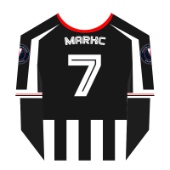
  2. Is it possible to get a Grimsby Town one please back with number 7 if you could thanks
  3. Could you make me a Grimsby Town one please😁
  4. not been able to download this its saying its corrupt... i have downloaded other files just to check and they are fine
  5. Nice look forward to seeing them
  6. Will there be anymore updates to these?
  7. Exactly thats why i asked here as this is where i first downloaded it from
  8. yeah i did couldn't find it so asked here sorry for asking questions

Important Information

Terms & Conditions

Account

Navigation

Search

Configure browser push notifications

Chrome (Android)
  1. Tap the lock icon next to the address bar.
  2. Tap Permissions → Notifications.
  3. Adjust your preference.
Chrome (Desktop)
  1. Click the padlock icon in the address bar.
  2. Select Site settings.
  3. Find Notifications and adjust your preference.
