Jump to content
View in the app

A better way to browse. Learn more.

Football Manager Graphics

A full-screen app on your home screen with push notifications, badges and more.

To install this app on iOS and iPadOS
  1. Tap the Share icon in Safari
  2. Scroll the menu and tap Add to Home Screen.
  3. Tap Add in the top-right corner.
To install this app on Android
  1. Tap the 3-dot menu (⋮) in the top-right corner of the browser.
  2. Tap Add to Home screen or Install app.
  3. Confirm by tapping Install.

markc

Members
  • Joined

  • Last visited

Everything posted by markc

  1. hi I would just like to know if there will be anymore for lower leagues in England and other countries
  2. did that also. either way i still like the skin
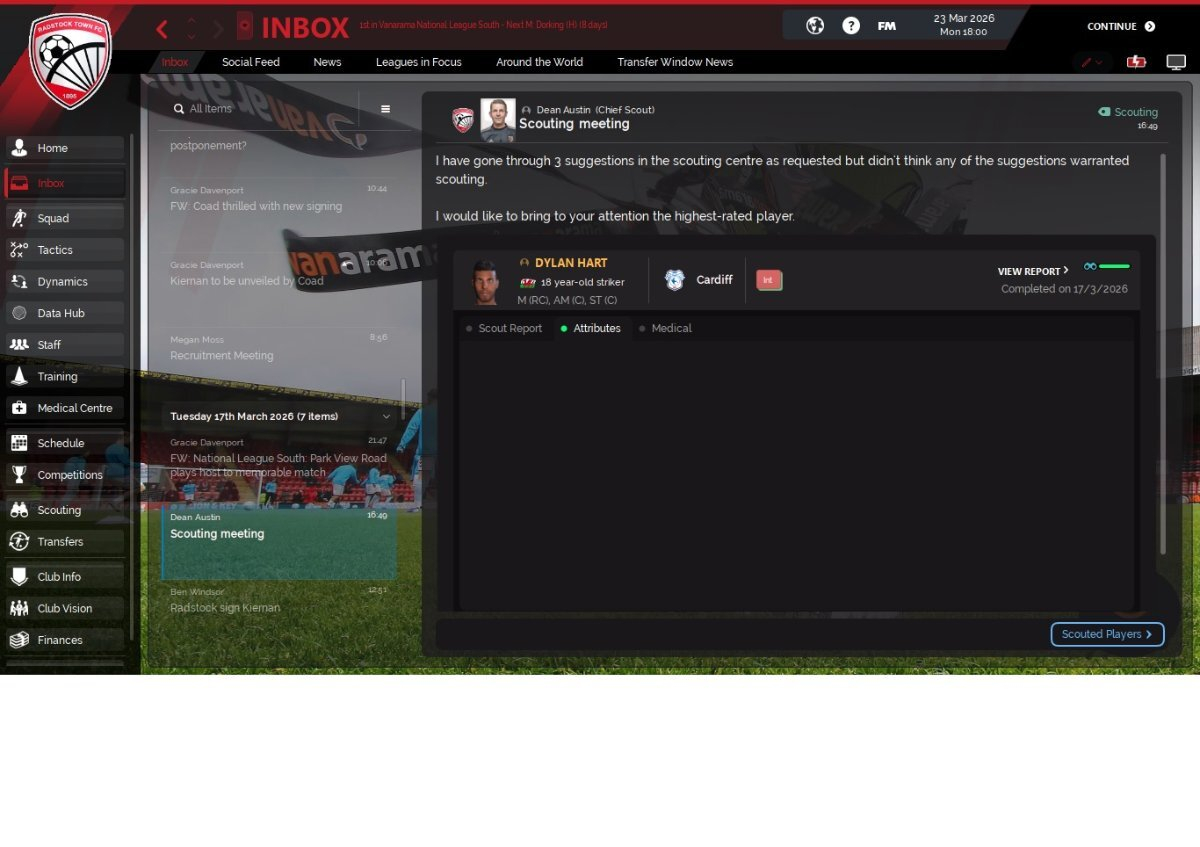
  3. Nice skin.. although I have noticed when a scout gives you a report on a player there are no attributes showing when its in the in box


Important Information

Terms & Conditions

Account

Navigation

Search

Configure browser push notifications

Chrome (Android)
  1. Tap the lock icon next to the address bar.
  2. Tap Permissions → Notifications.
  3. Adjust your preference.
Chrome (Desktop)
  1. Click the padlock icon in the address bar.
  2. Select Site settings.
  3. Find Notifications and adjust your preference.