






Derek
Administrators
-
Joined
-
Last visited
Everything posted by Derek
-
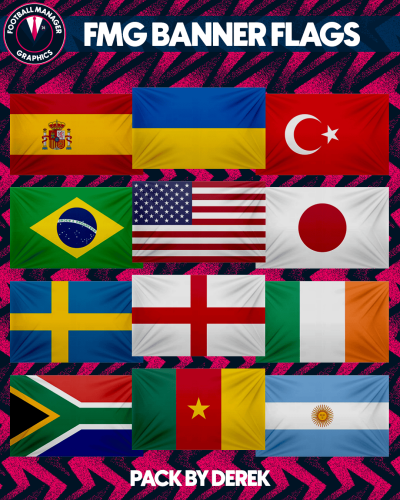 FMG Banner Flags
 -
-
Thanks mate
-
Thanks for sharing this mate! 👏
-
@daniele81 Like this?
-
Here you go These were in the pack already mate. One in the normal folder and another in the alternative. Normal Alternative
-
These are great thanks mate. I really like these ones. I particularly like these. What's the max size you can generate these on Midjourney?
-
Hi and welcome to FMG. 😀 Can you post this in the Logo Update Thread so it's not missed?
-
Thanks and welcome to FMG. I’ll add some more options to the alternative folder this month.
-
Great thanks mate 🤝
-
Thanks guys. This is looking like a great update this month. 👏
-
I will try to do this for you tomorrow mate. 👍
-
Welcome to FMG mate! If you need anything just shout! 👍
-
Have you created the club in game yet? I have attached a file which you can drop into your graphics folder. You will see three config files within the folders, two in the logo folder and one in the kits. Open each one and change the text 'Red Bull Roma' to the ID number and save for the team in your game. Then reload the game and it will work. Red Bull Roma.zip
-
Love these mate! Keep them coming!!! 😀
-
I'm away for a couple of days guys but might be able to do these tomorrow night but if not Wednesday.
-
@mande70 Great work mate! Keep them coming!!! They look amazing. Let me know if you want to have a download section here on FMG.
-
I can make them for sure but I only make RB logos in the style created in the below thread. Let me know what you want to do.
-
-
The database is finally complete and ready for download now. Each team requested in here is included in this custom Red Bull database. The Red Bull Takeover Custom Database This custom database by Football Manager Graphics sees Red Bull dominate the footballing landscape with 60 new teams introduced across many countries, divisions and levels. The Red Bull Super League, a new 64 team competition sees the existing Red Bull teams take on the new in a month long summer competition. This database also includes 195 custom club and competition logos in 9 styles and 205 custom FMG Kits. You also have the option to update the current Red Bull logos and kits with an optional custom graphics pack available. The full list of teams is in the first post.
-
Guys at the end of the day we are all here for the same reasons and the main one being to make sure these packs are as accurate as possible. I've had great support from each and every one of you since opening the site and continue to be very grateful for that. Markitos and Schweigi have really helped to identify the incorrect logos in the megapack which will be seen when we release our FM24 megapacks. I'm delighted that you guys can help to get into this type of detail for us all. I often refer to Cameosis as our in QA officer when it comes to finding higher resolution logos and that's a hugely important part of insuring the packs are high quality. I would encourage anyone researching the packs to post the logos whatever the size and then if someone can find a better version, absolutely post it in here. This is something I do anyway when making the update packs. I don't think anyone is in the wrong here, we are all simply working together to put the best pack together for us all to enjoy. Hopefully we can draw an end to this and continue to work together. 🤝
-
I appreciate all your efforts guys! No post is unimportant and every single person here makes these packs happen 🤝
-
Welcome to FMG. If you provide some details for the logo you want I’ll have a look at it tomorrow. Shape, colours etc. The more detail the better.
-
The Red Bull Takeover Custom Database This custom database by Football Manager Graphics sees Red Bull dominate the footballing landscape with 60 new teams introduced across many countries, divisions and levels. The Red Bull Super League, a new 64 team competition sees the existing Red Bull teams take on the new in a month long summer competition. This database also includes 195 custom club and competition logos in 9 styles and 205 custom FMG Kits. You also have the option to update the current Red Bull logos and kits with an optional custom graphics pack available. The full list of teams is in the first post.
-
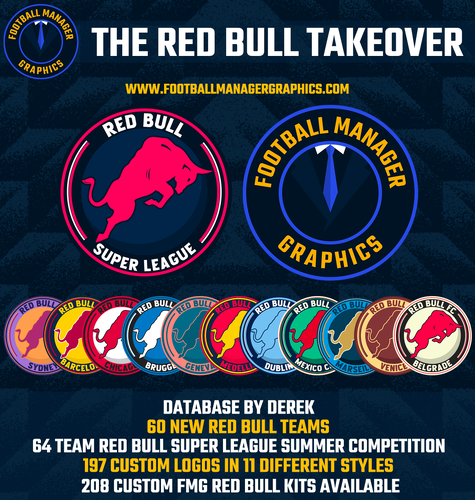 This custom database by Football Manager Graphics sees Red Bull dominate the footballing landscape with 60 new teams introduced across many countries, divisions and levels. The Red Bull Super League, a new 64 team competition sees the existing Red Bull teams take on the new in a month long summer competition. This database also includes 195 custom club and competition logos in 9 styles and 205 custom FMG Kits. You also have the option to update the current Red Bull logos and kits with an optional custom graphics pack available. Team List Red Bull Barcelona => Replaced FC Barcelona Red Bull Barcelona B => Replaced FC Barcelona B Red Bull Belfast => Replaced Glentoran Red Bull Belgrade => Replaced FK Partizan Beograd Red Bull Bellaire => Replaced Houston Dynamo FC Red Bull Bengaluru => Replaced FC Bengaluru United Red Bull Berlin => Replaced Union Berlin Red Bull Besançon => Replaced Racing Besançon Red Bull Bree-Beek => Replaced KGS Bree-Beek Red Bull Brugge => Replaced Club Brugge Red Bull Buenos Aires => Replaced Club Atlético Huracán Red Bull Bursa => Replaced Bursaspor Red Bull Cape Town => Replaced Cape Town City Red Bull Cape Verde => Replaced CS Mindelense Red Bull Casablanca => Replaced Wydad AC Red Bull Chicago => Replaced Chicago Fire Red Bull Coventry => Replaced Coventry City Red Bull Dublin => Replaced UCD Red Bull Edinburgh => Replaced FC Edinburgh Red Bull Geneva => Replaced Servette Red Bull Guangzhou => Replaced FC Guangzhou Red Bull Horsens => Replaced AC Horsens Red Bull Istanbul => Replaced Galatasaray A.Ş. Red Bull Juventus => Replaced Juventus Red Bull Karlsbergs BK => Replaced Karlsbergs BK Red Bull Kemerovo => Replaced FC Kemerovo Red Bull Kingston => Replaced Central Kingston FC Red Bull Kuala Lumpur => Replaced Kuala Lumpur City FC Red Bull Kuwait => Replaced Kuwait Sporting Club Red Bull Kyiv => Replaced Dynamo Kyiv Red Bull Liberec => Replaced Slovan Liberec Red Bull Lille => Replaced LOSC Lille Red Bull Lisbon => Replaced BSAD Red Bull London => Replaced Leyton Orient Red Bull Manchester => Replaced Manchester United Red Bull Marseille => Replaced Marseille Red Bull Medellin => Replaced Deportivo Independiente Medellín S.A. Red Bull Mexico City => Replaced CF Atlante Red Bull Milan => Replaced Città di Sangiuliano 1968 Red Bull Newcastle => Replaced Newcastle Jets Red Bull Nusantara => Replaced RANS Nusantara FC Red Bull Oldham => Replaced Oldham Athletic Red Bull Panileiakos => Replaced AO Panileiakos Red Bull Paris => Replaced Paris FC Red Bull Recreativo Balompie de Huelva => Replaced Huelva Red Bull Roma => Replaced AS Roma Red Bull Santiago => Replaced Universidad de Chile Red Bull Sheffield => Replaced Sheffield Wednesday Red Bull Sparta Goeferdinge => Replaced New Team Red Bull Strasbourg => Replaced New Team Red Bull Sydney => Replaced Macarthur FC Red Bull The Hague => Replaced ADO Den Haag Red Bull Timisoara => Replaced SSU Politehnica Timişoara Red Bull Tokyo => Replaced FC Tokyo Red Bull Toronto => Replaced Toronto FC Red Bull Uppsala => Replaced IFK Uppsala Red Bull Varna => Replaced Cherno more Varna Red Bull Venice => Replaced Venezia Football Club Red Bull Vila Nova de Gaia => Replaced Vila Nova FC (RN) Red Bull Volta Redonda => Replaced Volta Redonda Futebol Clube Red Bull York => Replaced York City


