Derek
Administrators
-
Joined
-
Last visited
Everything posted by Derek
-
-
-
FMG Round Logos Australia Do you want to use this pack with one of our Megapacks? If you want to use this pack as well as one of our logo megapacks simply follow the instructions below. Create a 'logos' folder within your FM graphics folder Move your existing megapack into that folder and place b_ at the start of the pack name ie. FMG Standard Logos should now be b_FMG Standard Logos Then create a new folder called a_FMG Round Logos within the new logos folder. Place any FMG Round Logos packs in the a_FMG Round Logos and reload your skin. FM will now prioritise the FMG Round Logos and show the FMG Standard Logos when a logo is not available.
-
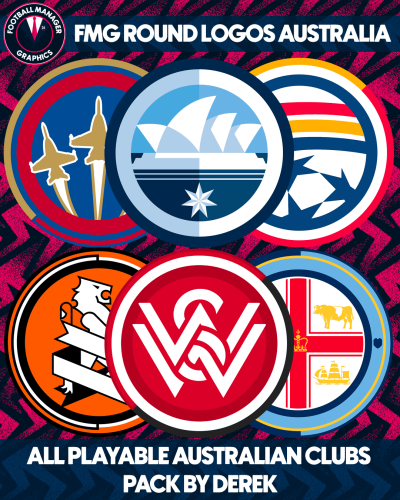 FMG Round Logos Australia This pack includes all playable teams for Australia. A-League Do you want to use this pack with one of our Megapacks? If you want to use this pack as well as one of our logo megapacks simply follow the instructions below. Create a 'logos' folder within your FM graphics folder Move your existing megapack into that folder and place b_ at the start of the pack name ie. FMG Standard Logos should now be b_FMG Standard Logos Then create a new folder called a_FMG Round Logos within the new logos folder. Place any FMG Round Logos packs in the a_FMG Round Logos and reload your skin. FM will now prioritise the FMG Round Logos and show the FMG Standard Logos when a logo is not available. Installation Guide - FMG Round Logos 1) Download the pack of your choice. 2) Unzip the files using an archiver. We recommend Winrar for Windows and Keka for Mac but most applications will work. https://www.win-rar.com/start.html?&L=0 https://www.keka.io/en/ 3) Once unpacked place your pack into the folder below based on your operating system. Windows: \Users\<your username>\Documents\Sports Interactive\Football Manager 2024\graphics\ Mac OS: Users/YOUR MAC USERNAME/Library/Application Support/Sports Interactive/Football Manager 2024/graphics 4) Next you will want to go to FM and select 'Preferences' from the start screen or in your game and select 'Advanced". 5) Then untick 'Use caching to decrease page loading times'. 6) Next tick 'Reload skin when confirming changes to preferences'. 7) Finally, select 'Reload Skin' and after a brief pause your graphics will be visible. Installation Guide - FMG Monthly Logo Updates Drag and drop the contents (including the config files) of each folder in this update pack into the corresponding folder in the megapack and replace the existing logos when prompted. Do not drag and drop the actual folders as this will overwrite your megapack. This MUST be done for all four sizes (512x512px, 180x180px, 50x36px and 25x18px) or you will have issues displaying the logos in-game. Then simply go to preferences in FM and reload your skin. Alternative | Fantasy | Retro Logos To use any of the alternative, fantasy or retro logos in game you must remove the text at the end of each logo i.e. alt, retro or fantasy and drag and drop into the normal logo folder in the megapack. You will need to repeat this for all four sizes. Then simply go to preferences in FM and reload your skin. I would advise creating a copy of the original logos before replacing them. FM Mobile Installation Guide - FMG Logo Megapacks 1) Download the pack of your choice. 2) Unzip the files using an archiver. We recommend Winrar for Windows and Keka for Mac but most applications will work. https://www.win-rar.com/start.html?&L=0 https://www.keka.io/en/ 3) Delete all @2x folder from the pack including Clubs, Competitions and Nations. 4) Copy the files from your computer to your mobile device. 5) Once the files are transferred place your pack into the folder below. Sigames/Documents/Sports Interactive/Football Manager 2023 Mobile/pictures/ 6) Open the game and your logos should display. If they don't, go to Sigames/Documents/Sports Interactive/Football Manager 2023 Mobile/cache folder on your device and delete any files that are present. Then restart your game.
 -
Derek replied to Derek's topic in Creators’ Club (Logos - FMG Round Logos)'s FMG Round Logos DiscussionI'm going to take on the next two big packs in Spain and Italy. I've got La Liga and Serie A/B completed from last season already.
-
Derek replied to Derek's topic in Creators’ Club (Logos - FMG Round Logos)'s FMG Round Logos DiscussionWIP List 😀 https://footballmanagergraphics.com/fmg-round-logos-wip-list/ Please post in here when you want to take on a nation. Should we also creating the competition logos while releasing the clubs? I'd prefer to do an international pack separately but comps might be better this way. What do you think?
-
Welcome to the FMG Round Logos Club guys and thank you for your help with this project. If you would like any templates which have been previously made simply request them in here. I will add a WIP list in due course but shout if anything else is required.
-
 FMG Round Logos Preview Template
 -
 FMG Round Logos Template
 -
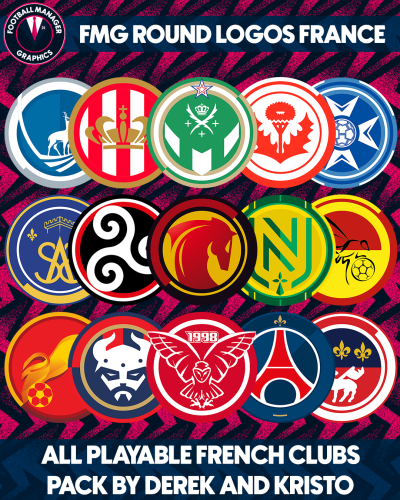 Fantastic pack by @kristo 👏👏👏
 -
-
Viitorul Horezu @Tore23
-
Red Bull Vatican City @rhodyballer19 Red Bull Žilina @DeGea
-
@rhodyballer19 Ashkelon Football Club Bat Yam Football Club Bauhaus Football Club Beersheba Football Club Beitar Haifa Beitar Tel Aviv Galilee Football Club Golan Football Club Haifa United Hapoel Nazareth Hapoel Netanya Judeans Football Club Maccabees Football Club Maccabi Ashdod Maccabi Jerusalem Maccabi Nazareth Maccabi Ramla Maccabi Yafo Negev United Northwestern Football Club
-
-
 @VyKing 😁
 -
No I didn’t forget mate I’m just extremely busy with work this weekend. If you want to add any information please do so asap as I won’t be able to edit them later due to the amount of items. If your happy for me to create them without that’s fine too.
-
As soon as I read Crewe I realised I'd never managed them despite always keeping an eye on them since we signed Danny Murphy from them. Possibly a future save 😁
-
Let me just grab the popcorn 🍿
-
-
Oh dear... Firstly, can't believe they've changed it again but to that? I'm not one for being negative but that's not great is it? 😁
-
-
Yes I agree but I think if we all chip in we can complete the playable leagues to a decent standard. I'll start researching tomorrow.
-
FMG Round Logos Germany This pack includes all playable teams for England. Bundesliga 2 Bundesliga 3 Liga Extras - Many Regionalliga clubs Do you want to use this pack with one of our Megapacks? If you want to use this pack as well as one of our logo megapacks simply follow the instructions below. Create a 'logos' folder within your FM graphics folder Move your existing megapack into that folder and place b_ at the start of the pack name ie. FMG Standard Logos should now be b_FMG Standard Logos Then create a new folder called a_FMG Round Logos within the new logos folder. Place any FMG Round Logos packs in the a_FMG Round Logos and reload your skin. FM will now prioritise the FMG Round Logos and show the FMG Standard Logos when a logo is not available.
-
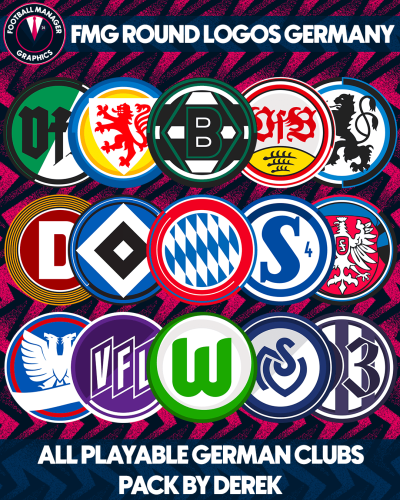 FMG Round Logos Germany This pack includes all playable teams for England. Bundesliga 2 Bundesliga 3 Liga Extras - Many Regionalliga clubs Do you want to use this pack with one of our Megapacks? If you want to use this pack as well as one of our logo megapacks simply follow the instructions below. Create a 'logos' folder within your FM graphics folder Move your existing megapack into that folder and place b_ at the start of the pack name ie. FMG Standard Logos should now be b_FMG Standard Logos Then create a new folder called a_FMG Round Logos within the new logos folder. Place any FMG Round Logos packs in the a_FMG Round Logos and reload your skin. FM will now prioritise the FMG Round Logos and show the FMG Standard Logos when a logo is not available. Installation Guide - FMG Round Logos 1) Download the pack of your choice. 2) Unzip the files using an archiver. We recommend Winrar for Windows and Keka for Mac but most applications will work. https://www.win-rar.com/start.html?&L=0 https://www.keka.io/en/ 3) Once unpacked place your pack into the folder below based on your operating system. Windows: \Users\<your username>\Documents\Sports Interactive\Football Manager 2024\graphics\ Mac OS: Users/YOUR MAC USERNAME/Library/Application Support/Sports Interactive/Football Manager 2024/graphics 4) Next you will want to go to FM and select 'Preferences' from the start screen or in your game and select 'Advanced". 5) Then untick 'Use caching to decrease page loading times'. 6) Next tick 'Reload skin when confirming changes to preferences'. 7) Finally, select 'Reload Skin' and after a brief pause your graphics will be visible. Installation Guide - FMG Monthly Logo Updates Drag and drop the contents (including the config files) of each folder in this update pack into the corresponding folder in the megapack and replace the existing logos when prompted. Do not drag and drop the actual folders as this will overwrite your megapack. This MUST be done for all four sizes (512x512px, 180x180px, 50x36px and 25x18px) or you will have issues displaying the logos in-game. Then simply go to preferences in FM and reload your skin. Alternative | Fantasy | Retro Logos To use any of the alternative, fantasy or retro logos in game you must remove the text at the end of each logo i.e. alt, retro or fantasy and drag and drop into the normal logo folder in the megapack. You will need to repeat this for all four sizes. Then simply go to preferences in FM and reload your skin. I would advise creating a copy of the original logos before replacing them. FM Mobile Installation Guide - FMG Logo Megapacks 1) Download the pack of your choice. 2) Unzip the files using an archiver. We recommend Winrar for Windows and Keka for Mac but most applications will work. https://www.win-rar.com/start.html?&L=0 https://www.keka.io/en/ 3) Delete all @2x folder from the pack including Clubs, Competitions and Nations. 4) Copy the files from your computer to your mobile device. 5) Once the files are transferred place your pack into the folder below. Sigames/Documents/Sports Interactive/Football Manager 2023 Mobile/pictures/ 6) Open the game and your logos should display. If they don't, go to Sigames/Documents/Sports Interactive/Football Manager 2023 Mobile/cache folder on your device and delete any files that are present. Then restart your game.