






Derek
Administrators
-
Joined
-
Last visited
Everything posted by Derek
-
The link is in the first post mate.
-
League champions!!!! 🏆 Fantastic season mate. I'm looking forward to see if you can get the Champions League across the line.
-
£1m a year! 😁 Ticket prices must be expensive to pay that. Very decent start mate with only a couple of defeats. Not sure we should count PSG defeats 😁
-
-
-
@Pastore0812 This custom database by Football Manager Graphics sees newly formed Stade Celtique Football Club take on the challenge of securing Championnat National 2 safety while building a squad from scratch. No players! No staff! Getting to the top will take all your managerial expertise to get there. Installation Instructions Download the custom database and extract the folder. Place the fmf file in the directory below. Sports Interactive->Football Manager 2024->editor data Place the graphics folder in the directory below. Sports Interactive->Football Manager 2024->graphics Start a new game and select database. Ensure Stade Celtique is selected. Then, select the Championnat National 2 before choosing Stade Celtique Football Club. Screenshots (click to enlarge) Stade Celtique Logos Stade Celtique FMG25 Kits Stade Celtique FC12 Kits Stade Celtique Standard Kits Stade Celtique 2D Kits Stade des Druides - Stadium Centre d’Entraînement des Druides - Training Ground
-
 This custom database by Football Manager Graphics sees newly formed Stade Celtique Football Club take on the challenge of securing Championnat National 2 safety while building a squad from scratch. No players! No staff! Getting to the top will take all your managerial expertise to get there. Installation Instructions Download the custom database and extract the folder. Place the fmf file in the directory below. Sports Interactive->Football Manager 2024->editor data Place the graphics folder in the directory below. Sports Interactive->Football Manager 2024->graphics Start a new game and select database. Ensure Stade Celtique is selected. Then, select the Championnat National 2 before choosing Stade Celtique Football Club.
 -
Great start @Holgadovic1991 It will be interesting to see how many seasons you can finish this in!
-
-
Love this mate 👏
-
Two versions @Wilko Manchester Cosmos
-
Hi What about players and staff?
-
TJK Legion Rochester United
-
Pack Contents Each pack consists of home, away, third and alternative kits where available. We offer 'Alternative' kits in each of our packs which are kits that clubs may release throughout the season. The first release of the FMG25 Kits Megapack 2025.00 contains the below graphics. Home Kits - 2,517 Away Kits - 2,517 Third Kits - 1,216 Alternative Kits - 81 Total - 6,331 Kits Installation Guide - New FMG25 Kits Megapack 1) Download the pack of your choice. 2) Unzip the files using an archiver. We recommend Winrar for Windows and Keka for Mac but most applications will work. https://www.win-rar.com/start.html?&L=0 https://www.keka.io/en/ 3) Once unpacked place your pack into the folder below based on your operating system. Windows: \Users\<your username>\Documents\Sports Interactive\Football Manager 2025\graphics\ Mac OS: Users/YOUR MAC USERNAME/Library/Application Support/Sports Interactive/Football Manager 2025/graphics 4) Next you will want to go to FM and select 'Preferences' from the start screen or in your game and select 'Advanced". 5) Then untick 'Use caching to decrease page loading times'. 6) Next tick 'Reload skin when confirming changes to preferences'. 7) Finally, select 'Reload Skin' and after a brief pause your graphics will be visible. Installation Guide - FMG25 Kits Monthly Updates Drag and drop the contents (including the config files) of each folder in this update pack into the corresponding folder in the megapack and replace the existing kits when prompted. Do not drag and drop the actual folders as this will overwrite your megapack. This MUST be done for all four types (home, away, third and alternative) or you will have issues displaying the kits in-game. Then simply go to preferences in FM and reload your skin. Alternative Kits To use any of the alternative kits in game choose your kit and then drag & drop it into the chosen kit folder in the megapack. Then simply go to preferences in FM and reload your skin. I would advise creating a copy of the original kit before replacing any graphics. Helpful Tips & FAQ's Why does the pack contain mainly European clubs? This is a new style which is created by @Derek alone and takes time to build a large base of leagues. The focus initially was to complete all playable European clubs and then move on to the remaining playable league around the world and more. How will I download further leagues? Just like our logo styles you will be able to download an update pack each month. This will contain all kits made within the month. There will not be any releases solely focused on a particular league.
-
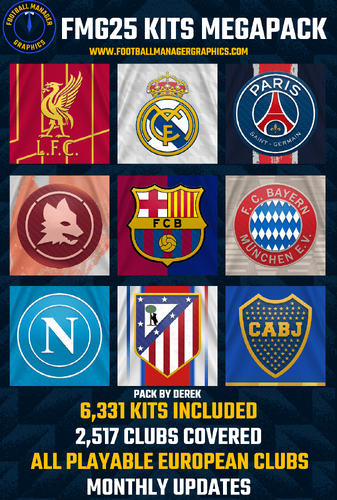 Pack Contents Each pack consists of home, away, third and alternative kits where available. We offer 'Alternative' kits in each of our packs which are kits that clubs may release throughout the season. The first release of the FMG25 Kits Megapack 2025.00 contains the below graphics. Home Kits - 2,517 Away Kits - 2,517 Third Kits - 1,216 Alternative Kits - 81 Total - 6,331 Kits Installation Guide - New FMG25 Kits Megapack 1) Download the pack of your choice. 2) Unzip the files using an archiver. We recommend Winrar for Windows and Keka for Mac but most applications will work. https://www.win-rar.com/start.html?&L=0 https://www.keka.io/en/ 3) Once unpacked place your pack into the folder below based on your operating system. Windows: \Users\<your username>\Documents\Sports Interactive\Football Manager 2025\graphics\ Mac OS: Users/YOUR MAC USERNAME/Library/Application Support/Sports Interactive/Football Manager 2025/graphics 4) Next you will want to go to FM and select 'Preferences' from the start screen or in your game and select 'Advanced". 5) Then untick 'Use caching to decrease page loading times'. 6) Next tick 'Reload skin when confirming changes to preferences'. 7) Finally, select 'Reload Skin' and after a brief pause your graphics will be visible. Installation Guide - FMG25 Kits Monthly Updates Drag and drop the contents (including the config files) of each folder in this update pack into the corresponding folder in the megapack and replace the existing kits when prompted. Do not drag and drop the actual folders as this will overwrite your megapack. This MUST be done for all four types (home, away, third and alternative) or you will have issues displaying the kits in-game. Then simply go to preferences in FM and reload your skin. Alternative Kits To use any of the alternative kits in game choose your kit and then drag & drop it into the chosen kit folder in the megapack. Then simply go to preferences in FM and reload your skin. I would advise creating a copy of the original kit before replacing any graphics. Helpful Tips & FAQ's Why does the pack contain mainly European clubs? This is a new style which is created by @Derek alone and takes time to build a large base of leagues. The focus initially was to complete all playable European clubs and then move on to the remaining playable league around the world and more. How will I download further leagues? Just like our logo styles you will be able to download an update pack each month. This will contain all kits made within the month. There will not be any releases solely focused on a particular league.
- 5 comments
- 1 review
-
-

- 3
-
-
Sorry it will be tomorrow as I missed a lot of Serie A third kits which had been released. All kits done now and a big update to La Liga too. 👊
-
The pack will be out tomorrow. I decided to make the 148 Swedish clubs in the end. 😁 They will be a mix of the new kits that have been released and from last season. Division 2 (4th Level in Sweden) are place holders only using the colours assigned in FM. Other leagues updated such as League of Ireland. Argentinian Liga Profesional de Fútbol has now been completed as I start South America.
-
So all the divisions below are completed which means all playable European clubs are done apart from Sweden. I've made the new season kits that have been released but with the season starting at the end of the month there is no point to make 10 divisions now. I'll make them as there released. The pack will be released this weekend which now includes 5,897 kits at this point. 😓😆 🇧🇬 Bulgaria (1) 🇨🇭 Switzerland (2) 🇹🇷 Turkey (2) 🇺🇦 Ukraine (3) 🏴 Wales (3) 🇸🇪 Sweden (10)
-
FMM FMG Vapour Logos 2025.05 Template by JackHammer - Credit Murray Pack by @Derek Research Team @schweigi @AndreaSSL1900 @cameosis @Markitos @ateesz @rioplworks @NassFas @ElCheffe @diego1960 @wfm18 @Vasiliy92 @OrangePulp @GriloKiko @Impp @skyfaker15 Pack Contents Each pack consists of official logos which we referred to as 'Normal' logos. We offer 'Alternative' logos in each of our packs which are logos that clubs may wear as shirt logos, perhaps in different colours, anniversary editions but are all based on official logos used by that organisation. We've also added 'Fantasy" logos to the packs which are great for future saves and 'Create-A-Club' games. In fact, all the logos created in our Design Factory are included in the megapacks. We have also got an option for the 'Retro' fans with a great selection of historic logos from many teams and competitions. Each pack also contains our very own default minimal style for those logos we haven't yet covered. However, if you wish to stick with the original default logos from the FM series simply delete our version in the megapack and unzip 'Original Default Logos' file. Installation Guide - FMG Monthly Logo Updates Drag and drop the contents (including the config files) of each folder in this update pack into the corresponding folder in the megapack and replace the existing logos when prompted. Do not drag and drop the actual folders as this will overwrite your megapack. Then simply go to preferences in FM and reload your skin. Alternative | Fantasy | Retro Logos To use any of the alternative, fantasy or retro logos in game you must remove the text at the end of each logo i.e. alt, retro or fantasy and drag and drop into the normal logo folder in the megapack. You will need to repeat this for all sizes. Then simply go to preferences in FM and reload your skin. I would advise creating a copy of the original logos before replacing them.
-
 FMM FMG Vapour Logos 2025.05 Template by JackHammer - Credit Murray Pack by @Derek Research Team @schweigi @AndreaSSL1900 @cameosis @Markitos @ateesz @rioplworks @NassFas @ElCheffe @diego1960 @wfm18 @Vasiliy92 @OrangePulp @GriloKiko @Impp @skyfaker15 Pack Contents Each pack consists of official logos which we referred to as 'Normal' logos. We offer 'Alternative' logos in each of our packs which are logos that clubs may wear as shirt logos, perhaps in different colours, anniversary editions but are all based on official logos used by that organisation. We've also added 'Fantasy" logos to the packs which are great for future saves and 'Create-A-Club' games. In fact, all the logos created in our Design Factory are included in the megapacks. We have also got an option for the 'Retro' fans with a great selection of historic logos from many teams and competitions. Each pack also contains our very own default minimal style for those logos we haven't yet covered. However, if you wish to stick with the original default logos from the FM series simply delete our version in the megapack and unzip 'Original Default Logos' file. Installation Guide - FMG Monthly Logo Updates Drag and drop the contents (including the config files) of each folder in this update pack into the corresponding folder in the megapack and replace the existing logos when prompted. Do not drag and drop the actual folders as this will overwrite your megapack. Then simply go to preferences in FM and reload your skin. Alternative | Fantasy | Retro Logos To use any of the alternative, fantasy or retro logos in game you must remove the text at the end of each logo i.e. alt, retro or fantasy and drag and drop into the normal logo folder in the megapack. You will need to repeat this for all sizes. Then simply go to preferences in FM and reload your skin. I would advise creating a copy of the original logos before replacing them.
-
- fmg
- fmv
- fm25
- fm25 logos
-
Tagged with:
- fmg
- fmv
- fm25
- fm25 logos
- fmview
- fm25 graphics
- fm25 mobile
- fm25 mobile logos
- fm25 mobile graphics
- fm mobile
- fm mobile logos
- football manager
- football manager logos
- football manager 2025
- football manager graphics
- football manager 2025 logos
- fm mobile graphics
- football manager 2025 graphics
- fmv logos
- fmv logos megpack
- fmv logos updates
-
FMM FMG Vapour Logos 2025.05 Pack & Template by @Derek Research Team @schweigi @AndreaSSL1900 @cameosis @Markitos @ateesz @rioplworks @NassFas @ElCheffe @diego1960 @wfm18 @Vasiliy92 @OrangePulp @GriloKiko @Impp @skyfaker15 Pack Contents Each pack consists of official logos which we referred to as 'Normal' logos. We offer 'Alternative' logos in each of our packs which are logos that clubs may wear as shirt logos, perhaps in different colours, anniversary editions but are all based on official logos used by that organisation. We've also added 'Fantasy" logos to the packs which are great for future saves and 'Create-A-Club' games. In fact, all the logos created in our Design Factory are included in the megapacks. We have also got an option for the 'Retro' fans with a great selection of historic logos from many teams and competitions. Each pack also contains our very own default minimal style for those logos we haven't yet covered. However, if you wish to stick with the original default logos from the FM series simply delete our version in the megapack and unzip 'Original Default Logos' file. Installation Guide - FMG Monthly Logo Updates Drag and drop the contents (including the config files) of each folder in this update pack into the corresponding folder in the megapack and replace the existing logos when prompted. Do not drag and drop the actual folders as this will overwrite your megapack. Then simply go to preferences in FM and reload your skin. Alternative | Fantasy | Retro Logos To use any of the alternative, fantasy or retro logos in game you must remove the text at the end of each logo i.e. alt, retro or fantasy and drag and drop into the normal logo folder in the megapack. You will need to repeat this for all sizes. Then simply go to preferences in FM and reload your skin. I would advise creating a copy of the original logos before replacing them.
-
 FMM FMG Vapour Logos 2025.05 Pack & Template by @Derek Research Team @schweigi @AndreaSSL1900 @cameosis @Markitos @ateesz @rioplworks @NassFas @ElCheffe @diego1960 @wfm18 @Vasiliy92 @OrangePulp @GriloKiko @Impp @skyfaker15 Pack Contents Each pack consists of official logos which we referred to as 'Normal' logos. We offer 'Alternative' logos in each of our packs which are logos that clubs may wear as shirt logos, perhaps in different colours, anniversary editions but are all based on official logos used by that organisation. We've also added 'Fantasy" logos to the packs which are great for future saves and 'Create-A-Club' games. In fact, all the logos created in our Design Factory are included in the megapacks. We have also got an option for the 'Retro' fans with a great selection of historic logos from many teams and competitions. Each pack also contains our very own default minimal style for those logos we haven't yet covered. However, if you wish to stick with the original default logos from the FM series simply delete our version in the megapack and unzip 'Original Default Logos' file. Installation Guide - FMG Monthly Logo Updates Drag and drop the contents (including the config files) of each folder in this update pack into the corresponding folder in the megapack and replace the existing logos when prompted. Do not drag and drop the actual folders as this will overwrite your megapack. Then simply go to preferences in FM and reload your skin. Alternative | Fantasy | Retro Logos To use any of the alternative, fantasy or retro logos in game you must remove the text at the end of each logo i.e. alt, retro or fantasy and drag and drop into the normal logo folder in the megapack. You will need to repeat this for all sizes. Then simply go to preferences in FM and reload your skin. I would advise creating a copy of the original logos before replacing them.
-
- fm25
- fm25 logos
- fm25 graphics
- fm25 mobile
-
Tagged with:
- fm25
- fm25 logos
- fm25 graphics
- fm25 mobile
- fm25 mobile logos
- fmg
- fm25 mobile graphics
- fm mobile
- fm mobile graphics
- fm mobile logos
- football manager
- football manager graphics
- football manager 2025
- football manager logos
- football manager 2025 graphics
- football manager 2025 logos
- fmg vapour logos
- fmg vapour logos megapack
- fmg vapour logos updates
-
FMM FMG Steel Logos 2025.05 Pack & Template by @Derek Research Team @schweigi @AndreaSSL1900 @cameosis @Markitos @ateesz @rioplworks @NassFas @ElCheffe @diego1960 @wfm18 @Vasiliy92 @OrangePulp @GriloKiko @Impp @skyfaker15 Pack Contents Each pack consists of official logos which we referred to as 'Normal' logos. We offer 'Alternative' logos in each of our packs which are logos that clubs may wear as shirt logos, perhaps in different colours, anniversary editions but are all based on official logos used by that organisation. We've also added 'Fantasy" logos to the packs which are great for future saves and 'Create-A-Club' games. In fact, all the logos created in our Design Factory are included in the megapacks. We have also got an option for the 'Retro' fans with a great selection of historic logos from many teams and competitions. Each pack also contains our very own default minimal style for those logos we haven't yet covered. However, if you wish to stick with the original default logos from the FM series simply delete our version in the megapack and unzip 'Original Default Logos' file. Installation Guide - FMG Monthly Logo Updates Drag and drop the contents (including the config files) of each folder in this update pack into the corresponding folder in the megapack and replace the existing logos when prompted. Do not drag and drop the actual folders as this will overwrite your megapack. Then simply go to preferences in FM and reload your skin. Alternative | Fantasy | Retro Logos To use any of the alternative, fantasy or retro logos in game you must remove the text at the end of each logo i.e. alt, retro or fantasy and drag and drop into the normal logo folder in the megapack. You will need to repeat this for all sizes. Then simply go to preferences in FM and reload your skin. I would advise creating a copy of the original logos before replacing them.
-
 FMM FMG Steel Logos 2025.05 Pack & Template by @Derek Research Team @schweigi @AndreaSSL1900 @cameosis @Markitos @ateesz @rioplworks @NassFas @ElCheffe @diego1960 @wfm18 @Vasiliy92 @OrangePulp @GriloKiko @Impp @skyfaker15 Pack Contents Each pack consists of official logos which we referred to as 'Normal' logos. We offer 'Alternative' logos in each of our packs which are logos that clubs may wear as shirt logos, perhaps in different colours, anniversary editions but are all based on official logos used by that organisation. We've also added 'Fantasy" logos to the packs which are great for future saves and 'Create-A-Club' games. In fact, all the logos created in our Design Factory are included in the megapacks. We have also got an option for the 'Retro' fans with a great selection of historic logos from many teams and competitions. Each pack also contains our very own default minimal style for those logos we haven't yet covered. However, if you wish to stick with the original default logos from the FM series simply delete our version in the megapack and unzip 'Original Default Logos' file. Installation Guide - FMG Monthly Logo Updates Drag and drop the contents (including the config files) of each folder in this update pack into the corresponding folder in the megapack and replace the existing logos when prompted. Do not drag and drop the actual folders as this will overwrite your megapack. Then simply go to preferences in FM and reload your skin. Alternative | Fantasy | Retro Logos To use any of the alternative, fantasy or retro logos in game you must remove the text at the end of each logo i.e. alt, retro or fantasy and drag and drop into the normal logo folder in the megapack. You will need to repeat this for all sizes. Then simply go to preferences in FM and reload your skin. I would advise creating a copy of the original logos before replacing them.
-
- fm25
- fm25 logos
- fm25 mobile
- fm25 mobile logos
-
Tagged with:
- fm25
- fm25 logos
- fm25 mobile
- fm25 mobile logos
- fm25 mobile graphics
- fm25 graphics
- fm mobile
- fm mobile logos
- fm mobile graphics
- football manager
- fmg
- football manager graphics
- football manager 2025 logos
- football manager 2025
- football manager 2025 graphics
- football manager logos
- fmg steel logos
- fmg steel logos megapack
- fmg steel logos updates
-
FMM FMG Standard Logos 2025.05 Pack & Template by @Derek Research Team @schweigi @AndreaSSL1900 @cameosis @Markitos @ateesz @rioplworks @NassFas @ElCheffe @diego1960 @wfm18 @Vasiliy92 @OrangePulp @GriloKiko @Impp @skyfaker15 Pack Contents Each pack consists of official logos which we referred to as 'Normal' logos. We offer 'Alternative' logos in each of our packs which are logos that clubs may wear as shirt logos, perhaps in different colours, anniversary editions but are all based on official logos used by that organisation. We've also added 'Fantasy" logos to the packs which are great for future saves and 'Create-A-Club' games. In fact, all the logos created in our Design Factory are included in the megapacks. We have also got an option for the 'Retro' fans with a great selection of historic logos from many teams and competitions. Each pack also contains our very own default minimal style for those logos we haven't yet covered. However, if you wish to stick with the original default logos from the FM series simply delete our version in the megapack and unzip 'Original Default Logos' file. Installation Guide - FMG Monthly Logo Updates Drag and drop the contents (including the config files) of each folder in this update pack into the corresponding folder in the megapack and replace the existing logos when prompted. Do not drag and drop the actual folders as this will overwrite your megapack. Then simply go to preferences in FM and reload your skin. Alternative | Fantasy | Retro Logos To use any of the alternative, fantasy or retro logos in game you must remove the text at the end of each logo i.e. alt, retro or fantasy and drag and drop into the normal logo folder in the megapack. You will need to repeat this for all sizes. Then simply go to preferences in FM and reload your skin. I would advise creating a copy of the original logos before replacing them.

