






Everything posted by Derek
-
Football Club Amsterdam This custom database by Football Manager Graphics sees the Football Club Amsterdam In a move similar to the Manchester United 'Class of 92' purchase of Salford City, several key former members of the Ajax '95 team have joined forces with other Ajax legends to bring FC Amsterdam back to league football. Can FC Amsterdam challenge Ajax for the crown of Amsterdam's leading club? Key Staff Frank Rijkaard (Managing Director) Danny Blind (Director) Ruud Gullit (Director) Edwin van der Sar (Director of Football) Dennis Bergkamp (Technical Director) Clarence Seedorf (Assistant Manager/Director) Michael Reiziger (Head of Youth Development/Director) Winston Bogarde (First Team Coach/Director) Jari Litmanen (First Team Coach/Director) Key Players Jean-Paul Boetius Marvin Zeegelaar Ryan Babel Ben Rienstra Maikel van der Weriff Ricardo Kishna Nick Bakker Geoffrey Castillion Mohammed Ihattaren Tristen Dekker Maxim Gullit Graphics Included This database also includes the team logo in 11 styles and kits in 4 styles. Logo Styles FMG Button Logos FMG D11 Logos FMG Grunge Logos FMG ING Logos FMG Logos FMG Plastic Logos FMG Standard Logos (default) FMG Steel Logos FMG Stone Logos FMG Vapour Logos FMV Logos Kit Style FMG Kits (default) 2D Kits (default) FC12 Kits Standard Kits Installation Instructions Download the custom database and extract the folder. Place the fmf file in the directory below. Sports Interactive->Football Manager 2024->editor data Place the graphics folder in the directory below. Sports Interactive->Football Manager 2024->graphics Start a new game and select database. Ensure Football Club Amsterdam is selected. Then, select the Eerste Divisie before choosing Football Club Amsterdam.
-
 This custom database by Football Manager Graphics sees the Football Club Amsterdam In a move similar to the Manchester United 'Class of 92' purchase of Salford City, several key former members of the Ajax '95 team have joined forces with other Ajax legends to bring FC Amsterdam back to league football. Can FC Amsterdam challenge Ajax for the crown of Amsterdam's leading club? Key Staff Frank Rijkaard (Managing Director) Edwin van der Sar (Director of Football) Dennis Bergkamp (Technical Director) Clarence Seedorf (Assistant Manager/Director) Michael Reiziger (Head of Youth Development/Director) Winston Bogarde (First Team Coach/Director) Jari Litmanen (First Team Coach/Director) Key Players Jean-Paul Boetius Marvin Zeegelaar Ryan Babel Ben Rienstra Maikel van der Weriff Ricardo Kishna Nick Bakker Geoffrey Castillion Mohammed Ihattaren Tristen Dekker Maxim Gullit Graphics Included This database also includes the team logo in 11 styles and kits in 4 styles. Logo Styles FMG Button Logos FMG D11 Logos FMG Grunge Logos FMG ING Logos FMG Logos FMG Plastic Logos FMG Standard Logos (default) FMG Steel Logos FMG Stone Logos FMG Vapour Logos FMV Logos Kit Style FMG Kits (default) 2D Kits (default) FC12 Kits Standard Kits Installation Instructions Download the custom database and extract the folder. Place the fmf file in the directory below. Sports Interactive->Football Manager 2024->editor data Place the graphics folder in the directory below. Sports Interactive->Football Manager 2024->graphics Start a new game and select database. Ensure Football Club Amsterdam is selected. Then, select the Eerste Divisie before choosing Football Club Amsterdam.
 -
Console mate. If we get a few involved I'm in.
-
PSN: DerekFMGLive If you know, you know 🤣
-
I watched Lover, Stalker, Killer the other night and wow! Didn't expect a lot of it without ruining anything for others 🤣 @Tempelman think you would like this one mate. It's on Netflix. Oh and I'm not so much a Marvel fan these days as I think I've super hero burnout. 🤣
-
Teddy Swims myself and my son (6) has become obsessed with Bob Marley! 🇯🇲 😀
-
Anyone ever played the Blade Runner game before? As the thread suggests it's a retro game but I loved it and was quite different at the time. I can see it in the Playstation store now and thinking about it after AC Valhalla.
-
When you have time mate lets see some screenshots from in-game! 😃
-
I'd be up for being the San Marino of our league 🤣
-
I really like these mate. Really nicely done! 👏👏👏
-
Loved this mate and happy belated birthday 🥳 Given the fact that CL football came so soon, along with a limited budget I think that's a cracking season. Who's up next to see where Davide Marzano's career takes him?
-
FMG Round Logos Argentina This pack includes all playable teams for Argentina. Primera División Primera Nacional Do you want to use this pack with one of our Megapacks? If you want to use this pack as well as one of our logo megapacks simply follow the instructions below. Create a 'logos' folder within your FM graphics folder Move your existing megapack into that folder and place b_ at the start of the pack name ie. FMG Standard Logos should now be b_FMG Standard Logos Then create a new folder called a_FMG Round Logos within the new logos folder. Place any FMG Round Logos packs in the a_FMG Round Logos and reload your skin. FM will now prioritise the FMG Round Logos and show the FMG Standard Logos when a logo is not available.
-
 FMG Round Logos Argentina This pack includes all playable teams for Argentina. Primera División Primera Nacional Do you want to use this pack with one of our Megapacks? If you want to use this pack as well as one of our logo megapacks simply follow the instructions below. Create a 'logos' folder within your FM graphics folder Move your existing megapack into that folder and place b_ at the start of the pack name ie. FMG Standard Logos should now be b_FMG Standard Logos Then create a new folder called a_FMG Round Logos within the new logos folder. Place any FMG Round Logos packs in the a_FMG Round Logos and reload your skin. FM will now prioritise the FMG Round Logos and show the FMG Standard Logos when a logo is not available. Installation Guide - FMG Round Logos 1) Download the pack of your choice. 2) Unzip the files using an archiver. We recommend Winrar for Windows and Keka for Mac but most applications will work. https://www.win-rar.com/start.html?&L=0 https://www.keka.io/en/ 3) Once unpacked place your pack into the folder below based on your operating system. Windows: \Users\<your username>\Documents\Sports Interactive\Football Manager 2024\graphics\ Mac OS: Users/YOUR MAC USERNAME/Library/Application Support/Sports Interactive/Football Manager 2024/graphics 4) Next you will want to go to FM and select 'Preferences' from the start screen or in your game and select 'Advanced". 5) Then untick 'Use caching to decrease page loading times'. 6) Next tick 'Reload skin when confirming changes to preferences'. 7) Finally, select 'Reload Skin' and after a brief pause your graphics will be visible. Installation Guide - FMG Monthly Logo Updates Drag and drop the contents (including the config files) of each folder in this update pack into the corresponding folder in the megapack and replace the existing logos when prompted. Do not drag and drop the actual folders as this will overwrite your megapack. This MUST be done for all four sizes (512x512px, 180x180px, 50x36px and 25x18px) or you will have issues displaying the logos in-game. Then simply go to preferences in FM and reload your skin. Alternative | Fantasy | Retro Logos To use any of the alternative, fantasy or retro logos in game you must remove the text at the end of each logo i.e. alt, retro or fantasy and drag and drop into the normal logo folder in the megapack. You will need to repeat this for all four sizes. Then simply go to preferences in FM and reload your skin. I would advise creating a copy of the original logos before replacing them. FM Mobile Installation Guide - FMG Logo Megapacks 1) Download the pack of your choice. 2) Unzip the files using an archiver. We recommend Winrar for Windows and Keka for Mac but most applications will work. https://www.win-rar.com/start.html?&L=0 https://www.keka.io/en/ 3) Delete all @2x folder from the pack including Clubs, Competitions and Nations. 4) Copy the files from your computer to your mobile device. 5) Once the files are transferred place your pack into the folder below. Sigames/Documents/Sports Interactive/Football Manager 2023 Mobile/pictures/ 6) Open the game and your logos should display. If they don't, go to Sigames/Documents/Sports Interactive/Football Manager 2023 Mobile/cache folder on your device and delete any files that are present. Then restart your game.
 -
Is this just for the FA or is it the team also?
-
DF11 Faces Update 7 REBO, Hertos, JaviSSoria, Pochi, Ouz, Tom, Spurs12345, @Copywriter, Jartsi, Tobias, FMWarrior, FMParloq, @Jeff. Another great exotic update pack created by our graphics team! This update pack will expand your DF11 Megapack to over 220.000 faces. For example.....With this pack all players in Japan are 100% covered with a personal face! Overview Update 7: 7855 New faces for leagues in: England, Italy, Japan, France, Bulgaria, Israel, Austria, Slovakia, Argentina, Bosnia, Saudi Arabia, Tanzania, Angola, UAE, and even more!
-
The FM23 pack has been replaced with the FM24 version.
-
-
The FMG Source Logo pack is now updated for those who require it. The pack is updated with this months updates. This is NOT a pack for in-game use but one for logo pack creators to use.
-
@a31632 Absolutely amazing work mate!!! I honestly couldn't have got that team anywhere near third place so well done on a fantastic achievement. 👏 👏👏 Very strong finish to the season mate. Who's up next guys to guide Davide Marzano's Sampdoria into the Champions League? Anyone can get involved by simply posting in here next and downloading the FMG Pass The Save - Season 3 file in a31632's post above. @Markitos @Tempelman @VyKing @Johno @kristo @Shark @NassFas
-
The logo updates are now released. This is the second largest update pack to date and also includes an optional zipped Nations folder to display FA and team logos. Can all researchers please check that folder even if you won't use it as I didn't have a lot of time to work on it? Credit - The folder is based on the Metallic Logos folder from Sortitoutsi. If posting international logos in future please comment if it's a logo for the team, fa or both. Thanks for all your hard work.
-
FMV Logos 2024.04 Pack by Derek Template by JackHammer Credit Murray Research Team @schweigi @NassFas @cameosis @Heval @AndreaSSL1900 @wfm18 @douyilmaz @spankz @Markitos @Lavegaks @Kriss @diego1960 @rioplworks @sptndc @The Newic @Moondog777 @ateesz Nations Logos - Alternative Pack 🆕 This update pack also includes an optional alternative folder which displays both FA and team logos for international teams. To use this pack you will need to remove or delete the existing Nations folder from the megapack and replace with an upzipped the 'Nations FA' file. You may also need to remove a flag pack if present to view correctly. Installation Instructions Drag and drop the contents (including the config files) of each folder in this update pack into the corresponding folder in the megapack and replace the existing logos when prompted. Do not drag and drop the actual folders as this will overwrite your megapack. Then simply go to preferences in FM and reload your skin. Alternative | Fantasy | Retro Logos To use any of the alternative, fantasy or retro logos in game you must remove the text at the end of each logo i.e. alt, retro or fantasy and drag and drop into the normal logo folder in the megapack. You will need to repeat this for all four sizes. Then simply go to preferences in FM and reload your skin. I would advise creating a copy of the original logos before replacing them.
-
 FMV Logos 2024.04 Pack by Derek Template by JackHammer Credit Murray Research Team @schweigi @NassFas @cameosis @Heval @AndreaSSL1900 @wfm18 @douyilmaz @spankz @Markitos @Lavegaks @Kriss @diego1960 @rioplworks @sptndc @The Newic @Moondog777 @ateesz Nations Logos - Alternative Pack 🆕 This update pack also includes an optional alternative folder which displays both FA and team logos for international teams. To use this pack you will need to remove or delete the existing Nations folder from the megapack and replace with an upzipped the 'Nations FA' file. You may also need to remove a flag pack if present to view correctly. Installation Instructions Drag and drop the contents (including the config files) of each folder in this update pack into the corresponding folder in the megapack and replace the existing logos when prompted. Do not drag and drop the actual folders as this will overwrite your megapack. Then simply go to preferences in FM and reload your skin. Alternative | Fantasy | Retro Logos To use any of the alternative, fantasy or retro logos in game you must remove the text at the end of each logo i.e. alt, retro or fantasy and drag and drop into the normal logo folder in the megapack. You will need to repeat this for all four sizes. Then simply go to preferences in FM and reload your skin. I would advise creating a copy of the original logos before replacing them.
 -
FMG Vapour Logos 2024.04 Pack by Derek Research Team @schweigi @NassFas @cameosis @Heval @AndreaSSL1900 @wfm18 @douyilmaz @spankz @Markitos @Lavegaks @Kriss @diego1960 @rioplworks @sptndc @The Newic @Moondog777 @ateesz Nations Logos - Alternative Pack 🆕 This update pack also includes an optional alternative folder which displays both FA and team logos for international teams. To use this pack you will need to remove or delete the existing Nations folder from the megapack and replace with an upzipped the 'Nations FA' file. You may also need to remove a flag pack if present to view correctly. Installation Instructions Drag and drop the contents (including the config files) of each folder in this update pack into the corresponding folder in the megapack and replace the existing logos when prompted. Do not drag and drop the actual folders as this will overwrite your megapack. Then simply go to preferences in FM and reload your skin. Alternative | Fantasy | Retro Logos To use any of the alternative, fantasy or retro logos in game you must remove the text at the end of each logo i.e. alt, retro or fantasy and drag and drop into the normal logo folder in the megapack. You will need to repeat this for all four sizes. Then simply go to preferences in FM and reload your skin. I would advise creating a copy of the original logos before replacing them.
-
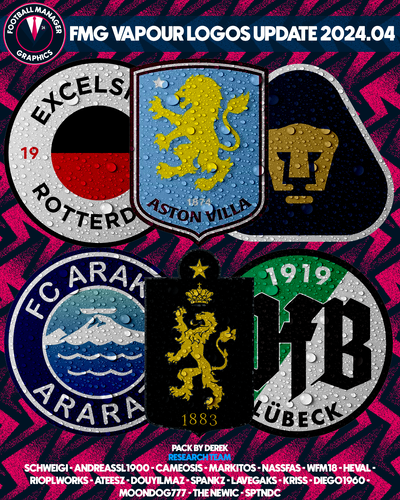 FMG Vapour Logos 2024.04 Pack by Derek Research Team @schweigi @NassFas @cameosis @Heval @AndreaSSL1900 @wfm18 @douyilmaz @spankz @Markitos @Lavegaks @Kriss @diego1960 @rioplworks @sptndc @The Newic @Moondog777 @ateesz Nations Logos - Alternative Pack 🆕 This update pack also includes an optional alternative folder which displays both FA and team logos for international teams. To use this pack you will need to remove or delete the existing Nations folder from the megapack and replace with an upzipped the 'Nations FA' file. You may also need to remove a flag pack if present to view correctly. Installation Instructions Drag and drop the contents (including the config files) of each folder in this update pack into the corresponding folder in the megapack and replace the existing logos when prompted. Do not drag and drop the actual folders as this will overwrite your megapack. Then simply go to preferences in FM and reload your skin. Alternative | Fantasy | Retro Logos To use any of the alternative, fantasy or retro logos in game you must remove the text at the end of each logo i.e. alt, retro or fantasy and drag and drop into the normal logo folder in the megapack. You will need to repeat this for all four sizes. Then simply go to preferences in FM and reload your skin. I would advise creating a copy of the original logos before replacing them.
 -
FMG Stone Logos 2024.04 Pack by Derek Research Team @schweigi @NassFas @cameosis @Heval @AndreaSSL1900 @wfm18 @douyilmaz @spankz @Markitos @Lavegaks @Kriss @diego1960 @rioplworks @sptndc @The Newic @Moondog777 @ateesz Nations Logos - Alternative Pack 🆕 This update pack also includes an optional alternative folder which displays both FA and team logos for international teams. To use this pack you will need to remove or delete the existing Nations folder from the megapack and replace with an upzipped the 'Nations FA' file. You may also need to remove a flag pack if present to view correctly. Installation Instructions Drag and drop the contents (including the config files) of each folder in this update pack into the corresponding folder in the megapack and replace the existing logos when prompted. Do not drag and drop the actual folders as this will overwrite your megapack. Then simply go to preferences in FM and reload your skin. Alternative | Fantasy | Retro Logos To use any of the alternative, fantasy or retro logos in game you must remove the text at the end of each logo i.e. alt, retro or fantasy and drag and drop into the normal logo folder in the megapack. You will need to repeat this for all four sizes. Then simply go to preferences in FM and reload your skin. I would advise creating a copy of the original logos before replacing them.


