






Markitos
Moderators
-
Joined
-
Last visited
Everything posted by Markitos
-
-
-
-
Cúcuta F.C. ID 2000104611

-
-
-
-
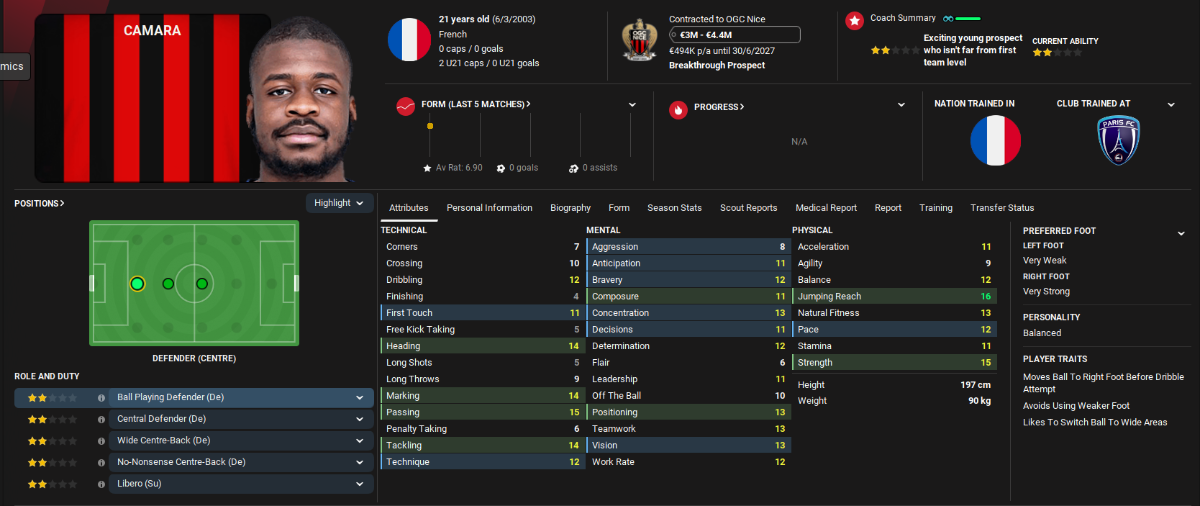
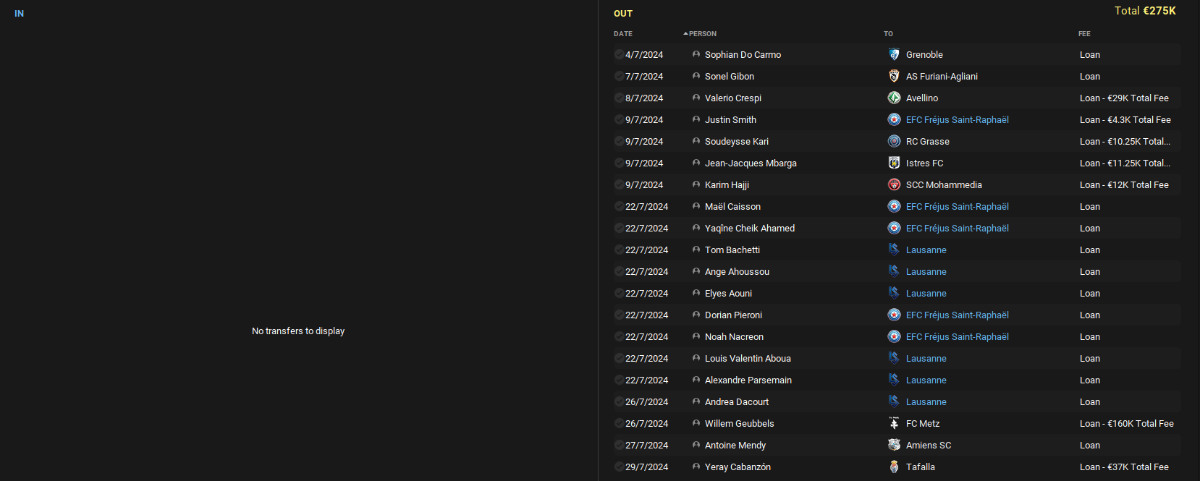
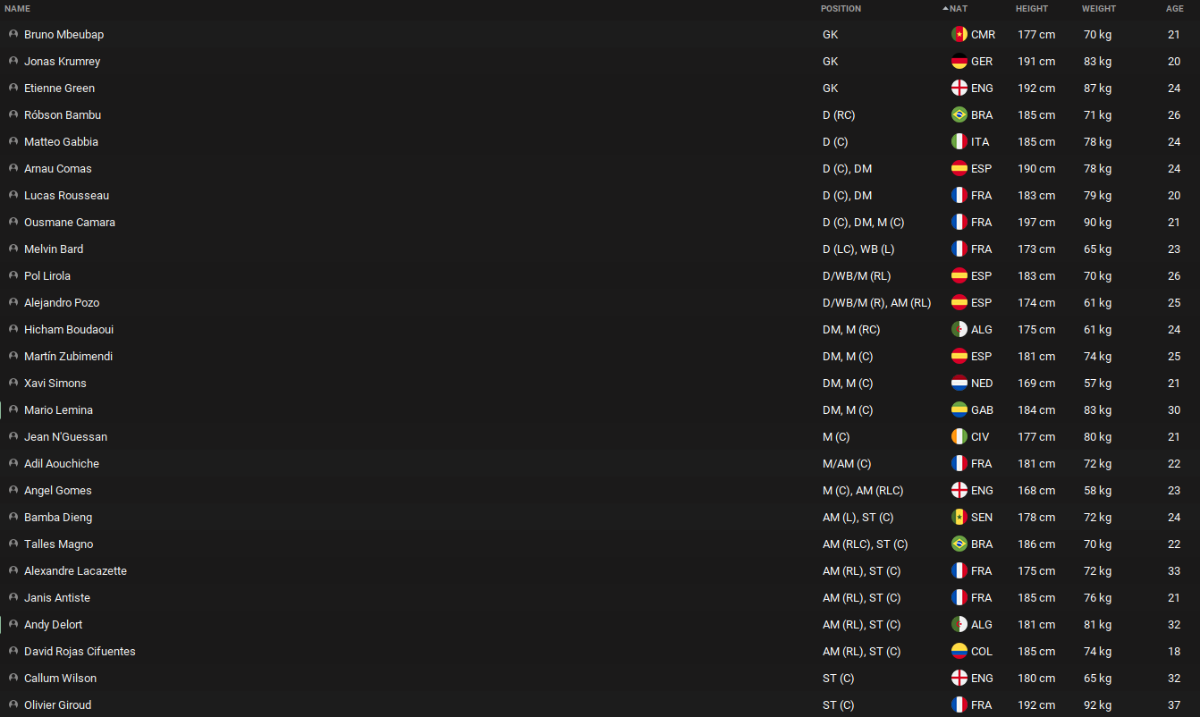
We have finished the pre-season and the preparation of the team. To complete it, Ousmane Camara has arrived from Paris FC for 3M (1.5 now and 1.5 in 3 years). We have loaned many players, some of them with good pre-season but they were not going to have many minutes and it is preferable that they play in another club to continue their development. The summary of the market, although we lost 2 important players (Firmo and Kluivert) has left us with 60M profit. For all competitions we have this squad, a mix of experience and youth. We will see if we need to reinforce in January.


-
-
-
-
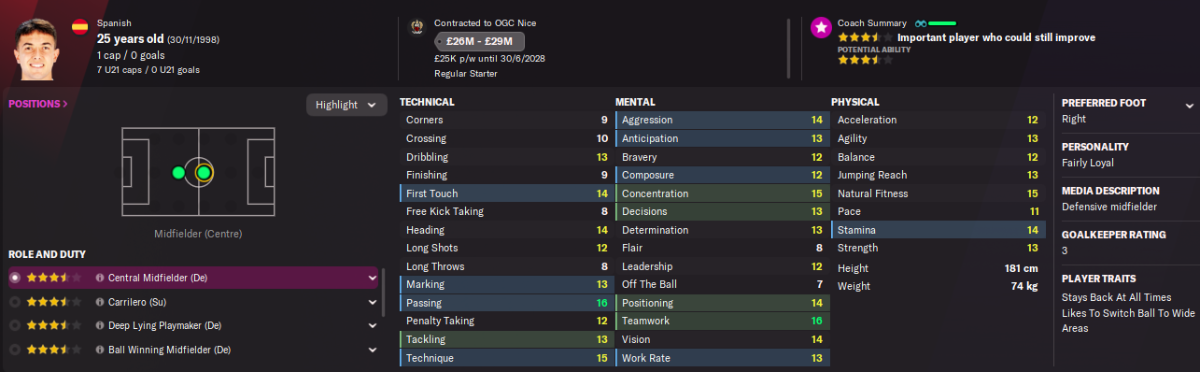
There were more movements last night. To reinforce the midfield we got Martin Zubimendi from Real Sociedad for 7.5M, 1.5M now and 6M in 3 years (2 per year). The bad thing is that we have suffered 2 important losses: Junior Firmo to West Ham for 18M and Justin Kluivert to PSG for 42.5M. I didn't want to sell either of them, but they got upset when I rejected the first offers and asked to be transferable. Now it's time to look for quality replacements. Also gone: Billal Brahimi to ES Setif (525k), Achaf el Bouchataoui to Darmstadt (500k), Teddy Boulhendi USM Alger (8.5k), Junior Diomandé Grenoble (8.5k) and Zion Atta to Saint-Etienne (110k).
-
Well, I found myself with a very large squad, advanced age and high salaries in some cases. As is my style, I started to sell some of them. GK Geronimo Rulli left to Internacional (Brazil) for 2.9M and Mathew Ryan left to Zenir for 625k and we sign for free Jonas Krumrey from RB Salzburg. We saved 2.4M in wages and won 3.5M Central Defence Arnau Comas come from Barcelona on a Free Transfer and we promoted Lucas Rousseau from B team. Two player left, Yaroslav Rakitskyi to Anderletch for 450k and Adama Soumaoro to Lokomotiv Moscow for 500K. We saved 1.2M in wages and won 950k. Midfieler Adil Aouchiche, the same who I sign on loan in Valenciennes, comes from Saint-Etienne for 2.5M plus Moses Simon, Bakery Jatta and Guylian Zouma. We saved in wages 1.4 and lost 2.5 in transfer. Calvin Stengs left to Ajax for 15M. So, we won 17M and saved 7.5M in wages Next time, more news.

-
-
-
It is the one that is already in the pack...
-
@Derek Don't forget to fix this, it keeps coming out wrong (it still has the background).

-
-
@Derek Mate could you take a look to ID 2000008232
-
-
-
Linguet was the player that surprised me the most, I used him as CB with Mbiwa and he was a pillar. Spano, maybe he can be sold and the replacement is already agreed (Capellini). For the LD Alex Sola arrives, so Ntim or Dos Santos can leave. The LI has to be brought if or if, they both go hahaha. In the middle I ended up using D'Almeida-Sanabria-Aouchiche, the last two are leaving. Tom Renaud arrives, the scouts recommended him to me. I brought Taichi Hara up top to replace Guillaume.Competition Colombia.rar









Important Information
Terms & Conditions