




Leaderboard


Popular Content
Showing content with the highest reputation since 01/04/25 in all areas
-
14 points
 FMG Standard Logos Megapack This pack contains over 93,000 individual logos. Pack & Template by @Derek Research Team @schweigi @AndreaSSL1900 @cameosis @Markitos @rioplworks @Alieeks @kristo @ateesz @Kriss @wfm18 @Lavegaks @Scy @diego1960 @Oleksandr_Horobets @The Newic @NassFas @spankz @Vasiliy92 @kenolio @inohcanoss @Copywriter @douyilmaz @Moondog777 @perpalik @TehransVeryOwn @OrangePulp @ElCheffe @GameCrasher @Garona31 @Petor @ham44 Pack Contents Each pack consists of official logos which we referred to as 'Normal' logos. We offer 'Alternative' logos in each of our packs which are logos that clubs may wear as shirt logos, perhaps in different colours, anniversary editions but are all based on official logos used by that organisation. We've also added 'Fantasy" logos to the packs which are great for future saves and 'Create-A-Club' games. In fact, all the logos created in our Design Factory are included in the megapacks. We have also got an option for the 'Retro' fans with a great selection of historic logos from many teams and competitions. Each pack also contains our very own default minimal style for those logos we haven't yet covered. However, if you wish to stick with the original default logos from the FM series simply delete our version in the megapack and unzip 'Original Default Logos' file. FM26 Logo Installation Guide1) Download the pack of your choice. 2) Unzip the files using an archiver. We recommend Winrar for Windows and Keka for Mac but most applications will work. https://www.win-rar.com/start.html?&L=0 https://www.keka.io/en/ 3) Once unpacked place your pack into the folder below based on your operating system. It most likely won't be there so please create it. (lower case) Windows: \Users\<your username>\Documents\Sports Interactive\Football Manager 26\graphics\logos Mac OS: Users/YOUR MAC USERNAME/Library/Application Support/Sports Interactive/Football Manager 26/graphics/logos 4) Open Football Manager if you haven't already. If you have close and reopen it. Your logos will then appear.14 points
 -
13 pointsFMG Standard Logos Megapack FMG Standard Logos Megapack for Football Manager 2023 includes nearly 78,000 individual logos and includes alternative, fantasy and retro logos. This pack also includes 180x180 pixel logos for use in Football Manager Mobile. Thank you to all the researchers and members for their invaluable help.13 points
-
13 pointsFMV Logos Megapack FMV Logos Megapack for Football Manager 2023 includes nearly 78,000 individual logos and includes alternative, fantasy and retro logos. This pack also includes 180x180 pixel logos for use in Football Manager Mobile.13 points
-
8 points
 FMG Standard Logos Update 2026.04 Pack and Template by @Derek Research Team @schweigi @AndreaSSL1900 @cameosis @Markitos @kristo @ateesz @rioplworks @Kriss @wfm18 @NassFas @kenolio @Moondog777 @perpalik @shadow @ElCheffe @inohcanoss @juandee @Cymro @rapa Pack Contents Mens Official Logos - 1,296 Mens Logo Alternatives - 69 Women's Official Logos - 203 Women's Logo Alternatives - 6 Pack Total Logos - 1,574 Installation Guide - FMG Monthly Logo UpdatesDrag and drop the contents (including the config files) of each folder in this update pack into the corresponding folder in the megapack and replace the existing logos when prompted. Do not drag and drop the actual folders as this will overwrite your megapack. This MUST be done for all folders or you will have issues displaying the logos in-game. Then simply close Steam and FM26 and reopen. Your logos will then appear. Alternative | Fantasy | Retro Logos To use any of the alternative, fantasy or retro logos in game you must remove the text at the end of each logo i.e. alt, retro or fantasy and drag and drop into the normal logo folder in the megapack. Then simply go to preferences in FM and reload your skin. I would advise creating a copy of the original logos before replacing them.8 points
 -
8 points
 FMG Standard Logos Update 2026.01 Pack & Template by @Derek Research Team @schweigi @AndreaSSL1900 @cameosis @Markitos @rioplworks @Alieks @kristo @ateesz @Kriss @wfm18 @Scy @Oleksandr_Horobets @NassFas @kenolio @inohcanoss @douyilmaz @Moondog777 @perpalik @OrangePulp@GameCrasher @Garona31 @Rivozz @rafney87 @parpsro @randomyyt @dotdot @hlourencoam @minky79 @CarlosVazFerdinand @Girafi @GriloKiko @shadow @Sam55SK @Carsie1927 @kruj @Jordy94 Pack Contents Mens Official Logos - 693 Mens Logo Alternatives - 254 Women's Official Logos - 1,672 Women's Logo Alternatives - 390 Pack Total Logos - 3,009 Installation Guide - FMG Monthly Logo UpdatesDrag and drop the contents (including the config files) of each folder in this update pack into the corresponding folder in the megapack and replace the existing logos when prompted. Do not drag and drop the actual folders as this will overwrite your megapack. This MUST be done for all folders or you will have issues displaying the logos in-game. Then simply close Steam and FM26 and reopen. Your logos will then appear. Alternative | Fantasy | Retro Logos To use any of the alternative, fantasy or retro logos in game you must remove the text at the end of each logo i.e. alt, retro or fantasy and drag and drop into the normal logo folder in the megapack. Then simply go to preferences in FM and reload your skin. I would advise creating a copy of the original logos before replacing them.8 points
 -
7 points
 FMG Standard Logos 2025.12 Pack & Template by @Derek Research Team @schweigi @AndreaSSL1900 @cameosis @Markitos @rioplworks @kenolio @perpalik @inohcanoss @Alieeks @Moondog777 @Oleksandr_Horobets @The Newic @TehransVeryOwn Pack Contents Each pack consists of official logos which we referred to as 'Normal' logos. We offer 'Alternative' logos in each of our packs which are logos that clubs may wear as shirt logos, perhaps in different colours, anniversary editions but are all based on official logos used by that organisation. We've also added 'Fantasy" logos to the packs which are great for future saves and 'Create-A-Club' games. In fact, all the logos created in our Design Factory are included in the megapacks. We have also got an option for the 'Retro' fans with a great selection of historic logos from many teams and competitions. Each pack also contains our very own default minimal style for those logos we haven't yet covered. However, if you wish to stick with the original default logos from the FM series simply delete our version in the megapack and unzip 'Original Default Logos' file. Installation Guide - FMG Monthly Logo Updates Drag and drop the contents (including the config files) of each folder in this update pack into the corresponding folder in the megapack and replace the existing logos when prompted. Do not drag and drop the actual folders as this will overwrite your megapack. This MUST be done for all three sizes (512x512px, 50x36px and 25x18px) or you will have issues displaying the logos in-game. Then simply go to preferences in FM and reload your skin. Alternative | Fantasy | Retro Logos To use any of the alternative, fantasy or retro logos in game you must remove the text at the end of each logo i.e. alt, retro or fantasy and drag and drop into the normal logo folder in the megapack. You will need to repeat this for all four sizes. Then simply go to preferences in FM and reload your skin. I would advise creating a copy of the original logos before replacing them.7 points
 -
6 points
 FMG Standard Logos Update 2026.03 Pack & Template by @Derek Research Team @schweigi @AndreaSSL1900 @cameosis @Markitos @kristo @ateesz @Kriss @wfm18 @NassFas @kenolio @Moondog777 @perpalik @shadow @Jordy94 @ElCheffe @manuirr @Jamaicaman90 @bangfm @inohcanoss @juandee Pack Contents Mens Official Logos - 1,414 Mens Logo Alternatives - 401 Women's Official Logos - 212 Women's Logo Alternatives - 198 Pack Total Logos - 2,225 Installation Guide - FMG Monthly Logo UpdatesDrag and drop the contents (including the config files) of each folder in this update pack into the corresponding folder in the megapack and replace the existing logos when prompted. Do not drag and drop the actual folders as this will overwrite your megapack. This MUST be done for all folders or you will have issues displaying the logos in-game. Then simply close Steam and FM26 and reopen. Your logos will then appear. Alternative | Fantasy | Retro Logos To use any of the alternative, fantasy or retro logos in game you must remove the text at the end of each logo i.e. alt, retro or fantasy and drag and drop into the normal logo folder in the megapack. Then simply go to preferences in FM and reload your skin. I would advise creating a copy of the original logos before replacing them.6 points
 -
6 points
 FMG Standard Logos Update 2026.02 Pack & Template by @Derek Research Team @AndreaSSL1900 @cameosis @Markitos @rioplworks @Alieks @kristo @ateesz @Kriss @wfm18 @NassFas @kenolio @Moondog777 @perpalik @OrangePulp@GameCrasher @hlourencoam @shadow @Jordy94 @The Newic @Heval @ElCheffe @Indietronic @Seken176 @manuirr @RubenHaramorim @Evil-Muffin Pack Contents Mens Official Logos - 1,375 Mens Logo Alternatives - 474 Women's Official Logos - 802 Women's Logo Alternatives - 179 Pack Total Logos - 2,830 Installation Guide - FMG Monthly Logo UpdatesDrag and drop the contents (including the config files) of each folder in this update pack into the corresponding folder in the megapack and replace the existing logos when prompted. Do not drag and drop the actual folders as this will overwrite your megapack. This MUST be done for all folders or you will have issues displaying the logos in-game. Then simply close Steam and FM26 and reopen. Your logos will then appear. Alternative | Fantasy | Retro Logos To use any of the alternative, fantasy or retro logos in game you must remove the text at the end of each logo i.e. alt, retro or fantasy and drag and drop into the normal logo folder in the megapack. Then simply go to preferences in FM and reload your skin. I would advise creating a copy of the original logos before replacing them.6 points
 -
5 pointsThe logo updates have now started. Great work this month which will lead to a fairly comprehensive update. Thanks for all your help guys. Any logos posted up until this point will be included in the updates.5 points
-
5 pointsFMG Kits France Ligue 1 2025-26 Pack Contents This pack contains the below number of kits. Home Kits - 18 Away Kits - 18 Third Kits - 16 Fourth Kits - 1 FM26 Kits Installation Guide1) Download the pack of your choice. 2) Unzip the files using an archiver. We recommend Winrar for Windows and Keka for Mac but most applications will work. https://www.win-rar.com/start.html?&L=0 https://www.keka.io/en/ 3) Once unpacked place your pack into the folder below based on your operating system. It most likely won't be there so please create it. (lower case) Windows: \Users\<your username>\Documents\Sports Interactive\Football Manager 26\graphics\ Mac OS: Users/YOUR MAC USERNAME/Library/Application Support/Sports Interactive/Football Manager 26/graphics 4) Open Football Manager if you haven't already. If you have close and reopen it. Your kits will then appear. Kit Makers Wanted How can I get involved in creating packs? Join the FMG Kit Creators Club and download the template pack. https://footballmanagergraphics.com/files/category/138-fmg-kits-template-pack/5 points
-
5 points
 FMG Standard Logos 2025.11 Pack & Template by @Derek Research Team @schweigi @AndreaSSL1900 @cameosis @Markitos @rioplworks @kenolio @spankz @Kriss @perpalik @douyilmaz @ham44 @inohcanoss @92pereira @FUlutasN Pack Contents Each pack consists of official logos which we referred to as 'Normal' logos. We offer 'Alternative' logos in each of our packs which are logos that clubs may wear as shirt logos, perhaps in different colours, anniversary editions but are all based on official logos used by that organisation. We've also added 'Fantasy" logos to the packs which are great for future saves and 'Create-A-Club' games. In fact, all the logos created in our Design Factory are included in the megapacks. We have also got an option for the 'Retro' fans with a great selection of historic logos from many teams and competitions. Each pack also contains our very own default minimal style for those logos we haven't yet covered. However, if you wish to stick with the original default logos from the FM series simply delete our version in the megapack and unzip 'Original Default Logos' file. Installation Guide - FMG Monthly Logo Updates Drag and drop the contents (including the config files) of each folder in this update pack into the corresponding folder in the megapack and replace the existing logos when prompted. Do not drag and drop the actual folders as this will overwrite your megapack. This MUST be done for all three sizes (512x512px, 50x36px and 25x18px) or you will have issues displaying the logos in-game. Then simply go to preferences in FM and reload your skin. Alternative | Fantasy | Retro Logos To use any of the alternative, fantasy or retro logos in game you must remove the text at the end of each logo i.e. alt, retro or fantasy and drag and drop into the normal logo folder in the megapack. You will need to repeat this for all four sizes. Then simply go to preferences in FM and reload your skin. I would advise creating a copy of the original logos before replacing them.5 points
 -
5 pointsGreat work guys 👏 This months update will be the final update of the what should have been the FM25 packs and once they are released I will start putting together the FM26 Megapacks. If you have been updating your pack each month there will not be a need to download the new megapack as it will contain the same logos. This process will take around a week to complete I will collect all logos this Saturday for the final update.5 points
-
5 points
 FMG Standard Logos 2025.10 Pack & Template by @Derek Research Team @schweigi @AndreaSSL1900 @cameosis @Markitos @rioplworks @NassFas @ElCheffe @ateesz @wfm18 @kenolio @The Newic @Petor @spankz @Kriss @perpalik @douyilmaz @diego1960 @ham44 @danisalach Pack Contents Each pack consists of official logos which we referred to as 'Normal' logos. We offer 'Alternative' logos in each of our packs which are logos that clubs may wear as shirt logos, perhaps in different colours, anniversary editions but are all based on official logos used by that organisation. We've also added 'Fantasy" logos to the packs which are great for future saves and 'Create-A-Club' games. In fact, all the logos created in our Design Factory are included in the megapacks. We have also got an option for the 'Retro' fans with a great selection of historic logos from many teams and competitions. Each pack also contains our very own default minimal style for those logos we haven't yet covered. However, if you wish to stick with the original default logos from the FM series simply delete our version in the megapack and unzip 'Original Default Logos' file. Installation Guide - FMG Monthly Logo Updates Drag and drop the contents (including the config files) of each folder in this update pack into the corresponding folder in the megapack and replace the existing logos when prompted. Do not drag and drop the actual folders as this will overwrite your megapack. This MUST be done for all three sizes (512x512px, 50x36px and 25x18px) or you will have issues displaying the logos in-game. Then simply go to preferences in FM and reload your skin. Alternative | Fantasy | Retro Logos To use any of the alternative, fantasy or retro logos in game you must remove the text at the end of each logo i.e. alt, retro or fantasy and drag and drop into the normal logo folder in the megapack. You will need to repeat this for all four sizes. Then simply go to preferences in FM and reload your skin. I would advise creating a copy of the original logos before replacing them.5 points
 -
5 pointsbecause i'm part of the staff and was helping you, albeit your question didn't make much sense in the first place, this is the reason why markitos didn't answer himself. i'm even helping you now by telling you that your comments can be perceived as disrespectful in tone.5 points
-
4 points
 FMG Standard Logos Megapack This pack contains nearly 87,000 individual logos in a clean style. Pack and Template by @Derek Research Team @schweigi @AndreaSSL1900 @cameosis @Markitos @rioplworks @Alieeks @kristo @ateesz @Kriss @GriloKiko @wfm18 @Lavegaks @Scy @diego1960 @Heval @Oleksandr_Horobets @The Newic @NassFas @Vakama2619 @Thewes @minky79 @ElMatador @spankz @Girafi @CobraHarp91 @Vasiliy92 @Shark @kenolio @inohcanoss @tomek0290 @M3RN @Copywriter @hlourencoam @sptndc @douyilmaz @Moondog777 @ni9ht1991 @shadow Pack Contents Each pack consists of official logos which we referred to as 'Normal' logos. We offer 'Alternative' logos in each of our packs which are logos that clubs may wear as shirt logos, perhaps in different colours, anniversary editions but are all based on official logos used by that organisation. We've also added 'Fantasy" logos to the packs which are great for future saves and 'Create-A-Club' games. In fact, all the logos created in our Design Factory are included in the megapacks. We have also got an option for the 'Retro' fans with a great selection of historic logos from many teams and competitions. Each pack also contains our very own default minimal style for those logos we haven't yet covered. However, if you wish to stick with the original default logos from the FM series simply delete our version in the megapack and unzip 'Original Default Logos' file. Installation Guide - New FMG Logo Megapacks 1) Download the pack of your choice. 2) Unzip the files using an archiver. We recommend Winrar for Windows and Keka for Mac but most applications will work. https://www.win-rar.com/start.html?&L=0 https://www.keka.io/en/ 3) Once unpacked place your pack into the folder below based on your operating system. Windows: \Users\<your username>\Documents\Sports Interactive\Football Manager 2025\graphics\ Mac OS: Users/YOUR MAC USERNAME/Library/Application Support/Sports Interactive/Football Manager 2025/graphics 4) Next you will want to go to FM and select 'Preferences' from the start screen or in your game and select 'Advanced". 5) Then untick 'Use caching to decrease page loading times'. 6) Next tick 'Reload skin when confirming changes to preferences'. 7) Finally, select 'Reload Skin' and after a brief pause your graphics will be visible. Installation Guide - Existing FMG Logo Megapacks The 180x180 size logos will no longer be made for future FMG Logos desktop packs. Although this size is used in other logo styles, our 512x512 sized logos are perfect for large screens and in-game zoom. We recommend removing the 180x180 logos from existing packs to make future updates smoother. To do so correctly follow the instructions below. 1) Create a new folder anywhere on your device. 2) Move the @2x folder from Clubs-> Normal into the newly created folder. 3) Then move the 'config' file from Clubs-> Normal into the @2x folder. 3) Delete the Normal folder containing the 180x180. 4) Place the @2x folder back into the Clubs-> Normal folder and rename it Normal. 5) Repeat these steps for Clubs, Competitions, Confederations and Nations. Alternatively you may simply download a new megapack. Installation Guide - FMG Monthly Logo Updates Drag and drop the contents (including the config files) of each folder in this update pack into the corresponding folder in the megapack and replace the existing logos when prompted. Do not drag and drop the actual folders as this will overwrite your megapack. This MUST be done for all three sizes (512x512px, 50x36px and 25x18px) or you will have issues displaying the logos in-game. Then simply go to preferences in FM and reload your skin. Alternative | Fantasy | Retro Logos To use any of the alternative, fantasy or retro logos in game you must remove the text at the end of each logo i.e. alt, retro or fantasy and drag and drop into the normal logo folder in the megapack. You will need to repeat this for all four sizes. Then simply go to preferences in FM and reload your skin. I would advise creating a copy of the original logos before replacing them. Helpful Tips & FAQ's Why are the packs so large in size? Each pack contains nearly 87,000 logos in three different sizes which means their are nearly 261,000 files included in each megapack. Each image is compressed using lossy compression at 60% minification which reduces the file size without compromising the quality. Why are the 180x180 pixel logos no longer in the logo megapacks? The 180x180 logos were contained in the previous megapacks to cater for FM Mobile users. The development of the FM25 game and expected growth in mobile users has led us to develop a standalone set of FM Mobile megapacks. Removing these logos will not effect your game in anyway once you have followed the instructions above or downloaded a new FM25 Megapack. Why are there less overall logos in the FM25 Megapacks? The main reason for this as outlined above is the removal of the 180x180 sized logos but also improved compression and a cleanup of the packs by our team. However, the overall individual logo total has increased by 3,500 to 87,500 compared to the FM24 packs which had 84,000 logos. This will result in improved performance in-game and less storage requirements. Why is my download taking so long? Despite improved file sizes of each pack, the overall pack size remains considerable due to the amount of logos. It is also worth mentioning if you are downloading the packs around beta or full game release this can have an impact as it's our busiest time of the year by far. We offer Mediafire and Mega file links for all packs but Mediafire is not unlimited. We have tested every file once uploaded which includes downloading, unzipping and installing. Why does my download fail repeatedly? If your file download is repeatedly stopping at a certain point you should change your browser and start again. This only happens to a small percentage of people but the good news is 99% of the time the issue is resolved by following this advice. Please try this and keep it in mind before leaving a poor review or rating! Again, we have tested every file once uploaded which includes downloading, unzipping and installing. Can the megapacks be used on FM Mobile and FM Console? Please use the dedicated FM Mobile packs for this content. Can I remove the Alternative, Fantasy & Retro logos? Yes. If you have no interest in these items please feel free to delete them. I've installed an update but some logos are not displaying now, what can I do? 100% of the time we have had this issue is because the files for all three sizes have not been copied across to the megapack. Please make sure you follow the installation guide above by copying files over to the corresponding folders in the megapack. This importantly includes the @2x folders. Please ensure only the contents of the folders are moved across and not the actual folders to avoid overwriting the megapack. Can I replace the new FMG Minimal Default logos in the pack? Yes. If you wish to use the original default logos from the FM series simply delete our version in the megapack and unzip 'Original Default Logos' file.Our feelings won't be hurt.4 points
 -
4 pointsThe logo updates have now started. Any logos posted up until this point will be included in this months updates. Thank you for all the hard work as always guys. 🤝4 points
-
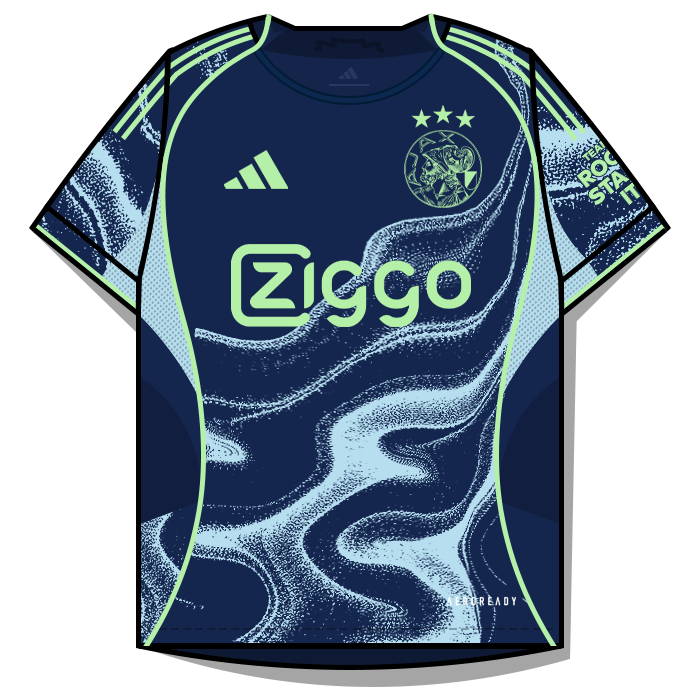
4 pointsThe Netherlands Eredivisie 2025-26 🇳🇱 Ajax Amsterdam H/A/T AZ Alkmaar H/A/T


 4 points
 -
4 pointsFMG Kits Italy Serie A 2025-26 🇮🇹 Pack Contents This pack contains the below number of kits. Home Kits - 20 Away Kits - 20 Third Kits - 17 Fourth Kits - 1 Installation Guide - FMG Kit Packs 1) Download the pack of your choice. 2) Unzip the files using an archiver. We recommend Winrar for Windows and Keka for Mac We recommend Winrar for Windows and Keka for Mac but most applications will work. https://www.win-rar.com/start.html?&L=0 https://www.keka.io/en/ 3) Once unpacked place your pack into the folder below based on your operating system. Windows: \Users\<your username>\Documents\Sports Interactive\Football Manager 2026\graphics\ Mac OS: Users/YOUR MAC USERNAME/Library/Application Support/Sports Interactive/Football Manager 2026/graphics 4) Next you will want to go to FM and select 'Preferences' from the start screen or in your game and select 'Advanced". 5) Then untick 'Use caching to decrease page loading times'. 6) Next tick 'Reload skin when confirming changes to preferences'. 7) Finally, select 'Reload Skin' and after a brief pause your graphics will be visible. Kit Makers Wanted How can I get involved in creating packs? Get in touch with Derek for templates and help. https://footballmanagergraphics.com/profile/1-derek/4 points
-
4 points
 FMG Standard Logos 2025.09 Pack & Template by @Derek Research Team @schweigi @AndreaSSL1900 @cameosis @Markitos @rioplworks @NassFas @ElCheffe @inohcanoss@kristo @GameCrasher @ateesz @wfm18 @Scy @kenolio @The Newic @Petor @danisalach Pack Contents Each pack consists of official logos which we referred to as 'Normal' logos. We offer 'Alternative' logos in each of our packs which are logos that clubs may wear as shirt logos, perhaps in different colours, anniversary editions but are all based on official logos used by that organisation. We've also added 'Fantasy" logos to the packs which are great for future saves and 'Create-A-Club' games. In fact, all the logos created in our Design Factory are included in the megapacks. We have also got an option for the 'Retro' fans with a great selection of historic logos from many teams and competitions. Each pack also contains our very own default minimal style for those logos we haven't yet covered. However, if you wish to stick with the original default logos from the FM series simply delete our version in the megapack and unzip 'Original Default Logos' file. Installation Guide - FMG Monthly Logo Updates Drag and drop the contents (including the config files) of each folder in this update pack into the corresponding folder in the megapack and replace the existing logos when prompted. Do not drag and drop the actual folders as this will overwrite your megapack. This MUST be done for all three sizes (512x512px, 50x36px and 25x18px) or you will have issues displaying the logos in-game. Then simply go to preferences in FM and reload your skin. Alternative | Fantasy | Retro Logos To use any of the alternative, fantasy or retro logos in game you must remove the text at the end of each logo i.e. alt, retro or fantasy and drag and drop into the normal logo folder in the megapack. You will need to repeat this for all four sizes. Then simply go to preferences in FM and reload your skin. I would advise creating a copy of the original logos before replacing them.4 points
 -
4 points
 FMG Standard Logos 2025.08 Pack & Template by @Derek Research Team @schweigi @AndreaSSL1900 @cameosis @Markitos @rioplworks @NassFas @ElCheffe @spankz @inohcanoss@kristo @GameCrasher @Kriss @ateesz @wfm18 @Scy Pack Contents Each pack consists of official logos which we referred to as 'Normal' logos. We offer 'Alternative' logos in each of our packs which are logos that clubs may wear as shirt logos, perhaps in different colours, anniversary editions but are all based on official logos used by that organisation. We've also added 'Fantasy" logos to the packs which are great for future saves and 'Create-A-Club' games. In fact, all the logos created in our Design Factory are included in the megapacks. We have also got an option for the 'Retro' fans with a great selection of historic logos from many teams and competitions. Each pack also contains our very own default minimal style for those logos we haven't yet covered. However, if you wish to stick with the original default logos from the FM series simply delete our version in the megapack and unzip 'Original Default Logos' file. Installation Guide - FMG Monthly Logo Updates Drag and drop the contents (including the config files) of each folder in this update pack into the corresponding folder in the megapack and replace the existing logos when prompted. Do not drag and drop the actual folders as this will overwrite your megapack. This MUST be done for all three sizes (512x512px, 50x36px and 25x18px) or you will have issues displaying the logos in-game. Then simply go to preferences in FM and reload your skin. Alternative | Fantasy | Retro Logos To use any of the alternative, fantasy or retro logos in game you must remove the text at the end of each logo i.e. alt, retro or fantasy and drag and drop into the normal logo folder in the megapack. You will need to repeat this for all four sizes. Then simply go to preferences in FM and reload your skin. I would advise creating a copy of the original logos before replacing them.4 points
 -
4 points
 FMG Standard Logos 2025.05 Pack & Template by @Derek Research Team @schweigi @AndreaSSL1900 @cameosis @Markitos @ateesz @rioplworks @NassFas @ElCheffe @diego1960 @wfm18 @Vasiliy92 @OrangePulp @GriloKiko @Impp @skyfaker15 Pack Contents Each pack consists of official logos which we referred to as 'Normal' logos. We offer 'Alternative' logos in each of our packs which are logos that clubs may wear as shirt logos, perhaps in different colours, anniversary editions but are all based on official logos used by that organisation. We've also added 'Fantasy" logos to the packs which are great for future saves and 'Create-A-Club' games. In fact, all the logos created in our Design Factory are included in the megapacks. We have also got an option for the 'Retro' fans with a great selection of historic logos from many teams and competitions. Each pack also contains our very own default minimal style for those logos we haven't yet covered. However, if you wish to stick with the original default logos from the FM series simply delete our version in the megapack and unzip 'Original Default Logos' file. Installation Guide - FMG Monthly Logo Updates Drag and drop the contents (including the config files) of each folder in this update pack into the corresponding folder in the megapack and replace the existing logos when prompted. Do not drag and drop the actual folders as this will overwrite your megapack. This MUST be done for all three sizes (512x512px, 50x36px and 25x18px) or you will have issues displaying the logos in-game. Then simply go to preferences in FM and reload your skin. Alternative | Fantasy | Retro Logos To use any of the alternative, fantasy or retro logos in game you must remove the text at the end of each logo i.e. alt, retro or fantasy and drag and drop into the normal logo folder in the megapack. You will need to repeat this for all four sizes. Then simply go to preferences in FM and reload your skin. I would advise creating a copy of the original logos before replacing them.4 points
 -
3 pointsI thought I could post all of them until realizing I had so much (1400+)! Here is the full pack excluding the ones I posted already resized to 512 px max to save space. Most come from club sources and vector websites, some were from https://bibliotecaescudos.blogspot.com so credit danisalach as I said earlier. All have been manually verified as the correct club badge. A small amount like Barclays - 23501355 are placeholders but improvements to the pack version. Logo PACK.rar3 points
-
3 pointsThe logo updates have now started. Any logos posted up until this point will be included in the packs. Thank you to everyone for all your help and submissions this month.3 points
-
3 pointsThis is the last day to submit your logos ahead of this months updates. Thanks.3 points
-
3 points
 FMV Logos Megapack This pack contains over 93,000 individual logos. Template by JackHammer - Credit Murray Pack by @Derek Research Team @schweigi @AndreaSSL1900 @cameosis @Markitos @rioplworks @Alieeks @kristo @ateesz @Kriss @wfm18 @Lavegaks @Scy @diego1960 @Oleksandr_Horobets @The Newic @NassFas @spankz @Vasiliy92 @kenolio @inohcanoss @Copywriter @douyilmaz @Moondog777 @perpalik @TehransVeryOwn @OrangePulp @ElCheffe @GameCrasher @Garona31 @Petor @ham44 Pack Contents Each pack consists of official logos which we referred to as 'Normal' logos. We offer 'Alternative' logos in each of our packs which are logos that clubs may wear as shirt logos, perhaps in different colours, anniversary editions but are all based on official logos used by that organisation. We've also added 'Fantasy" logos to the packs which are great for future saves and 'Create-A-Club' games. In fact, all the logos created in our Design Factory are included in the megapacks. We have also got an option for the 'Retro' fans with a great selection of historic logos from many teams and competitions. Each pack also contains our very own default minimal style for those logos we haven't yet covered. However, if you wish to stick with the original default logos from the FM series simply delete our version in the megapack and unzip 'Original Default Logos' file. FM26 Logo Installation Guide1) Download the pack of your choice. 2) Unzip the files using an archiver. We recommend Winrar for Windows and Keka for Mac but most applications will work. https://www.win-rar.com/start.html?&L=0 https://www.keka.io/en/ 3) Once unpacked place your pack into the folder below based on your operating system. It most likely won't be there so please create it. (lower case) Windows: \Users\<your username>\Documents\Sports Interactive\Football Manager 26\graphics\logos Mac OS: Users/YOUR MAC USERNAME/Library/Application Support/Sports Interactive/Football Manager 26/graphics/logos 4) Open Football Manager if you haven't already. If you have close and reopen it. Your logos will then appear.3 points
 -
3 pointsRecently, a number of logo submissions have suffered from various problems: they were either not marked as fantasy, or they were posted in the wrong club and thread. Please follow these rules that will be in effect from now on to make the workload manageable – in the future, submissions that fail to meet these rules will be ignored. Always VERIFY that the in-game ID you submit is CORRECT. Repeated failure to do so will result in in flagging your submissions as unreliable and thus demote them to lower priority. LOGO CATEGORIES 1. MAIN: This is the default category for correct and real-life logos that are current at the time of submission. 2. ALT(ERNATIVE): This is the default category for correct and real-life logos that are secondary, such as wordmarks or icons. 3. RETRO: This is the default category for correct and real-life logos that are historical or obsolete. 4. FAN(TASY): This is the default category for any fantasy logos, be it for real clubs and competitions, or fantasy clubs and competitions. Please make sure to post only MEN’S logos in the MEN’S thread, and WOMEN’S logos in the the WOMEN’S thread – in the future, submissions that fail to meet these rules will be ignored. Always VERIFY that the in-game ID you submit is CORRECT. Repeated failure to do so will result in in flagging your submissions as unreliable and thus demote them to lower priority. The larger the logo collections grow, the more critical it is to avoid and minimize CONTAMINATION with incorrect submissions, as it increases the workload multifold and jeopardizes successful updates and corrections. While this notification will be occasionally posted as a reminder until we figure out the most efficient way to inform all members about the rules, you should be aware that common sense is required to make the experience positive and enjoyable for all of us.3 points
-
3 pointsThe logo updates have now started. Thank you to everyone who submitted as always. Any logos submitted up until this point will be included in this months updates. @rapa I've spent the past day preparing the 800+ logos you've submitted only to discover they are mixed between men and women and more importantly there are many logos which are not in the official database. This can cause so many problems for our packs and should not be submitted without making us aware. I could have started the updates yesterday and been finished by now if I was aware of this. It's been posted many times previously that fictional ID's should be marked as alternatives and not included in the official folders. FM Ref is a tool for reference but does include fictional leagues. Please verify using the main editor when possible. Please keep mens logos to this thread and womens logos to the Women's Research Thread. The link below is to the prepared logo pack which will not be included in this months update. Please take the time to organise the logos and folders before resubmitting for next month. MediaFireJAPAN3 points
-
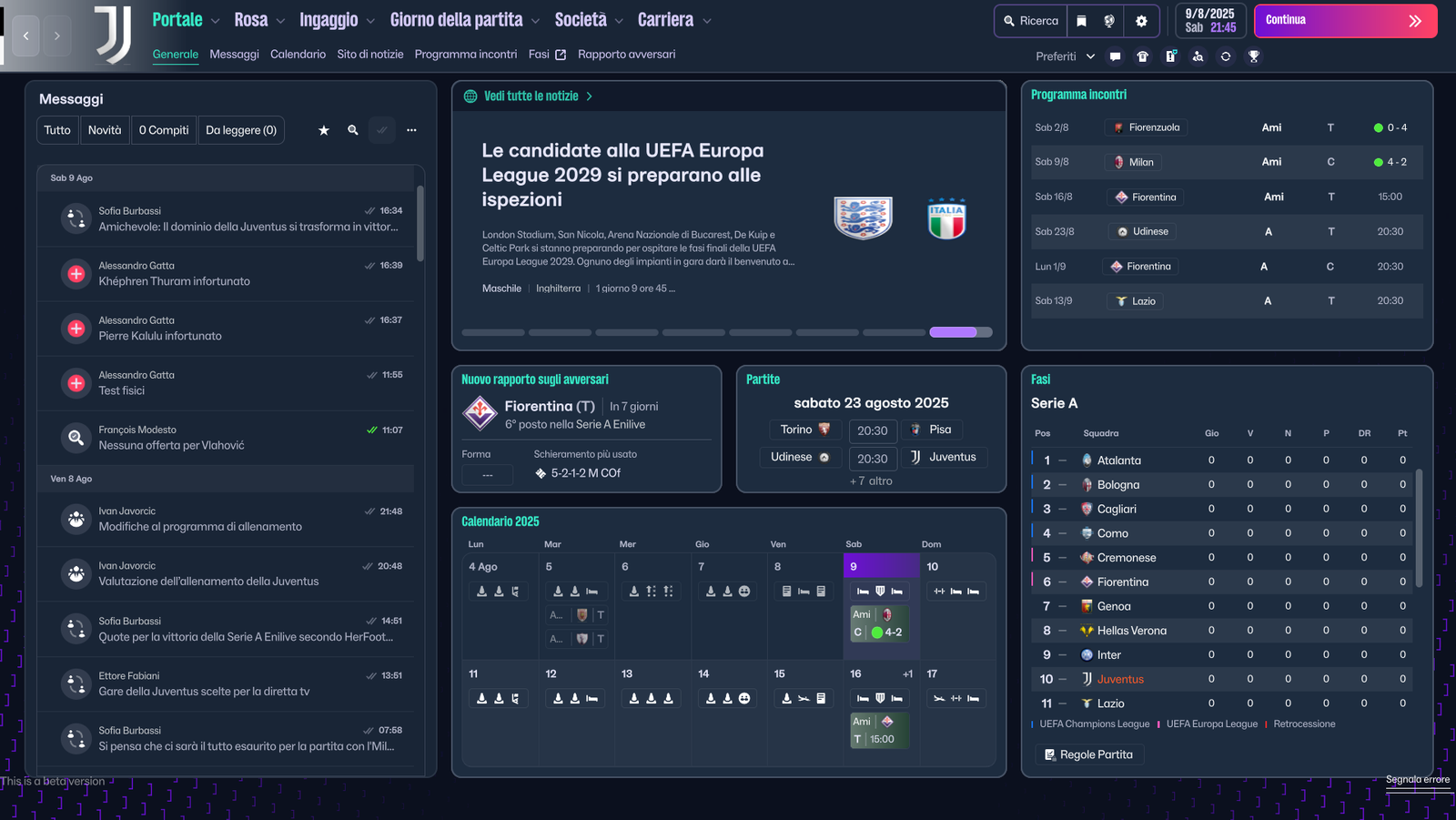
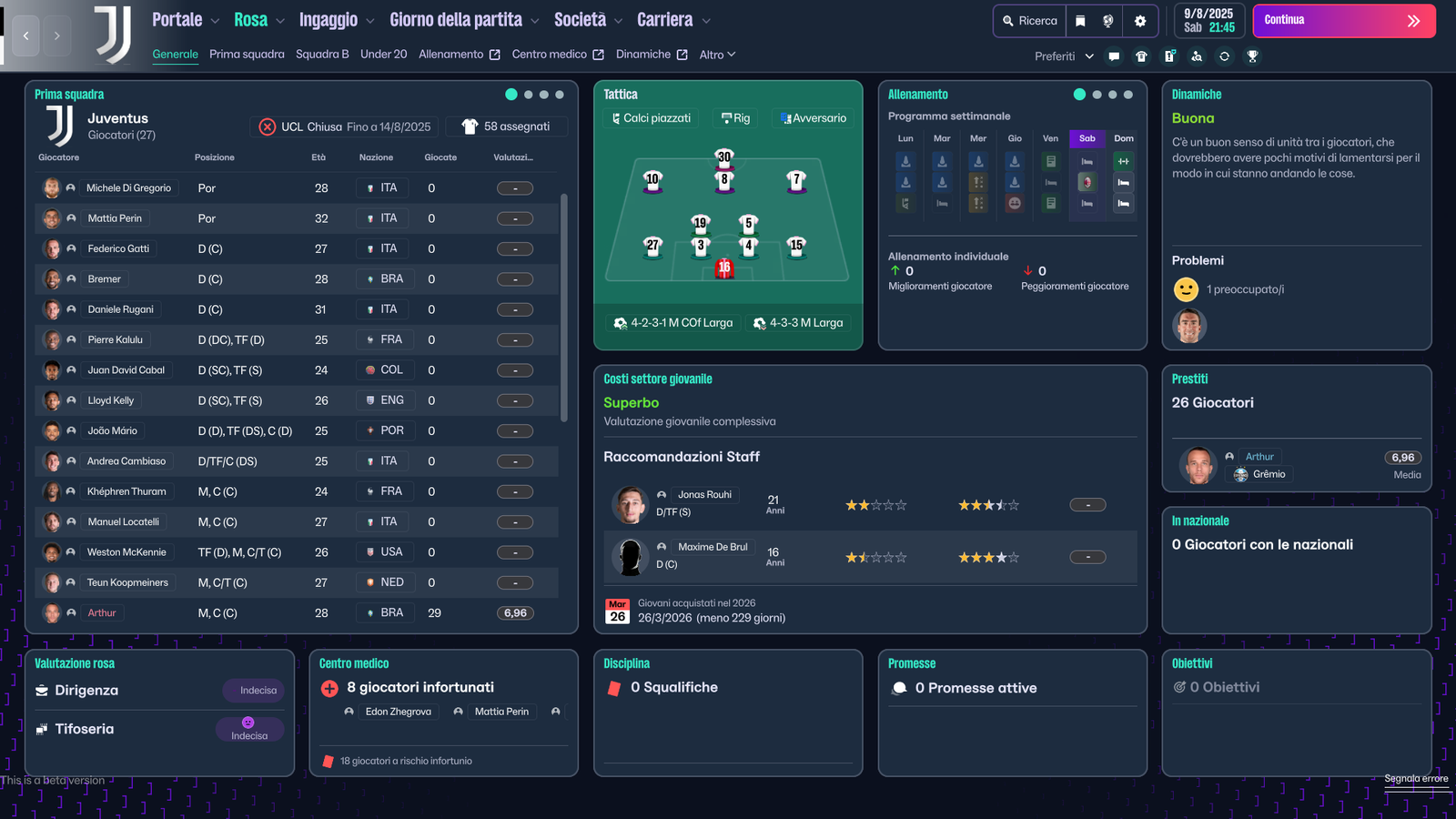
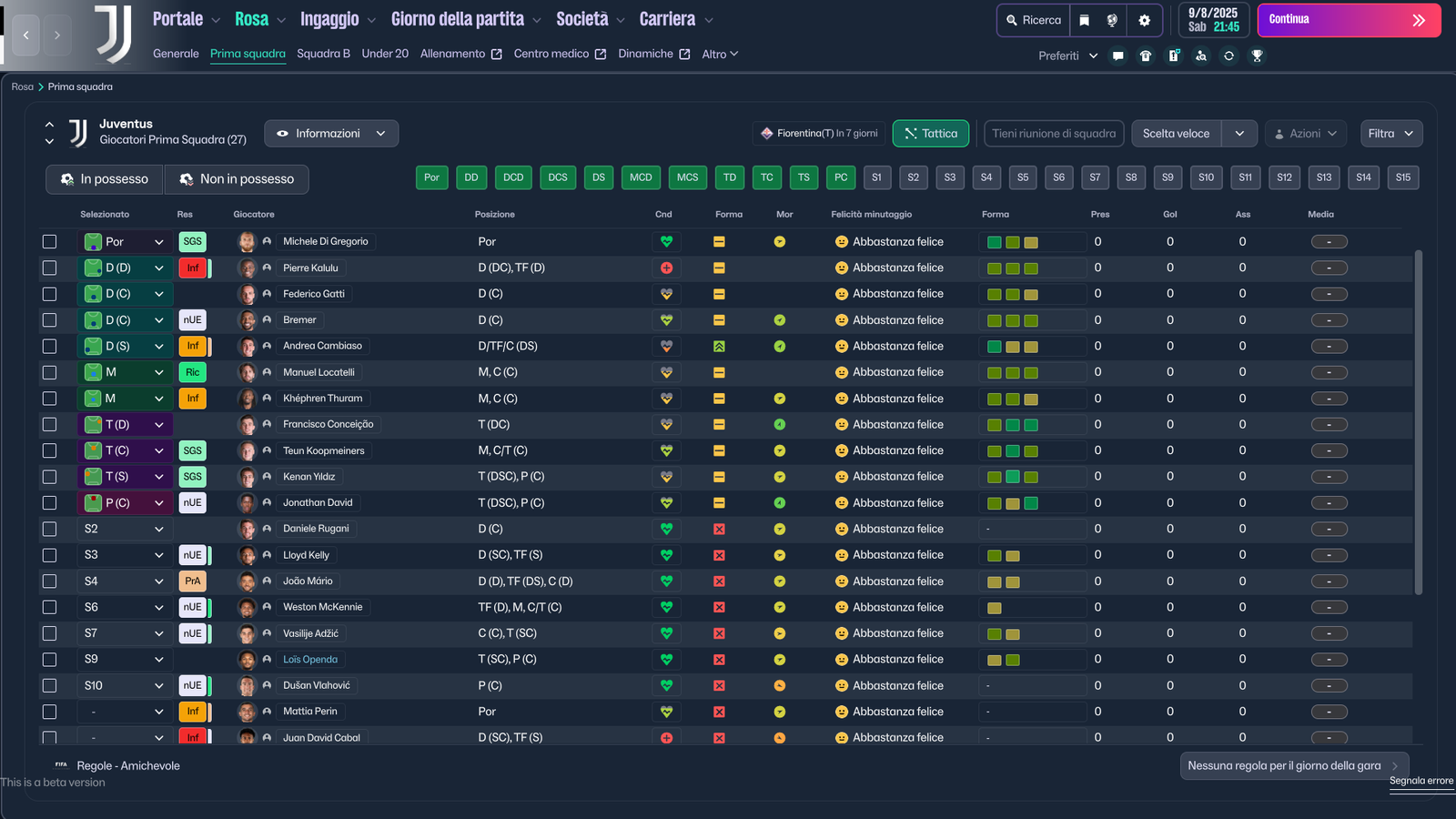
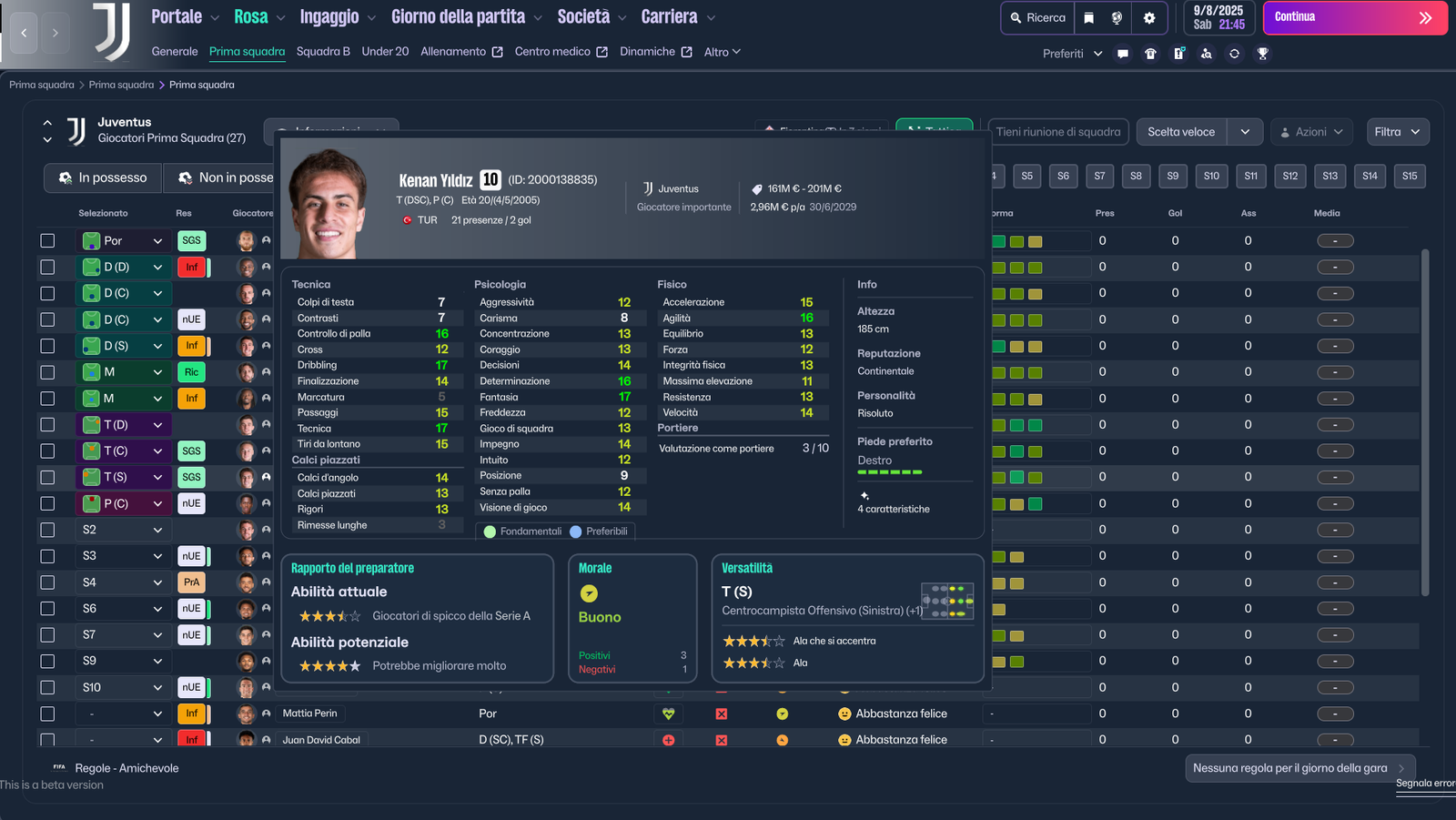
3 pointsHi guys, I'm trying to create the new Material Skin, even if it will be complicated to change the structure of the skin but I'm managing to change colors etc... stay tuned :) Some Screenshot


 3 points
 -
3 pointsAll 24 Update packs are now released for FM26, FM24 and FM Mobile. Each pack contains the below. Pack Contents Mens Official Logos - 1,375 Mens Logo Alternatives - 474 Women's Official Logos - 802 Women's Logo Alternatives - 179 Pack Total Logos - 2,830 The packs now contain over 97,000 logos. Thank you to everyone once again for their help. 🤝3 points
-
3 points3 pointsHey everyone 👋 I’m new around here, so first of all thanks for having me. I'm passionate about graphic design and football badges. Over the last year I’ve been building a project called FootyLogos.com – a football-only logo library with more than 1,700 teams and competition crests (so far!) in clean PNG and SVG with transparent backgrounds. It’s not an FM logo pack (no configs, no megapack download), but I thought it might still be useful for a lot of people here who create or update their own graphics. If you’re ever missing a badge in your pack, need a cleaner source file, or want logos for thumbnails, social graphics, stream overlays, etc., you can usually find: consistent club names primary badge + historical badges for 20 biggest clubs (working on adding historical crests to all teams now) transparent PNGs SVG/vector for graphic design purposes You can check it out at FootyLogos.com – a free football logo library (PNG & SVG). I hope it’s okay to mention my project here – if not, mods please feel free to remove this. I’d really appreciate any feedback from FM graphics creators in particular: what file formats/sizes help you most? which leagues or lower divisions should I prioritise next? is there anything that would make it more FM-friendly for your workflow? Happy to answer questions, add missing clubs/competitions, or adjust things if it makes the resource more useful for this community. Thanks for reading and good luck with your current saves!
 3 points3 pointsFrance Ligue 1 2025-26 🇫🇷 Lorient H/A/T Lyon H/A/T Marseille H/A/T


 3 points3 pointsYou have made your request too many times now at this point. I have already answered this question and stated after Ligue 1 I will start Eredivisie. This is a section for creators to request templates and not packs. Please do not post pack requests in here.3 points3 points3 points
 FMG Kits - Italy Serie A 2025-26 Pack Contents This pack contains the below number of kits. Home Kits - 20 Away Kits - 20 Third Kits - 20 Fourth Kits - 1 FM26 Kits Installation Guide1) Download the pack of your choice. 2) Unzip the files using an archiver. We recommend Winrar for Windows and Keka for Mac but most applications will work. https://www.win-rar.com/start.html?&L=0 https://www.keka.io/en/ 3) Once unpacked place your pack into the folder below based on your operating system. It most likely won't be there so please create it. (lower case) Windows: \Users\<your username>\Documents\Sports Interactive\Football Manager 26\graphics\ Mac OS: Users/YOUR MAC USERNAME/Library/Application Support/Sports Interactive/Football Manager 26/graphics 4) Open Football Manager if you haven't already. If you have close and reopen it. Your kits will then appear. Kit Makers Wanted How can I get involved in creating packs? Get in touch with Derek for templates and help. https://footballmanagergraphics.com/profile/1-derek/ Kit Makers Wanted How can I get involved in creating packs? Get in touch with Derek for templates and help. https://footballmanagergraphics.com/profile/1-derek/3 points3 pointsandorra - i have drawn, redrawn and cleaned up a number of logos, including some exclusives for us -- ids taken from the fm 24 database, followed by the respective logo. 47000005 - current (fmg exclusive) 47000006 - current (fmg exclusive) 47000006 - current alt (fmg exclusive) 47000006 - historical (fmg exclusive) 107676, 67141715 - current 107676, 67141715 - current alt 107676, 67141715 - fan(tasy) 107676, 67141715 - jersey (fmg exclusive) 107676, 67141715 - jersey alt (fmg exclusive) 2000188967 - current 145423 - current 145423 - historical (fmg exclusive) 145423 - historical alt (fmg exclusive) 89052049 - current (fmg exclusive) 2000488554 - current (fmg exclusive) 2000488554 - current alt (fmg exclusive) 67298839 - current 67298839 - current alt 1709, 67293344 - current 1709, 67293344 - jersey (fmg exclusive) 1709, 67293344 - jersey alt (fmg exclusive) 67196246, 67200410 - current 67109224 - current (fmg exclusive) 67109224 - current alt 2000488551 - current (fmg exclusive) 144768 - current 145424 - current (fmg exclusive) - club updated ball and typeface 145424 - current alt (fmg exclusive) 47000014, 67178318 - current (fmg exclusive) 47000014, 67178318 - current alt (fmg exclusive) 47000014, 67178318 - historical (fmg exclusive) 47000014, 67178318 - historical alt




 3 points3 pointsI'll start the updates in the morning guys. If you have anything else to add please do so tonight. Thanks3 points3 pointsI get what you’re saying about waiting for more women’s logos before releasing the update. From what I’ve seen, though, most people still play the men’s leagues, so there’s naturally less focus and interest in the women’s side right now. That’s just how it is for many players, myself included. Maybe it would make sense to split the research into two separate threads (one for men’s and one for women’s clubs). It would probably make things easier to manage and let people focus on the part they’re most interested in. Personally, I only play the men’s leagues, so I don’t download women’s logo, kits or faces. It’s just personal preference, not anything against women’s football. Everyone has different interests and that’s fine. And honestly, I have to say, this thread has more communication and teamwork than Sports Interactive lately!3 points
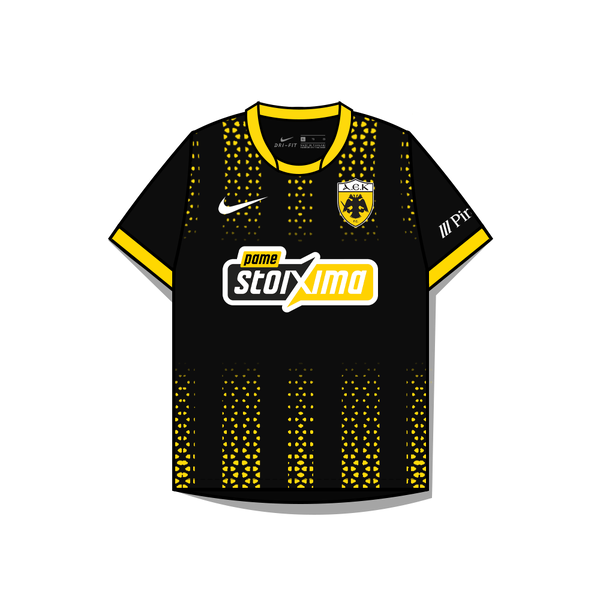
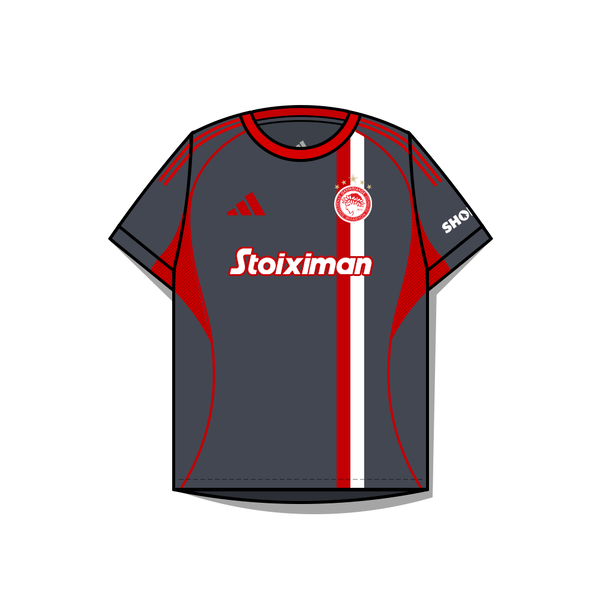
 FMG Kits Spain Women's Liga F 2025-26 This pack contains the below number of kits. Home Kits - 16 Away Kits - 16 Third Kits - 13 Alternatives - 1 FM26 Kits Installation Guide 1) Download the pack of your choice. 2) Unzip the files using an archiver. We recommend Winrar for Windows and Keka for Mac but most applications will work. https://www.win-rar.com/start.html?&L=0 https://www.keka.io/en/ 3) Once unpacked place your pack into the folder below based on your operating system. It most likely won't be there so please create it. (lower case) Windows: \Users\<your username>\Documents\Sports Interactive\Football Manager 26\graphics\ Mac OS: Users/YOUR MAC USERNAME/Library/Application Support/Sports Interactive/Football Manager 26/graphics 4) Open Football Manager if you haven't already. If you have close and reopen it. Your kits will then appear. Kit Makers Wanted How can I get involved in creating packs? Get in touch with Derek for templates and help. https://footballmanagergraphics.com/profile/1-derek/3 points3 pointsStoiximan Super League 🇬🇷 AEK Athens (H/A/T) Olympiacos (H/A/T) PAOK (H/A/T) Full league pack coming soon




 3 points3 pointsThe FM26 Football Manager Graphics Megapacks Are Now Released FM26 Megapacks Release Advice - If your current megapack is up to date, simply download the final 2025.12 update instead of the entire new FM26 megapack. The current megapack is compatible with FM26 due to the continuation of monthly updates. First-Time Downloaders - If you haven’t downloaded a megapack before or in a while, it’s recommended to wait for the FM26 megapacks instead of downloading the 2025.00 pack and 12 updates. FMG Logo Megapack News Discontinued Pack - FMG Minimal Logos has an FM26 Megapack but will is now discontinued and will not be updated further. FM Mobile Megapacks - These will return as standalone packs and will be released in the coming days. Message to Members High Demand - Expect heavy traffic on the site around the FM26 Beta release, with an estimated 5,000-10,000 new members per week. Download Sources - Links to Mega and Mediafire will be provided for downloads, with no direct downloads from the FMG server. Direct Download from our server is simply not viable for a free site given the demand and file sizes. Site Support - The site is free and relies on volunteers, but operating costs are high, especially for downloads and bandwidth. Please keep that in mind when we have high demand. Registration Requirement - Registering is necessary to limit downloads per person and avoid overwhelming the site. Download Managers - Avoid using download managers to prevent automatic temporary bans due to repeated download attempts. This is important for all members! Final Notes Patience! The FMG team asks for patience from members during this busy period. Once again, there are no charges or subscription fees for this site so please keep this in mind. Thank you to all our team who make these packs happen 👏👏👏3 points3 pointsThe logo updates are now released. I will start working on the new megapacks from tomorrow for FM26. Thanks again to everyone for their hard work. 👏👏👏3 points3 pointsHi All I’m away at the moment guys, back for a couple of days and then travel with work. The reason I’m boring you all with this is, I’ll have to start the logo updates this Saturday the 30th. Any logos submitted up to Friday will be included in the updates. Anything submitted afterwards will not be included due to the lack of time I have this month. Thanks guys @cameosis @schweigi @AndreaSSL1900 @Markitos3 points3 pointsFMG Standard Logos 2025.10 Pack & Template by @Derek Research Team @schweigi @AndreaSSL1900 @cameosis @Markitos @rioplworks @NassFas @ElCheffe @ateesz @wfm18 @kenolio @The Newic @Petor @spankz @Kriss @perpalik @douyilmaz @diego1960 @ham44 @danisalach Pack Contents Each pack consists of official logos which we referred to as 'Normal' logos. We offer 'Alternative' logos in each of our packs which are logos that clubs may wear as shirt logos, perhaps in different colours, anniversary editions but are all based on official logos used by that organisation. We've also added 'Fantasy" logos to the packs which are great for future saves and 'Create-A-Club' games. In fact, all the logos created in our Design Factory are included in the megapacks. We have also got an option for the 'Retro' fans with a great selection of historic logos from many teams and competitions. Each pack also contains our very own default minimal style for those logos we haven't yet covered. However, if you wish to stick with the original default logos from the FM series simply delete our version in the megapack and unzip 'Original Default Logos' file. Installation Guide - FMG Monthly Logo Updates Drag and drop the contents (including the config files) of each folder in this update pack into the corresponding folder in the megapack and replace the existing logos when prompted. Do not drag and drop the actual folders as this will overwrite your megapack. This MUST be done for all three sizes (512x512px, 50x36px and 25x18px) or you will have issues displaying the logos in-game. Then simply go to preferences in FM and reload your skin. Alternative | Fantasy | Retro Logos To use any of the alternative, fantasy or retro logos in game you must remove the text at the end of each logo i.e. alt, retro or fantasy and drag and drop into the normal logo folder in the megapack. You will need to repeat this for all four sizes. Then simply go to preferences in FM and reload your skin. I would advise creating a copy of the original logos before replacing them.3 points3 points
 FMG Standard Logos 2025.06 Pack & Template by @Derek Research Team @schweigi @AndreaSSL1900 @cameosis @Markitos @rioplworks @NassFas @ElCheffe @spankz @douyilmaz @latosique @inohcanoss Pack Contents Each pack consists of official logos which we referred to as 'Normal' logos. We offer 'Alternative' logos in each of our packs which are logos that clubs may wear as shirt logos, perhaps in different colours, anniversary editions but are all based on official logos used by that organisation. We've also added 'Fantasy" logos to the packs which are great for future saves and 'Create-A-Club' games. In fact, all the logos created in our Design Factory are included in the megapacks. We have also got an option for the 'Retro' fans with a great selection of historic logos from many teams and competitions. Each pack also contains our very own default minimal style for those logos we haven't yet covered. However, if you wish to stick with the original default logos from the FM series simply delete our version in the megapack and unzip 'Original Default Logos' file. Installation Guide - FMG Monthly Logo Updates Drag and drop the contents (including the config files) of each folder in this update pack into the corresponding folder in the megapack and replace the existing logos when prompted. Do not drag and drop the actual folders as this will overwrite your megapack. This MUST be done for all three sizes (512x512px, 50x36px and 25x18px) or you will have issues displaying the logos in-game. Then simply go to preferences in FM and reload your skin. Alternative | Fantasy | Retro Logos To use any of the alternative, fantasy or retro logos in game you must remove the text at the end of each logo i.e. alt, retro or fantasy and drag and drop into the normal logo folder in the megapack. You will need to repeat this for all four sizes. Then simply go to preferences in FM and reload your skin. I would advise creating a copy of the original logos before replacing them.3 points3 pointsAll logos are now prepared and ready to start the updates. Any logos posted up until this point will be included in this months updates. Thank you as always to everyone for all your hard work and time. 👏3 points3 pointsPattaya United (improvement) - 2000292732 Bangkok FC (improvement) - 5637860 Mahasarakham SBT (improvement) - 23077984 Trat FC (improvement) - 23177028 Chainat Hornbill FC (improvement) - 97208550, 97208677 Lampang FC (improvement) - 23103659 Ayutthaya United (improvement) - 23348779 Nakhon Si United (improvement) - 23483006 Philippines Football League (correct) - 23390834 Alt or retro It seems only the ball is used nowadays as the logo. https://web.facebook.com/media/set/?set=a.204152264619455&type=3 Alt Here is a newer variant One Taguig (PFL club that is not in the game, est. 2024, 1) - No ID Stallion Laguna FC (improvement) - 23160307 Mendiola Football Club (improvement) - 23089863 United City FC (improvement) - 2000025431 United_City_FC_logo.svg Dynamic Herb Cebu FC (improvement) - 2000188455 Kaya Futbol Club (improvement) - 5629009 Kuwait Premier League (new/current, 2) - 23168467, 23168468, 23063354 Al-Zawra'a Sports Club (improvement) - 135215 Al Arabi SC (improvement) - 102859 Saif Sporting Club (extinct, improvement) - 23430823 Sheikh Jamal Dhanmondi Club (improvement, inactive on facebook) - 23159490 Mohammedan Sporting Club Dhaka (improvement) - 5512125 Version used on facebook is different Song Lam Nghe An (improvement) - 135393 Cangzhou Mighty Lions (actually extinct but alive in the database, improvement) - 2000078066 Sonbong Sports Group (improvement) - 23318230 Al-Faisaly Sports Club of Amman (improvement) - 135253 Persepolis Football Club (improvement) - 102860 وکتور-لوگوی-پرسپولیس3.svg3 points3 points3 pointsThanks guys. I'll start collecting the logos this evening and plan to start the updates tomorrow if I've received everyone's logos.3 points





















Important Information
Terms & Conditions