






Everything posted by Derek
-
@Dobby_02 Sorry mate I forgot to post these. Just note you have posted two different House Baratheon logos. House Frey House Royce House Dayne House Clegane House Hightower House Baratheon House Mormont House Tarly House Bolton
-
Paisley Partick @sir_eggso Sorry mate I forgot to post this one
-
Sorry @rhodyballer19 I forgot to post this.
-
Sorry guys I completely forgot to post these with everything I had going on. All logos requested are also made in all 11 styles we make here and are included in the Update 1 packs. SK Perstorps SK @Taccoa Penrith Nepean United @Vakama2619 Norseman FC @Jakeyboy91 ESAM Avricourt Moussey @The Newic
-
-
What do you suggest? Direct downloads are no longer an option for us without charging members a subscription of some sorts which is not going to happen. If anyone wishes to provide a solution that provides free downloads for a site that has around 3TB of bandwidth usage a day I would welcome it.
-
-
DF11 Faces Update 4 DF11 Graphics Team - Update 4 REBO, Hertos, JaviSSoria, Pochi, Ouz, Tom, Spurs12345, @Copywriter, Dean, Asket, Tobias, FMWarrior, Nachote, Gustavo Guzman, Axel, FMParloq, @Jeff Another must-have update including various league updates plus 400 new referees! Overview Update 4: 8446 New faces for leagues in: France, England, Belgium, Italy, Czech Republic, Hungary, Romania, Norway. Slovakia, Portugal, Turkey, Netherlands, Germany, Russia, Switzerland, Botswana, Qatar, Argentina, Uruguay and more!
-
FMV Logos 2024.01 Pack by Derek Research Team @schweigi @AndreaSSL1900 @cameosis @Markitos @Alieeks @rioplworks @ateesz @diego1960 @Heval @Oleksandr_Horobets @The Newic @NassFas @Lavegaks @Vakama2619 @Thewes @1Sopel6 @minky79 @ElMatador @spankz @Girafi @CobraHarp91 @kristo @kumquat_s @Vasiliy92 @Shark Installation Instructions Drag and drop the contents (including the config files) of each folder in this update pack into the corresponding folder in the megapack and replace the existing logos when prompted. Do not drag and drop the actual folders as this will overwrite your megapack. Then simply go to preferences in FM and reload your skin. Alternative | Fantasy | Retro Logos To use any of the alternative, fantasy or retro logos in game you must remove the text at the end of each logo i.e. alt, retro or fantasy and drag and drop into the normal logo folder in the megapack. You will need to repeat this for all four sizes. Then simply go to preferences in FM and reload your skin. I would advise creating a copy of the original logos before replacing them.
-
FMG Vapour Logos 2024.01 Pack by Derek Research Team @schweigi @AndreaSSL1900 @cameosis @Markitos @Alieeks @rioplworks @ateesz @diego1960 @Heval @Oleksandr_Horobets @The Newic @NassFas @Lavegaks @Vakama2619 @Thewes @1Sopel6 @minky79 @ElMatador @spankz @Girafi @CobraHarp91 @kristo @kumquat_s @Vasiliy92 @Shark Installation Instructions Drag and drop the contents (including the config files) of each folder in this update pack into the corresponding folder in the megapack and replace the existing logos when prompted. Do not drag and drop the actual folders as this will overwrite your megapack. Then simply go to preferences in FM and reload your skin. Alternative | Fantasy | Retro Logos To use any of the alternative, fantasy or retro logos in game you must remove the text at the end of each logo i.e. alt, retro or fantasy and drag and drop into the normal logo folder in the megapack. You will need to repeat this for all four sizes. Then simply go to preferences in FM and reload your skin. I would advise creating a copy of the original logos before replacing them.
-
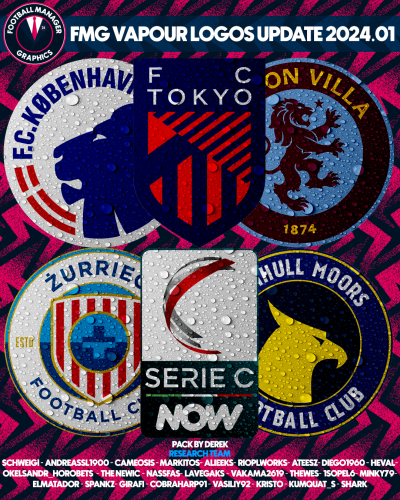 FMG Vapour Logos 2024.01 Pack by Derek Research Team @schweigi @AndreaSSL1900 @cameosis @Markitos @Alieeks @rioplworks @ateesz @diego1960 @Heval @Oleksandr_Horobets @The Newic @NassFas @Lavegaks @Vakama2619 @Thewes @1Sopel6 @minky79 @ElMatador @spankz @Girafi @CobraHarp91 @kristo @kumquat_s @Vasiliy92 @Shark Installation Instructions Drag and drop the contents (including the config files) of each folder in this update pack into the corresponding folder in the megapack and replace the existing logos when prompted. Do not drag and drop the actual folders as this will overwrite your megapack. Then simply go to preferences in FM and reload your skin. Alternative | Fantasy | Retro Logos To use any of the alternative, fantasy or retro logos in game you must remove the text at the end of each logo i.e. alt, retro or fantasy and drag and drop into the normal logo folder in the megapack. You will need to repeat this for all four sizes. Then simply go to preferences in FM and reload your skin. I would advise creating a copy of the original logos before replacing them.
 -
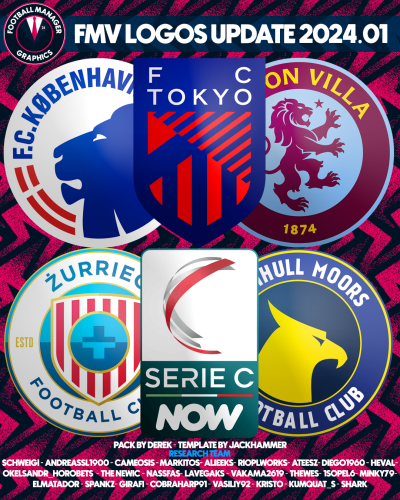 FMV Logos 2024.01 Pack by Derek Research Team @schweigi @AndreaSSL1900 @cameosis @Markitos @Alieeks @rioplworks @ateesz @diego1960 @Heval @Oleksandr_Horobets @The Newic @NassFas @Lavegaks @Vakama2619 @Thewes @1Sopel6 @minky79 @ElMatador @spankz @Girafi @CobraHarp91 @kristo @kumquat_s @Vasiliy92 @Shark Installation Instructions Drag and drop the contents (including the config files) of each folder in this update pack into the corresponding folder in the megapack and replace the existing logos when prompted. Do not drag and drop the actual folders as this will overwrite your megapack. Then simply go to preferences in FM and reload your skin. Alternative | Fantasy | Retro Logos To use any of the alternative, fantasy or retro logos in game you must remove the text at the end of each logo i.e. alt, retro or fantasy and drag and drop into the normal logo folder in the megapack. You will need to repeat this for all four sizes. Then simply go to preferences in FM and reload your skin. I would advise creating a copy of the original logos before replacing them.
 -
FMG Stone Logos 2024.01 Pack by Derek Research Team @schweigi @AndreaSSL1900 @cameosis @Markitos @Alieeks @rioplworks @ateesz @diego1960 @Heval @Oleksandr_Horobets @The Newic @NassFas @Lavegaks @Vakama2619 @Thewes @1Sopel6 @minky79 @ElMatador @spankz @Girafi @CobraHarp91 @kristo @kumquat_s @Vasiliy92 @Shark Installation Instructions Drag and drop the contents (including the config files) of each folder in this update pack into the corresponding folder in the megapack and replace the existing logos when prompted. Do not drag and drop the actual folders as this will overwrite your megapack. Then simply go to preferences in FM and reload your skin. Alternative | Fantasy | Retro Logos To use any of the alternative, fantasy or retro logos in game you must remove the text at the end of each logo i.e. alt, retro or fantasy and drag and drop into the normal logo folder in the megapack. You will need to repeat this for all four sizes. Then simply go to preferences in FM and reload your skin. I would advise creating a copy of the original logos before replacing them.
-
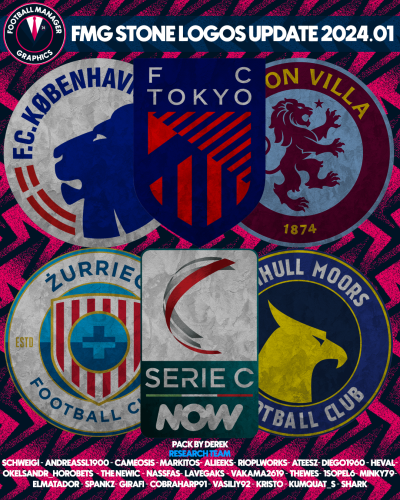 FMG Stone Logos 2024.01 Pack by Derek Research Team @schweigi @AndreaSSL1900 @cameosis @Markitos @Alieeks @rioplworks @ateesz @diego1960 @Heval @Oleksandr_Horobets @The Newic @NassFas @Lavegaks @Vakama2619 @Thewes @1Sopel6 @minky79 @ElMatador @spankz @Girafi @CobraHarp91 @kristo @kumquat_s @Vasiliy92 @Shark Installation Instructions Drag and drop the contents (including the config files) of each folder in this update pack into the corresponding folder in the megapack and replace the existing logos when prompted. Do not drag and drop the actual folders as this will overwrite your megapack. Then simply go to preferences in FM and reload your skin. Alternative | Fantasy | Retro Logos To use any of the alternative, fantasy or retro logos in game you must remove the text at the end of each logo i.e. alt, retro or fantasy and drag and drop into the normal logo folder in the megapack. You will need to repeat this for all four sizes. Then simply go to preferences in FM and reload your skin. I would advise creating a copy of the original logos before replacing them.
 -
FMG Steel Logos 2024.01 Pack by Derek Research Team @schweigi @AndreaSSL1900 @cameosis @Markitos @Alieeks @rioplworks @ateesz @diego1960 @Heval @Oleksandr_Horobets @The Newic @NassFas @Lavegaks @Vakama2619 @Thewes @1Sopel6 @minky79 @ElMatador @spankz @Girafi @CobraHarp91 @kristo @kumquat_s @Vasiliy92 @Shark Installation Instructions Drag and drop the contents (including the config files) of each folder in this update pack into the corresponding folder in the megapack and replace the existing logos when prompted. Do not drag and drop the actual folders as this will overwrite your megapack. Then simply go to preferences in FM and reload your skin. Alternative | Fantasy | Retro Logos To use any of the alternative, fantasy or retro logos in game you must remove the text at the end of each logo i.e. alt, retro or fantasy and drag and drop into the normal logo folder in the megapack. You will need to repeat this for all four sizes. Then simply go to preferences in FM and reload your skin. I would advise creating a copy of the original logos before replacing them.
-
FMG Standard Logos 2024.01 Pack by Derek Research Team @schweigi @AndreaSSL1900 @cameosis @Markitos @Alieeks @rioplworks @ateesz @diego1960 @Heval @Oleksandr_Horobets @The Newic @NassFas @Lavegaks @Vakama2619 @Thewes @1Sopel6 @minky79 @ElMatador @spankz @Girafi @CobraHarp91 @kristo @kumquat_s @Vasiliy92 @Shark Installation Instructions Drag and drop the contents (including the config files) of each folder in this update pack into the corresponding folder in the megapack and replace the existing logos when prompted. Do not drag and drop the actual folders as this will overwrite your megapack. Then simply go to preferences in FM and reload your skin. Alternative | Fantasy | Retro Logos To use any of the alternative, fantasy or retro logos in game you must remove the text at the end of each logo i.e. alt, retro or fantasy and drag and drop into the normal logo folder in the megapack. You will need to repeat this for all four sizes. Then simply go to preferences in FM and reload your skin. I would advise creating a copy of the original logos before replacing them.
-
 FMG Steel Logos 2024.01 Pack by Derek Research Team @schweigi @AndreaSSL1900 @cameosis @Markitos @Alieeks @rioplworks @ateesz @diego1960 @Heval @Oleksandr_Horobets @The Newic @NassFas @Lavegaks @Vakama2619 @Thewes @1Sopel6 @minky79 @ElMatador @spankz @Girafi @CobraHarp91 @kristo @kumquat_s @Vasiliy92 @Shark Installation Instructions Drag and drop the contents (including the config files) of each folder in this update pack into the corresponding folder in the megapack and replace the existing logos when prompted. Do not drag and drop the actual folders as this will overwrite your megapack. Then simply go to preferences in FM and reload your skin. Alternative | Fantasy | Retro Logos To use any of the alternative, fantasy or retro logos in game you must remove the text at the end of each logo i.e. alt, retro or fantasy and drag and drop into the normal logo folder in the megapack. You will need to repeat this for all four sizes. Then simply go to preferences in FM and reload your skin. I would advise creating a copy of the original logos before replacing them.
 -
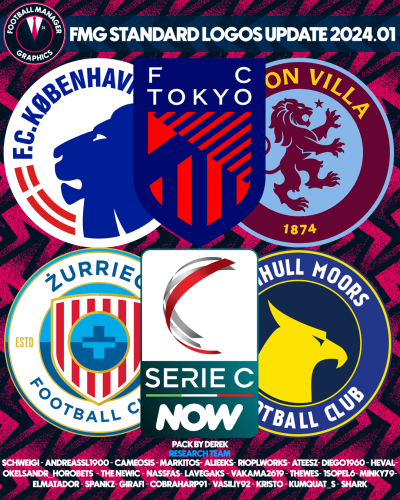 FMG Standard Logos 2024.01 Pack by Derek Research Team @schweigi @AndreaSSL1900 @cameosis @Markitos @Alieeks @rioplworks @ateesz @diego1960 @Heval @Oleksandr_Horobets @The Newic @NassFas @Lavegaks @Vakama2619 @Thewes @1Sopel6 @minky79 @ElMatador @spankz @Girafi @CobraHarp91 @kristo @kumquat_s @Vasiliy92 @Shark Installation Instructions Drag and drop the contents (including the config files) of each folder in this update pack into the corresponding folder in the megapack and replace the existing logos when prompted. Do not drag and drop the actual folders as this will overwrite your megapack. Then simply go to preferences in FM and reload your skin. Alternative | Fantasy | Retro Logos To use any of the alternative, fantasy or retro logos in game you must remove the text at the end of each logo i.e. alt, retro or fantasy and drag and drop into the normal logo folder in the megapack. You will need to repeat this for all four sizes. Then simply go to preferences in FM and reload your skin. I would advise creating a copy of the original logos before replacing them.
 -
FMG Plastic Logos 2024.01 Pack by Derek Research Team @schweigi @AndreaSSL1900 @cameosis @Markitos @Alieeks @rioplworks @ateesz @diego1960 @Heval @Oleksandr_Horobets @The Newic @NassFas @Lavegaks @Vakama2619 @Thewes @1Sopel6 @minky79 @ElMatador @spankz @Girafi @CobraHarp91 @kristo @kumquat_s @Vasiliy92 @Shark Installation Instructions Drag and drop the contents (including the config files) of each folder in this update pack into the corresponding folder in the megapack and replace the existing logos when prompted. Do not drag and drop the actual folders as this will overwrite your megapack. Then simply go to preferences in FM and reload your skin. Alternative | Fantasy | Retro Logos To use any of the alternative, fantasy or retro logos in game you must remove the text at the end of each logo i.e. alt, retro or fantasy and drag and drop into the normal logo folder in the megapack. You will need to repeat this for all four sizes. Then simply go to preferences in FM and reload your skin. I would advise creating a copy of the original logos before replacing them.
-
 FMG Plastic Logos 2024.01 Pack by Derek Research Team @schweigi @AndreaSSL1900 @cameosis @Markitos @Alieeks @rioplworks @ateesz @diego1960 @Heval @Oleksandr_Horobets @The Newic @NassFas @Lavegaks @Vakama2619 @Thewes @1Sopel6 @minky79 @ElMatador @spankz @Girafi @CobraHarp91 @kristo @kumquat_s @Vasiliy92 @Shark Installation Instructions Drag and drop the contents (including the config files) of each folder in this update pack into the corresponding folder in the megapack and replace the existing logos when prompted. Do not drag and drop the actual folders as this will overwrite your megapack. Then simply go to preferences in FM and reload your skin. Alternative | Fantasy | Retro Logos To use any of the alternative, fantasy or retro logos in game you must remove the text at the end of each logo i.e. alt, retro or fantasy and drag and drop into the normal logo folder in the megapack. You will need to repeat this for all four sizes. Then simply go to preferences in FM and reload your skin. I would advise creating a copy of the original logos before replacing them.
 -
Pack by Derek Research Team @schweigi @AndreaSSL1900 @cameosis @Markitos @Alieeks @rioplworks @ateesz @diego1960 @Heval @Oleksandr_Horobets @The Newic @NassFas @Lavegaks @Vakama2619 @Thewes @1Sopel6 @minky79 @ElMatador @spankz @Girafi @CobraHarp91 @kristo @kumquat_s @Vasiliy92 @Shark Installation Instructions Drag and drop the contents (including the config files) of each folder in this update pack into the corresponding folder in the megapack and replace the existing logos when prompted. Do not drag and drop the actual folders as this will overwrite your megapack. Then simply go to preferences in FM and reload your skin. Alternative | Fantasy | Retro Logos To use any of the alternative, fantasy or retro logos in game you must remove the text at the end of each logo i.e. alt, retro or fantasy and drag and drop into the normal logo folder in the megapack. You will need to repeat this for all four sizes. Then simply go to preferences in FM and reload your skin. I would advise creating a copy of the original logos before replacing them.
-
 FMG Logos 2024.01 Pack by Derek Research Team @schweigi @AndreaSSL1900 @cameosis @Markitos @Alieeks @rioplworks @ateesz @diego1960 @Heval @Oleksandr_Horobets @The Newic @NassFas @Lavegaks @Vakama2619 @Thewes @1Sopel6 @minky79 @ElMatador @spankz @Girafi @CobraHarp91 @kristo @kumquat_s @Vasiliy92 @Shark Installation Instructions Drag and drop the contents (including the config files) of each folder in this update pack into the corresponding folder in the megapack and replace the existing logos when prompted. Do not drag and drop the actual folders as this will overwrite your megapack. Then simply go to preferences in FM and reload your skin. Alternative | Fantasy | Retro Logos To use any of the alternative, fantasy or retro logos in game you must remove the text at the end of each logo i.e. alt, retro or fantasy and drag and drop into the normal logo folder in the megapack. You will need to repeat this for all four sizes. Then simply go to preferences in FM and reload your skin. I would advise creating a copy of the original logos before replacing them.
 -
FMG ING Logos 2024.01 Template by @Tempelman Pack by Derek Research Team @schweigi @AndreaSSL1900 @cameosis @Markitos @Alieeks @rioplworks @ateesz @diego1960 @Heval @Oleksandr_Horobets @The Newic @NassFas @Lavegaks @Vakama2619 @Thewes @1Sopel6 @minky79 @ElMatador @spankz @Girafi @CobraHarp91 @kristo @kumquat_s @Vasiliy92 @Shark Installation Instructions Drag and drop the contents (including the config files) of each folder in this update pack into the corresponding folder in the megapack and replace the existing logos when prompted. Do not drag and drop the actual folders as this will overwrite your megapack. Then simply go to preferences in FM and reload your skin. Alternative | Fantasy | Retro Logos To use any of the alternative, fantasy or retro logos in game you must remove the text at the end of each logo i.e. alt, retro or fantasy and drag and drop into the normal logo folder in the megapack. You will need to repeat this for all four sizes. Then simply go to preferences in FM and reload your skin. I would advise creating a copy of the original logos before replacing them.
-
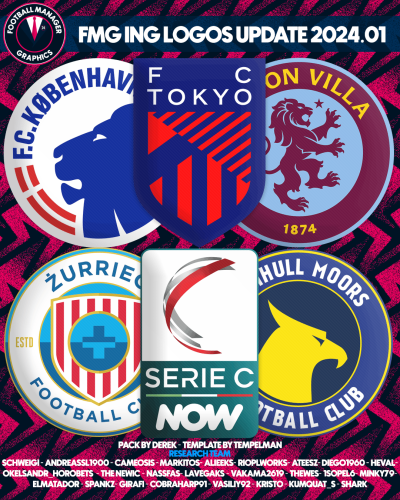 FMG ING Logos 2024.01 Template by @Tempelman Pack by Derek Research Team @schweigi @AndreaSSL1900 @cameosis @Markitos @Alieeks @rioplworks @ateesz @diego1960 @Heval @Oleksandr_Horobets @The Newic @NassFas @Lavegaks @Vakama2619 @Thewes @1Sopel6 @minky79 @ElMatador @spankz @Girafi @CobraHarp91 @kristo @kumquat_s @Vasiliy92 @Shark Installation Instructions Drag and drop the contents (including the config files) of each folder in this update pack into the corresponding folder in the megapack and replace the existing logos when prompted. Do not drag and drop the actual folders as this will overwrite your megapack. Then simply go to preferences in FM and reload your skin. Alternative | Fantasy | Retro Logos To use any of the alternative, fantasy or retro logos in game you must remove the text at the end of each logo i.e. alt, retro or fantasy and drag and drop into the normal logo folder in the megapack. You will need to repeat this for all four sizes. Then simply go to preferences in FM and reload your skin. I would advise creating a copy of the original logos before replacing them.
 -
https://i.ibb.co/tYXCqnR/FMG-Grunge-Logos-2024-01.png FMG Grunge Logos 2024.01 Pack by Derek Research Team @schweigi @AndreaSSL1900 @cameosis @Markitos @Alieeks @rioplworks @ateesz @diego1960 @Heval @Oleksandr_Horobets @The Newic @NassFas @Lavegaks @Vakama2619 @Thewes @1Sopel6 @minky79 @ElMatador @spankz @Girafi @CobraHarp91 @kristo @kumquat_s @Vasiliy92 @Shark Installation Instructions Drag and drop the contents (including the config files) of each folder in this update pack into the corresponding folder in the megapack and replace the existing logos when prompted. Do not drag and drop the actual folders as this will overwrite your megapack. Then simply go to preferences in FM and reload your skin. Alternative | Fantasy | Retro Logos To use any of the alternative, fantasy or retro logos in game you must remove the text at the end of each logo i.e. alt, retro or fantasy and drag and drop into the normal logo folder in the megapack. You will need to repeat this for all four sizes. Then simply go to preferences in FM and reload your skin. I would advise creating a copy of the original logos before replacing them.


