





Derek
Administrators
-
Joined
-
Last visited
Everything posted by Derek
-
Are these two separate logos with KJ Alhaurin and KJ Alhaurino or should the text be KJ Alhaurin/Alhaurino on the same logo?
-
All nine of our Logo Megapacks are now released. A big thank you to all our fantastic staff, researchers and members for your help! 🤝
-
They are huge packs mate which we don't produce anymore because of this issue. We need to work with some of our skinning guys to make it possible to use one default image and the chosen logo back to create these going forward. This will not happen right now though.
-
Brilliant! Delighted you like them mate.
-
@TheFMVeteran86 When you have downloaded the two parts, select both and extract at the same time. The second part isn't a zip file as it's part of a collection. If you have changed anything to the file names please revert back to the original or you may have to download again.
-
I’d be interested to see what everyone thinks of this pack.
-
-
-
-
FMG Stone Logos Megapack FMG Stone Logos Megapack for Football Manager 2023 includes nearly 78,000 individual logos and includes alternative, fantasy and retro logos. This pack also includes 180x180 pixel logos for use in Football Manager Mobile.
-
Brilliant stuff again mate! Well done on the title. 🏆 🏆 I vote go for three in a row 😀
-
Just replace the sticker one with this in the folder I sent you. Make sure you rename the shirt version 720 too
-
I won't be making background packs as such mate but I will take requests for one or two clubs. My focus is really on FMG Logos, FMG Kits, DF11 Faces and our Design Factory.
-
Had you got a Stockport background already? If so I would simply replace it with the one I've made and reload the skin. Then remove the folder I sent you as it has a config file which could be conflicting with another one you may have in the backgrounds folder.
-
Thanks. We've a few more to come before the end of the month with Vapour logos and FMV (redesigned) to be released along with one or two new styles I'm working on.
-
Yes for sure just send it to me.
-
-
-
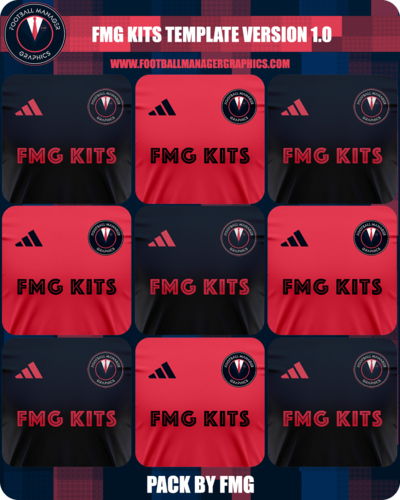 FMG Kits Template 2022-23
-
-
That's some under 19's team you would have mate 😀
-
I think theres about three or four of us using Wrexham in our first saves 🤣 Let's go Deadpool Quite looking forward to it though
-
This all looks great mate. I'll work on this when I can but will take a week or two before this is finished. Just checking the spelling of the premiership, is that Nextlix as posted or Netflix?
-
Here you go guys
-