






Derek
Administrators
-
Joined
-
Last visited
Everything posted by Derek
-
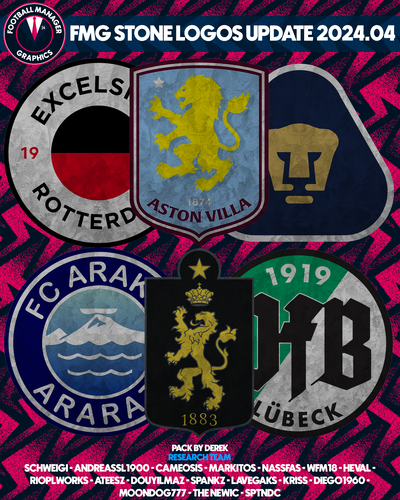 FMG Stone Logos 2024.04 Pack by Derek Research Team @schweigi @NassFas @cameosis @Heval @AndreaSSL1900 @wfm18 @douyilmaz @spankz @Markitos @Lavegaks @Kriss @diego1960 @rioplworks @sptndc @The Newic @Moondog777 @ateesz Nations Logos - Alternative Pack 🆕 This update pack also includes an optional alternative folder which displays both FA and team logos for international teams. To use this pack you will need to remove or delete the existing Nations folder from the megapack and replace with an upzipped the 'Nations FA' file. You may also need to remove a flag pack if present to view correctly. Installation Instructions Drag and drop the contents (including the config files) of each folder in this update pack into the corresponding folder in the megapack and replace the existing logos when prompted. Do not drag and drop the actual folders as this will overwrite your megapack. Then simply go to preferences in FM and reload your skin. Alternative | Fantasy | Retro Logos To use any of the alternative, fantasy or retro logos in game you must remove the text at the end of each logo i.e. alt, retro or fantasy and drag and drop into the normal logo folder in the megapack. You will need to repeat this for all four sizes. Then simply go to preferences in FM and reload your skin. I would advise creating a copy of the original logos before replacing them.
 -
FMG Steel Logos 2024.04 Pack by Derek Research Team @schweigi @NassFas @cameosis @Heval @AndreaSSL1900 @wfm18 @douyilmaz @spankz @Markitos @Lavegaks @Kriss @diego1960 @rioplworks @sptndc @The Newic @Moondog777 @ateesz Nations Logos - Alternative Pack 🆕 This update pack also includes an optional alternative folder which displays both FA and team logos for international teams. To use this pack you will need to remove or delete the existing Nations folder from the megapack and replace with an upzipped the 'Nations FA' file. You may also need to remove a flag pack if present to view correctly. Installation Instructions Drag and drop the contents (including the config files) of each folder in this update pack into the corresponding folder in the megapack and replace the existing logos when prompted. Do not drag and drop the actual folders as this will overwrite your megapack. Then simply go to preferences in FM and reload your skin. Alternative | Fantasy | Retro Logos To use any of the alternative, fantasy or retro logos in game you must remove the text at the end of each logo i.e. alt, retro or fantasy and drag and drop into the normal logo folder in the megapack. You will need to repeat this for all four sizes. Then simply go to preferences in FM and reload your skin. I would advise creating a copy of the original logos before replacing them.
-
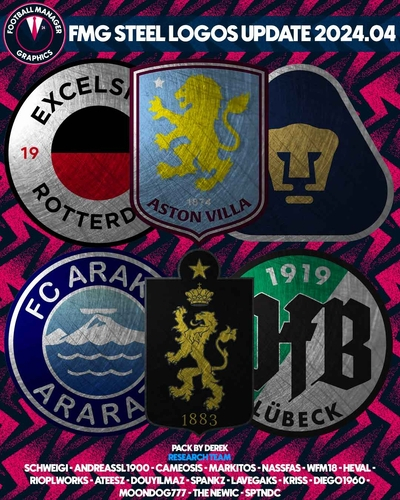 FMG Steel Logos 2024.04 Pack by Derek Research Team @schweigi @NassFas @cameosis @Heval @AndreaSSL1900 @wfm18 @douyilmaz @spankz @Markitos @Lavegaks @Kriss @diego1960 @rioplworks @sptndc @The Newic @Moondog777 @ateesz Nations Logos - Alternative Pack 🆕 This update pack also includes an optional alternative folder which displays both FA and team logos for international teams. To use this pack you will need to remove or delete the existing Nations folder from the megapack and replace with an upzipped the 'Nations FA' file. You may also need to remove a flag pack if present to view correctly. Installation Instructions Drag and drop the contents (including the config files) of each folder in this update pack into the corresponding folder in the megapack and replace the existing logos when prompted. Do not drag and drop the actual folders as this will overwrite your megapack. Then simply go to preferences in FM and reload your skin. Alternative | Fantasy | Retro Logos To use any of the alternative, fantasy or retro logos in game you must remove the text at the end of each logo i.e. alt, retro or fantasy and drag and drop into the normal logo folder in the megapack. You will need to repeat this for all four sizes. Then simply go to preferences in FM and reload your skin. I would advise creating a copy of the original logos before replacing them.
 -
FMG Standard Logos 2024.04 Pack by Derek Research Team @schweigi @NassFas @cameosis @Heval @AndreaSSL1900 @wfm18 @douyilmaz @spankz @Markitos @Lavegaks @Kriss @diego1960 @rioplworks @sptndc @The Newic @Moondog777 @ateesz Nations Logos - Alternative Pack 🆕 This update pack also includes an optional alternative folder which displays both FA and team logos for international teams. To use this pack you will need to remove or delete the existing Nations folder from the megapack and replace with an upzipped the 'Nations FA' file. You may also need to remove a flag pack if present to view correctly. Installation Instructions Drag and drop the contents (including the config files) of each folder in this update pack into the corresponding folder in the megapack and replace the existing logos when prompted. Do not drag and drop the actual folders as this will overwrite your megapack. Then simply go to preferences in FM and reload your skin. Alternative | Fantasy | Retro Logos To use any of the alternative, fantasy or retro logos in game you must remove the text at the end of each logo i.e. alt, retro or fantasy and drag and drop into the normal logo folder in the megapack. You will need to repeat this for all four sizes. Then simply go to preferences in FM and reload your skin. I would advise creating a copy of the original logos before replacing them. * PLEASE NOTE THEIR ARE TWO LINKS FOR DOWNLOADING THIS PACK. YOU ONLY NEED TO DOWNLOAD ONE BUT HAVE OPTIONS FOR MEGA & MEDIAFIRE.
-
 FMG Standard Logos 2024.04 Pack by Derek Research Team @schweigi @NassFas @cameosis @Heval @AndreaSSL1900 @wfm18 @douyilmaz @spankz @Markitos @Lavegaks @Kriss @diego1960 @rioplworks @sptndc @The Newic @Moondog777 @ateesz Nations Logos - Alternative Pack 🆕 This update pack also includes an optional alternative folder which displays both FA and team logos for international teams. To use this pack you will need to remove or delete the existing Nations folder from the megapack and replace with an upzipped the 'Nations FA' file. You may also need to remove a flag pack if present to view correctly. Installation Instructions Drag and drop the contents (including the config files) of each folder in this update pack into the corresponding folder in the megapack and replace the existing logos when prompted. Do not drag and drop the actual folders as this will overwrite your megapack. Then simply go to preferences in FM and reload your skin. Alternative | Fantasy | Retro Logos To use any of the alternative, fantasy or retro logos in game you must remove the text at the end of each logo i.e. alt, retro or fantasy and drag and drop into the normal logo folder in the megapack. You will need to repeat this for all four sizes. Then simply go to preferences in FM and reload your skin. I would advise creating a copy of the original logos before replacing them. * PLEASE NOTE THEIR ARE TWO LINKS FOR DOWNLOADING THIS PACK. YOU ONLY NEED TO DOWNLOAD ONE BUT HAVE OPTIONS FOR MEGA & MEDIAFIRE.
 -
FMG Plastic Logos 2024.04 Pack by Derek Research Team @schweigi @NassFas @cameosis @Heval @AndreaSSL1900 @wfm18 @douyilmaz @spankz @Markitos @Lavegaks @Kriss @diego1960 @rioplworks @sptndc @The Newic @Moondog777 @ateesz Nations Logos - Alternative Pack 🆕 This update pack also includes an optional alternative folder which displays both FA and team logos for international teams. To use this pack you will need to remove or delete the existing Nations folder from the megapack and replace with an upzipped the 'Nations FA' file. You may also need to remove a flag pack if present to view correctly. Installation Instructions Drag and drop the contents (including the config files) of each folder in this update pack into the corresponding folder in the megapack and replace the existing logos when prompted. Do not drag and drop the actual folders as this will overwrite your megapack. Then simply go to preferences in FM and reload your skin. Alternative | Fantasy | Retro Logos To use any of the alternative, fantasy or retro logos in game you must remove the text at the end of each logo i.e. alt, retro or fantasy and drag and drop into the normal logo folder in the megapack. You will need to repeat this for all four sizes. Then simply go to preferences in FM and reload your skin. I would advise creating a copy of the original logos before replacing them.
-
 FMG Plastic Logos 2024.04 Pack by Derek Research Team @schweigi @NassFas @cameosis @Heval @AndreaSSL1900 @wfm18 @douyilmaz @spankz @Markitos @Lavegaks @Kriss @diego1960 @rioplworks @sptndc @The Newic @Moondog777 @ateesz Nations Logos - Alternative Pack 🆕 This update pack also includes an optional alternative folder which displays both FA and team logos for international teams. To use this pack you will need to remove or delete the existing Nations folder from the megapack and replace with an upzipped the 'Nations FA' file. You may also need to remove a flag pack if present to view correctly. Installation Instructions Drag and drop the contents (including the config files) of each folder in this update pack into the corresponding folder in the megapack and replace the existing logos when prompted. Do not drag and drop the actual folders as this will overwrite your megapack. Then simply go to preferences in FM and reload your skin. Alternative | Fantasy | Retro Logos To use any of the alternative, fantasy or retro logos in game you must remove the text at the end of each logo i.e. alt, retro or fantasy and drag and drop into the normal logo folder in the megapack. You will need to repeat this for all four sizes. Then simply go to preferences in FM and reload your skin. I would advise creating a copy of the original logos before replacing them.
 -
FMG Logos 2024.04 Pack by Derek Research Team @schweigi @NassFas @cameosis @Heval @AndreaSSL1900 @wfm18 @douyilmaz @spankz @Markitos @Lavegaks @Kriss @diego1960 @rioplworks @sptndc @The Newic @Moondog777 @ateesz Nations Logos - Alternative Pack 🆕 This update pack also includes an optional alternative folder which displays both FA and team logos for international teams. To use this pack you will need to remove or delete the existing Nations folder from the megapack and replace with an upzipped the 'Nations FA' file. You may also need to remove a flag pack if present to view correctly. Installation Instructions Drag and drop the contents (including the config files) of each folder in this update pack into the corresponding folder in the megapack and replace the existing logos when prompted. Do not drag and drop the actual folders as this will overwrite your megapack. Then simply go to preferences in FM and reload your skin. Alternative | Fantasy | Retro Logos To use any of the alternative, fantasy or retro logos in game you must remove the text at the end of each logo i.e. alt, retro or fantasy and drag and drop into the normal logo folder in the megapack. You will need to repeat this for all four sizes. Then simply go to preferences in FM and reload your skin. I would advise creating a copy of the original logos before replacing them.
-
 FMG Logos 2024.04 Pack by Derek Research Team @schweigi @NassFas @cameosis @Heval @AndreaSSL1900 @wfm18 @douyilmaz @spankz @Markitos @Lavegaks @Kriss @diego1960 @rioplworks @sptndc @The Newic @Moondog777 @ateesz Nations Logos - Alternative Pack 🆕 This update pack also includes an optional alternative folder which displays both FA and team logos for international teams. To use this pack you will need to remove or delete the existing Nations folder from the megapack and replace with an upzipped the 'Nations FA' file. You may also need to remove a flag pack if present to view correctly. Installation Instructions Drag and drop the contents (including the config files) of each folder in this update pack into the corresponding folder in the megapack and replace the existing logos when prompted. Do not drag and drop the actual folders as this will overwrite your megapack. Then simply go to preferences in FM and reload your skin. Alternative | Fantasy | Retro Logos To use any of the alternative, fantasy or retro logos in game you must remove the text at the end of each logo i.e. alt, retro or fantasy and drag and drop into the normal logo folder in the megapack. You will need to repeat this for all four sizes. Then simply go to preferences in FM and reload your skin. I would advise creating a copy of the original logos before replacing them.
 -
FMG ING Logos 2024.04 Pack by Derek Template by @Tempelman Research Team @schweigi @NassFas @cameosis @Heval @AndreaSSL1900 @wfm18 @douyilmaz @spankz @Markitos @Lavegaks @Kriss @diego1960 @rioplworks @sptndc @The Newic @Moondog777 @ateesz Nations Logos - Alternative Pack 🆕 This update pack also includes an optional alternative folder which displays both FA and team logos for international teams. To use this pack you will need to remove or delete the existing Nations folder from the megapack and replace with an upzipped the 'Nations FA' file. You may also need to remove a flag pack if present to view correctly. Installation Instructions Drag and drop the contents (including the config files) of each folder in this update pack into the corresponding folder in the megapack and replace the existing logos when prompted. Do not drag and drop the actual folders as this will overwrite your megapack. Then simply go to preferences in FM and reload your skin. Alternative | Fantasy | Retro Logos To use any of the alternative, fantasy or retro logos in game you must remove the text at the end of each logo i.e. alt, retro or fantasy and drag and drop into the normal logo folder in the megapack. You will need to repeat this for all four sizes. Then simply go to preferences in FM and reload your skin. I would advise creating a copy of the original logos before replacing them.
-
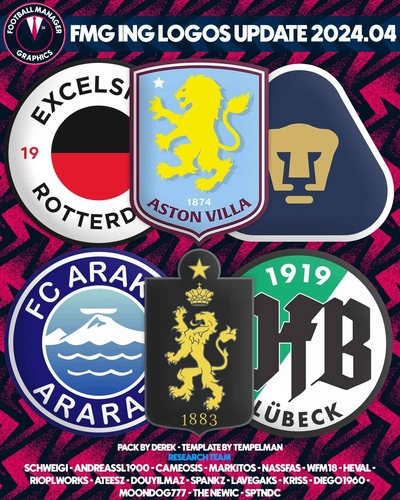 FMG ING Logos 2024.04 Pack by Derek Template by @Tempelman Research Team @schweigi @NassFas @cameosis @Heval @AndreaSSL1900 @wfm18 @douyilmaz @spankz @Markitos @Lavegaks @Kriss @diego1960 @rioplworks @sptndc @The Newic @Moondog777 @ateesz Nations Logos - Alternative Pack 🆕 This update pack also includes an optional alternative folder which displays both FA and team logos for international teams. To use this pack you will need to remove or delete the existing Nations folder from the megapack and replace with an upzipped the 'Nations FA' file. You may also need to remove a flag pack if present to view correctly. Installation Instructions Drag and drop the contents (including the config files) of each folder in this update pack into the corresponding folder in the megapack and replace the existing logos when prompted. Do not drag and drop the actual folders as this will overwrite your megapack. Then simply go to preferences in FM and reload your skin. Alternative | Fantasy | Retro Logos To use any of the alternative, fantasy or retro logos in game you must remove the text at the end of each logo i.e. alt, retro or fantasy and drag and drop into the normal logo folder in the megapack. You will need to repeat this for all four sizes. Then simply go to preferences in FM and reload your skin. I would advise creating a copy of the original logos before replacing them.
 -
FMG Grunge Logos 2024.04 Pack by Derek Research Team @schweigi @NassFas @cameosis @Heval @AndreaSSL1900 @wfm18 @douyilmaz @spankz @Markitos @Lavegaks @Kriss @diego1960 @rioplworks @sptndc @The Newic @Moondog777 @ateesz Nations Logos - Alternative Pack 🆕 This update pack also includes an optional alternative folder which displays both FA and team logos for international teams. To use this pack you will need to remove or delete the existing Nations folder from the megapack and replace with an upzipped the 'Nations FA' file. You may also need to remove a flag pack if present to view correctly. Installation Instructions Drag and drop the contents (including the config files) of each folder in this update pack into the corresponding folder in the megapack and replace the existing logos when prompted. Do not drag and drop the actual folders as this will overwrite your megapack. Then simply go to preferences in FM and reload your skin. Alternative | Fantasy | Retro Logos To use any of the alternative, fantasy or retro logos in game you must remove the text at the end of each logo i.e. alt, retro or fantasy and drag and drop into the normal logo folder in the megapack. You will need to repeat this for all four sizes. Then simply go to preferences in FM and reload your skin. I would advise creating a copy of the original logos before replacing them.
-
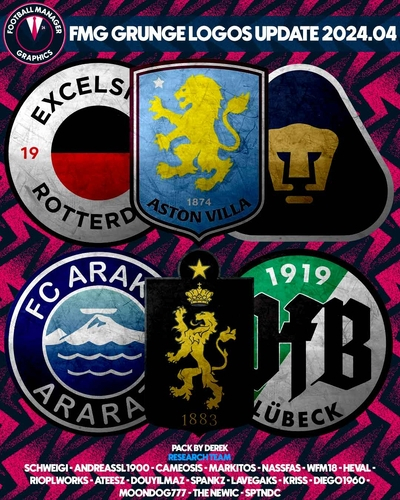 FMG Grunge Logos 2024.04 Pack by Derek Research Team @schweigi @NassFas @cameosis @Heval @AndreaSSL1900 @wfm18 @douyilmaz @spankz @Markitos @Lavegaks @Kriss @diego1960 @rioplworks @sptndc @The Newic @Moondog777 @ateesz Nations Logos - Alternative Pack 🆕 This update pack also includes an optional alternative folder which displays both FA and team logos for international teams. To use this pack you will need to remove or delete the existing Nations folder from the megapack and replace with an upzipped the 'Nations FA' file. You may also need to remove a flag pack if present to view correctly. Installation Instructions Drag and drop the contents (including the config files) of each folder in this update pack into the corresponding folder in the megapack and replace the existing logos when prompted. Do not drag and drop the actual folders as this will overwrite your megapack. Then simply go to preferences in FM and reload your skin. Alternative | Fantasy | Retro Logos To use any of the alternative, fantasy or retro logos in game you must remove the text at the end of each logo i.e. alt, retro or fantasy and drag and drop into the normal logo folder in the megapack. You will need to repeat this for all four sizes. Then simply go to preferences in FM and reload your skin. I would advise creating a copy of the original logos before replacing them.
 -
FMG D11 Logos 2024.04 Pack by Derek Research Team @schweigi @NassFas @cameosis @Heval @AndreaSSL1900 @wfm18 @douyilmaz @spankz @Markitos @Lavegaks @Kriss @diego1960 @rioplworks @sptndc @The Newic @Moondog777 @ateesz Nations Logos - Alternative Pack 🆕 This update pack also includes an optional alternative folder which displays both FA and team logos for international teams. To use this pack you will need to remove or delete the existing Nations folder from the megapack and replace with an upzipped the 'Nations FA' file. You may also need to remove a flag pack if present to view correctly. Installation Instructions Drag and drop the contents (including the config files) of each folder in this update pack into the corresponding folder in the megapack and replace the existing logos when prompted. Do not drag and drop the actual folders as this will overwrite your megapack. Then simply go to preferences in FM and reload your skin. Alternative | Fantasy | Retro Logos To use any of the alternative, fantasy or retro logos in game you must remove the text at the end of each logo i.e. alt, retro or fantasy and drag and drop into the normal logo folder in the megapack. You will need to repeat this for all four sizes. Then simply go to preferences in FM and reload your skin. I would advise creating a copy of the original logos before replacing them.
-
 FMG D11 Logos 2024.04 Pack by Derek Research Team @schweigi @NassFas @cameosis @Heval @AndreaSSL1900 @wfm18 @douyilmaz @spankz @Markitos @Lavegaks @Kriss @diego1960 @rioplworks @sptndc @The Newic @Moondog777 @ateesz Nations Logos - Alternative Pack 🆕 This update pack also includes an optional alternative folder which displays both FA and team logos for international teams. To use this pack you will need to remove or delete the existing Nations folder from the megapack and replace with an upzipped the 'Nations FA' file. You may also need to remove a flag pack if present to view correctly. Installation Instructions Drag and drop the contents (including the config files) of each folder in this update pack into the corresponding folder in the megapack and replace the existing logos when prompted. Do not drag and drop the actual folders as this will overwrite your megapack. Then simply go to preferences in FM and reload your skin. Alternative | Fantasy | Retro Logos To use any of the alternative, fantasy or retro logos in game you must remove the text at the end of each logo i.e. alt, retro or fantasy and drag and drop into the normal logo folder in the megapack. You will need to repeat this for all four sizes. Then simply go to preferences in FM and reload your skin. I would advise creating a copy of the original logos before replacing them.
 -
FMG Button Logos 2024.04 Pack by Derek Research Team @schweigi @NassFas @cameosis @Heval @AndreaSSL1900 @wfm18 @douyilmaz @spankz @Markitos @Lavegaks @Kriss @diego1960 @rioplworks @sptndc @The Newic @Moondog777 @ateesz Nations Logos - Alternative Pack 🆕 This update pack also includes an optional alternative folder which displays both FA and team logos for international teams. To use this pack you will need to remove or delete the existing Nations folder from the megapack and replace with an upzipped the 'Nations FA' file. You may also need to remove a flag pack if present to view correctly. Installation Instructions Drag and drop the contents (including the config files) of each folder in this update pack into the corresponding folder in the megapack and replace the existing logos when prompted. Do not drag and drop the actual folders as this will overwrite your megapack. Then simply go to preferences in FM and reload your skin. Alternative | Fantasy | Retro Logos To use any of the alternative, fantasy or retro logos in game you must remove the text at the end of each logo i.e. alt, retro or fantasy and drag and drop into the normal logo folder in the megapack. You will need to repeat this for all four sizes. Then simply go to preferences in FM and reload your skin. I would advise creating a copy of the original logos before replacing them.
-
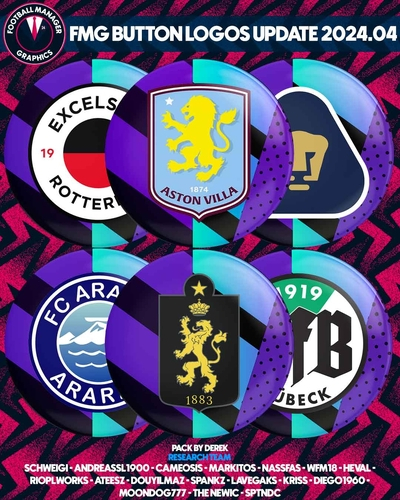 FMG Button Logos 2024.04 Pack by Derek Research Team @schweigi @NassFas @cameosis @Heval @AndreaSSL1900 @wfm18 @douyilmaz @spankz @Markitos @Lavegaks @Kriss @diego1960 @rioplworks @sptndc @The Newic @Moondog777 @ateesz Nations Logos - Alternative Pack 🆕 This update pack also includes an optional alternative folder which displays both FA and team logos for international teams. To use this pack you will need to remove or delete the existing Nations folder from the megapack and replace with an upzipped the 'Nations FA' file. You may also need to remove a flag pack if present to view correctly. Installation Instructions Drag and drop the contents (including the config files) of each folder in this update pack into the corresponding folder in the megapack and replace the existing logos when prompted. Do not drag and drop the actual folders as this will overwrite your megapack. Then simply go to preferences in FM and reload your skin. Alternative | Fantasy | Retro Logos To use any of the alternative, fantasy or retro logos in game you must remove the text at the end of each logo i.e. alt, retro or fantasy and drag and drop into the normal logo folder in the megapack. You will need to repeat this for all four sizes. Then simply go to preferences in FM and reload your skin. I would advise creating a copy of the original logos before replacing them.
 -
The logo updates have now started. Any logos posted up until this point will be included in this months updates. Thank you to everyone who contributed this month as it's been a huge undertaking by all. This will be our second largest update since the creation of the site 👏👏👏 Shoutout to @schweigi (legend) who has done a major quality control check behind the scenes with nearly 7,000 new and improved logos.
-
I got it from Free Pik who have an image generator. Free accounts get 20 images per day in sets of 4. https://www.freepik.com/ai/image-editor
-
Great start to the season mate. If you manage to sustain this it will be a huge achievement!
-
It's a fantastic tactic, really changed the course of the season for me. I'll try this one in my next save.
-
A fantastic piece of work from @minky79 Really interesting new nation and teams worth trying. 👏👏👏
-
Brilliant mate! In fairness it was your tactic that brought the title as it was a game changer! I'm looking forward to seeing how you get on with this. Not much in the way of centre backs at the moment but some decent young talent.
-
Thanks guys If possible I would like to start the updates tomorrow so if you have anymore please post them tomorrow. 🙂
-
Davide Marzano is our star of FMG Pass The Save FM24 edition. If you want to take up the challenge simply visit the link below to get involved. If your taking up the challenge here are some shots of our Italian maestro in possible future club colours. The first set might be useful if he gets sacked 🤣


