FM24 FMV Logos
FMV Logos Megapack are now created by FMG & Includes Nearly 84,000 Individual Logos
31 files
-
FMV Logos 2024.06
Pack by Derek
Template by JackHammer
Credit Murray
Research Team
@schweigi @cameosis @Markitos @AndreaSSL1900 @minky79 @Shark @inohcanoss @kenolio @shadow @wfm18 @Lavegaks @sptndc @Heval @Kriss @NassFas @hlourencoam @Alieeks @rioplworks
Installation Instructions
Drag and drop the contents (including the config files) of each folder in this update pack into the corresponding folder in the megapack and replace the existing logos when prompted. Do not drag and drop the actual folders as this will overwrite your megapack.
Then simply go to preferences in FM and reload your skin.
Alternative | Fantasy | Retro Logos
To use any of the alternative, fantasy or retro logos in game you must remove the text at the end of each logo i.e. alt, retro or fantasy and drag and drop into the normal logo folder in the megapack.
You will need to repeat this for all four sizes. Then simply go to preferences in FM and reload your skin.
I would advise creating a copy of the original logos before replacing them.
- 630 Downloads
Submitted -
FMV Logos 2024.05
Pack by Derek
Template by JackHammer
Credit Murray
Research Team
@schweigi @cameosis @Markitos @AndreaSSL1900 @NassFas @inohcanoss @ateesz @diego1960 @wfm18 @Copywriter @shadow @Lavegaks @kristo @Moondog777 @rioplworks @Gerdington @sptndc @minky79 @Kriss
Installation Instructions
Drag and drop the contents (including the config files) of each folder in this update pack into the corresponding folder in the megapack and replace the existing logos when prompted. Do not drag and drop the actual folders as this will overwrite your megapack.
Then simply go to preferences in FM and reload your skin.
Alternative | Fantasy | Retro Logos
To use any of the alternative, fantasy or retro logos in game you must remove the text at the end of each logo i.e. alt, retro or fantasy and drag and drop into the normal logo folder in the megapack.
You will need to repeat this for all four sizes. Then simply go to preferences in FM and reload your skin.
I would advise creating a copy of the original logos before replacing them.
- 656 Downloads
Submitted -
FMV Logos 2024.04
Pack by Derek
Template by JackHammer
Credit Murray
Research Team
@schweigi @NassFas @cameosis @Heval @AndreaSSL1900 @wfm18 @douyilmaz @spankz @Markitos @Lavegaks @Kriss @diego1960 @rioplworks @sptndc @The Newic @Moondog777 @ateesz
Nations Logos - Alternative Pack 🆕
This update pack also includes an optional alternative folder which displays both FA and team logos for international teams. To use this pack you will need to remove or delete the existing Nations folder from the megapack and replace with an upzipped the 'Nations FA' file. You may also need to remove a flag pack if present to view correctly.
Installation Instructions
Drag and drop the contents (including the config files) of each folder in this update pack into the corresponding folder in the megapack and replace the existing logos when prompted. Do not drag and drop the actual folders as this will overwrite your megapack.
Then simply go to preferences in FM and reload your skin.
Alternative | Fantasy | Retro Logos
To use any of the alternative, fantasy or retro logos in game you must remove the text at the end of each logo i.e. alt, retro or fantasy and drag and drop into the normal logo folder in the megapack.
You will need to repeat this for all four sizes. Then simply go to preferences in FM and reload your skin.
I would advise creating a copy of the original logos before replacing them.
- 875 Downloads
Submitted -
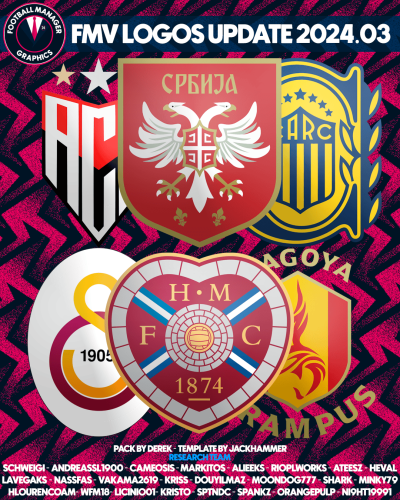
FMV Logos 2024.03
Template by JackHammer
Pack by Derek
Research Team
@schweigi @AndreaSSL1900 @cameosis @Markitos @Alieeks @rioplworks @ateesz @Heval @NassFas @Lavegaks @Vakama2619 @minky79 @spankz @kristo @Shark
@Kriss @douyilmaz @wfm18 @hlourencoam @Moondog777 @OrangePulp @sptndc @licinio01 @ni9ht1991
Installation Instructions
Drag and drop the contents (including the config files) of each folder in this update pack into the corresponding folder in the megapack and replace the existing logos when prompted. Do not drag and drop the actual folders as this will overwrite your megapack.
Then simply go to preferences in FM and reload your skin.
Alternative | Fantasy | Retro Logos
To use any of the alternative, fantasy or retro logos in game you must remove the text at the end of each logo i.e. alt, retro or fantasy and drag and drop into the normal logo folder in the megapack.
You will need to repeat this for all four sizes. Then simply go to preferences in FM and reload your skin.
I would advise creating a copy of the original logos before replacing them.
- 567 Downloads
Submitted -
FMV Logos Update 2
Template by JackHammer
Pack by Derek
Research Team
@schweigi @AndreaSSL1900 @cameosis @Markitos @rioplworks @CobraHarp91 @Lavegaks @Heval @ateesz @Vasiliy92 @Vakama2619 @kristo @sptndc @Podefteza @kenolio @M3RN @jcshy @McClane29 @flaes @Copywriter @tomek0290 @rafney87
Installation Instructions
Drag and drop the contents (including the config files) of each folder in this update pack into the corresponding folder in the megapack and replace the existing logos when prompted. Do not drag and drop the actual folders as this will overwrite your megapack.
Then simply go to preferences in FM and reload your skin.
Alternative | Fantasy | Retro Logos
To use any of the alternative, fantasy or retro logos in game you must remove the text at the end of each logo i.e. alt, retro or fantasy and drag and drop into the normal logo folder in the megapack.
You will need to repeat this for all four sizes. Then simply go to preferences in FM and reload your skin.
I would advise creating a copy of the original logos before replacing them.
- 1,422 Downloads
Submitted -
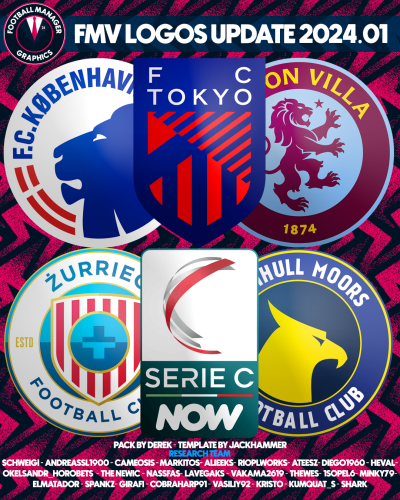
FMV Logos 2024.01
Pack by Derek
Research Team
@schweigi @AndreaSSL1900 @cameosis @Markitos @Alieeks @rioplworks @ateesz @diego1960 @Heval @Oleksandr_Horobets @The Newic @NassFas @Lavegaks @Vakama2619 @Thewes @1Sopel6 @minky79 @ElMatador @spankz @Girafi @CobraHarp91 @kristo @kumquat_s @Vasiliy92 @Shark
Installation Instructions
Drag and drop the contents (including the config files) of each folder in this update pack into the corresponding folder in the megapack and replace the existing logos when prompted. Do not drag and drop the actual folders as this will overwrite your megapack.
Then simply go to preferences in FM and reload your skin.
Alternative | Fantasy | Retro Logos
To use any of the alternative, fantasy or retro logos in game you must remove the text at the end of each logo i.e. alt, retro or fantasy and drag and drop into the normal logo folder in the megapack.
You will need to repeat this for all four sizes. Then simply go to preferences in FM and reload your skin.
I would advise creating a copy of the original logos before replacing them.
- 1,090 Downloads
- 1 Comments
Updated