Derek
Administrators
-
Joined
-
Last visited
Files posted by Derek
-
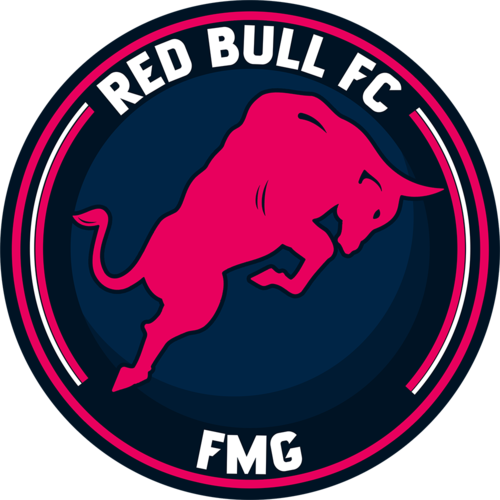
FMG Red Bull Group FC
This pack contains 3 individual kits and 3 individual logos for each of the 51 fictional teams listed below.
192 kits and 192 logos in one giant Red Bull FC pack.
Red Bull Barcelona Red Bull Belfast Red Bull Belgrade Red Bull Berlin Red Bull Bellaire Red Bull Bengaluru Red Bull Berlin Red Bull Besançon Red Bull Bree-Beek Red Bull Brugge Red Bull Buenos Aires Red Bull Bursa Red Bull Cape Town Red Bull Cape Verde Red Bull Casablanca Red Bull Chicago Red Bull Coventry Red Bull Dublin Red Bull Edinburgh Red Bull Geneva Red Bull Guangzhou Red Bull Holbæk Red Bull Horsens Red Bull Istanbul Red Bull Juventus Red Bull Karlsbergs Red Bull Kemerovo Red Bull Kingston Red Bull Kuala Lumpur Red Bull Kuwait Red Bull Kyiv Red Bull Liberec Red Bull Lille Red Bull Lisbon Red Bull London Red Bull Manchester Red Bull Marseille Red Bull Medellin Red Bull Milan Red Bull Mexico City Red Bull Newcastle Red Bull Nusantara Red Bull Oldham Red Bull Oslo Red Bull Panileiakos Red Bull Paris Red Bull Recreativo Balompie de Huelva Red Bull Roma Red Bull Santiago Red Bull Sheffield Red Bull Sparta Goeferdinge Red Bull Strasbourg Red Bull Sydney Red Bull Tenerife Red Bull The Hague Red Bull Timisoara Red Bull Tokyo Red Bull Toronto Red Bull Uppsala Red Bull Varna Red Bull Venice Red Bull Vila Nova de Gaia Red Bull Volta Redonda Red Bull York- 477 Downloads
- 3 Comments
Updated -
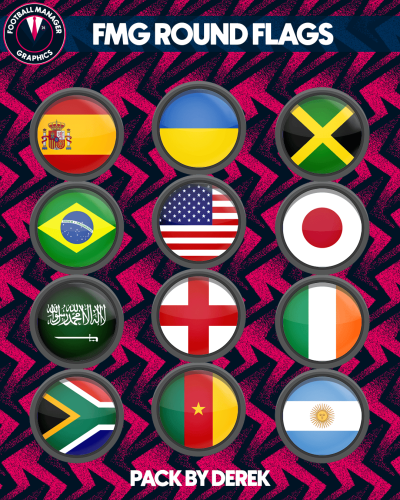
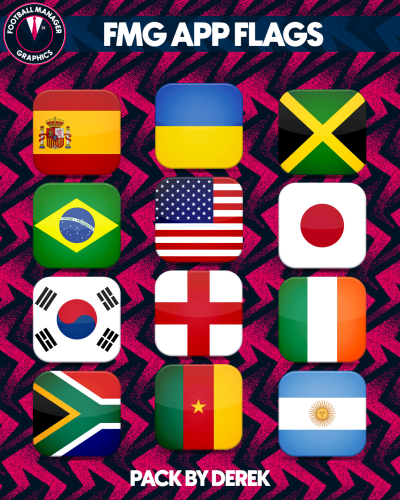
FMG Round Flags
Details
Netherlands & Gibraltar - Additional files added to fix national logos rather than flags appearing due to SI files. Images now 360x220 pixels rather than 180x110 pixels. Straight edges compared to the original FM flags.- 576 Downloads
Submitted -
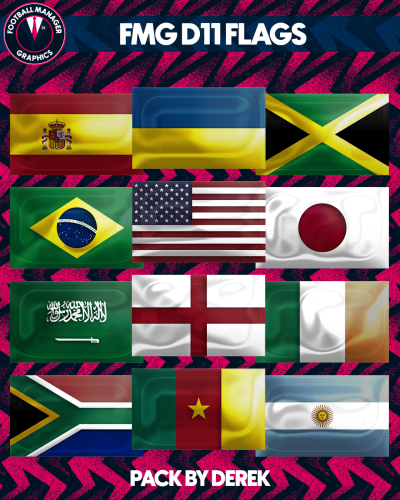
FMG D11 Flags
Details
Netherlands & Gibraltar - Additional files added to fix national logos rather than flags appearing due to SI files. Images now 360x220 pixels rather than 180x110 pixels. Straight edges compared to the original FM flags.- 318 Downloads
Submitted -
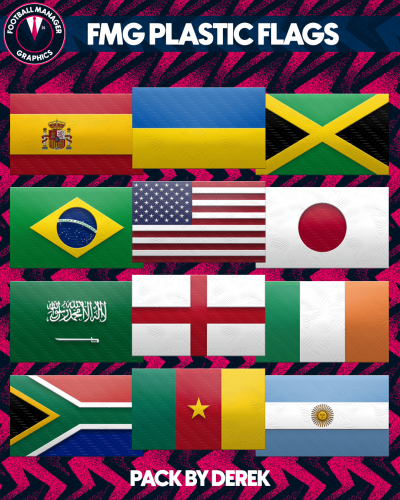
FMG Plastic Flags
Details
Netherlands & Gibraltar - Additional files added to fix national logos rather than flags appearing due to SI files. Images now 360x220 pixels rather than 180x110 pixels. Straight edges compared to the original FM flags.- 308 Downloads
Submitted -
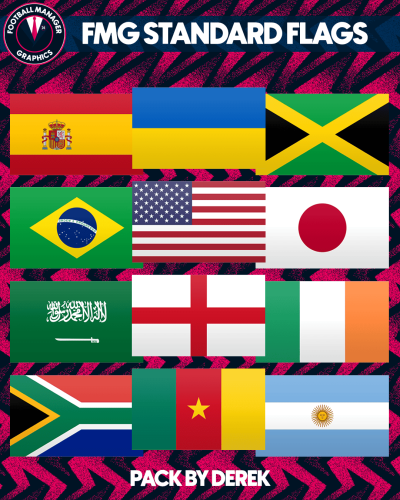
FMG Standard Flags
Details
Netherlands & Gibraltar - Additional files added to fix national logos rather than flags appearing due to SI files. Images now 360x220 pixels rather than 180x110 pixels. Straight edges compared to the original FM flags.- 2,202 Downloads
Submitted -
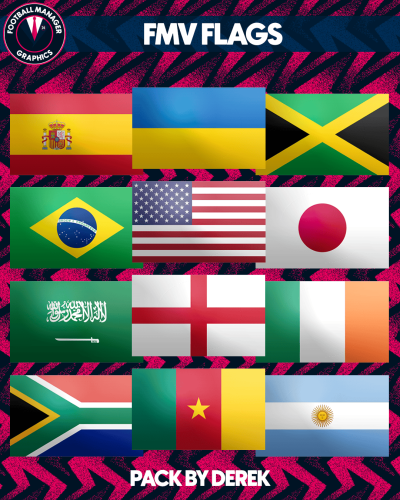
FMV Flags for Football Manager 2022
- 858 Downloads
- 3 Comments
Updated -
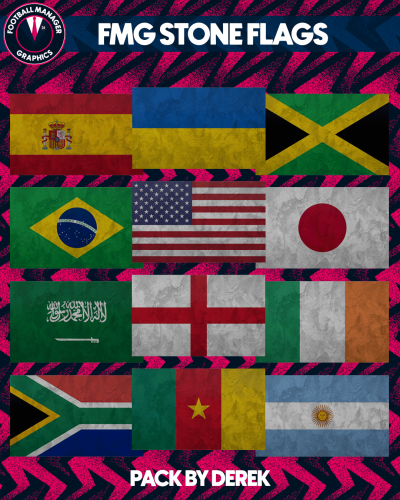
Stone Flags for Football Manager
- 169 Downloads
Updated -
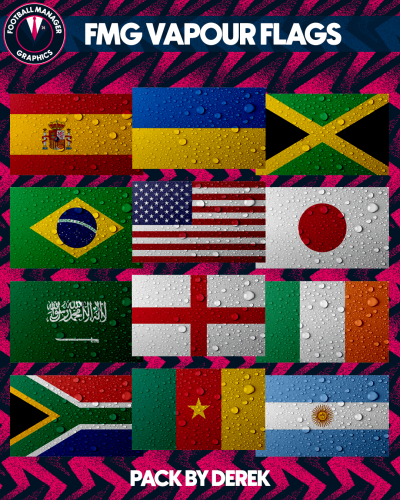
Vapour Flags for Football Manager 2022
- 399 Downloads
Updated -
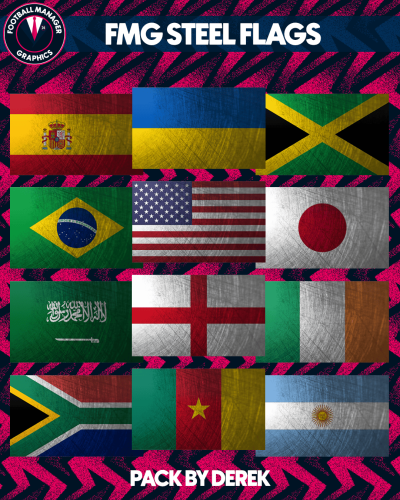
Steel Flags for Football Manager 2022
- 266 Downloads
Updated -
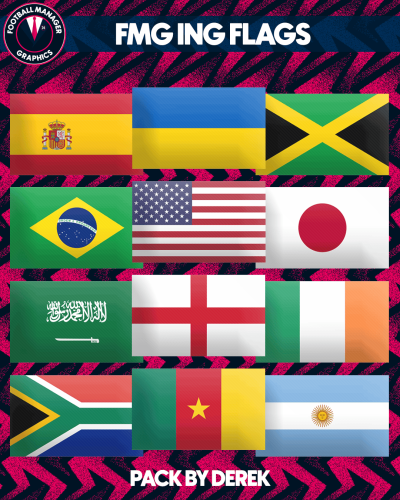
ING Flags for Football Manager 2022
- 2,225 Downloads
Updated -
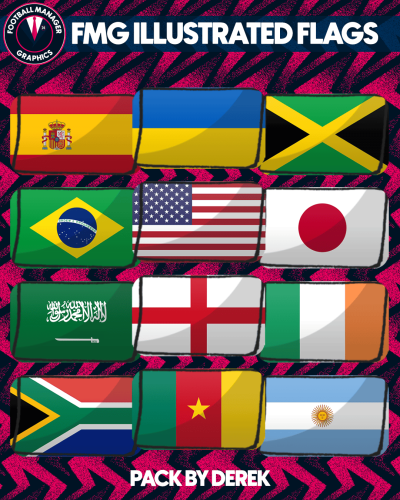
FMG Illustrated Flags
A new flag style created by Football Manager Graphics for Football Manager.
This style combines very well with the new DF11 Illustrated Faces made in partnership with DF11 Faces and Football Manager Graphics
- 220 Downloads
- 5 Comments
Updated -
- 294 Downloads
Updated -
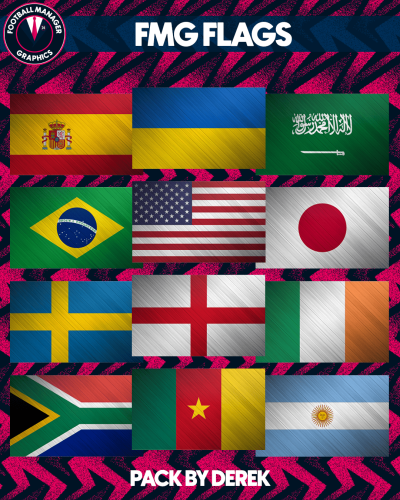
FMG Flags for Football Manager
- 680 Downloads
Updated -
FIFA World Cup 2022 Flags
This set is modelled on the official FIFA World Cup 2022 flags.
- 1,457 Downloads
Updated -
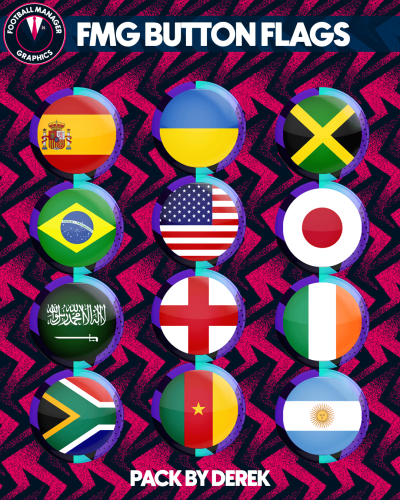
FMG Button Flags
FMG Button Flags are based on our FMG Button Logos and cover all nations in the FM23
- 359 Downloads
Updated -
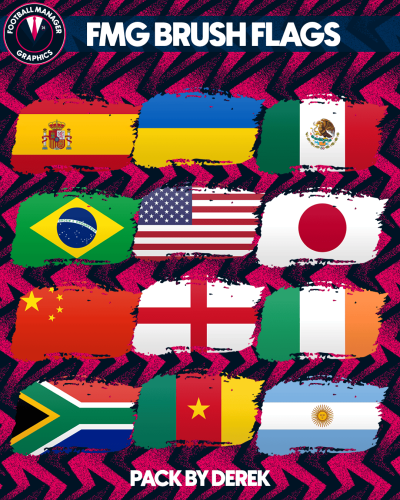
FMG Brush Flags
This style is made using a brush stroke effect.
- 2,084 Downloads
Updated -
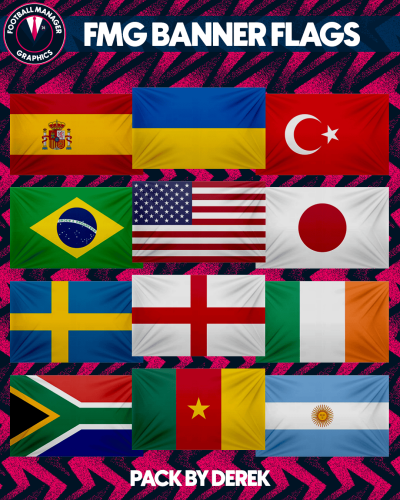
FMG Banner Flags
- 643 Downloads
Updated -
- 464 Downloads
- 2 Comments
Updated -
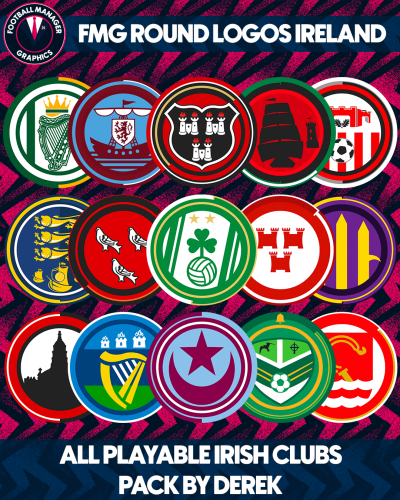
FMG Round Logos Ireland
This pack includes all playable clubs for Ireland.
League of Ireland Premier Division
League of Ireland Division One
Do you want to use this pack with one of our Megapacks?
If you want to use this pack as well as one of our logo megapacks simply follow the instructions below.
Create a 'logos' folder within your FM graphics folder Move your existing megapack into that folder and place b_ at the start of the pack name ie. FMG Standard Logos should now be b_FMG Standard Logos Then create a new folder called a_FMG Round Logos within the new logos folder. Place any FMG Round Logos packs in the a_FMG Round Logos and reload your skin. FM will now prioritise the FMG Round Logos and show the FMG Standard Logos when a logo is not available.
Installation Guide - FMG Round Logos
1) Download the pack of your choice.
2) Unzip the files using an archiver.
We recommend Winrar for Windows and Keka for Mac but most applications will work.
https://www.win-rar.com/start.html?&L=0
https://www.keka.io/en/
3) Once unpacked place your pack into the folder below based on your operating system.
Windows:
\Users\<your username>\Documents\Sports Interactive\Football Manager 2024\graphics\
Mac OS:
Users/YOUR MAC USERNAME/Library/Application Support/Sports Interactive/Football Manager 2024/graphics
4) Next you will want to go to FM and select 'Preferences' from the start screen or in your game and select 'Advanced".
5) Then untick 'Use caching to decrease page loading times'.
6) Next tick 'Reload skin when confirming changes to preferences'.
7) Finally, select 'Reload Skin' and after a brief pause your graphics will be visible.
Installation Guide - FMG Monthly Logo Updates
Drag and drop the contents (including the config files) of each folder in this update pack into the corresponding folder in the megapack and replace the existing logos when prompted. Do not drag and drop the actual folders as this will overwrite your megapack.
This MUST be done for all four sizes (512x512px, 180x180px, 50x36px and 25x18px) or you will have issues displaying the logos in-game.
Then simply go to preferences in FM and reload your skin.
Alternative | Fantasy | Retro Logos
To use any of the alternative, fantasy or retro logos in game you must remove the text at the end of each logo i.e. alt, retro or fantasy and drag and drop into the normal logo folder in the megapack.
You will need to repeat this for all four sizes. Then simply go to preferences in FM and reload your skin.
I would advise creating a copy of the original logos before replacing them.
FM Mobile Installation Guide - FMG Logo Megapacks
1) Download the pack of your choice.
2) Unzip the files using an archiver.
We recommend Winrar for Windows and Keka for Mac but most applications will work.
https://www.win-rar.com/start.html?&L=0
https://www.keka.io/en/
3) Delete all @2x folder from the pack including Clubs, Competitions and Nations.
4) Copy the files from your computer to your mobile device.
5) Once the files are transferred place your pack into the folder below.
Sigames/Documents/Sports Interactive/Football Manager 2023 Mobile/pictures/
6) Open the game and your logos should display.
If they don't, go to Sigames/Documents/Sports Interactive/Football Manager 2023 Mobile/cache folder on your device and delete any files that are present.
Then restart your game.
- 275 Downloads
Submitted -
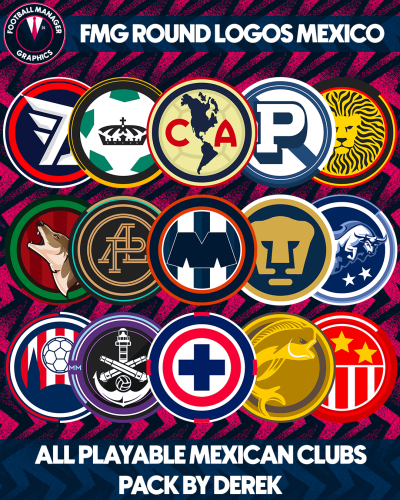
FMG Round Logos Mexico
This pack includes all playable teams for Mexico.
Liga MX
Liga de Expansión MX
Do you want to use this pack with one of our Megapacks?
If you want to use this pack as well as one of our logo megapacks simply follow the instructions below.
Create a 'logos' folder within your FM graphics folder Move your existing megapack into that folder and place b_ at the start of the pack name ie. FMG Standard Logos should now be b_FMG Standard Logos Then create a new folder called a_FMG Round Logos within the new logos folder. Place any FMG Round Logos packs in the a_FMG Round Logos and reload your skin. FM will now prioritise the FMG Round Logos and show the FMG Standard Logos when a logo is not available.
Installation Guide - FMG Round Logos
1) Download the pack of your choice.
2) Unzip the files using an archiver.
We recommend Winrar for Windows and Keka for Mac but most applications will work.
https://www.win-rar.com/start.html?&L=0
https://www.keka.io/en/
3) Once unpacked place your pack into the folder below based on your operating system.
Windows:
\Users\<your username>\Documents\Sports Interactive\Football Manager 2024\graphics\
Mac OS:
Users/YOUR MAC USERNAME/Library/Application Support/Sports Interactive/Football Manager 2024/graphics
4) Next you will want to go to FM and select 'Preferences' from the start screen or in your game and select 'Advanced".
5) Then untick 'Use caching to decrease page loading times'.
6) Next tick 'Reload skin when confirming changes to preferences'.
7) Finally, select 'Reload Skin' and after a brief pause your graphics will be visible.
Installation Guide - FMG Monthly Logo Updates
Drag and drop the contents (including the config files) of each folder in this update pack into the corresponding folder in the megapack and replace the existing logos when prompted. Do not drag and drop the actual folders as this will overwrite your megapack.
This MUST be done for all four sizes (512x512px, 180x180px, 50x36px and 25x18px) or you will have issues displaying the logos in-game.
Then simply go to preferences in FM and reload your skin.
Alternative | Fantasy | Retro Logos
To use any of the alternative, fantasy or retro logos in game you must remove the text at the end of each logo i.e. alt, retro or fantasy and drag and drop into the normal logo folder in the megapack.
You will need to repeat this for all four sizes. Then simply go to preferences in FM and reload your skin.
I would advise creating a copy of the original logos before replacing them.
FM Mobile Installation Guide - FMG Logo Megapacks
1) Download the pack of your choice.
2) Unzip the files using an archiver.
We recommend Winrar for Windows and Keka for Mac but most applications will work.
https://www.win-rar.com/start.html?&L=0
https://www.keka.io/en/
3) Delete all @2x folder from the pack including Clubs, Competitions and Nations.
4) Copy the files from your computer to your mobile device.
5) Once the files are transferred place your pack into the folder below.
Sigames/Documents/Sports Interactive/Football Manager 2023 Mobile/pictures/
6) Open the game and your logos should display.
If they don't, go to Sigames/Documents/Sports Interactive/Football Manager 2023 Mobile/cache folder on your device and delete any files that are present.
Then restart your game.
- 229 Downloads
Updated -
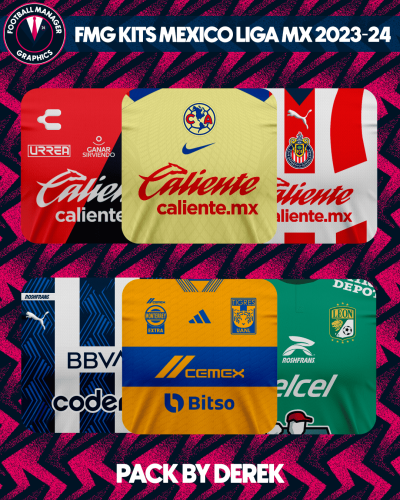
FMG Kits Mexico Liga MX 2023-24
73 Kits
- 218 Downloads
Submitted -
FMG Plastic Logos 2024.01
Pack by Derek
Research Team
@schweigi @AndreaSSL1900 @cameosis @Markitos @Alieeks @rioplworks @ateesz @diego1960 @Heval @Oleksandr_Horobets @The Newic @NassFas @Lavegaks @Vakama2619 @Thewes @1Sopel6 @minky79 @ElMatador @spankz @Girafi @CobraHarp91 @kristo @kumquat_s @Vasiliy92 @Shark
Installation Instructions
Drag and drop the contents (including the config files) of each folder in this update pack into the corresponding folder in the megapack and replace the existing logos when prompted. Do not drag and drop the actual folders as this will overwrite your megapack.
Then simply go to preferences in FM and reload your skin.
Alternative | Fantasy | Retro Logos
To use any of the alternative, fantasy or retro logos in game you must remove the text at the end of each logo i.e. alt, retro or fantasy and drag and drop into the normal logo folder in the megapack.
You will need to repeat this for all four sizes. Then simply go to preferences in FM and reload your skin.
I would advise creating a copy of the original logos before replacing them.
- 414 Downloads
Updated -
FMG Steel Logos 2024.01
Pack by Derek
Research Team
@schweigi @AndreaSSL1900 @cameosis @Markitos @Alieeks @rioplworks @ateesz @diego1960 @Heval @Oleksandr_Horobets @The Newic @NassFas @Lavegaks @Vakama2619 @Thewes @1Sopel6 @minky79 @ElMatador @spankz @Girafi @CobraHarp91 @kristo @kumquat_s @Vasiliy92 @Shark
Installation Instructions
Drag and drop the contents (including the config files) of each folder in this update pack into the corresponding folder in the megapack and replace the existing logos when prompted. Do not drag and drop the actual folders as this will overwrite your megapack.
Then simply go to preferences in FM and reload your skin.
Alternative | Fantasy | Retro Logos
To use any of the alternative, fantasy or retro logos in game you must remove the text at the end of each logo i.e. alt, retro or fantasy and drag and drop into the normal logo folder in the megapack.
You will need to repeat this for all four sizes. Then simply go to preferences in FM and reload your skin.
I would advise creating a copy of the original logos before replacing them.
- 440 Downloads
Updated -
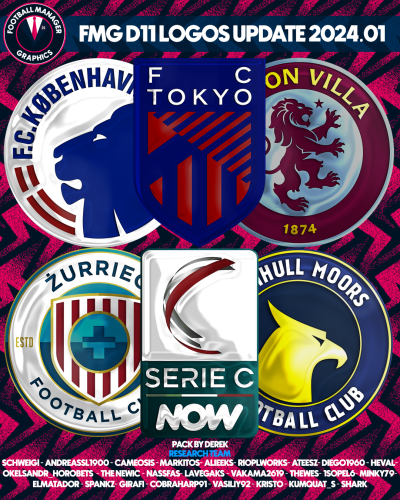
FMG D11 Logos 2024.01
Pack by Derek
Research Team
@schweigi @AndreaSSL1900 @cameosis @Markitos @Alieeks @rioplworks @ateesz @diego1960 @Heval @Oleksandr_Horobets @The Newic @NassFas @Lavegaks @Vakama2619 @Thewes @1Sopel6 @minky79 @ElMatador @spankz @Girafi @CobraHarp91 @kristo @kumquat_s @Vasiliy92 @Shark
Installation Instructions
Drag and drop the contents (including the config files) of each folder in this update pack into the corresponding folder in the megapack and replace the existing logos when prompted. Do not drag and drop the actual folders as this will overwrite your megapack.
Then simply go to preferences in FM and reload your skin.
Alternative | Fantasy | Retro Logos
To use any of the alternative, fantasy or retro logos in game you must remove the text at the end of each logo i.e. alt, retro or fantasy and drag and drop into the normal logo folder in the megapack.
You will need to repeat this for all four sizes. Then simply go to preferences in FM and reload your skin.
I would advise creating a copy of the original logos before replacing them.
- 592 Downloads
Updated -
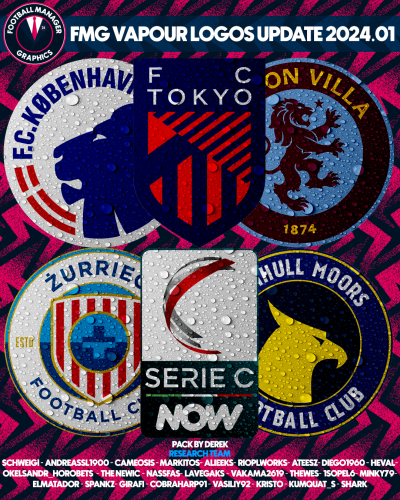
FMG Vapour Logos 2024.01
Pack by Derek
Research Team
@schweigi @AndreaSSL1900 @cameosis @Markitos @Alieeks @rioplworks @ateesz @diego1960 @Heval @Oleksandr_Horobets @The Newic @NassFas @Lavegaks @Vakama2619 @Thewes @1Sopel6 @minky79 @ElMatador @spankz @Girafi @CobraHarp91 @kristo @kumquat_s @Vasiliy92 @Shark
Installation Instructions
Drag and drop the contents (including the config files) of each folder in this update pack into the corresponding folder in the megapack and replace the existing logos when prompted. Do not drag and drop the actual folders as this will overwrite your megapack.
Then simply go to preferences in FM and reload your skin.
Alternative | Fantasy | Retro Logos
To use any of the alternative, fantasy or retro logos in game you must remove the text at the end of each logo i.e. alt, retro or fantasy and drag and drop into the normal logo folder in the megapack.
You will need to repeat this for all four sizes. Then simply go to preferences in FM and reload your skin.
I would advise creating a copy of the original logos before replacing them.
- 441 Downloads
Updated