Derek
Administrators
-
Joined
-
Last visited
Everything posted by Derek
-
Looking forward to Predator Badlands on Nov 7th. I've really liked what the director did with Prey and feel a similar style this time round could kick the franchise on.
-
I'm back playing COD for some reason lately and pretty badly I must say. Sticking to Warzone Battle Royals (Yes Casuals!!!) for now.😁 Anyone played Battlefield 6?
-
Who was your favourite player of all time? I have many and the obvious choices come from the club you support. I could say Gerrard but thinking back I absolutely loved watching Robert 'The Divine Ponytail' Baggio. Such a silky player who beat players with ease and could finish as good as any.
-
This thread is for FMG Kits retro designs. Feel free to post your own. Ireland 1990 Home & Away


-
-
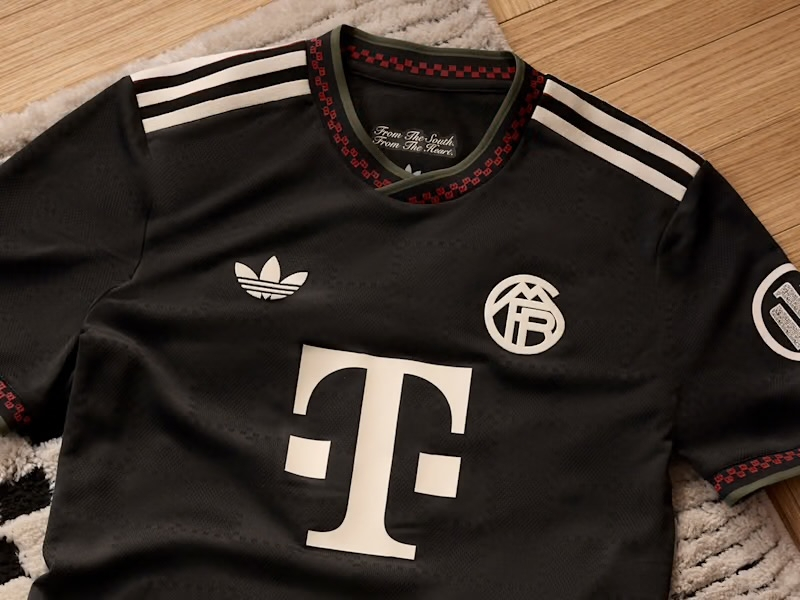
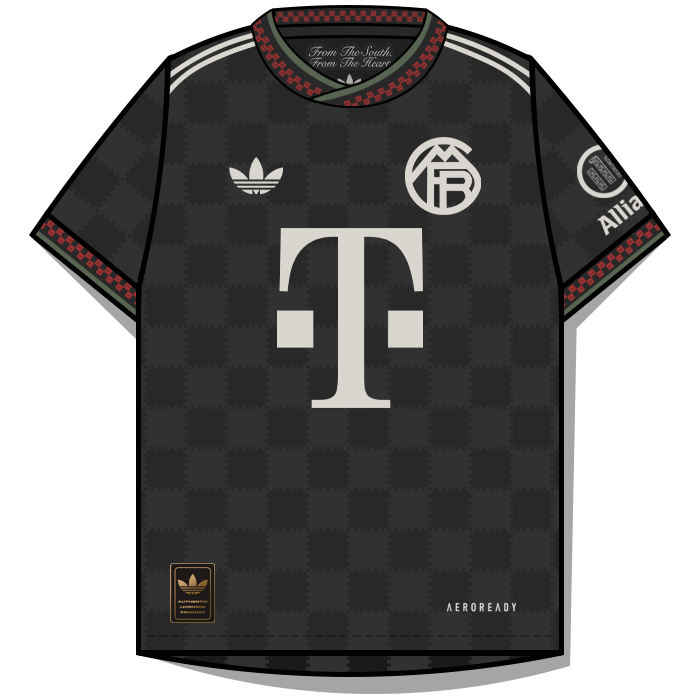
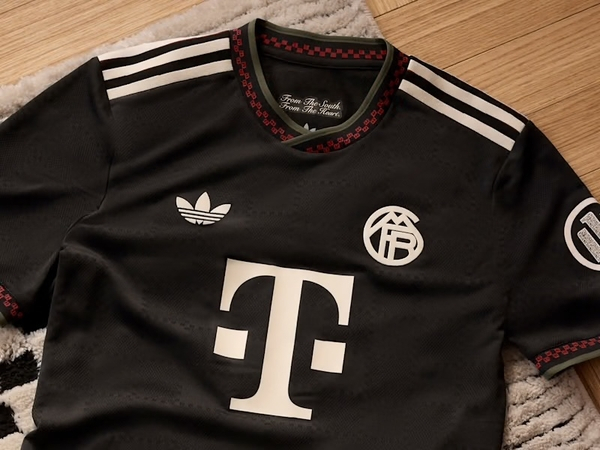
It does indeed mate. This is what I found on it. “Bayern from the south from the heart" is the slogan for the 2025/26 adidas x FC Bayern x BSTN third kit, representing a connection to the region and the club's local roots. The phrase highlights the shared passion for sports and culture, referencing the source of the Isar river in the Alps and the city of Munich, which is in the south of Germany.
-
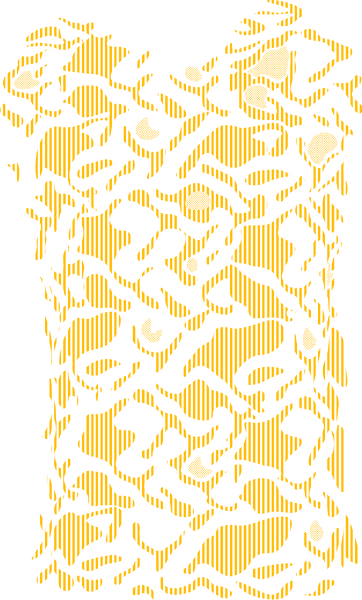
I think it looks great @dark warrior. If all the kits are like this it will be a fantastic pack. The only thing I would change is the pattern alignment on the sleeves but that would being picky. I would normally create the 'body' pattern first and then create a copy/copies and turn them by 39-40 degrees. This is only a minor thing but an example is below. The left sleeve in this Bayern kit is +39° and the right sleeve -39°.

-
-
-
Just happy for the help mate. Do what you can and if I can help along the way just shout.
-
Thanks mate. The success of the standard logo pack was the main reason I thought something like this could work as most people download that rather than styles with textures etc. I know kits are different but I think when the main 10-12 leagues are done more people will then try them out.
-
-
-

-
-
-

-

-
-
-
They look great @dark warrior Yes we will have to make the patterns as that's the only way to build the template megapack. If someone is making a pack it's best to submit the templates in the below section for me to add to the megapack. https://footballmanagergraphics.com/files/category/139-fmg-kits-template-submissions/
-
-
Good start @dark warrior I think it’s great. Feel free to ask for help with anything specific.
-
FMG Kits Italy Serie A 2025-26 🇮🇹 Pack Contents This pack contains the below number of kits. Home Kits - 20 Away Kits - 20 Third Kits - 17 Fourth Kits - 1 Installation Guide - FMG Kit Packs 1) Download the pack of your choice. 2) Unzip the files using an archiver. We recommend Winrar for Windows and Keka for Mac We recommend Winrar for Windows and Keka for Mac but most applications will work. https://www.win-rar.com/start.html?&L=0 https://www.keka.io/en/ 3) Once unpacked place your pack into the folder below based on your operating system. Windows: \Users\<your username>\Documents\Sports Interactive\Football Manager 2026\graphics\ Mac OS: Users/YOUR MAC USERNAME/Library/Application Support/Sports Interactive/Football Manager 2026/graphics 4) Next you will want to go to FM and select 'Preferences' from the start screen or in your game and select 'Advanced". 5) Then untick 'Use caching to decrease page loading times'. 6) Next tick 'Reload skin when confirming changes to preferences'. 7) Finally, select 'Reload Skin' and after a brief pause your graphics will be visible. Kit Makers Wanted How can I get involved in creating packs? Get in touch with Derek for templates and help. https://footballmanagergraphics.com/profile/1-derek/
-
 FMG Kits - Italy Serie A 2025-26 Pack Contents This pack contains the below number of kits. Home Kits - 20 Away Kits - 20 Third Kits - 20 Fourth Kits - 1 FM26 Kits Installation Guide1) Download the pack of your choice. 2) Unzip the files using an archiver. We recommend Winrar for Windows and Keka for Mac but most applications will work. https://www.win-rar.com/start.html?&L=0 https://www.keka.io/en/ 3) Once unpacked place your pack into the folder below based on your operating system. It most likely won't be there so please create it. (lower case) Windows: \Users\<your username>\Documents\Sports Interactive\Football Manager 26\graphics\ Mac OS: Users/YOUR MAC USERNAME/Library/Application Support/Sports Interactive/Football Manager 26/graphics 4) Open Football Manager if you haven't already. If you have close and reopen it. Your kits will then appear. Kit Makers Wanted How can I get involved in creating packs? Get in touch with Derek for templates and help. https://footballmanagergraphics.com/profile/1-derek/ Kit Makers Wanted How can I get involved in creating packs? Get in touch with Derek for templates and help. https://footballmanagergraphics.com/profile/1-derek/