Derek
Administrators
-
Joined
-
Last visited
Files posted by Derek
-
FMG Standard Logos 2025.01
Pack & template by @Derek
Research Team
@schweigi @AndreaSSL1900 @cameosis @Markitos @Scy @ateesz @rioplworks @wfm18 @NassFas @Moondog777 @douyilmaz @Vasiliy92 @inohcanoss @Kriss @Lavegaks @moxey @AureliaNova @aeightBee
Pack Contents
Each pack consists of official logos which we referred to as 'Normal' logos. We offer 'Alternative' logos in each of our packs which are logos that clubs may wear as shirt logos, perhaps in different colours, anniversary editions but are all based on official logos used by that organisation.
We've also added 'Fantasy" logos to the packs which are great for future saves and 'Create-A-Club' games. In fact, all the logos created in our Design Factory are included in the megapacks. We have also got an option for the 'Retro' fans with a great selection of historic logos from many teams and competitions.
Each pack also contains our very own default minimal style for those logos we haven't yet covered. However, if you wish to stick with the original default logos from the FM series simply delete our version in the megapack and unzip 'Original Default Logos' file.
Installation Guide - FMG Monthly Logo Updates
Drag and drop the contents (including the config files) of each folder in this update pack into the corresponding folder in the megapack and replace the existing logos when prompted. Do not drag and drop the actual folders as this will overwrite your megapack.
This MUST be done for all three sizes (512x512px, 50x36px and 25x18px) or you will have issues displaying the logos in-game.
Then simply go to preferences in FM and reload your skin.
Alternative | Fantasy | Retro Logos
To use any of the alternative, fantasy or retro logos in game you must remove the text at the end of each logo i.e. alt, retro or fantasy and drag and drop into the normal logo folder in the megapack.
You will need to repeat this for all four sizes. Then simply go to preferences in FM and reload your skin.
I would advise creating a copy of the original logos before replacing them.
- 11,345 Downloads
Submitted -
FMG Plastic Logos 2025.01
Pack & template by @Derek
Research Team
@schweigi @AndreaSSL1900 @cameosis @Markitos @Scy @ateesz @rioplworks @wfm18 @NassFas @Moondog777 @douyilmaz @Vasiliy92 @inohcanoss @Kriss @Lavegaks @moxey @AureliaNova @aeightBee
Pack Contents
Each pack consists of official logos which we referred to as 'Normal' logos. We offer 'Alternative' logos in each of our packs which are logos that clubs may wear as shirt logos, perhaps in different colours, anniversary editions but are all based on official logos used by that organisation.
We've also added 'Fantasy" logos to the packs which are great for future saves and 'Create-A-Club' games. In fact, all the logos created in our Design Factory are included in the megapacks. We have also got an option for the 'Retro' fans with a great selection of historic logos from many teams and competitions.
Each pack also contains our very own default minimal style for those logos we haven't yet covered. However, if you wish to stick with the original default logos from the FM series simply delete our version in the megapack and unzip 'Original Default Logos' file.
Installation Guide - FMG Monthly Logo Updates
Drag and drop the contents (including the config files) of each folder in this update pack into the corresponding folder in the megapack and replace the existing logos when prompted. Do not drag and drop the actual folders as this will overwrite your megapack.
This MUST be done for all three sizes (512x512px, 50x36px and 25x18px) or you will have issues displaying the logos in-game.
Then simply go to preferences in FM and reload your skin.
Alternative | Fantasy | Retro Logos
To use any of the alternative, fantasy or retro logos in game you must remove the text at the end of each logo i.e. alt, retro or fantasy and drag and drop into the normal logo folder in the megapack.
You will need to repeat this for all four sizes. Then simply go to preferences in FM and reload your skin.
I would advise creating a copy of the original logos before replacing them.
- 288 Downloads
Submitted -
FMG Minimal Logos 2025.01
Pack & template by @Derek
Research Team
@schweigi @AndreaSSL1900 @cameosis @Markitos @Scy @ateesz @rioplworks @wfm18 @NassFas @Moondog777 @douyilmaz @Vasiliy92 @inohcanoss @Kriss @Lavegaks @moxey @AureliaNova @aeightBee
Pack Contents
Each pack consists of official logos which we referred to as 'Normal' logos. We offer 'Alternative' logos in each of our packs which are logos that clubs may wear as shirt logos, perhaps in different colours, anniversary editions but are all based on official logos used by that organisation.
We've also added 'Fantasy" logos to the packs which are great for future saves and 'Create-A-Club' games. In fact, all the logos created in our Design Factory are included in the megapacks. We have also got an option for the 'Retro' fans with a great selection of historic logos from many teams and competitions.
Each pack also contains our very own default minimal style for those logos we haven't yet covered. However, if you wish to stick with the original default logos from the FM series simply delete our version in the megapack and unzip 'Original Default Logos' file.
Installation Guide - FMG Monthly Logo Updates
Drag and drop the contents (including the config files) of each folder in this update pack into the corresponding folder in the megapack and replace the existing logos when prompted. Do not drag and drop the actual folders as this will overwrite your megapack.
This MUST be done for all three sizes (512x512px, 50x36px and 25x18px) or you will have issues displaying the logos in-game.
Then simply go to preferences in FM and reload your skin.
Alternative | Fantasy | Retro Logos
To use any of the alternative, fantasy or retro logos in game you must remove the text at the end of each logo i.e. alt, retro or fantasy and drag and drop into the normal logo folder in the megapack.
You will need to repeat this for all four sizes. Then simply go to preferences in FM and reload your skin.
I would advise creating a copy of the original logos before replacing them.
- 236 Downloads
Submitted -
FMG ING Logos 2025.01
Template by @Tempelman
Pack by @Derek
Research Team
@schweigi @AndreaSSL1900 @cameosis @Markitos @Scy @ateesz @rioplworks @wfm18 @NassFas @Moondog777 @douyilmaz @Vasiliy92 @inohcanoss @Kriss @Lavegaks @moxey @AureliaNova @aeightBee
Pack Contents
Each pack consists of official logos which we referred to as 'Normal' logos. We offer 'Alternative' logos in each of our packs which are logos that clubs may wear as shirt logos, perhaps in different colours, anniversary editions but are all based on official logos used by that organisation.
We've also added 'Fantasy" logos to the packs which are great for future saves and 'Create-A-Club' games. In fact, all the logos created in our Design Factory are included in the megapacks. We have also got an option for the 'Retro' fans with a great selection of historic logos from many teams and competitions.
Each pack also contains our very own default minimal style for those logos we haven't yet covered. However, if you wish to stick with the original default logos from the FM series simply delete our version in the megapack and unzip 'Original Default Logos' file.
Installation Guide - FMG Monthly Logo Updates
Drag and drop the contents (including the config files) of each folder in this update pack into the corresponding folder in the megapack and replace the existing logos when prompted. Do not drag and drop the actual folders as this will overwrite your megapack.
This MUST be done for all three sizes (512x512px, 50x36px and 25x18px) or you will have issues displaying the logos in-game.
Then simply go to preferences in FM and reload your skin.
Alternative | Fantasy | Retro Logos
To use any of the alternative, fantasy or retro logos in game you must remove the text at the end of each logo i.e. alt, retro or fantasy and drag and drop into the normal logo folder in the megapack.
You will need to repeat this for all four sizes. Then simply go to preferences in FM and reload your skin.
I would advise creating a copy of the original logos before replacing them.
- 267 Downloads
Submitted -
FMG Grunge Logos 2025.01
Pack and Template by @Derek
Research Team
@schweigi @AndreaSSL1900 @cameosis @Markitos @Scy @ateesz @rioplworks @wfm18 @NassFas @Moondog777 @douyilmaz @Vasiliy92 @inohcanoss @Kriss @Lavegaks @moxey @AureliaNova @aeightBee
Pack Contents
Each pack consists of official logos which we referred to as 'Normal' logos. We offer 'Alternative' logos in each of our packs which are logos that clubs may wear as shirt logos, perhaps in different colours, anniversary editions but are all based on official logos used by that organisation.
We've also added 'Fantasy" logos to the packs which are great for future saves and 'Create-A-Club' games. In fact, all the logos created in our Design Factory are included in the megapacks. We have also got an option for the 'Retro' fans with a great selection of historic logos from many teams and competitions.
Each pack also contains our very own default minimal style for those logos we haven't yet covered. However, if you wish to stick with the original default logos from the FM series simply delete our version in the megapack and unzip 'Original Default Logos' file.
Installation Guide - FMG Monthly Logo Updates
Drag and drop the contents (including the config files) of each folder in this update pack into the corresponding folder in the megapack and replace the existing logos when prompted. Do not drag and drop the actual folders as this will overwrite your megapack.
This MUST be done for all three sizes (512x512px, 50x36px and 25x18px) or you will have issues displaying the logos in-game.
Then simply go to preferences in FM and reload your skin.
Alternative | Fantasy | Retro Logos
To use any of the alternative, fantasy or retro logos in game you must remove the text at the end of each logo i.e. alt, retro or fantasy and drag and drop into the normal logo folder in the megapack.
You will need to repeat this for all four sizes. Then simply go to preferences in FM and reload your skin.
I would advise creating a copy of the original logos before replacing them.
- 187 Downloads
Submitted -
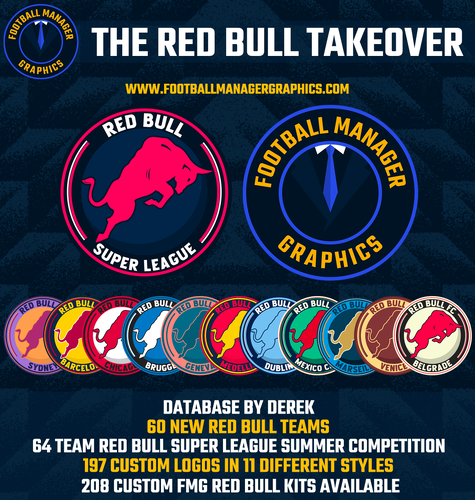
This custom database by Football Manager Graphics sees Red Bull dominate the footballing landscape with 60 new teams introduced across many countries, divisions and levels. The Red Bull Super League, a new 64 team competition sees the existing Red Bull teams take on the new in a month long summer competition.
This database also includes 195 custom club and competition logos in 9 styles and 205 custom FMG Kits.
You also have the option to update the current Red Bull logos and kits with an optional custom graphics pack available.
Team List
Red Bull Barcelona => Replaced FC Barcelona
Red Bull Barcelona B => Replaced FC Barcelona B
Red Bull Belfast => Replaced Glentoran
Red Bull Belgrade => Replaced FK Partizan Beograd
Red Bull Bellaire => Replaced Houston Dynamo FC
Red Bull Bengaluru => Replaced FC Bengaluru United
Red Bull Berlin => Replaced Union Berlin
Red Bull Besançon => Replaced Racing Besançon
Red Bull Bree-Beek => Replaced KGS Bree-Beek
Red Bull Brugge => Replaced Club Brugge
Red Bull Buenos Aires => Replaced Club Atlético Huracán
Red Bull Bursa => Replaced Bursaspor
Red Bull Cape Town => Replaced Cape Town City
Red Bull Cape Verde => Replaced CS Mindelense
Red Bull Casablanca => Replaced Wydad AC
Red Bull Chicago => Replaced Chicago Fire
Red Bull Coventry => Replaced Coventry City
Red Bull Dublin => Replaced UCD
Red Bull Edinburgh => Replaced FC Edinburgh
Red Bull Geneva => Replaced Servette
Red Bull Guangzhou => Replaced FC Guangzhou
Red Bull Horsens => Replaced AC Horsens
Red Bull Istanbul => Replaced Galatasaray A.Ş.
Red Bull Juventus => Replaced Juventus
Red Bull Karlsbergs BK => Replaced Karlsbergs BK
Red Bull Kemerovo => Replaced FC Kemerovo
Red Bull Kingston => Replaced Central Kingston FC
Red Bull Kuala Lumpur => Replaced Kuala Lumpur City FC
Red Bull Kuwait => Replaced Kuwait Sporting Club
Red Bull Kyiv => Replaced Dynamo Kyiv
Red Bull Liberec => Replaced Slovan Liberec
Red Bull Lille => Replaced LOSC Lille
Red Bull Lisbon => Replaced BSAD
Red Bull London => Replaced Leyton Orient
Red Bull Manchester => Replaced Manchester United
Red Bull Marseille => Replaced Marseille
Red Bull Medellin => Replaced Deportivo Independiente Medellín S.A.
Red Bull Mexico City => Replaced CF Atlante
Red Bull Milan => Replaced Città di Sangiuliano 1968
Red Bull Newcastle => Replaced Newcastle Jets
Red Bull Nusantara => Replaced RANS Nusantara FC
Red Bull Oldham => Replaced Oldham Athletic
Red Bull Panileiakos => Replaced AO Panileiakos
Red Bull Paris => Replaced Paris FC
Red Bull Recreativo Balompie de Huelva => Replaced Huelva
Red Bull Roma => Replaced AS Roma
Red Bull Santiago => Replaced Universidad de Chile
Red Bull Sheffield => Replaced Sheffield Wednesday
Red Bull Sparta Goeferdinge => Replaced New Team
Red Bull Strasbourg => Replaced New Team
Red Bull Sydney => Replaced Macarthur FC
Red Bull The Hague => Replaced ADO Den Haag
Red Bull Timisoara => Replaced SSU Politehnica Timişoara
Red Bull Tokyo => Replaced FC Tokyo
Red Bull Toronto => Replaced Toronto FC
Red Bull Uppsala => Replaced IFK Uppsala
Red Bull Varna => Replaced Cherno more Varna
Red Bull Venice => Replaced Venezia Football Club
Red Bull Vila Nova de Gaia => Replaced Vila Nova FC (RN)
Red Bull Volta Redonda => Replaced Volta Redonda Futebol Clube
Red Bull York => Replaced York City
- 1,228 Downloads
- 1 Comments
Updated -
FM Mobile FMG Grunge Logos Megapack
This pack contains nearly 87,000 individual logos in a dark grunge style.
Pack and Template by @Derek
Research Team
@schweigi @AndreaSSL1900 @cameosis @Markitos @rioplworks @Alieeks @kristo @ateesz @Kriss @GriloKiko @wfm18 @Lavegaks @Scy @diego1960 @Heval @Oleksandr_Horobets @The Newic @NassFas @Vakama2619 @Thewes @minky79 @ElMatador @spankz @Girafi @CobraHarp91 @Vasiliy92 @Shark @kenolio @inohcanoss @tomek0290 @M3RN @Copywriter @hlourencoam @sptndc @douyilmaz @Moondog777 @ni9ht1991 @shadow
Pack Contents
Each pack consists of official logos which we referred to as 'Normal' logos. We offer 'Alternative' logos in each of our packs which are logos that clubs may wear as shirt logos, perhaps in different colours, anniversary editions but are all based on official logos used by that organisation.
We've also added 'Fantasy" logos to the packs which are great for future saves and 'Create-A-Club' games. In fact, all the logos created in our Design Factory are included in the megapacks. We have also got an option for the 'Retro' fans with a great selection of historic logos from many teams and competitions.
Each pack also contains our very own default minimal style for those logos we haven't yet covered. However, if you wish to stick with the original default logos from the FM series simply delete our version in the megapack and unzip 'Original Default Logos' file.
FM Mobile Installation Guide - FMG Logo Megapacks
1) Download the pack of your choice.
2) Unzip the files using an archiver.
We recommend Winrar for Windows and Keka for Mac but most applications will work.
https://www.win-rar.com/start.html?&L=0
https://www.keka.io/en/
3) Copy the files from your computer to your mobile device.
4) Once the files are transferred place your pack into the folder below.
Sigames/Documents/Sports Interactive/Football Manager 2025 Mobile/pictures/
5) Open the game and your logos should display.
If they don't, go to Sigames/Documents/Sports Interactive/Football Manager 2025 Mobile/cache folder on your device and delete any files that are present.
Then restart your game.
Installation Guide - FMG Monthly Logo Updates
Drag and drop the contents (including the config files) of each folder in this update pack into the corresponding folder in the megapack and replace the existing logos when prompted. Do not drag and drop the actual folders as this will overwrite your megapack.
Then simply go to preferences in FM and reload your skin.
Alternative | Fantasy | Retro Logos
To use any of the alternative, fantasy or retro logos in game you must remove the text at the end of each logo i.e. alt, retro or fantasy and drag and drop into the normal logo folder in the megapack.
You will need to repeat this for all four sizes. Then simply go to preferences in FM and reload your skin.
I would advise creating a copy of the original logos before replacing them.
Helpful Tips & FAQ's
Why are the packs so large in size?
Each pack contains nearly 87,000 logos in two different sizes which means their are nearly 174,000 files included in each megapack.
Each image is compressed using lossy compression at 60% minification which reduces the file size without compromising the quality.
Why is my download taking so long?
Despite improved file sizes of each pack, the overall pack size remains considerable due to the amount of logos. It is also worth mentioning if you are downloading the packs around beta or full game release this can have an impact as it's our busiest time of the year by far.
We offer Mediafire and Mega file links for all packs but Mediafire is not unlimited. We have tested every file once uploaded which includes downloading, unzipping and installing.
Why does my download fail repeatedly?
If your file download is repeatedly stopping at a certain point you should change your browser and start again. This only happens to a small percentage of people but the good news is 99% of the time the issue is resolved by following this advice.
Please try this and keep it in mind before leaving a poor review or rating! Again, we have tested every file once uploaded which includes downloading, unzipping and installing.
Can the megapacks be used on desktop version such as PC & Mac?
Please use the dedicated desktop packs for this content.
Can I remove the Alternative, Fantasy & Retro logos?
Yes. If you have no interest in these items please feel free to delete them.
Can I replace the new FMG Minimal Default logos in the pack?
Yes. If you wish to use the original default logos from the FM series simply delete our version in the megapack and unzip 'Original Default Logos' file.Our feelings won't be hurt.
- 54 Downloads
Updated -
FM Mobile FMG ING Logos Megapack
This pack contains nearly 87,000 individual logos in a unique style.
Template by @Tempelman
Pack by @Derek
Research Team
@schweigi @AndreaSSL1900 @cameosis @Markitos @rioplworks @Alieeks @kristo @ateesz @Kriss @GriloKiko @wfm18 @Lavegaks @Scy @diego1960 @Heval @Oleksandr_Horobets @The Newic @NassFas @Vakama2619 @Thewes @minky79 @ElMatador @spankz @Girafi @CobraHarp91 @Vasiliy92 @Shark @kenolio @inohcanoss @tomek0290 @M3RN @Copywriter @hlourencoam @sptndc @douyilmaz @Moondog777 @ni9ht1991 @shadow
Pack Contents
Each pack consists of official logos which we referred to as 'Normal' logos. We offer 'Alternative' logos in each of our packs which are logos that clubs may wear as shirt logos, perhaps in different colours, anniversary editions but are all based on official logos used by that organisation.
We've also added 'Fantasy" logos to the packs which are great for future saves and 'Create-A-Club' games. In fact, all the logos created in our Design Factory are included in the megapacks. We have also got an option for the 'Retro' fans with a great selection of historic logos from many teams and competitions.
Each pack also contains our very own default minimal style for those logos we haven't yet covered. However, if you wish to stick with the original default logos from the FM series simply delete our version in the megapack and unzip 'Original Default Logos' file.
FM Mobile Installation Guide - FMG Logo Megapacks
1) Download the pack of your choice.
2) Unzip the files using an archiver.
We recommend Winrar for Windows and Keka for Mac but most applications will work.
https://www.win-rar.com/start.html?&L=0
https://www.keka.io/en/
3) Copy the files from your computer to your mobile device.
4) Once the files are transferred place your pack into the folder below.
Sigames/Documents/Sports Interactive/Football Manager 2025 Mobile/pictures/
5) Open the game and your logos should display.
If they don't, go to Sigames/Documents/Sports Interactive/Football Manager 2025 Mobile/cache folder on your device and delete any files that are present.
Then restart your game.
Installation Guide - FMG Monthly Logo Updates
Drag and drop the contents (including the config files) of each folder in this update pack into the corresponding folder in the megapack and replace the existing logos when prompted. Do not drag and drop the actual folders as this will overwrite your megapack.
Then simply go to preferences in FM and reload your skin.
Alternative | Fantasy | Retro Logos
To use any of the alternative, fantasy or retro logos in game you must remove the text at the end of each logo i.e. alt, retro or fantasy and drag and drop into the normal logo folder in the megapack.
You will need to repeat this for all four sizes. Then simply go to preferences in FM and reload your skin.
I would advise creating a copy of the original logos before replacing them.
Helpful Tips & FAQ's
Why are the packs so large in size?
Each pack contains nearly 87,000 logos in two different sizes which means their are nearly 174,000 files included in each megapack.
Each image is compressed using lossy compression at 60% minification which reduces the file size without compromising the quality.
Why is my download taking so long?
Despite improved file sizes of each pack, the overall pack size remains considerable due to the amount of logos. It is also worth mentioning if you are downloading the packs around beta or full game release this can have an impact as it's our busiest time of the year by far.
We offer Mediafire and Mega file links for all packs but Mediafire is not unlimited. We have tested every file once uploaded which includes downloading, unzipping and installing.
Why does my download fail repeatedly?
If your file download is repeatedly stopping at a certain point you should change your browser and start again. This only happens to a small percentage of people but the good news is 99% of the time the issue is resolved by following this advice.
Please try this and keep it in mind before leaving a poor review or rating! Again, we have tested every file once uploaded which includes downloading, unzipping and installing.
Can the megapacks be used on desktop version such as PC & Mac?
Please use the dedicated desktop packs for this content.
Can I remove the Alternative, Fantasy & Retro logos?
Yes. If you have no interest in these items please feel free to delete them.
Can I replace the new FMG Minimal Default logos in the pack?
Yes. If you wish to use the original default logos from the FM series simply delete our version in the megapack and unzip 'Original Default Logos' file.Our feelings won't be hurt.
- 91 Downloads
Updated -
FM Mobile FMG Logos Megapack
This pack contains nearly 87,000 individual logos in a unique style.
Pack and Template by @Derek
Research Team
@schweigi @AndreaSSL1900 @cameosis @Markitos @rioplworks @Alieeks @kristo @ateesz @Kriss @GriloKiko @wfm18 @Lavegaks @Scy @diego1960 @Heval @Oleksandr_Horobets @The Newic @NassFas @Vakama2619 @Thewes @minky79 @ElMatador @spankz @Girafi @CobraHarp91 @Vasiliy92 @Shark @kenolio @inohcanoss @tomek0290 @M3RN @Copywriter @hlourencoam @sptndc @douyilmaz @Moondog777 @ni9ht1991 @shadow
Pack Contents
Each pack consists of official logos which we referred to as 'Normal' logos. We offer 'Alternative' logos in each of our packs which are logos that clubs may wear as shirt logos, perhaps in different colours, anniversary editions but are all based on official logos used by that organisation.
We've also added 'Fantasy" logos to the packs which are great for future saves and 'Create-A-Club' games. In fact, all the logos created in our Design Factory are included in the megapacks. We have also got an option for the 'Retro' fans with a great selection of historic logos from many teams and competitions.
Each pack also contains our very own default minimal style for those logos we haven't yet covered. However, if you wish to stick with the original default logos from the FM series simply delete our version in the megapack and unzip 'Original Default Logos' file.
FM Mobile Installation Guide - FMG Logo Megapacks
1) Download the pack of your choice.
2) Unzip the files using an archiver.
We recommend Winrar for Windows and Keka for Mac but most applications will work.
https://www.win-rar.com/start.html?&L=0
https://www.keka.io/en/
3) Copy the files from your computer to your mobile device.
4) Once the files are transferred place your pack into the folder below.
Sigames/Documents/Sports Interactive/Football Manager 2025 Mobile/pictures/
5) Open the game and your logos should display.
If they don't, go to Sigames/Documents/Sports Interactive/Football Manager 2025 Mobile/cache folder on your device and delete any files that are present.
Then restart your game.
Installation Guide - FMG Monthly Logo Updates
Drag and drop the contents (including the config files) of each folder in this update pack into the corresponding folder in the megapack and replace the existing logos when prompted. Do not drag and drop the actual folders as this will overwrite your megapack.
Then simply go to preferences in FM and reload your skin.
Alternative | Fantasy | Retro Logos
To use any of the alternative, fantasy or retro logos in game you must remove the text at the end of each logo i.e. alt, retro or fantasy and drag and drop into the normal logo folder in the megapack.
You will need to repeat this for all four sizes. Then simply go to preferences in FM and reload your skin.
I would advise creating a copy of the original logos before replacing them.
Helpful Tips & FAQ's
Why are the packs so large in size?
Each pack contains nearly 87,000 logos in two different sizes which means their are nearly 174,000 files included in each megapack.
Each image is compressed using lossy compression at 60% minification which reduces the file size without compromising the quality.
Why is my download taking so long?
Despite improved file sizes of each pack, the overall pack size remains considerable due to the amount of logos. It is also worth mentioning if you are downloading the packs around beta or full game release this can have an impact as it's our busiest time of the year by far.
We offer Mediafire and Mega file links for all packs but Mediafire is not unlimited. We have tested every file once uploaded which includes downloading, unzipping and installing.
Why does my download fail repeatedly?
If your file download is repeatedly stopping at a certain point you should change your browser and start again. This only happens to a small percentage of people but the good news is 99% of the time the issue is resolved by following this advice.
Please try this and keep it in mind before leaving a poor review or rating! Again, we have tested every file once uploaded which includes downloading, unzipping and installing.
Can the megapacks be used on desktop version such as PC & Mac?
Please use the dedicated desktop packs for this content.
Can I remove the Alternative, Fantasy & Retro logos?
Yes. If you have no interest in these items please feel free to delete them.
Can I replace the new FMG Minimal Default logos in the pack?
Yes. If you wish to use the original default logos from the FM series simply delete our version in the megapack and unzip 'Original Default Logos' file.Our feelings won't be hurt.
- 88 Downloads
Updated -
FM Mobile FMG Minimal Logos Megapack
This pack contains nearly 87,000 individual logos in a monochrome style.
Pack and Template by @Derek
Research Team
@schweigi @AndreaSSL1900 @cameosis @Markitos @rioplworks @Alieeks @kristo @ateesz @Kriss @GriloKiko @wfm18 @Lavegaks @Scy @diego1960 @Heval @Oleksandr_Horobets @The Newic @NassFas @Vakama2619 @Thewes @minky79 @ElMatador @spankz @Girafi @CobraHarp91 @Vasiliy92 @Shark @kenolio @inohcanoss @tomek0290 @M3RN @Copywriter @hlourencoam @sptndc @douyilmaz @Moondog777 @ni9ht1991 @shadow
Pack Contents
Each pack consists of official logos which we referred to as 'Normal' logos. We offer 'Alternative' logos in each of our packs which are logos that clubs may wear as shirt logos, perhaps in different colours, anniversary editions but are all based on official logos used by that organisation.
We've also added 'Fantasy" logos to the packs which are great for future saves and 'Create-A-Club' games. In fact, all the logos created in our Design Factory are included in the megapacks. We have also got an option for the 'Retro' fans with a great selection of historic logos from many teams and competitions.
Each pack also contains our very own default minimal style for those logos we haven't yet covered. However, if you wish to stick with the original default logos from the FM series simply delete our version in the megapack and unzip 'Original Default Logos' file.
FM Mobile Installation Guide - FMG Logo Megapacks
1) Download the pack of your choice.
2) Unzip the files using an archiver.
We recommend Winrar for Windows and Keka for Mac but most applications will work.
https://www.win-rar.com/start.html?&L=0
https://www.keka.io/en/
3) Copy the files from your computer to your mobile device.
4) Once the files are transferred place your pack into the folder below.
Sigames/Documents/Sports Interactive/Football Manager 2025 Mobile/pictures/
5) Open the game and your logos should display.
If they don't, go to Sigames/Documents/Sports Interactive/Football Manager 2025 Mobile/cache folder on your device and delete any files that are present.
Then restart your game.
Installation Guide - FMG Monthly Logo Updates
Drag and drop the contents (including the config files) of each folder in this update pack into the corresponding folder in the megapack and replace the existing logos when prompted. Do not drag and drop the actual folders as this will overwrite your megapack.
Then simply go to preferences in FM and reload your skin.
Alternative | Fantasy | Retro Logos
To use any of the alternative, fantasy or retro logos in game you must remove the text at the end of each logo i.e. alt, retro or fantasy and drag and drop into the normal logo folder in the megapack.
You will need to repeat this for all four sizes. Then simply go to preferences in FM and reload your skin.
I would advise creating a copy of the original logos before replacing them.
Helpful Tips & FAQ's
Why are the packs so large in size?
Each pack contains nearly 87,000 logos in two different sizes which means their are nearly 174,000 files included in each megapack.
Each image is compressed using lossy compression at 60% minification which reduces the file size without compromising the quality.
Why is my download taking so long?
Despite improved file sizes of each pack, the overall pack size remains considerable due to the amount of logos. It is also worth mentioning if you are downloading the packs around beta or full game release this can have an impact as it's our busiest time of the year by far.
We offer Mediafire and Mega file links for all packs but Mediafire is not unlimited. We have tested every file once uploaded which includes downloading, unzipping and installing.
Why does my download fail repeatedly?
If your file download is repeatedly stopping at a certain point you should change your browser and start again. This only happens to a small percentage of people but the good news is 99% of the time the issue is resolved by following this advice.
Please try this and keep it in mind before leaving a poor review or rating! Again, we have tested every file once uploaded which includes downloading, unzipping and installing.
Can the megapacks be used on desktop version such as PC & Mac?
Please use the dedicated desktop packs for this content.
Can I remove the Alternative, Fantasy & Retro logos?
Yes. If you have no interest in these items please feel free to delete them.
Can I replace the new FMG Minimal Default logos in the pack?
Yes. If you wish to use the original default logos from the FM series simply delete our version in the megapack and unzip 'Original Default Logos' file.Our feelings won't be hurt.
- 39 Downloads
Updated -
FMV Logos Megapack
This pack contains nearly 87,000 individual logos in a unique style.
Template by JackHammer
Credit Murray
Pack by @Derek
Research Team
@schweigi @AndreaSSL1900 @cameosis @Markitos @rioplworks @Alieeks @kristo @ateesz @Kriss @GriloKiko @wfm18 @Lavegaks @Scy @diego1960 @Heval @Oleksandr_Horobets @The Newic @NassFas @Vakama2619 @Thewes @minky79 @ElMatador @spankz @Girafi @CobraHarp91 @Vasiliy92 @Shark @kenolio @inohcanoss @tomek0290 @M3RN @Copywriter @hlourencoam @sptndc @douyilmaz @Moondog777 @ni9ht1991 @shadow
Pack Contents
Each pack consists of official logos which we referred to as 'Normal' logos. We offer 'Alternative' logos in each of our packs which are logos that clubs may wear as shirt logos, perhaps in different colours, anniversary editions but are all based on official logos used by that organisation.
We've also added 'Fantasy" logos to the packs which are great for future saves and 'Create-A-Club' games. In fact, all the logos created in our Design Factory are included in the megapacks. We have also got an option for the 'Retro' fans with a great selection of historic logos from many teams and competitions.
Each pack also contains our very own default minimal style for those logos we haven't yet covered. However, if you wish to stick with the original default logos from the FM series simply delete our version in the megapack and unzip 'Original Default Logos' file.
Installation Guide - New FMG Logo Megapacks
1) Download the pack of your choice.
2) Unzip the files using an archiver.
We recommend Winrar for Windows and Keka for Mac but most applications will work.
https://www.win-rar.com/start.html?&L=0
https://www.keka.io/en/
3) Once unpacked place your pack into the folder below based on your operating system.
Windows:
\Users\<your username>\Documents\Sports Interactive\Football Manager 2025\graphics\
Mac OS:
Users/YOUR MAC USERNAME/Library/Application Support/Sports Interactive/Football Manager 2025/graphics
4) Next you will want to go to FM and select 'Preferences' from the start screen or in your game and select 'Advanced".
5) Then untick 'Use caching to decrease page loading times'.
6) Next tick 'Reload skin when confirming changes to preferences'.
7) Finally, select 'Reload Skin' and after a brief pause your graphics will be visible.
Installation Guide - Existing FMG Logo Megapacks
The 180x180 size logos will no longer be made for future FMG Logos desktop packs. Although this size is used in other logo styles, our 512x512 sized logos are perfect for large screens and in-game zoom.
We recommend removing the 180x180 logos from existing packs to make future updates smoother. To do so correctly follow the instructions below.
1) Create a new folder anywhere on your device.
2) Move the @2x folder from Clubs-> Normal into the newly created folder.
3) Then move the 'config' file from Clubs-> Normal into the @2x folder.
3) Delete the Normal folder containing the 180x180.
4) Place the @2x folder back into the Clubs-> Normal folder and rename it Normal.
5) Repeat these steps for Clubs, Competitions, Confederations and Nations.
Alternatively you may simply download a new megapack.
Installation Guide - FMG Monthly Logo Updates
Drag and drop the contents (including the config files) of each folder in this update pack into the corresponding folder in the megapack and replace the existing logos when prompted. Do not drag and drop the actual folders as this will overwrite your megapack.
This MUST be done for all three sizes (512x512px, 50x36px and 25x18px) or you will have issues displaying the logos in-game.
Then simply go to preferences in FM and reload your skin.
Alternative | Fantasy | Retro Logos
To use any of the alternative, fantasy or retro logos in game you must remove the text at the end of each logo i.e. alt, retro or fantasy and drag and drop into the normal logo folder in the megapack.
You will need to repeat this for all four sizes. Then simply go to preferences in FM and reload your skin.
I would advise creating a copy of the original logos before replacing them.
Helpful Tips & FAQ's
Why are the packs so large in size?
Each pack contains nearly 87,000 logos in three different sizes which means their are nearly 261,000 files included in each megapack.
Each image is compressed using lossy compression at 60% minification which reduces the file size without compromising the quality.
Why are the 180x180 pixel logos no longer in the logo megapacks?
The 180x180 logos were contained in the previous megapacks to cater for FM Mobile users. The development of the FM25 game and expected growth in mobile users has led us to develop a standalone set of FM Mobile megapacks.
Removing these logos will not effect your game in anyway once you have followed the instructions above or downloaded a new FM25 Megapack.
Why are there less overall logos in the FM25 Megapacks?
The main reason for this as outlined above is the removal of the 180x180 sized logos but also improved compression and a cleanup of the packs by our team.
However, the overall individual logo total has increased by 3,500 to 87,500 compared to the FM24 packs which had 84,000 logos.
This will result in improved performance in-game and less storage requirements.
Why is my download taking so long?
Despite improved file sizes of each pack, the overall pack size remains considerable due to the amount of logos. It is also worth mentioning if you are downloading the packs around beta or full game release this can have an impact as it's our busiest time of the year by far.
We offer Mediafire and Mega file links for all packs but Mediafire is not unlimited. We have tested every file once uploaded which includes downloading, unzipping and installing.
Why does my download fail repeatedly?
If your file download is repeatedly stopping at a certain point you should change your browser and start again. This only happens to a small percentage of people but the good news is 99% of the time the issue is resolved by following this advice.
Please try this and keep it in mind before leaving a poor review or rating! Again, we have tested every file once uploaded which includes downloading, unzipping and installing.
Can the megapacks be used on FM Mobile and FM Console?
Please use the dedicated FM Mobile packs for this content.
Can I remove the Alternative, Fantasy & Retro logos?
Yes. If you have no interest in these items please feel free to delete them.
I've installed an update but some logos are not displaying now, what can I do?
100% of the time we have had this issue is because the files for all three sizes have not been copied across to the megapack. Please make sure you follow the installation guide above by copying files over to the corresponding folders in the megapack.
This importantly includes the @2x folders. Please ensure only the contents of the folders are moved across and not the actual folders to avoid overwriting the megapack.
Can I replace the new FMG Minimal Default logos in the pack?
Yes. If you wish to use the original default logos from the FM series simply delete our version in the megapack and unzip 'Original Default Logos' file.Our feelings won't be hurt.
- 7,845 Downloads
- 8 Comments
Updated -
FMG Vapour Logos Megapack
This pack contains nearly 87,000 individual logos in a unique style.
Pack and Template by @Derek
Research Team
@schweigi @AndreaSSL1900 @cameosis @Markitos @rioplworks @Alieeks @kristo @ateesz @Kriss @GriloKiko @wfm18 @Lavegaks @Scy @diego1960 @Heval @Oleksandr_Horobets @The Newic @NassFas @Vakama2619 @Thewes @minky79 @ElMatador @spankz @Girafi @CobraHarp91 @Vasiliy92 @Shark @kenolio @inohcanoss @tomek0290 @M3RN @Copywriter @hlourencoam @sptndc @douyilmaz @Moondog777 @ni9ht1991 @shadow
Pack Contents
Each pack consists of official logos which we referred to as 'Normal' logos. We offer 'Alternative' logos in each of our packs which are logos that clubs may wear as shirt logos, perhaps in different colours, anniversary editions but are all based on official logos used by that organisation.
We've also added 'Fantasy" logos to the packs which are great for future saves and 'Create-A-Club' games. In fact, all the logos created in our Design Factory are included in the megapacks. We have also got an option for the 'Retro' fans with a great selection of historic logos from many teams and competitions.
Each pack also contains our very own default minimal style for those logos we haven't yet covered. However, if you wish to stick with the original default logos from the FM series simply delete our version in the megapack and unzip 'Original Default Logos' file.
Installation Guide - New FMG Logo Megapacks
1) Download the pack of your choice.
2) Unzip the files using an archiver.
We recommend Winrar for Windows and Keka for Mac but most applications will work.
https://www.win-rar.com/start.html?&L=0
https://www.keka.io/en/
3) Once unpacked place your pack into the folder below based on your operating system.
Windows:
\Users\<your username>\Documents\Sports Interactive\Football Manager 2025\graphics\
Mac OS:
Users/YOUR MAC USERNAME/Library/Application Support/Sports Interactive/Football Manager 2025/graphics
4) Next you will want to go to FM and select 'Preferences' from the start screen or in your game and select 'Advanced".
5) Then untick 'Use caching to decrease page loading times'.
6) Next tick 'Reload skin when confirming changes to preferences'.
7) Finally, select 'Reload Skin' and after a brief pause your graphics will be visible.
Installation Guide - Existing FMG Logo Megapacks
The 180x180 size logos will no longer be made for future FMG Logos desktop packs. Although this size is used in other logo styles, our 512x512 sized logos are perfect for large screens and in-game zoom.
We recommend removing the 180x180 logos from existing packs to make future updates smoother. To do so correctly follow the instructions below.
1) Create a new folder anywhere on your device.
2) Move the @2x folder from Clubs-> Normal into the newly created folder.
3) Then move the 'config' file from Clubs-> Normal into the @2x folder.
3) Delete the Normal folder containing the 180x180.
4) Place the @2x folder back into the Clubs-> Normal folder and rename it Normal.
5) Repeat these steps for Clubs, Competitions, Confederations and Nations.
Alternatively you may simply download a new megapack.
Installation Guide - FMG Monthly Logo Updates
Drag and drop the contents (including the config files) of each folder in this update pack into the corresponding folder in the megapack and replace the existing logos when prompted. Do not drag and drop the actual folders as this will overwrite your megapack.
This MUST be done for all three sizes (512x512px, 50x36px and 25x18px) or you will have issues displaying the logos in-game.
Then simply go to preferences in FM and reload your skin.
Alternative | Fantasy | Retro Logos
To use any of the alternative, fantasy or retro logos in game you must remove the text at the end of each logo i.e. alt, retro or fantasy and drag and drop into the normal logo folder in the megapack.
You will need to repeat this for all four sizes. Then simply go to preferences in FM and reload your skin.
I would advise creating a copy of the original logos before replacing them.
Helpful Tips & FAQ's
Why are the packs so large in size?
Each pack contains nearly 87,000 logos in three different sizes which means their are nearly 261,000 files included in each megapack.
Each image is compressed using lossy compression at 60% minification which reduces the file size without compromising the quality.
Why are the 180x180 pixel logos no longer in the logo megapacks?
The 180x180 logos were contained in the previous megapacks to cater for FM Mobile users. The development of the FM25 game and expected growth in mobile users has led us to develop a standalone set of FM Mobile megapacks.
Removing these logos will not effect your game in anyway once you have followed the instructions above or downloaded a new FM25 Megapack.
Why are there less overall logos in the FM25 Megapacks?
The main reason for this as outlined above is the removal of the 180x180 sized logos but also improved compression and a cleanup of the packs by our team.
However, the overall individual logo total has increased by 3,500 to 87,500 compared to the FM24 packs which had 84,000 logos.
This will result in improved performance in-game and less storage requirements.
Why is my download taking so long?
Despite improved file sizes of each pack, the overall pack size remains considerable due to the amount of logos. It is also worth mentioning if you are downloading the packs around beta or full game release this can have an impact as it's our busiest time of the year by far.
We offer Mediafire and Mega file links for all packs but Mediafire is not unlimited. We have tested every file once uploaded which includes downloading, unzipping and installing.
Why does my download fail repeatedly?
If your file download is repeatedly stopping at a certain point you should change your browser and start again. This only happens to a small percentage of people but the good news is 99% of the time the issue is resolved by following this advice.
Please try this and keep it in mind before leaving a poor review or rating! Again, we have tested every file once uploaded which includes downloading, unzipping and installing.
Can the megapacks be used on FM Mobile and FM Console?
Please use the dedicated FM Mobile packs for this content.
Can I remove the Alternative, Fantasy & Retro logos?
Yes. If you have no interest in these items please feel free to delete them.
I've installed an update but some logos are not displaying now, what can I do?
100% of the time we have had this issue is because the files for all three sizes have not been copied across to the megapack. Please make sure you follow the installation guide above by copying files over to the corresponding folders in the megapack.
This importantly includes the @2x folders. Please ensure only the contents of the folders are moved across and not the actual folders to avoid overwriting the megapack.
Can I replace the new FMG Minimal Default logos in the pack?
Yes. If you wish to use the original default logos from the FM series simply delete our version in the megapack and unzip 'Original Default Logos' file.Our feelings won't be hurt.
- 2,362 Downloads
- 4 Comments
Updated -
FMG Steel Logos Megapack
This pack contains nearly 87,000 individual logos in a dark steel style.
Pack and Template by @Derek
Research Team
@schweigi @AndreaSSL1900 @cameosis @Markitos @rioplworks @Alieeks @kristo @ateesz @Kriss @GriloKiko @wfm18 @Lavegaks @Scy @diego1960 @Heval @Oleksandr_Horobets @The Newic @NassFas @Vakama2619 @Thewes @minky79 @ElMatador @spankz @Girafi @CobraHarp91 @Vasiliy92 @Shark @kenolio @inohcanoss @tomek0290 @M3RN @Copywriter @hlourencoam @sptndc @douyilmaz @Moondog777 @ni9ht1991 @shadow
Pack Contents
Each pack consists of official logos which we referred to as 'Normal' logos. We offer 'Alternative' logos in each of our packs which are logos that clubs may wear as shirt logos, perhaps in different colours, anniversary editions but are all based on official logos used by that organisation.
We've also added 'Fantasy" logos to the packs which are great for future saves and 'Create-A-Club' games. In fact, all the logos created in our Design Factory are included in the megapacks. We have also got an option for the 'Retro' fans with a great selection of historic logos from many teams and competitions.
Each pack also contains our very own default minimal style for those logos we haven't yet covered. However, if you wish to stick with the original default logos from the FM series simply delete our version in the megapack and unzip 'Original Default Logos' file.
Installation Guide - New FMG Logo Megapacks
1) Download the pack of your choice.
2) Unzip the files using an archiver.
We recommend Winrar for Windows and Keka for Mac but most applications will work.
https://www.win-rar.com/start.html?&L=0
https://www.keka.io/en/
3) Once unpacked place your pack into the folder below based on your operating system.
Windows:
\Users\<your username>\Documents\Sports Interactive\Football Manager 2025\graphics\
Mac OS:
Users/YOUR MAC USERNAME/Library/Application Support/Sports Interactive/Football Manager 2025/graphics
4) Next you will want to go to FM and select 'Preferences' from the start screen or in your game and select 'Advanced".
5) Then untick 'Use caching to decrease page loading times'.
6) Next tick 'Reload skin when confirming changes to preferences'.
7) Finally, select 'Reload Skin' and after a brief pause your graphics will be visible.
Installation Guide - Existing FMG Logo Megapacks
The 180x180 size logos will no longer be made for future FMG Logos desktop packs. Although this size is used in other logo styles, our 512x512 sized logos are perfect for large screens and in-game zoom.
We recommend removing the 180x180 logos from existing packs to make future updates smoother. To do so correctly follow the instructions below.
1) Create a new folder anywhere on your device.
2) Move the @2x folder from Clubs-> Normal into the newly created folder.
3) Then move the 'config' file from Clubs-> Normal into the @2x folder.
3) Delete the Normal folder containing the 180x180.
4) Place the @2x folder back into the Clubs-> Normal folder and rename it Normal.
5) Repeat these steps for Clubs, Competitions, Confederations and Nations.
Alternatively you may simply download a new megapack.
Installation Guide - FMG Monthly Logo Updates
Drag and drop the contents (including the config files) of each folder in this update pack into the corresponding folder in the megapack and replace the existing logos when prompted. Do not drag and drop the actual folders as this will overwrite your megapack.
This MUST be done for all three sizes (512x512px, 50x36px and 25x18px) or you will have issues displaying the logos in-game.
Then simply go to preferences in FM and reload your skin.
Alternative | Fantasy | Retro Logos
To use any of the alternative, fantasy or retro logos in game you must remove the text at the end of each logo i.e. alt, retro or fantasy and drag and drop into the normal logo folder in the megapack.
You will need to repeat this for all four sizes. Then simply go to preferences in FM and reload your skin.
I would advise creating a copy of the original logos before replacing them.
Helpful Tips & FAQ's
Why are the packs so large in size?
Each pack contains nearly 87,000 logos in three different sizes which means their are nearly 261,000 files included in each megapack.
Each image is compressed using lossy compression at 60% minification which reduces the file size without compromising the quality.
Why are the 180x180 pixel logos no longer in the logo megapacks?
The 180x180 logos were contained in the previous megapacks to cater for FM Mobile users. The development of the FM25 game and expected growth in mobile users has led us to develop a standalone set of FM Mobile megapacks.
Removing these logos will not effect your game in anyway once you have followed the instructions above or downloaded a new FM25 Megapack.
Why are there less overall logos in the FM25 Megapacks?
The main reason for this as outlined above is the removal of the 180x180 sized logos but also improved compression and a cleanup of the packs by our team.
However, the overall individual logo total has increased by 3,500 to 87,500 compared to the FM24 packs which had 84,000 logos.
This will result in improved performance in-game and less storage requirements.
Why is my download taking so long?
Despite improved file sizes of each pack, the overall pack size remains considerable due to the amount of logos. It is also worth mentioning if you are downloading the packs around beta or full game release this can have an impact as it's our busiest time of the year by far.
We offer Mediafire and Mega file links for all packs but Mediafire is not unlimited. We have tested every file once uploaded which includes downloading, unzipping and installing.
Why does my download fail repeatedly?
If your file download is repeatedly stopping at a certain point you should change your browser and start again. This only happens to a small percentage of people but the good news is 99% of the time the issue is resolved by following this advice.
Please try this and keep it in mind before leaving a poor review or rating! Again, we have tested every file once uploaded which includes downloading, unzipping and installing.
Can the megapacks be used on FM Mobile and FM Console?
Please use the dedicated FM Mobile packs for this content.
Can I remove the Alternative, Fantasy & Retro logos?
Yes. If you have no interest in these items please feel free to delete them.
I've installed an update but some logos are not displaying now, what can I do?
100% of the time we have had this issue is because the files for all three sizes have not been copied across to the megapack. Please make sure you follow the installation guide above by copying files over to the corresponding folders in the megapack.
This importantly includes the @2x folders. Please ensure only the contents of the folders are moved across and not the actual folders to avoid overwriting the megapack.
Can I replace the new FMG Minimal Default logos in the pack?
Yes. If you wish to use the original default logos from the FM series simply delete our version in the megapack and unzip 'Original Default Logos' file.Our feelings won't be hurt.
- 2,866 Downloads
Updated -
FMG Standard Logos Megapack
This pack contains nearly 87,000 individual logos in a clean style.
Pack and Template by @Derek
Research Team
@schweigi @AndreaSSL1900 @cameosis @Markitos @rioplworks @Alieeks @kristo @ateesz @Kriss @GriloKiko @wfm18 @Lavegaks @Scy @diego1960 @Heval @Oleksandr_Horobets @The Newic @NassFas @Vakama2619 @Thewes @minky79 @ElMatador @spankz @Girafi @CobraHarp91 @Vasiliy92 @Shark @kenolio @inohcanoss @tomek0290 @M3RN @Copywriter @hlourencoam @sptndc @douyilmaz @Moondog777 @ni9ht1991 @shadow
Pack Contents
Each pack consists of official logos which we referred to as 'Normal' logos. We offer 'Alternative' logos in each of our packs which are logos that clubs may wear as shirt logos, perhaps in different colours, anniversary editions but are all based on official logos used by that organisation.
We've also added 'Fantasy" logos to the packs which are great for future saves and 'Create-A-Club' games. In fact, all the logos created in our Design Factory are included in the megapacks. We have also got an option for the 'Retro' fans with a great selection of historic logos from many teams and competitions.
Each pack also contains our very own default minimal style for those logos we haven't yet covered. However, if you wish to stick with the original default logos from the FM series simply delete our version in the megapack and unzip 'Original Default Logos' file.
Installation Guide - New FMG Logo Megapacks
1) Download the pack of your choice.
2) Unzip the files using an archiver.
We recommend Winrar for Windows and Keka for Mac but most applications will work.
https://www.win-rar.com/start.html?&L=0
https://www.keka.io/en/
3) Once unpacked place your pack into the folder below based on your operating system.
Windows:
\Users\<your username>\Documents\Sports Interactive\Football Manager 2025\graphics\
Mac OS:
Users/YOUR MAC USERNAME/Library/Application Support/Sports Interactive/Football Manager 2025/graphics
4) Next you will want to go to FM and select 'Preferences' from the start screen or in your game and select 'Advanced".
5) Then untick 'Use caching to decrease page loading times'.
6) Next tick 'Reload skin when confirming changes to preferences'.
7) Finally, select 'Reload Skin' and after a brief pause your graphics will be visible.
Installation Guide - Existing FMG Logo Megapacks
The 180x180 size logos will no longer be made for future FMG Logos desktop packs. Although this size is used in other logo styles, our 512x512 sized logos are perfect for large screens and in-game zoom.
We recommend removing the 180x180 logos from existing packs to make future updates smoother. To do so correctly follow the instructions below.
1) Create a new folder anywhere on your device.
2) Move the @2x folder from Clubs-> Normal into the newly created folder.
3) Then move the 'config' file from Clubs-> Normal into the @2x folder.
3) Delete the Normal folder containing the 180x180.
4) Place the @2x folder back into the Clubs-> Normal folder and rename it Normal.
5) Repeat these steps for Clubs, Competitions, Confederations and Nations.
Alternatively you may simply download a new megapack.
Installation Guide - FMG Monthly Logo Updates
Drag and drop the contents (including the config files) of each folder in this update pack into the corresponding folder in the megapack and replace the existing logos when prompted. Do not drag and drop the actual folders as this will overwrite your megapack.
This MUST be done for all three sizes (512x512px, 50x36px and 25x18px) or you will have issues displaying the logos in-game.
Then simply go to preferences in FM and reload your skin.
Alternative | Fantasy | Retro Logos
To use any of the alternative, fantasy or retro logos in game you must remove the text at the end of each logo i.e. alt, retro or fantasy and drag and drop into the normal logo folder in the megapack.
You will need to repeat this for all four sizes. Then simply go to preferences in FM and reload your skin.
I would advise creating a copy of the original logos before replacing them.
Helpful Tips & FAQ's
Why are the packs so large in size?
Each pack contains nearly 87,000 logos in three different sizes which means their are nearly 261,000 files included in each megapack.
Each image is compressed using lossy compression at 60% minification which reduces the file size without compromising the quality.
Why are the 180x180 pixel logos no longer in the logo megapacks?
The 180x180 logos were contained in the previous megapacks to cater for FM Mobile users. The development of the FM25 game and expected growth in mobile users has led us to develop a standalone set of FM Mobile megapacks.
Removing these logos will not effect your game in anyway once you have followed the instructions above or downloaded a new FM25 Megapack.
Why are there less overall logos in the FM25 Megapacks?
The main reason for this as outlined above is the removal of the 180x180 sized logos but also improved compression and a cleanup of the packs by our team.
However, the overall individual logo total has increased by 3,500 to 87,500 compared to the FM24 packs which had 84,000 logos.
This will result in improved performance in-game and less storage requirements.
Why is my download taking so long?
Despite improved file sizes of each pack, the overall pack size remains considerable due to the amount of logos. It is also worth mentioning if you are downloading the packs around beta or full game release this can have an impact as it's our busiest time of the year by far.
We offer Mediafire and Mega file links for all packs but Mediafire is not unlimited. We have tested every file once uploaded which includes downloading, unzipping and installing.
Why does my download fail repeatedly?
If your file download is repeatedly stopping at a certain point you should change your browser and start again. This only happens to a small percentage of people but the good news is 99% of the time the issue is resolved by following this advice.
Please try this and keep it in mind before leaving a poor review or rating! Again, we have tested every file once uploaded which includes downloading, unzipping and installing.
Can the megapacks be used on FM Mobile and FM Console?
Please use the dedicated FM Mobile packs for this content.
Can I remove the Alternative, Fantasy & Retro logos?
Yes. If you have no interest in these items please feel free to delete them.
I've installed an update but some logos are not displaying now, what can I do?
100% of the time we have had this issue is because the files for all three sizes have not been copied across to the megapack. Please make sure you follow the installation guide above by copying files over to the corresponding folders in the megapack.
This importantly includes the @2x folders. Please ensure only the contents of the folders are moved across and not the actual folders to avoid overwriting the megapack.
Can I replace the new FMG Minimal Default logos in the pack?
Yes. If you wish to use the original default logos from the FM series simply delete our version in the megapack and unzip 'Original Default Logos' file.Our feelings won't be hurt.
- 91,375 Downloads
- 14 Comments
Updated -
FMG Minimal Logos Megapack
This pack contains nearly 87,000 individual logos in a monochrome style.
Pack and Template by @Derek
Research Team
@schweigi @AndreaSSL1900 @cameosis @Markitos @rioplworks @Alieeks @kristo @ateesz @Kriss @GriloKiko @wfm18 @Lavegaks @Scy @diego1960 @Heval @Oleksandr_Horobets @The Newic @NassFas @Vakama2619 @Thewes @minky79 @ElMatador @spankz @Girafi @CobraHarp91 @Vasiliy92 @Shark @kenolio @inohcanoss @tomek0290 @M3RN @Copywriter @hlourencoam @sptndc @douyilmaz @Moondog777 @ni9ht1991 @shadow
Pack Contents
Each pack consists of official logos which we referred to as 'Normal' logos. We offer 'Alternative' logos in each of our packs which are logos that clubs may wear as shirt logos, perhaps in different colours, anniversary editions but are all based on official logos used by that organisation.
We've also added 'Fantasy" logos to the packs which are great for future saves and 'Create-A-Club' games. In fact, all the logos created in our Design Factory are included in the megapacks. We have also got an option for the 'Retro' fans with a great selection of historic logos from many teams and competitions.
Each pack also contains our very own default minimal style for those logos we haven't yet covered. However, if you wish to stick with the original default logos from the FM series simply delete our version in the megapack and unzip 'Original Default Logos' file.
Installation Guide - New FMG Logo Megapacks
1) Download the pack of your choice.
2) Unzip the files using an archiver.
We recommend Winrar for Windows and Keka for Mac but most applications will work.
https://www.win-rar.com/start.html?&L=0
https://www.keka.io/en/
3) Once unpacked place your pack into the folder below based on your operating system.
Windows:
\Users\<your username>\Documents\Sports Interactive\Football Manager 2025\graphics\
Mac OS:
Users/YOUR MAC USERNAME/Library/Application Support/Sports Interactive/Football Manager 2025/graphics
4) Next you will want to go to FM and select 'Preferences' from the start screen or in your game and select 'Advanced".
5) Then untick 'Use caching to decrease page loading times'.
6) Next tick 'Reload skin when confirming changes to preferences'.
7) Finally, select 'Reload Skin' and after a brief pause your graphics will be visible.
Installation Guide - Existing FMG Logo Megapacks
The 180x180 size logos will no longer be made for future FMG Logos desktop packs. Although this size is used in other logo styles, our 512x512 sized logos are perfect for large screens and in-game zoom.
We recommend removing the 180x180 logos from existing packs to make future updates smoother. To do so correctly follow the instructions below.
1) Create a new folder anywhere on your device.
2) Move the @2x folder from Clubs-> Normal into the newly created folder.
3) Then move the 'config' file from Clubs-> Normal into the @2x folder.
3) Delete the Normal folder containing the 180x180.
4) Place the @2x folder back into the Clubs-> Normal folder and rename it Normal.
5) Repeat these steps for Clubs, Competitions, Confederations and Nations.
Alternatively you may simply download a new megapack.
Installation Guide - FMG Monthly Logo Updates
Drag and drop the contents (including the config files) of each folder in this update pack into the corresponding folder in the megapack and replace the existing logos when prompted. Do not drag and drop the actual folders as this will overwrite your megapack.
This MUST be done for all three sizes (512x512px, 50x36px and 25x18px) or you will have issues displaying the logos in-game.
Then simply go to preferences in FM and reload your skin.
Alternative | Fantasy | Retro Logos
To use any of the alternative, fantasy or retro logos in game you must remove the text at the end of each logo i.e. alt, retro or fantasy and drag and drop into the normal logo folder in the megapack.
You will need to repeat this for all four sizes. Then simply go to preferences in FM and reload your skin.
I would advise creating a copy of the original logos before replacing them.
Helpful Tips & FAQ's
Why are the packs so large in size?
Each pack contains nearly 87,000 logos in three different sizes which means their are nearly 261,000 files included in each megapack.
Each image is compressed using lossy compression at 60% minification which reduces the file size without compromising the quality.
Why are the 180x180 pixel logos no longer in the logo megapacks?
The 180x180 logos were contained in the previous megapacks to cater for FM Mobile users. The development of the FM25 game and expected growth in mobile users has led us to develop a standalone set of FM Mobile megapacks.
Removing these logos will not effect your game in anyway once you have followed the instructions above or downloaded a new FM25 Megapack.
Why are there less overall logos in the FM25 Megapacks?
The main reason for this as outlined above is the removal of the 180x180 sized logos but also improved compression and a cleanup of the packs by our team.
However, the overall individual logo total has increased by 3,500 to 87,500 compared to the FM24 packs which had 84,000 logos.
This will result in improved performance in-game and less storage requirements.
Why is my download taking so long?
Despite improved file sizes of each pack, the overall pack size remains considerable due to the amount of logos. It is also worth mentioning if you are downloading the packs around beta or full game release this can have an impact as it's our busiest time of the year by far.
We offer Mediafire and Mega file links for all packs but Mediafire is not unlimited. We have tested every file once uploaded which includes downloading, unzipping and installing.
Why does my download fail repeatedly?
If your file download is repeatedly stopping at a certain point you should change your browser and start again. This only happens to a small percentage of people but the good news is 99% of the time the issue is resolved by following this advice.
Please try this and keep it in mind before leaving a poor review or rating! Again, we have tested every file once uploaded which includes downloading, unzipping and installing.
Can the megapacks be used on FM Mobile and FM Console?
Please use the dedicated FM Mobile packs for this content.
Can I remove the Alternative, Fantasy & Retro logos?
Yes. If you have no interest in these items please feel free to delete them.
I've installed an update but some logos are not displaying now, what can I do?
100% of the time we have had this issue is because the files for all three sizes have not been copied across to the megapack. Please make sure you follow the installation guide above by copying files over to the corresponding folders in the megapack.
This importantly includes the @2x folders. Please ensure only the contents of the folders are moved across and not the actual folders to avoid overwriting the megapack.
Can I replace the new FMG Minimal Default logos in the pack?
Yes. If you wish to use the original default logos from the FM series simply delete our version in the megapack and unzip 'Original Default Logos' file.Our feelings won't be hurt.
- 1,276 Downloads
Updated -
FMG Logos Megapack
This pack contains nearly 87,000 individual logos in a unique style.
Pack and Template by @Derek
Research Team
@schweigi @AndreaSSL1900 @cameosis @Markitos @rioplworks @Alieeks @kristo @ateesz @Kriss @GriloKiko @wfm18 @Lavegaks @Scy @diego1960 @Heval @Oleksandr_Horobets @The Newic @NassFas @Vakama2619 @Thewes @minky79 @ElMatador @spankz @Girafi @CobraHarp91 @Vasiliy92 @Shark @kenolio @inohcanoss @tomek0290 @M3RN @Copywriter @hlourencoam @sptndc @douyilmaz @Moondog777 @ni9ht1991 @shadow
Pack Contents
Each pack consists of official logos which we referred to as 'Normal' logos. We offer 'Alternative' logos in each of our packs which are logos that clubs may wear as shirt logos, perhaps in different colours, anniversary editions but are all based on official logos used by that organisation.
We've also added 'Fantasy" logos to the packs which are great for future saves and 'Create-A-Club' games. In fact, all the logos created in our Design Factory are included in the megapacks. We have also got an option for the 'Retro' fans with a great selection of historic logos from many teams and competitions.
Each pack also contains our very own default minimal style for those logos we haven't yet covered. However, if you wish to stick with the original default logos from the FM series simply delete our version in the megapack and unzip 'Original Default Logos' file.
Installation Guide - New FMG Logo Megapacks
1) Download the pack of your choice.
2) Unzip the files using an archiver.
We recommend Winrar for Windows and Keka for Mac but most applications will work.
https://www.win-rar.com/start.html?&L=0
https://www.keka.io/en/
3) Once unpacked place your pack into the folder below based on your operating system.
Windows:
\Users\<your username>\Documents\Sports Interactive\Football Manager 2025\graphics\
Mac OS:
Users/YOUR MAC USERNAME/Library/Application Support/Sports Interactive/Football Manager 2025/graphics
4) Next you will want to go to FM and select 'Preferences' from the start screen or in your game and select 'Advanced".
5) Then untick 'Use caching to decrease page loading times'.
6) Next tick 'Reload skin when confirming changes to preferences'.
7) Finally, select 'Reload Skin' and after a brief pause your graphics will be visible.
Installation Guide - Existing FMG Logo Megapacks
The 180x180 size logos will no longer be made for future FMG Logos desktop packs. Although this size is used in other logo styles, our 512x512 sized logos are perfect for large screens and in-game zoom.
We recommend removing the 180x180 logos from existing packs to make future updates smoother. To do so correctly follow the instructions below.
1) Create a new folder anywhere on your device.
2) Move the @2x folder from Clubs-> Normal into the newly created folder.
3) Then move the 'config' file from Clubs-> Normal into the @2x folder.
3) Delete the Normal folder containing the 180x180.
4) Place the @2x folder back into the Clubs-> Normal folder and rename it Normal.
5) Repeat these steps for Clubs, Competitions, Confederations and Nations.
Alternatively you may simply download a new megapack.
Installation Guide - FMG Monthly Logo Updates
Drag and drop the contents (including the config files) of each folder in this update pack into the corresponding folder in the megapack and replace the existing logos when prompted. Do not drag and drop the actual folders as this will overwrite your megapack.
This MUST be done for all three sizes (512x512px, 50x36px and 25x18px) or you will have issues displaying the logos in-game.
Then simply go to preferences in FM and reload your skin.
Alternative | Fantasy | Retro Logos
To use any of the alternative, fantasy or retro logos in game you must remove the text at the end of each logo i.e. alt, retro or fantasy and drag and drop into the normal logo folder in the megapack.
You will need to repeat this for all four sizes. Then simply go to preferences in FM and reload your skin.
I would advise creating a copy of the original logos before replacing them.
Helpful Tips & FAQ's
Why are the packs so large in size?
Each pack contains nearly 87,000 logos in three different sizes which means their are nearly 261,000 files included in each megapack.
Each image is compressed using lossy compression at 60% minification which reduces the file size without compromising the quality.
Why are the 180x180 pixel logos no longer in the logo megapacks?
The 180x180 logos were contained in the previous megapacks to cater for FM Mobile users. The development of the FM25 game and expected growth in mobile users has led us to develop a standalone set of FM Mobile megapacks.
Removing these logos will not effect your game in anyway once you have followed the instructions above or downloaded a new FM25 Megapack.
Why are there less overall logos in the FM25 Megapacks?
The main reason for this as outlined above is the removal of the 180x180 sized logos but also improved compression and a cleanup of the packs by our team.
However, the overall individual logo total has increased by 3,500 to 87,500 compared to the FM24 packs which had 84,000 logos.
This will result in improved performance in-game and less storage requirements.
Why is my download taking so long?
Despite improved file sizes of each pack, the overall pack size remains considerable due to the amount of logos. It is also worth mentioning if you are downloading the packs around beta or full game release this can have an impact as it's our busiest time of the year by far.
We offer Mediafire and Mega file links for all packs but Mediafire is not unlimited. We have tested every file once uploaded which includes downloading, unzipping and installing.
Why does my download fail repeatedly?
If your file download is repeatedly stopping at a certain point you should change your browser and start again. This only happens to a small percentage of people but the good news is 99% of the time the issue is resolved by following this advice.
Please try this and keep it in mind before leaving a poor review or rating! Again, we have tested every file once uploaded which includes downloading, unzipping and installing.
Can the megapacks be used on FM Mobile and FM Console?
Please use the dedicated FM Mobile packs for this content.
Can I remove the Alternative, Fantasy & Retro logos?
Yes. If you have no interest in these items please feel free to delete them.
I've installed an update but some logos are not displaying now, what can I do?
100% of the time we have had this issue is because the files for all three sizes have not been copied across to the megapack. Please make sure you follow the installation guide above by copying files over to the corresponding folders in the megapack.
This importantly includes the @2x folders. Please ensure only the contents of the folders are moved across and not the actual folders to avoid overwriting the megapack.
Can I replace the new FMG Minimal Default logos in the pack?
Yes. If you wish to use the original default logos from the FM series simply delete our version in the megapack and unzip 'Original Default Logos' file.Our feelings won't be hurt.
- 14,640 Downloads
- 1 Comments
Updated -
FMG ING Logos Megapack
This pack contains nearly 87,000 individual logos in a unique style.
Template by @Tempelman
Pack by @Derek
Research Team
@schweigi @AndreaSSL1900 @cameosis @Markitos @rioplworks @Alieeks @kristo @ateesz @Kriss @GriloKiko @wfm18 @Lavegaks @Scy @diego1960 @Heval @Oleksandr_Horobets @The Newic @NassFas @Vakama2619 @Thewes @minky79 @ElMatador @spankz @Girafi @CobraHarp91 @Vasiliy92 @Shark @kenolio @inohcanoss @tomek0290 @M3RN @Copywriter @hlourencoam @sptndc @douyilmaz @Moondog777 @ni9ht1991 @shadow
Pack Contents
Each pack consists of official logos which we referred to as 'Normal' logos. We offer 'Alternative' logos in each of our packs which are logos that clubs may wear as shirt logos, perhaps in different colours, anniversary editions but are all based on official logos used by that organisation.
We've also added 'Fantasy" logos to the packs which are great for future saves and 'Create-A-Club' games. In fact, all the logos created in our Design Factory are included in the megapacks. We have also got an option for the 'Retro' fans with a great selection of historic logos from many teams and competitions.
Each pack also contains our very own default minimal style for those logos we haven't yet covered. However, if you wish to stick with the original default logos from the FM series simply delete our version in the megapack and unzip 'Original Default Logos' file.
Installation Guide - New FMG Logo Megapacks
1) Download the pack of your choice.
2) Unzip the files using an archiver.
We recommend Winrar for Windows and Keka for Mac but most applications will work.
https://www.win-rar.com/start.html?&L=0
https://www.keka.io/en/
3) Once unpacked place your pack into the folder below based on your operating system.
Windows:
\Users\<your username>\Documents\Sports Interactive\Football Manager 2025\graphics\
Mac OS:
Users/YOUR MAC USERNAME/Library/Application Support/Sports Interactive/Football Manager 2025/graphics
4) Next you will want to go to FM and select 'Preferences' from the start screen or in your game and select 'Advanced".
5) Then untick 'Use caching to decrease page loading times'.
6) Next tick 'Reload skin when confirming changes to preferences'.
7) Finally, select 'Reload Skin' and after a brief pause your graphics will be visible.
Installation Guide - Existing FMG Logo Megapacks
The 180x180 size logos will no longer be made for future FMG Logos desktop packs. Although this size is used in other logo styles, our 512x512 sized logos are perfect for large screens and in-game zoom.
We recommend removing the 180x180 logos from existing packs to make future updates smoother. To do so correctly follow the instructions below.
1) Create a new folder anywhere on your device.
2) Move the @2x folder from Clubs-> Normal into the newly created folder.
3) Then move the 'config' file from Clubs-> Normal into the @2x folder.
3) Delete the Normal folder containing the 180x180.
4) Place the @2x folder back into the Clubs-> Normal folder and rename it Normal.
5) Repeat these steps for Clubs, Competitions, Confederations and Nations.
Alternatively you may simply download a new megapack.
Installation Guide - FMG Monthly Logo Updates
Drag and drop the contents (including the config files) of each folder in this update pack into the corresponding folder in the megapack and replace the existing logos when prompted. Do not drag and drop the actual folders as this will overwrite your megapack.
This MUST be done for all three sizes (512x512px, 50x36px and 25x18px) or you will have issues displaying the logos in-game.
Then simply go to preferences in FM and reload your skin.
Alternative | Fantasy | Retro Logos
To use any of the alternative, fantasy or retro logos in game you must remove the text at the end of each logo i.e. alt, retro or fantasy and drag and drop into the normal logo folder in the megapack.
You will need to repeat this for all four sizes. Then simply go to preferences in FM and reload your skin.
I would advise creating a copy of the original logos before replacing them.
Helpful Tips & FAQ's
Why are the packs so large in size?
Each pack contains nearly 87,000 logos in three different sizes which means their are nearly 261,000 files included in each megapack.
Each image is compressed using lossy compression at 60% minification which reduces the file size without compromising the quality.
Why are the 180x180 pixel logos no longer in the logo megapacks?
The 180x180 logos were contained in the previous megapacks to cater for FM Mobile users. The development of the FM25 game and expected growth in mobile users has led us to develop a standalone set of FM Mobile megapacks.
Removing these logos will not effect your game in anyway once you have followed the instructions above or downloaded a new FM25 Megapack.
Why are there less overall logos in the FM25 Megapacks?
The main reason for this as outlined above is the removal of the 180x180 sized logos but also improved compression and a cleanup of the packs by our team.
However, the overall individual logo total has increased by 3,500 to 87,500 compared to the FM24 packs which had 84,000 logos.
This will result in improved performance in-game and less storage requirements.
Why is my download taking so long?
Despite improved file sizes of each pack, the overall pack size remains considerable due to the amount of logos. It is also worth mentioning if you are downloading the packs around beta or full game release this can have an impact as it's our busiest time of the year by far.
We offer Mediafire and Mega file links for all packs but Mediafire is not unlimited. We have tested every file once uploaded which includes downloading, unzipping and installing.
Why does my download fail repeatedly?
If your file download is repeatedly stopping at a certain point you should change your browser and start again. This only happens to a small percentage of people but the good news is 99% of the time the issue is resolved by following this advice.
Please try this and keep it in mind before leaving a poor review or rating! Again, we have tested every file once uploaded which includes downloading, unzipping and installing.
Can the megapacks be used on FM Mobile and FM Console?
Please use the dedicated FM Mobile packs for this content.
Can I remove the Alternative, Fantasy & Retro logos?
Yes. If you have no interest in these items please feel free to delete them.
I've installed an update but some logos are not displaying now, what can I do?
100% of the time we have had this issue is because the files for all three sizes have not been copied across to the megapack. Please make sure you follow the installation guide above by copying files over to the corresponding folders in the megapack.
This importantly includes the @2x folders. Please ensure only the contents of the folders are moved across and not the actual folders to avoid overwriting the megapack.
Can I replace the new FMG Minimal Default logos in the pack?
Yes. If you wish to use the original default logos from the FM series simply delete our version in the megapack and unzip 'Original Default Logos' file.Our feelings won't be hurt.
- 2,401 Downloads
Updated -
FMG Grunge Logos Megapack
This pack contains nearly 87,000 individual logos in a dark grunge style.
Pack and Template by @Derek
Research Team
@schweigi @AndreaSSL1900 @cameosis @Markitos @rioplworks @Alieeks @kristo @ateesz @Kriss @GriloKiko @wfm18 @Lavegaks @Scy @diego1960 @Heval @Oleksandr_Horobets @The Newic @NassFas @Vakama2619 @Thewes @minky79 @ElMatador @spankz @Girafi @CobraHarp91 @Vasiliy92 @Shark @kenolio @inohcanoss @tomek0290 @M3RN @Copywriter @hlourencoam @sptndc @douyilmaz @Moondog777 @ni9ht1991 @shadow
Pack Contents
Each pack consists of official logos which we referred to as 'Normal' logos. We offer 'Alternative' logos in each of our packs which are logos that clubs may wear as shirt logos, perhaps in different colours, anniversary editions but are all based on official logos used by that organisation.
We've also added 'Fantasy" logos to the packs which are great for future saves and 'Create-A-Club' games. In fact, all the logos created in our Design Factory are included in the megapacks. We have also got an option for the 'Retro' fans with a great selection of historic logos from many teams and competitions.
Each pack also contains our very own default minimal style for those logos we haven't yet covered. However, if you wish to stick with the original default logos from the FM series simply delete our version in the megapack and unzip 'Original Default Logos' file.
Installation Guide - New FMG Logo Megapacks
1) Download the pack of your choice.
2) Unzip the files using an archiver.
We recommend Winrar for Windows and Keka for Mac but most applications will work.
https://www.win-rar.com/start.html?&L=0
https://www.keka.io/en/
3) Once unpacked place your pack into the folder below based on your operating system.
Windows:
\Users\<your username>\Documents\Sports Interactive\Football Manager 2025\graphics\
Mac OS:
Users/YOUR MAC USERNAME/Library/Application Support/Sports Interactive/Football Manager 2025/graphics
4) Next you will want to go to FM and select 'Preferences' from the start screen or in your game and select 'Advanced".
5) Then untick 'Use caching to decrease page loading times'.
6) Next tick 'Reload skin when confirming changes to preferences'.
7) Finally, select 'Reload Skin' and after a brief pause your graphics will be visible.
Installation Guide - Existing FMG Logo Megapacks
The 180x180 size logos will no longer be made for future FMG Logos desktop packs. Although this size is used in other logo styles, our 512x512 sized logos are perfect for large screens and in-game zoom.
We recommend removing the 180x180 logos from existing packs to make future updates smoother. To do so correctly follow the instructions below.
1) Create a new folder anywhere on your device.
2) Move the @2x folder from Clubs-> Normal into the newly created folder.
3) Then move the 'config' file from Clubs-> Normal into the @2x folder.
3) Delete the Normal folder containing the 180x180.
4) Place the @2x folder back into the Clubs-> Normal folder and rename it Normal.
5) Repeat these steps for Clubs, Competitions, Confederations and Nations.
Alternatively you may simply download a new megapack.
Installation Guide - FMG Monthly Logo Updates
Drag and drop the contents (including the config files) of each folder in this update pack into the corresponding folder in the megapack and replace the existing logos when prompted. Do not drag and drop the actual folders as this will overwrite your megapack.
This MUST be done for all three sizes (512x512px, 50x36px and 25x18px) or you will have issues displaying the logos in-game.
Then simply go to preferences in FM and reload your skin.
Alternative | Fantasy | Retro Logos
To use any of the alternative, fantasy or retro logos in game you must remove the text at the end of each logo i.e. alt, retro or fantasy and drag and drop into the normal logo folder in the megapack.
You will need to repeat this for all four sizes. Then simply go to preferences in FM and reload your skin.
I would advise creating a copy of the original logos before replacing them.
Helpful Tips & FAQ's
Why are the packs so large in size?
Each pack contains nearly 87,000 logos in three different sizes which means their are nearly 261,000 files included in each megapack.
Each image is compressed using lossy compression at 60% minification which reduces the file size without compromising the quality.
Why are the 180x180 pixel logos no longer in the logo megapacks?
The 180x180 logos were contained in the previous megapacks to cater for FM Mobile users. The development of the FM25 game and expected growth in mobile users has led us to develop a standalone set of FM Mobile megapacks.
Removing these logos will not effect your game in anyway once you have followed the instructions above or downloaded a new FM25 Megapack.
Why are there less overall logos in the FM25 Megapacks?
The main reason for this as outlined above is the removal of the 180x180 sized logos but also improved compression and a cleanup of the packs by our team.
However, the overall individual logo total has increased by 3,500 to 87,500 compared to the FM24 packs which had 84,000 logos.
This will result in improved performance in-game and less storage requirements.
Why is my download taking so long?
Despite improved file sizes of each pack, the overall pack size remains considerable due to the amount of logos. It is also worth mentioning if you are downloading the packs around beta or full game release this can have an impact as it's our busiest time of the year by far.
We offer Mediafire and Mega file links for all packs but Mediafire is not unlimited. We have tested every file once uploaded which includes downloading, unzipping and installing.
Why does my download fail repeatedly?
If your file download is repeatedly stopping at a certain point you should change your browser and start again. This only happens to a small percentage of people but the good news is 99% of the time the issue is resolved by following this advice.
Please try this and keep it in mind before leaving a poor review or rating! Again, we have tested every file once uploaded which includes downloading, unzipping and installing.
Can the megapacks be used on FM Mobile and FM Console?
Please use the dedicated FM Mobile packs for this content.
Can I remove the Alternative, Fantasy & Retro logos?
Yes. If you have no interest in these items please feel free to delete them.
I've installed an update but some logos are not displaying now, what can I do?
100% of the time we have had this issue is because the files for all three sizes have not been copied across to the megapack. Please make sure you follow the installation guide above by copying files over to the corresponding folders in the megapack.
This importantly includes the @2x folders. Please ensure only the contents of the folders are moved across and not the actual folders to avoid overwriting the megapack.
Can I replace the new FMG Minimal Default logos in the pack?
Yes. If you wish to use the original default logos from the FM series simply delete our version in the megapack and unzip 'Original Default Logos' file.Our feelings won't be hurt.
- 1,283 Downloads
Updated -
FM Mobile FMV Logos Megapack
This pack contains nearly 87,000 individual logos in a unique style.
Template by JackHammer
Credit Murray
Pack by @Derek
Research Team
@schweigi @AndreaSSL1900 @cameosis @Markitos @rioplworks @Alieeks @kristo @ateesz @Kriss @GriloKiko @wfm18 @Lavegaks @Scy @diego1960 @Heval @Oleksandr_Horobets @The Newic @NassFas @Vakama2619 @Thewes @minky79 @ElMatador @spankz @Girafi @CobraHarp91 @Vasiliy92 @Shark @kenolio @inohcanoss @tomek0290 @M3RN @Copywriter @hlourencoam @sptndc @douyilmaz @Moondog777 @ni9ht1991 @shadow
Pack Contents
Each pack consists of official logos which we referred to as 'Normal' logos. We offer 'Alternative' logos in each of our packs which are logos that clubs may wear as shirt logos, perhaps in different colours, anniversary editions but are all based on official logos used by that organisation.
We've also added 'Fantasy" logos to the packs which are great for future saves and 'Create-A-Club' games. In fact, all the logos created in our Design Factory are included in the megapacks. We have also got an option for the 'Retro' fans with a great selection of historic logos from many teams and competitions.
Each pack also contains our very own default minimal style for those logos we haven't yet covered. However, if you wish to stick with the original default logos from the FM series simply delete our version in the megapack and unzip 'Original Default Logos' file.
FM Mobile Installation Guide - FMG Logo Megapacks
1) Download the pack of your choice.
2) Unzip the files using an archiver.
We recommend Winrar for Windows and Keka for Mac but most applications will work.
https://www.win-rar.com/start.html?&L=0
https://www.keka.io/en/
3) Copy the files from your computer to your mobile device.
4) Once the files are transferred place your pack into the folder below.
Sigames/Documents/Sports Interactive/Football Manager 2025 Mobile/pictures/
5) Open the game and your logos should display.
If they don't, go to Sigames/Documents/Sports Interactive/Football Manager 2025 Mobile/cache folder on your device and delete any files that are present.
Then restart your game.
Installation Guide - FMG Monthly Logo Updates
Drag and drop the contents (including the config files) of each folder in this update pack into the corresponding folder in the megapack and replace the existing logos when prompted. Do not drag and drop the actual folders as this will overwrite your megapack.
Then simply go to preferences in FM and reload your skin.
Alternative | Fantasy | Retro Logos
To use any of the alternative, fantasy or retro logos in game you must remove the text at the end of each logo i.e. alt, retro or fantasy and drag and drop into the normal logo folder in the megapack.
You will need to repeat this for all four sizes. Then simply go to preferences in FM and reload your skin.
I would advise creating a copy of the original logos before replacing them.
Helpful Tips & FAQ's
Why are the packs so large in size?
Each pack contains nearly 87,000 logos in two different sizes which means their are nearly 174,000 files included in each megapack.
Each image is compressed using lossy compression at 60% minification which reduces the file size without compromising the quality.
Why is my download taking so long?
Despite improved file sizes of each pack, the overall pack size remains considerable due to the amount of logos. It is also worth mentioning if you are downloading the packs around beta or full game release this can have an impact as it's our busiest time of the year by far.
We offer Mediafire and Mega file links for all packs but Mediafire is not unlimited. We have tested every file once uploaded which includes downloading, unzipping and installing.
Why does my download fail repeatedly?
If your file download is repeatedly stopping at a certain point you should change your browser and start again. This only happens to a small percentage of people but the good news is 99% of the time the issue is resolved by following this advice.
Please try this and keep it in mind before leaving a poor review or rating! Again, we have tested every file once uploaded which includes downloading, unzipping and installing.
Can the megapacks be used on desktop version such as PC & Mac?
Please use the dedicated desktop packs for this content.
Can I remove the Alternative, Fantasy & Retro logos?
Yes. If you have no interest in these items please feel free to delete them.
Can I replace the new FMG Minimal Default logos in the pack?
Yes. If you wish to use the original default logos from the FM series simply delete our version in the megapack and unzip 'Original Default Logos' file.Our feelings won't be hurt.
- 190 Downloads
Submitted -
FM Mobile FMG Vapour Logos Megapack
This pack contains nearly 87,000 individual logos in a unique style.
Pack and Template by @Derek
Research Team
@schweigi @AndreaSSL1900 @cameosis @Markitos @rioplworks @Alieeks @kristo @ateesz @Kriss @GriloKiko @wfm18 @Lavegaks @Scy @diego1960 @Heval @Oleksandr_Horobets @The Newic @NassFas @Vakama2619 @Thewes @minky79 @ElMatador @spankz @Girafi @CobraHarp91 @Vasiliy92 @Shark @kenolio @inohcanoss @tomek0290 @M3RN @Copywriter @hlourencoam @sptndc @douyilmaz @Moondog777 @ni9ht1991 @shadow
Pack Contents
Each pack consists of official logos which we referred to as 'Normal' logos. We offer 'Alternative' logos in each of our packs which are logos that clubs may wear as shirt logos, perhaps in different colours, anniversary editions but are all based on official logos used by that organisation.
We've also added 'Fantasy" logos to the packs which are great for future saves and 'Create-A-Club' games. In fact, all the logos created in our Design Factory are included in the megapacks. We have also got an option for the 'Retro' fans with a great selection of historic logos from many teams and competitions.
Each pack also contains our very own default minimal style for those logos we haven't yet covered. However, if you wish to stick with the original default logos from the FM series simply delete our version in the megapack and unzip 'Original Default Logos' file.
FM Mobile Installation Guide - FMG Logo Megapacks
1) Download the pack of your choice.
2) Unzip the files using an archiver.
We recommend Winrar for Windows and Keka for Mac but most applications will work.
https://www.win-rar.com/start.html?&L=0
https://www.keka.io/en/
3) Copy the files from your computer to your mobile device.
4) Once the files are transferred place your pack into the folder below.
Sigames/Documents/Sports Interactive/Football Manager 2025 Mobile/pictures/
5) Open the game and your logos should display.
If they don't, go to Sigames/Documents/Sports Interactive/Football Manager 2025 Mobile/cache folder on your device and delete any files that are present.
Then restart your game.
Installation Guide - FMG Monthly Logo Updates
Drag and drop the contents (including the config files) of each folder in this update pack into the corresponding folder in the megapack and replace the existing logos when prompted. Do not drag and drop the actual folders as this will overwrite your megapack.
Then simply go to preferences in FM and reload your skin.
Alternative | Fantasy | Retro Logos
To use any of the alternative, fantasy or retro logos in game you must remove the text at the end of each logo i.e. alt, retro or fantasy and drag and drop into the normal logo folder in the megapack.
You will need to repeat this for all four sizes. Then simply go to preferences in FM and reload your skin.
I would advise creating a copy of the original logos before replacing them.
Helpful Tips & FAQ's
Why are the packs so large in size?
Each pack contains nearly 87,000 logos in two different sizes which means their are nearly 174,000 files included in each megapack.
Each image is compressed using lossy compression at 60% minification which reduces the file size without compromising the quality.
Why is my download taking so long?
Despite improved file sizes of each pack, the overall pack size remains considerable due to the amount of logos. It is also worth mentioning if you are downloading the packs around beta or full game release this can have an impact as it's our busiest time of the year by far.
We offer Mediafire and Mega file links for all packs but Mediafire is not unlimited. We have tested every file once uploaded which includes downloading, unzipping and installing.
Why does my download fail repeatedly?
If your file download is repeatedly stopping at a certain point you should change your browser and start again. This only happens to a small percentage of people but the good news is 99% of the time the issue is resolved by following this advice.
Please try this and keep it in mind before leaving a poor review or rating! Again, we have tested every file once uploaded which includes downloading, unzipping and installing.
Can the megapacks be used on desktop version such as PC & Mac?
Please use the dedicated desktop packs for this content.
Can I remove the Alternative, Fantasy & Retro logos?
Yes. If you have no interest in these items please feel free to delete them.
Can I replace the new FMG Minimal Default logos in the pack?
Yes. If you wish to use the original default logos from the FM series simply delete our version in the megapack and unzip 'Original Default Logos' file.Our feelings won't be hurt.
- 64 Downloads
Submitted -
FM Mobile FMG Steel Logos Megapack
This pack contains nearly 87,000 individual logos in a dark steel style.
Pack and Template by @Derek
Research Team
@schweigi @AndreaSSL1900 @cameosis @Markitos @rioplworks @Alieeks @kristo @ateesz @Kriss @GriloKiko @wfm18 @Lavegaks @Scy @diego1960 @Heval @Oleksandr_Horobets @The Newic @NassFas @Vakama2619 @Thewes @minky79 @ElMatador @spankz @Girafi @CobraHarp91 @Vasiliy92 @Shark @kenolio @inohcanoss @tomek0290 @M3RN @Copywriter @hlourencoam @sptndc @douyilmaz @Moondog777 @ni9ht1991 @shadow
Pack Contents
Each pack consists of official logos which we referred to as 'Normal' logos. We offer 'Alternative' logos in each of our packs which are logos that clubs may wear as shirt logos, perhaps in different colours, anniversary editions but are all based on official logos used by that organisation.
We've also added 'Fantasy" logos to the packs which are great for future saves and 'Create-A-Club' games. In fact, all the logos created in our Design Factory are included in the megapacks. We have also got an option for the 'Retro' fans with a great selection of historic logos from many teams and competitions.
Each pack also contains our very own default minimal style for those logos we haven't yet covered. However, if you wish to stick with the original default logos from the FM series simply delete our version in the megapack and unzip 'Original Default Logos' file.
FM Mobile Installation Guide - FMG Logo Megapacks
1) Download the pack of your choice.
2) Unzip the files using an archiver.
We recommend Winrar for Windows and Keka for Mac but most applications will work.
https://www.win-rar.com/start.html?&L=0
https://www.keka.io/en/
3) Copy the files from your computer to your mobile device.
4) Once the files are transferred place your pack into the folder below.
Sigames/Documents/Sports Interactive/Football Manager 2025 Mobile/pictures/
5) Open the game and your logos should display.
If they don't, go to Sigames/Documents/Sports Interactive/Football Manager 2025 Mobile/cache folder on your device and delete any files that are present.
Then restart your game.
Installation Guide - FMG Monthly Logo Updates
Drag and drop the contents (including the config files) of each folder in this update pack into the corresponding folder in the megapack and replace the existing logos when prompted. Do not drag and drop the actual folders as this will overwrite your megapack.
Then simply go to preferences in FM and reload your skin.
Alternative | Fantasy | Retro Logos
To use any of the alternative, fantasy or retro logos in game you must remove the text at the end of each logo i.e. alt, retro or fantasy and drag and drop into the normal logo folder in the megapack.
You will need to repeat this for all four sizes. Then simply go to preferences in FM and reload your skin.
I would advise creating a copy of the original logos before replacing them.
Helpful Tips & FAQ's
Why are the packs so large in size?
Each pack contains nearly 87,000 logos in two different sizes which means their are nearly 174,000 files included in each megapack.
Each image is compressed using lossy compression at 60% minification which reduces the file size without compromising the quality.
Why is my download taking so long?
Despite improved file sizes of each pack, the overall pack size remains considerable due to the amount of logos. It is also worth mentioning if you are downloading the packs around beta or full game release this can have an impact as it's our busiest time of the year by far.
We offer Mediafire and Mega file links for all packs but Mediafire is not unlimited. We have tested every file once uploaded which includes downloading, unzipping and installing.
Why does my download fail repeatedly?
If your file download is repeatedly stopping at a certain point you should change your browser and start again. This only happens to a small percentage of people but the good news is 99% of the time the issue is resolved by following this advice.
Please try this and keep it in mind before leaving a poor review or rating! Again, we have tested every file once uploaded which includes downloading, unzipping and installing.
Can the megapacks be used on desktop version such as PC & Mac?
Please use the dedicated desktop packs for this content.
Can I remove the Alternative, Fantasy & Retro logos?
Yes. If you have no interest in these items please feel free to delete them.
Can I replace the new FMG Minimal Default logos in the pack?
Yes. If you wish to use the original default logos from the FM series simply delete our version in the megapack and unzip 'Original Default Logos' file.Our feelings won't be hurt.
- 43 Downloads
Submitted -
FM Mobile FMG Standard Logos Megapack
This pack contains nearly 87,000 individual logos in a clean style.
Pack and Template by @Derek
Research Team
@schweigi @AndreaSSL1900 @cameosis @Markitos @rioplworks @Alieeks @kristo @ateesz @Kriss @GriloKiko @wfm18 @Lavegaks @Scy @diego1960 @Heval @Oleksandr_Horobets @The Newic @NassFas @Vakama2619 @Thewes @minky79 @ElMatador @spankz @Girafi @CobraHarp91 @Vasiliy92 @Shark @kenolio @inohcanoss @tomek0290 @M3RN @Copywriter @hlourencoam @sptndc @douyilmaz @Moondog777 @ni9ht1991 @shadow
Pack Contents
Each pack consists of official logos which we referred to as 'Normal' logos. We offer 'Alternative' logos in each of our packs which are logos that clubs may wear as shirt logos, perhaps in different colours, anniversary editions but are all based on official logos used by that organisation.
We've also added 'Fantasy" logos to the packs which are great for future saves and 'Create-A-Club' games. In fact, all the logos created in our Design Factory are included in the megapacks. We have also got an option for the 'Retro' fans with a great selection of historic logos from many teams and competitions.
Each pack also contains our very own default minimal style for those logos we haven't yet covered. However, if you wish to stick with the original default logos from the FM series simply delete our version in the megapack and unzip 'Original Default Logos' file.
FM Mobile Installation Guide - FMG Logo Megapacks
1) Download the pack of your choice.
2) Unzip the files using an archiver.
We recommend Winrar for Windows and Keka for Mac but most applications will work.
https://www.win-rar.com/start.html?&L=0
https://www.keka.io/en/
3) Copy the files from your computer to your mobile device.
4) Once the files are transferred place your pack into the folder below.
Sigames/Documents/Sports Interactive/Football Manager 2025 Mobile/pictures/
5) Open the game and your logos should display.
If they don't, go to Sigames/Documents/Sports Interactive/Football Manager 2025 Mobile/cache folder on your device and delete any files that are present.
Then restart your game.
Installation Guide - FMG Monthly Logo Updates
Drag and drop the contents (including the config files) of each folder in this update pack into the corresponding folder in the megapack and replace the existing logos when prompted. Do not drag and drop the actual folders as this will overwrite your megapack.
Then simply go to preferences in FM and reload your skin.
Alternative | Fantasy | Retro Logos
To use any of the alternative, fantasy or retro logos in game you must remove the text at the end of each logo i.e. alt, retro or fantasy and drag and drop into the normal logo folder in the megapack.
You will need to repeat this for all four sizes. Then simply go to preferences in FM and reload your skin.
I would advise creating a copy of the original logos before replacing them.
Helpful Tips & FAQ's
Why are the packs so large in size?
Each pack contains nearly 87,000 logos in two different sizes which means their are nearly 174,000 files included in each megapack.
Each image is compressed using lossy compression at 60% minification which reduces the file size without compromising the quality.
Why is my download taking so long?
Despite improved file sizes of each pack, the overall pack size remains considerable due to the amount of logos. It is also worth mentioning if you are downloading the packs around beta or full game release this can have an impact as it's our busiest time of the year by far.
We offer Mediafire and Mega file links for all packs but Mediafire is not unlimited. We have tested every file once uploaded which includes downloading, unzipping and installing.
Why does my download fail repeatedly?
If your file download is repeatedly stopping at a certain point you should change your browser and start again. This only happens to a small percentage of people but the good news is 99% of the time the issue is resolved by following this advice.
Please try this and keep it in mind before leaving a poor review or rating! Again, we have tested every file once uploaded which includes downloading, unzipping and installing.
Can the megapacks be used on desktop version such as PC & Mac?
Please use the dedicated desktop packs for this content.
Can I remove the Alternative, Fantasy & Retro logos?
Yes. If you have no interest in these items please feel free to delete them.
Can I replace the new FMG Minimal Default logos in the pack?
Yes. If you wish to use the original default logos from the FM series simply delete our version in the megapack and unzip 'Original Default Logos' file.Our feelings won't be hurt.
- 538 Downloads
Submitted -
FM Mobile FMG Plastic Logos Megapack
This pack contains nearly 87,000 individual logos in a plastic style.
Pack and Template by @Derek
Research Team
@schweigi @AndreaSSL1900 @cameosis @Markitos @rioplworks @Alieeks @kristo @ateesz @Kriss @GriloKiko @wfm18 @Lavegaks @Scy @diego1960 @Heval @Oleksandr_Horobets @The Newic @NassFas @Vakama2619 @Thewes @minky79 @ElMatador @spankz @Girafi @CobraHarp91 @Vasiliy92 @Shark @kenolio @inohcanoss @tomek0290 @M3RN @Copywriter @hlourencoam @sptndc @douyilmaz @Moondog777 @ni9ht1991 @shadow
Pack Contents
Each pack consists of official logos which we referred to as 'Normal' logos. We offer 'Alternative' logos in each of our packs which are logos that clubs may wear as shirt logos, perhaps in different colours, anniversary editions but are all based on official logos used by that organisation.
We've also added 'Fantasy" logos to the packs which are great for future saves and 'Create-A-Club' games. In fact, all the logos created in our Design Factory are included in the megapacks. We have also got an option for the 'Retro' fans with a great selection of historic logos from many teams and competitions.
Each pack also contains our very own default minimal style for those logos we haven't yet covered. However, if you wish to stick with the original default logos from the FM series simply delete our version in the megapack and unzip 'Original Default Logos' file.
FM Mobile Installation Guide - FMG Logo Megapacks
1) Download the pack of your choice.
2) Unzip the files using an archiver.
We recommend Winrar for Windows and Keka for Mac but most applications will work.
https://www.win-rar.com/start.html?&L=0
https://www.keka.io/en/
3) Copy the files from your computer to your mobile device.
4) Once the files are transferred place your pack into the folder below.
Sigames/Documents/Sports Interactive/Football Manager 2025 Mobile/pictures/
5) Open the game and your logos should display.
If they don't, go to Sigames/Documents/Sports Interactive/Football Manager 2025 Mobile/cache folder on your device and delete any files that are present.
Then restart your game.
Installation Guide - FMG Monthly Logo Updates
Drag and drop the contents (including the config files) of each folder in this update pack into the corresponding folder in the megapack and replace the existing logos when prompted. Do not drag and drop the actual folders as this will overwrite your megapack.
Then simply go to preferences in FM and reload your skin.
Alternative | Fantasy | Retro Logos
To use any of the alternative, fantasy or retro logos in game you must remove the text at the end of each logo i.e. alt, retro or fantasy and drag and drop into the normal logo folder in the megapack.
You will need to repeat this for all four sizes. Then simply go to preferences in FM and reload your skin.
I would advise creating a copy of the original logos before replacing them.
Helpful Tips & FAQ's
Why are the packs so large in size?
Each pack contains nearly 87,000 logos in two different sizes which means their are nearly 174,000 files included in each megapack.
Each image is compressed using lossy compression at 60% minification which reduces the file size without compromising the quality.
Why is my download taking so long?
Despite improved file sizes of each pack, the overall pack size remains considerable due to the amount of logos. It is also worth mentioning if you are downloading the packs around beta or full game release this can have an impact as it's our busiest time of the year by far.
We offer Mediafire and Mega file links for all packs but Mediafire is not unlimited. We have tested every file once uploaded which includes downloading, unzipping and installing.
Why does my download fail repeatedly?
If your file download is repeatedly stopping at a certain point you should change your browser and start again. This only happens to a small percentage of people but the good news is 99% of the time the issue is resolved by following this advice.
Please try this and keep it in mind before leaving a poor review or rating! Again, we have tested every file once uploaded which includes downloading, unzipping and installing.
Can the megapacks be used on desktop version such as PC & Mac?
Please use the dedicated desktop packs for this content.
Can I remove the Alternative, Fantasy & Retro logos?
Yes. If you have no interest in these items please feel free to delete them.
Can I replace the new FMG Minimal Default logos in the pack?
Yes. If you wish to use the original default logos from the FM series simply delete our version in the megapack and unzip 'Original Default Logos' file.Our feelings won't be hurt.
- 219 Downloads
Submitted -
FMG Plastic Logos Megapack
This pack contains nearly 87,000 individual logos in a plastic style.
Pack and Template by @Derek
Research Team
@schweigi @AndreaSSL1900 @cameosis @Markitos @rioplworks @Alieeks @kristo @ateesz @Kriss @GriloKiko @wfm18 @Lavegaks @Scy @diego1960 @Heval @Oleksandr_Horobets @The Newic @NassFas @Vakama2619 @Thewes @minky79 @ElMatador @spankz @Girafi @CobraHarp91 @Vasiliy92 @Shark @kenolio @inohcanoss @tomek0290 @M3RN @Copywriter @hlourencoam @sptndc @douyilmaz @Moondog777 @ni9ht1991 @shadow
Pack Contents
Each pack consists of official logos which we referred to as 'Normal' logos. We offer 'Alternative' logos in each of our packs which are logos that clubs may wear as shirt logos, perhaps in different colours, anniversary editions but are all based on official logos used by that organisation.
We've also added 'Fantasy" logos to the packs which are great for future saves and 'Create-A-Club' games. In fact, all the logos created in our Design Factory are included in the megapacks. We have also got an option for the 'Retro' fans with a great selection of historic logos from many teams and competitions.
Each pack also contains our very own default minimal style for those logos we haven't yet covered. However, if you wish to stick with the original default logos from the FM series simply delete our version in the megapack and unzip 'Original Default Logos' file.
Installation Guide - New FMG Logo Megapacks
1) Download the pack of your choice.
2) Unzip the files using an archiver.
We recommend Winrar for Windows and Keka for Mac but most applications will work.
https://www.win-rar.com/start.html?&L=0
https://www.keka.io/en/
3) Once unpacked place your pack into the folder below based on your operating system.
Windows:
\Users\<your username>\Documents\Sports Interactive\Football Manager 2025\graphics\
Mac OS:
Users/YOUR MAC USERNAME/Library/Application Support/Sports Interactive/Football Manager 2025/graphics
4) Next you will want to go to FM and select 'Preferences' from the start screen or in your game and select 'Advanced".
5) Then untick 'Use caching to decrease page loading times'.
6) Next tick 'Reload skin when confirming changes to preferences'.
7) Finally, select 'Reload Skin' and after a brief pause your graphics will be visible.
Installation Guide - Existing FMG Logo Megapacks
The 180x180 size logos will no longer be made for future FMG Logos desktop packs. Although this size is used in other logo styles, our 512x512 sized logos are perfect for large screens and in-game zoom.
We recommend removing the 180x180 logos from existing packs to make future updates smoother. To do so correctly follow the instructions below.
1) Create a new folder anywhere on your device.
2) Move the @2x folder from Clubs-> Normal into the newly created folder.
3) Then move the 'config' file from Clubs-> Normal into the @2x folder.
3) Delete the Normal folder containing the 180x180.
4) Place the @2x folder back into the Clubs-> Normal folder and rename it Normal.
5) Repeat these steps for Clubs, Competitions, Confederations and Nations.
Alternatively you may simply download a new megapack.
Installation Guide - FMG Monthly Logo Updates
Drag and drop the contents (including the config files) of each folder in this update pack into the corresponding folder in the megapack and replace the existing logos when prompted. Do not drag and drop the actual folders as this will overwrite your megapack.
This MUST be done for all three sizes (512x512px, 50x36px and 25x18px) or you will have issues displaying the logos in-game.
Then simply go to preferences in FM and reload your skin.
Alternative | Fantasy | Retro Logos
To use any of the alternative, fantasy or retro logos in game you must remove the text at the end of each logo i.e. alt, retro or fantasy and drag and drop into the normal logo folder in the megapack.
You will need to repeat this for all four sizes. Then simply go to preferences in FM and reload your skin.
I would advise creating a copy of the original logos before replacing them.
Helpful Tips & FAQ's
Why are the packs so large in size?
Each pack contains nearly 87,000 logos in three different sizes which means their are nearly 261,000 files included in each megapack.
Each image is compressed using lossy compression at 60% minification which reduces the file size without compromising the quality.
Why are the 180x180 pixel logos no longer in the logo megapacks?
The 180x180 logos were contained in the previous megapacks to cater for FM Mobile users. The development of the FM25 game and expected growth in mobile users has led us to develop a standalone set of FM Mobile megapacks.
Removing these logos will not effect your game in anyway once you have followed the instructions above or downloaded a new FM25 Megapack.
Why are there less overall logos in the FM25 Megapacks?
The main reason for this as outlined above is the removal of the 180x180 sized logos but also improved compression and a cleanup of the packs by our team.
However, the overall individual logo total has increased by 3,500 to 87,500 compared to the FM24 packs which had 84,000 logos.
This will result in improved performance in-game and less storage requirements.
Why is my download taking so long?
Despite improved file sizes of each pack, the overall pack size remains considerable due to the amount of logos. It is also worth mentioning if you are downloading the packs around beta or full game release this can have an impact as it's our busiest time of the year by far.
We offer Mediafire and Mega file links for all packs but Mediafire is not unlimited. We have tested every file once uploaded which includes downloading, unzipping and installing.
Why does my download fail repeatedly?
If your file download is repeatedly stopping at a certain point you should change your browser and start again. This only happens to a small percentage of people but the good news is 99% of the time the issue is resolved by following this advice.
Please try this and keep it in mind before leaving a poor review or rating! Again, we have tested every file once uploaded which includes downloading, unzipping and installing.
Can the megapacks be used on FM Mobile and FM Console?
Please use the dedicated FM Mobile packs for this content.
Can I remove the Alternative, Fantasy & Retro logos?
Yes. If you have no interest in these items please feel free to delete them.
I've installed an update but some logos are not displaying now, what can I do?
100% of the time we have had this issue is because the files for all three sizes have not been copied across to the megapack. Please make sure you follow the installation guide above by copying files over to the corresponding folders in the megapack.
This importantly includes the @2x folders. Please ensure only the contents of the folders are moved across and not the actual folders to avoid overwriting the megapack.
Can I replace the new FMG Minimal Default logos in the pack?
Yes. If you wish to use the original default logos from the FM series simply delete our version in the megapack and unzip 'Original Default Logos' file.Our feelings won't be hurt.
- 8,742 Downloads
- 5 Comments
Submitted -
FMV Logos 2024.12
Pack by Derek
Template by JackHammer
Credit Murray
Research Team
@schweigi @cameosis @Markitos @AndreaSSL1900 @rioplworks @Alieeks @Kriss @ateesz @GriloKiko @kristo @wfm18 @Antonio La Magna @Lavegaks @ringofdie @Jamaicaman90 @Scy
Installation Instructions
Drag and drop the contents (including the config files) of each folder in this update pack into the corresponding folder in the megapack and replace the existing logos when prompted. Do not drag and drop the actual folders as this will overwrite your megapack.
Then simply go to preferences in FM and reload your skin.
Alternative | Fantasy | Retro Logos
To use any of the alternative, fantasy or retro logos in game you must remove the text at the end of each logo i.e. alt, retro or fantasy and drag and drop into the normal logo folder in the megapack.
You will need to repeat this for all four sizes. Then simply go to preferences in FM and reload your skin.
- 756 Downloads
Submitted