Football Manager Backgrounds
Choose from a range of different background packs for Football Manager
9 files
-
FM Stadium Backgrounds 2024.01
Pack by @ElMatador
Research Team
@AndreaSSL1900 @Heval @NassFas
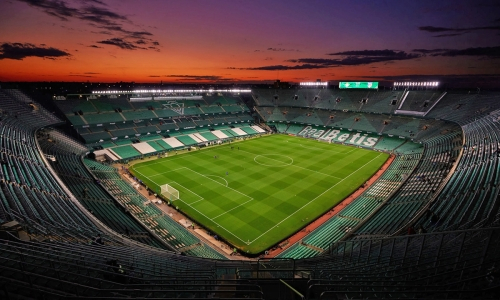
This pack contains over 140 updated or new mini stadium images in a size of 1200x720 or at least 800x480 pixels.
Installation Instructions
Drag and drop the contents (including the config files) of each folder in this update pack into the corresponding folder in the megapack and replace the existing backgrounds when prompted. Do not drag and drop the actual folders as this will overwrite your megapack.
Then simply go to preferences in FM and reload your skin.
If you would like to contribute to this pack simply join our research team and post the backgrounds and ID numbers in the correct thread.
- 878 Downloads
Submitted -
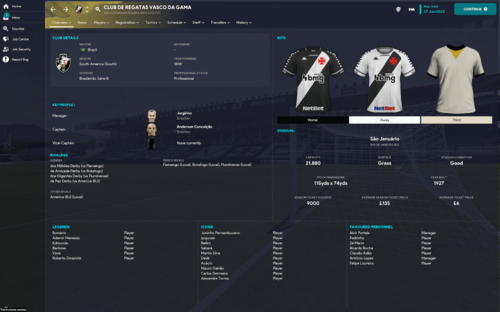
This pack contains over 5,000 mini stadium images in a size of 1200x720 or at least 800x480 pixels.
- 14,460 Downloads
Submitted -
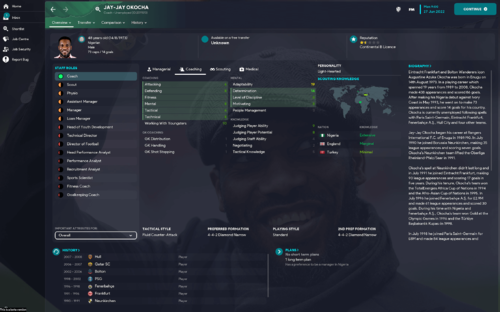
It currently covers 5900 manager/staff backgrounds from all over the world; club and country (including an extensive selection of club legends - who doesn't like signing a club legend to coach their under 18s? ). Ajax & Germany staff backgrounds match the Real Name Fix config codes from sortitoutsi.
Steps to add to your game;
1. Download File
2. Unzip and place here:
[PC] Documents ▸ Sports Interactive ▸ Football Manager 2023 ▸ graphics ▸ backgrounds ▸ staff
[MAC] Users ▸ YOURNAME ▸ Library ▸ Application Support ▸ Sports Interactive ▸ Football Manager 2023 ▸ graphics ▸ backgrounds ▸ staff
3. Go to preferences, ensure "Reload skin when confirming changes in Preference" is ticked (you may need to clear your cache too), click "Reload Skin" and click "confirm" (bottom right).
Screenshots are for reference only, ignore the quality loss, that’s just the Apple Preview ruining them to fit them under the 10mb forum post limit, they are high quality in-game.
- 519 Downloads
Updated -
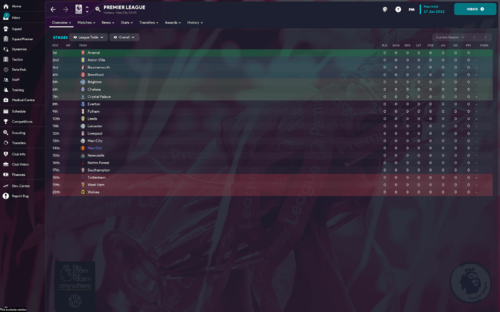
It currently covers 528 backgrounds over the world, all playable competitions are included. Most with trophies or specific competition branding.
Steps to add to your game;
1. Download file
2. Unzip and place here:
[PC] Documents ▸ Sports Interactive ▸ Football Manager 2023 ▸ graphics ▸ backgrounds ▸ comp
[MAC] Users ▸ YOURNAME ▸ Library ▸ Application Support ▸ Sports Interactive ▸ Football Manager 2023 ▸ graphics ▸ backgrounds ▸ comp
3. Go to preferences, ensure "Reload skin when confirming changes in Preference" is ticked (you may need to clear your cache too), click "Reload Skin" and click "confirm" (bottom right).
Screenshots are for reference only, ignore the quality loss, that’s just the Apple Preview ruining them to fit them under the 10mb forum post limit, they are high quality in-game.
- 1,017 Downloads
Updated -
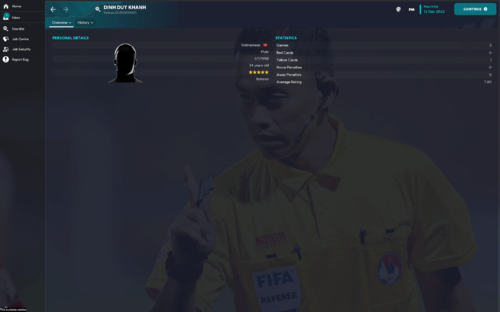
It currently covers 467 referee backgrounds over the world, generally covering the top leagues/competitions - Premier League (+ Championship/L1/L2), Serie A, La Liga, Ligue 1, Eredivisie, Champions League, Europa League, Conference League, World Cup etc - you get the idea.
Steps to add to your game;
1. Download File
2. Unzip and place here:
[PC] Documents ▸ Sports Interactive ▸ Football Manager 2023 ▸ graphics ▸ backgrounds ▸ referees
[MAC] Users ▸ YOURNAME ▸ Library ▸ Application Support ▸ Sports Interactive ▸ Football Manager 2023 ▸ graphics ▸ backgrounds ▸ referees
3. Go to preferences, ensure "Reload skin when confirming changes in Preference" is ticked (you may need to clear your cache too), click "Reload Skin" and click "confirm" (bottom right).
Screenshots are for reference only, ignore the quality loss, that’s just the Apple Preview ruining them to fit them under the 10mb forum post limit, they are high quality in-game.
- 287 Downloads
Updated -
It currently covers 223 different countries (thousands upon thousands of stadiums covered), all playable leagues included, most deep into the lower leagues too, all over the world so it's extensive.
Stadiums in England are complete down to level 8 too (Northern Premier, Southern League, Isthmian League etc).
Steps to add to your game;
1. Download file
2. Unzip and place here:
[PC] Documents ▸ Sports Interactive ▸ Football Manager 2023 ▸ graphics ▸ backgrounds ▸ stadium
[MAC] Users ▸ YOURNAME ▸ Library ▸ Application Support ▸ Sports Interactive ▸ Football Manager 2023 ▸ graphics ▸ backgrounds ▸ stadium
3. Go to preferences, ensure "Reload skin when confirming changes in Preference" is ticked (you may need to clear your cache too), click "Reload Skin" and click "confirm" (bottom right).
Screenshots are for reference only, ignore the quality loss, that’s just the Apple Preview ruining them to fit them under the 10mb forum post limit, they are high quality in-game.
- 791 Downloads
Updated -
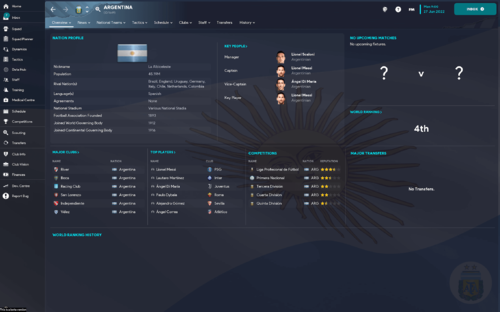
It covers every nation in the world with their flag, waving.
Steps to add to your game;
1. Download File
2. Unzip and place here:
[PC] Documents ▸ Sports Interactive ▸ Football Manager 2023 ▸ graphics ▸ backgrounds ▸ nation
[MAC] Users ▸ YOURNAME ▸ Library ▸ Application Support ▸ Sports Interactive ▸ Football Manager 2023 ▸ graphics ▸ backgrounds ▸ nation
3. Go to preferences, ensure "Reload skin when confirming changes in Preference" is ticked (you may need to clear your cache too), click "Reload Skin" and click "confirm" (bottom right).
Screenshots are for reference only, ignore the quality loss, that’s just the Apple Preview ruining them to fit them under the 10mb forum post limit, they are high quality in-game.
- 347 Downloads
Submitted -
It covers every continent in the world with a legend from years gone by.
Steps to add to your game;
1. Download File
2. Unzip and place here:
[PC] Documents ▸ Sports Interactive ▸ Football Manager 2023 ▸ graphics ▸ backgrounds ▸ continent
[MAC] Users ▸ YOURNAME ▸ Library ▸ Application Support ▸ Sports Interactive ▸ Football Manager 2023 ▸ graphics ▸ backgrounds ▸ continent
3. Go to preferences, ensure "Reload skin when confirming changes in Preference" is ticked (you may need to clear your cache too), click "Reload Skin" and click "confirm" (bottom right).
Screenshots are for reference only, ignore the quality loss, that’s just the Apple Preview ruining them to fit them under the 10mb forum post limit, they are high quality in-game.
- 220 Downloads
Submitted -
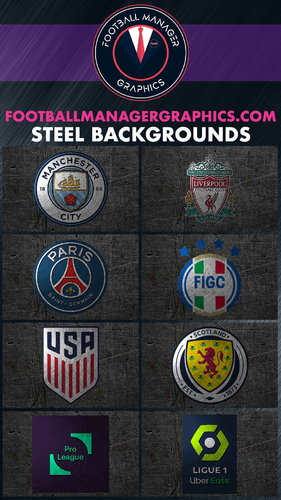
Steel Logos Backgrounds for Football Manager 2022.
Please download both files and unzip together.
This is a very large pack at 21.43GB and contains over 72,000 backgrounds 2560x1600 in size.
- 226 Downloads
- 3 Comments
Submitted