Derek
Administrators
-
Joined
-
Last visited
Everything posted by Derek
-
-
-
-
-
-
-
-
Welcome to FMG @andreydm There are 1,075 of 1,105 Brazilian teams covered.
-
-
-
FMG Build A Squad Challenge Episode 4 This is the fourth FMG Build A Squad save and in this challenge we focus on rebuilding FC Barcelona. Fan favourite and club legend Xavi has just returned to the club and has plenty of cash at his disposal to build a new squad. Your challenge is to rebuild the squad based on key criteria. Key Criteria You must sign exactly 22 players to your squad (2 Goalkeepers required) Transfer budget of £692m (€810m) - No instalments allowed. Wage budget of £8.5m (€10m) 8 players must be Spanish Summer Transfer Window Deadline (August 31st 2021, game time) This challenge will close on Sunday May 15th and all entries must be submitted by midnight GMT. Voting will commence on Monday May 16th until Friday May 20th with leaderboard points allocated as outlined in the graphic above.
-
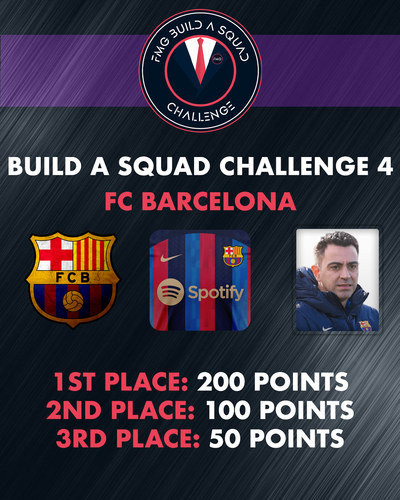 FMG Build A Squad Challenge Episode 4 This is the fourth FMG Build A Squad save and in this challenge we focus on rebuilding FC Barcelona. Fan favourite and club legend Xavi has just returned to the club and has plenty of cash at his disposal to build a new squad. Your challenge is to rebuild the squad based on key criteria. Key Criteria You must sign exactly 22 players to your squad (2 Goalkeepers required) Transfer budget of £692m (€810m) - No instalments allowed. Wage budget of £8.5m (€10m) 8 players must be Spanish Summer Transfer Window Deadline (August 31st 2021, game time) This challenge will close on Sunday May 15th and all entries must be submitted by midnight GMT. Voting will commence on Monday May 16th until Friday May 20th with leaderboard points allocated as outlined in the graphic above.
 -
FMG BUILD A SQUAD WEEK 3 TABLE A tie for first between @Tempelman and I with @VyKing in third. I split the 1st and 2nd points between Tempelman and I (150 each) and 50 for VyKing in third.
-
-
-
Thanks guys
-
-
-
-
-
Hi guys I've worked on a way to make the template work with PES kits to help us create kits more efficiently. I've edited the kit colour layer and turned it into a smart object which will allow you to now create kits using PES texture files. Once you've downloaded this version of the template you can double click the 'FMG Kits Colour' layer window to open a new window. This new window has some examples which I've pulled from the web. You will need to position them correctly. Not every template will work out well unfortunately but any help we have will be a bonus. Let me know what you think please.
-
 This template is designed to work with PES Kit Creator templates.
 -
-
-
I use one at the moment and they are 400x240px which is not ideal for some skins which you can see below. I think having them slightly larger would be ideal but I haven't tested the sizes.