Derek
Administrators
-
Joined
-
Last visited
Everything posted by Derek
-
Normal service resumed. Diaz has been great since he came on.
-
Thanks guys!
-
Boom 💥 poor goal Got to keep going now and not invite them on.
-
Fingers crossed 🤞 This will be tough
-
Great work @kristo 👏
-
🤣🤣🤣 I missed most of the first half with work and got in just as they scored the second. Tough second half ahead. I think Henderson needs to come on. Surprised Diaz and him didn’t start.
-
Thanks @cameosis and @kristo
-
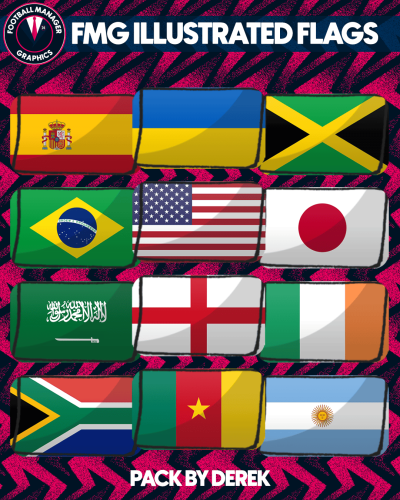
So I've had a bit of fun with these flags and created FMG Illustrated Flags. I wanted to create something which worked well with the new DF11 Illustrated Faces which we've made in partnership with the DF11 Faces team. https://i.ibb.co/qBM4QR8/Screenshot-1.png https://i.ibb.co/dQGtBJ9/Screenshot-2.png https://i.ibb.co/c2xDxYB/Screenshot-3.png https://i.ibb.co/56x3H62/Screenshot-4.png https://i.ibb.co/1JSpLm1/Screenshot-5.png
-
-
-
All updates now released. Thanks as always to everyone who takes the time to make these packs happen. Total now at 77,085 for the largest packs.
-
Thanks mate. I'll be uploading the Source Logos pack here in the next couple of weeks and will check these out.
- 15 replies
-
- source logos
- raw logos
- logos
- fmg
-
Tagged with:
-
Vapour Logos Update 5 Clubs - 1,521 Competitions - 140 Nations - 105 Media - 16 Total - 1,782 Thank you to all the research team as always for their valuable help. Note: It’s important to copy the content only from each folder and paste into the corresponding folders in the megapack. Do not copy and paste the actual folders.
-
TPU Logos Update 5 Clubs - 1,521 Competitions - 140 Nations - 105 Media - 16 Total - 1,782 Thank you to all the research team as always for their valuable help. Note: It’s important to copy the content only from each folder and paste into the corresponding folders in the megapack. Do not copy and paste the actual folders.
-
Stone Logos Update 5 Clubs - 1,521 Competitions - 140 Nations - 105 Media - 16 Total - 1,782 Thank you to all the research team as always for their valuable help. Note: It’s important to copy the content only from each folder and paste into the corresponding folders in the megapack. Do not copy and paste the actual folders.
-
Steel Logos Update 5 Clubs - 1,521 Competitions - 140 Nations - 105 Media - 16 Total - 1,782 Thank you to all the research team as always for their valuable help. Note: It’s important to copy the content only from each folder and paste into the corresponding folders in the megapack. Do not copy and paste the actual folders.
-
ING Logos Update 3 Clubs - 1,521 Competitions - 140 Nations - 105 Media - 16 Total - 1,782 Thank you to all the research team as always for their valuable help. Note: It’s important to copy the content only from each folder and paste into the corresponding folders in the megapack. Do not copy and paste the actual folders.
-
FMV Logos Update 4 Clubs - 1,264 Competitions - 132 Nations - 105 Media - 16 Total - 1,517 Thank you to all the research team as always for their valuable help. Note: It’s important to copy the content only from each folder and paste into the corresponding folders in the megapack. Do not copy and paste the actual folders.
-
FMG Standard Logos Update 5 Clubs - 1,521 Competitions - 140 Nations - 105 Media - 16 Total - 1,782 Thank you to all the research team as always for their valuable help. Note: It’s important to copy the content only from each folder and paste into the corresponding folders in the megapack. Do not copy and paste the actual folders.
-
FMG Logos Update 5 Clubs - 1,521 Competitions - 140 Nations - 105 Media - 16 Total - 1,782 Thank you to all the research team as always for their valuable help. Note: It’s important to copy the content only from each folder and paste into the corresponding folders in the megapack. Do not copy and paste the actual folders.
-
-
Ok guys I've started this months updates now so any logos posted after this point will be in next months packs. Thanks again to everyone for their invaluable help as always.
-
-
-
I'm going with Feyenoord! 🤣