






Derek
Administrators
-
Joined
-
Last visited
Everything posted by Derek
-
 Yes, all version of FM. Some club ID's will differ but the vast majority will be fine. Yes and yes. You may have to remove the lines from the config file. Try it first though before removing the lines from the config file.
- 4 comments
- 6 reviews
-
@Emmerson444 Nice work here mate! Really loving some of these logos. Feel free to use anything I've made.
-
Sorry guys for the inactivity. I will hopefully have things back to normal from next week. I will complete any recent requests as much as possible then but anything posted more than a month ago I'll skip unless quoted or reposted.
-
@schweigi Will do mate 👍 Guys this seems to be happening quite a bit lately and ends up having an effect on how the packs perform in game. What I mean by that is you will see reserve or youth teams displaying different logos to the main team. If logos are for use with a custom DB please mention it as they can be included in the alternative folder for personal use.
-
The logo updates are now released. Thanks to all the team as always for your amazing work! 👏👏👏
-
FMV Logos 2024.06 Pack by Derek Template by JackHammer Credit Murray Research Team @schweigi @cameosis @Markitos @AndreaSSL1900 @minky79 @Shark @inohcanoss @kenolio @shadow @wfm18 @Lavegaks @sptndc @Heval @Kriss @NassFas @hlourencoam @Alieeks @rioplworks Installation Instructions Drag and drop the contents (including the config files) of each folder in this update pack into the corresponding folder in the megapack and replace the existing logos when prompted. Do not drag and drop the actual folders as this will overwrite your megapack. Then simply go to preferences in FM and reload your skin. Alternative | Fantasy | Retro Logos To use any of the alternative, fantasy or retro logos in game you must remove the text at the end of each logo i.e. alt, retro or fantasy and drag and drop into the normal logo folder in the megapack. You will need to repeat this for all four sizes. Then simply go to preferences in FM and reload your skin. I would advise creating a copy of the original logos before replacing them.
-
 FMV Logos 2024.06 Pack by Derek Template by JackHammer Credit Murray Research Team @schweigi @cameosis @Markitos @AndreaSSL1900 @minky79 @Shark @inohcanoss @kenolio @shadow @wfm18 @Lavegaks @sptndc @Heval @Kriss @NassFas @hlourencoam @Alieeks @rioplworks Installation Instructions Drag and drop the contents (including the config files) of each folder in this update pack into the corresponding folder in the megapack and replace the existing logos when prompted. Do not drag and drop the actual folders as this will overwrite your megapack. Then simply go to preferences in FM and reload your skin. Alternative | Fantasy | Retro Logos To use any of the alternative, fantasy or retro logos in game you must remove the text at the end of each logo i.e. alt, retro or fantasy and drag and drop into the normal logo folder in the megapack. You will need to repeat this for all four sizes. Then simply go to preferences in FM and reload your skin. I would advise creating a copy of the original logos before replacing them.
 -
FMG Vapour Logos 2024.06 Pack by Derek Research Team @schweigi @cameosis @Markitos @AndreaSSL1900 @minky79 @Shark @inohcanoss @kenolio @shadow @wfm18 @Lavegaks @sptndc @Heval @Kriss @NassFas @hlourencoam @Alieeks @rioplworks Installation Instructions Drag and drop the contents (including the config files) of each folder in this update pack into the corresponding folder in the megapack and replace the existing logos when prompted. Do not drag and drop the actual folders as this will overwrite your megapack. Then simply go to preferences in FM and reload your skin. Alternative | Fantasy | Retro Logos To use any of the alternative, fantasy or retro logos in game you must remove the text at the end of each logo i.e. alt, retro or fantasy and drag and drop into the normal logo folder in the megapack. You will need to repeat this for all four sizes. Then simply go to preferences in FM and reload your skin. I would advise creating a copy of the original logos before replacing them.
-
 FMG Vapour Logos 2024.06 Pack by Derek Research Team @schweigi @cameosis @Markitos @AndreaSSL1900 @minky79 @Shark @inohcanoss @kenolio @shadow @wfm18 @Lavegaks @sptndc @Heval @Kriss @NassFas @hlourencoam @Alieeks @rioplworks Installation Instructions Drag and drop the contents (including the config files) of each folder in this update pack into the corresponding folder in the megapack and replace the existing logos when prompted. Do not drag and drop the actual folders as this will overwrite your megapack. Then simply go to preferences in FM and reload your skin. Alternative | Fantasy | Retro Logos To use any of the alternative, fantasy or retro logos in game you must remove the text at the end of each logo i.e. alt, retro or fantasy and drag and drop into the normal logo folder in the megapack. You will need to repeat this for all four sizes. Then simply go to preferences in FM and reload your skin. I would advise creating a copy of the original logos before replacing them.
 -
FMG Stone Logos 2024.06 Pack by Derek Research Team @schweigi @cameosis @Markitos @AndreaSSL1900 @minky79 @Shark @inohcanoss @kenolio @shadow @wfm18 @Lavegaks @sptndc @Heval @Kriss @NassFas @hlourencoam @Alieeks @rioplworks Installation Instructions Drag and drop the contents (including the config files) of each folder in this update pack into the corresponding folder in the megapack and replace the existing logos when prompted. Do not drag and drop the actual folders as this will overwrite your megapack. Then simply go to preferences in FM and reload your skin. Alternative | Fantasy | Retro Logos To use any of the alternative, fantasy or retro logos in game you must remove the text at the end of each logo i.e. alt, retro or fantasy and drag and drop into the normal logo folder in the megapack. You will need to repeat this for all four sizes. Then simply go to preferences in FM and reload your skin. I would advise creating a copy of the original logos before replacing them.
-
 FMG Stone Logos 2024.06 Pack by Derek Research Team @schweigi @cameosis @Markitos @AndreaSSL1900 @minky79 @Shark @inohcanoss @kenolio @shadow @wfm18 @Lavegaks @sptndc @Heval @Kriss @NassFas @hlourencoam @Alieeks @rioplworks Installation Instructions Drag and drop the contents (including the config files) of each folder in this update pack into the corresponding folder in the megapack and replace the existing logos when prompted. Do not drag and drop the actual folders as this will overwrite your megapack. Then simply go to preferences in FM and reload your skin. Alternative | Fantasy | Retro Logos To use any of the alternative, fantasy or retro logos in game you must remove the text at the end of each logo i.e. alt, retro or fantasy and drag and drop into the normal logo folder in the megapack. You will need to repeat this for all four sizes. Then simply go to preferences in FM and reload your skin. I would advise creating a copy of the original logos before replacing them.
 -
FMG Steel Logos 2024.06 Pack by Derek Research Team @schweigi @cameosis @Markitos @AndreaSSL1900 @minky79 @Shark @inohcanoss @kenolio @shadow @wfm18 @Lavegaks @sptndc @Heval @Kriss @NassFas @hlourencoam @Alieeks @rioplworks Installation Instructions Drag and drop the contents (including the config files) of each folder in this update pack into the corresponding folder in the megapack and replace the existing logos when prompted. Do not drag and drop the actual folders as this will overwrite your megapack. Then simply go to preferences in FM and reload your skin. Alternative | Fantasy | Retro Logos To use any of the alternative, fantasy or retro logos in game you must remove the text at the end of each logo i.e. alt, retro or fantasy and drag and drop into the normal logo folder in the megapack. You will need to repeat this for all four sizes. Then simply go to preferences in FM and reload your skin. I would advise creating a copy of the original logos before replacing them.
-
 FMG Steel Logos 2024.06 Pack by Derek Research Team @schweigi @cameosis @Markitos @AndreaSSL1900 @minky79 @Shark @inohcanoss @kenolio @shadow @wfm18 @Lavegaks @sptndc @Heval @Kriss @NassFas @hlourencoam @Alieeks @rioplworks Installation Instructions Drag and drop the contents (including the config files) of each folder in this update pack into the corresponding folder in the megapack and replace the existing logos when prompted. Do not drag and drop the actual folders as this will overwrite your megapack. Then simply go to preferences in FM and reload your skin. Alternative | Fantasy | Retro Logos To use any of the alternative, fantasy or retro logos in game you must remove the text at the end of each logo i.e. alt, retro or fantasy and drag and drop into the normal logo folder in the megapack. You will need to repeat this for all four sizes. Then simply go to preferences in FM and reload your skin. I would advise creating a copy of the original logos before replacing them.
 -
FMG Standard Logos 2024.06 Pack by Derek Research Team @schweigi @cameosis @Markitos @AndreaSSL1900 @minky79 @Shark @inohcanoss @kenolio @shadow @wfm18 @Lavegaks @sptndc @Heval @Kriss @NassFas @hlourencoam @Alieeks @rioplworks Installation Instructions Drag and drop the contents (including the config files) of each folder in this update pack into the corresponding folder in the megapack and replace the existing logos when prompted. Do not drag and drop the actual folders as this will overwrite your megapack. Then simply go to preferences in FM and reload your skin. Alternative | Fantasy | Retro Logos To use any of the alternative, fantasy or retro logos in game you must remove the text at the end of each logo i.e. alt, retro or fantasy and drag and drop into the normal logo folder in the megapack. You will need to repeat this for all four sizes. Then simply go to preferences in FM and reload your skin. I would advise creating a copy of the original logos before replacing them.
-
 FMG Standard Logos 2024.06 Pack by Derek Research Team @schweigi @cameosis @Markitos @AndreaSSL1900 @minky79 @Shark @inohcanoss @kenolio @shadow @wfm18 @Lavegaks @sptndc @Heval @Kriss @NassFas @hlourencoam @Alieeks @rioplworks Installation Instructions Drag and drop the contents (including the config files) of each folder in this update pack into the corresponding folder in the megapack and replace the existing logos when prompted. Do not drag and drop the actual folders as this will overwrite your megapack. Then simply go to preferences in FM and reload your skin. Alternative | Fantasy | Retro Logos To use any of the alternative, fantasy or retro logos in game you must remove the text at the end of each logo i.e. alt, retro or fantasy and drag and drop into the normal logo folder in the megapack. You will need to repeat this for all four sizes. Then simply go to preferences in FM and reload your skin. I would advise creating a copy of the original logos before replacing them.
- 3 comments
- 1 review
-
-

- 4
-
-
FMG Plastic Logos 2024.06 Pack by Derek Research Team @schweigi @cameosis @Markitos @AndreaSSL1900 @minky79 @Shark @inohcanoss @kenolio @shadow @wfm18 @Lavegaks @sptndc @Heval @Kriss @NassFas @hlourencoam @Alieeks @rioplworks Installation Instructions Drag and drop the contents (including the config files) of each folder in this update pack into the corresponding folder in the megapack and replace the existing logos when prompted. Do not drag and drop the actual folders as this will overwrite your megapack. Then simply go to preferences in FM and reload your skin. Alternative | Fantasy | Retro Logos To use any of the alternative, fantasy or retro logos in game you must remove the text at the end of each logo i.e. alt, retro or fantasy and drag and drop into the normal logo folder in the megapack. You will need to repeat this for all four sizes. Then simply go to preferences in FM and reload your skin. I would advise creating a copy of the original logos before replacing them.
-
 FMG Plastic Logos 2024.06 Pack by Derek Research Team @schweigi @cameosis @Markitos @AndreaSSL1900 @minky79 @Shark @inohcanoss @kenolio @shadow @wfm18 @Lavegaks @sptndc @Heval @Kriss @NassFas @hlourencoam @Alieeks @rioplworks Installation Instructions Drag and drop the contents (including the config files) of each folder in this update pack into the corresponding folder in the megapack and replace the existing logos when prompted. Do not drag and drop the actual folders as this will overwrite your megapack. Then simply go to preferences in FM and reload your skin. Alternative | Fantasy | Retro Logos To use any of the alternative, fantasy or retro logos in game you must remove the text at the end of each logo i.e. alt, retro or fantasy and drag and drop into the normal logo folder in the megapack. You will need to repeat this for all four sizes. Then simply go to preferences in FM and reload your skin. I would advise creating a copy of the original logos before replacing them.
 -
FMG Logos 2024.06 Pack by Derek Research Team @schweigi @cameosis @Markitos @AndreaSSL1900 @minky79 @Shark @inohcanoss @kenolio @shadow @wfm18 @Lavegaks @sptndc @Heval @Kriss @NassFas @hlourencoam @Alieeks @rioplworks Installation Instructions Drag and drop the contents (including the config files) of each folder in this update pack into the corresponding folder in the megapack and replace the existing logos when prompted. Do not drag and drop the actual folders as this will overwrite your megapack. Then simply go to preferences in FM and reload your skin. Alternative | Fantasy | Retro Logos To use any of the alternative, fantasy or retro logos in game you must remove the text at the end of each logo i.e. alt, retro or fantasy and drag and drop into the normal logo folder in the megapack. You will need to repeat this for all four sizes. Then simply go to preferences in FM and reload your skin. I would advise creating a copy of the original logos before replacing them.
-
 FMG Logos 2024.06 Pack by Derek Research Team @schweigi @cameosis @Markitos @AndreaSSL1900 @minky79 @Shark @inohcanoss @kenolio @shadow @wfm18 @Lavegaks @sptndc @Heval @Kriss @NassFas @hlourencoam @Alieeks @rioplworks Installation Instructions Drag and drop the contents (including the config files) of each folder in this update pack into the corresponding folder in the megapack and replace the existing logos when prompted. Do not drag and drop the actual folders as this will overwrite your megapack. Then simply go to preferences in FM and reload your skin. Alternative | Fantasy | Retro Logos To use any of the alternative, fantasy or retro logos in game you must remove the text at the end of each logo i.e. alt, retro or fantasy and drag and drop into the normal logo folder in the megapack. You will need to repeat this for all four sizes. Then simply go to preferences in FM and reload your skin. I would advise creating a copy of the original logos before replacing them.
 -
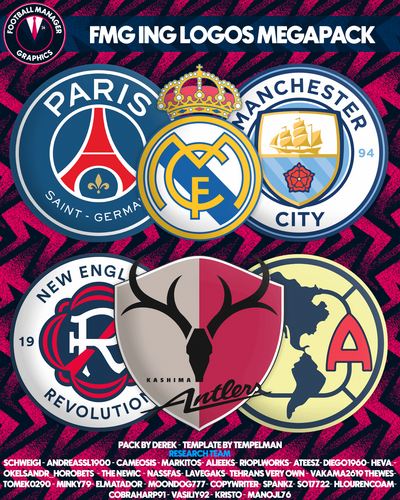
FMG ING Logos 2024.06 Pack by Derek Template by @Tempelman Research Team @schweigi @cameosis @Markitos @AndreaSSL1900 @minky79 @Shark @inohcanoss @kenolio @shadow @wfm18 @Lavegaks @sptndc @Heval @Kriss @NassFas @hlourencoam @Alieeks @rioplworks Installation Instructions Drag and drop the contents (including the config files) of each folder in this update pack into the corresponding folder in the megapack and replace the existing logos when prompted. Do not drag and drop the actual folders as this will overwrite your megapack. Then simply go to preferences in FM and reload your skin. Alternative | Fantasy | Retro Logos To use any of the alternative, fantasy or retro logos in game you must remove the text at the end of each logo i.e. alt, retro or fantasy and drag and drop into the normal logo folder in the megapack. You will need to repeat this for all four sizes. Then simply go to preferences in FM and reload your skin. I would advise creating a copy of the original logos before replacing them.
-
 FMG ING Logos 2024.06 Pack by Derek Template by @Tempelman Research Team @schweigi @cameosis @Markitos @AndreaSSL1900 @minky79 @Shark @inohcanoss @kenolio @shadow @wfm18 @Lavegaks @sptndc @Heval @Kriss @NassFas @hlourencoam @Alieeks @rioplworks Installation Instructions Drag and drop the contents (including the config files) of each folder in this update pack into the corresponding folder in the megapack and replace the existing logos when prompted. Do not drag and drop the actual folders as this will overwrite your megapack. Then simply go to preferences in FM and reload your skin. Alternative | Fantasy | Retro Logos To use any of the alternative, fantasy or retro logos in game you must remove the text at the end of each logo i.e. alt, retro or fantasy and drag and drop into the normal logo folder in the megapack. You will need to repeat this for all four sizes. Then simply go to preferences in FM and reload your skin. I would advise creating a copy of the original logos before replacing them.
 -
FMG Grunge Logos 2024.06 Pack by Derek Research Team @schweigi @cameosis @Markitos @AndreaSSL1900 @minky79 @Shark @inohcanoss @kenolio @shadow @wfm18 @Lavegaks @sptndc @Heval @Kriss @NassFas @hlourencoam @Alieeks @rioplworks Installation Instructions Drag and drop the contents (including the config files) of each folder in this update pack into the corresponding folder in the megapack and replace the existing logos when prompted. Do not drag and drop the actual folders as this will overwrite your megapack. Then simply go to preferences in FM and reload your skin. Alternative | Fantasy | Retro Logos To use any of the alternative, fantasy or retro logos in game you must remove the text at the end of each logo i.e. alt, retro or fantasy and drag and drop into the normal logo folder in the megapack. You will need to repeat this for all four sizes. Then simply go to preferences in FM and reload your skin. I would advise creating a copy of the original logos before replacing them.
-
 FMG Grunge Logos 2024.06 Pack by Derek Research Team @schweigi @cameosis @Markitos @AndreaSSL1900 @minky79 @Shark @inohcanoss @kenolio @shadow @wfm18 @Lavegaks @sptndc @Heval @Kriss @NassFas @hlourencoam @Alieeks @rioplworks Installation Instructions Drag and drop the contents (including the config files) of each folder in this update pack into the corresponding folder in the megapack and replace the existing logos when prompted. Do not drag and drop the actual folders as this will overwrite your megapack. Then simply go to preferences in FM and reload your skin. Alternative | Fantasy | Retro Logos To use any of the alternative, fantasy or retro logos in game you must remove the text at the end of each logo i.e. alt, retro or fantasy and drag and drop into the normal logo folder in the megapack. You will need to repeat this for all four sizes. Then simply go to preferences in FM and reload your skin. I would advise creating a copy of the original logos before replacing them.
 -
FMG D11 Logos 2024.06 Pack by Derek Research Team @schweigi @cameosis @Markitos @AndreaSSL1900 @minky79 @Shark @inohcanoss @kenolio @shadow @wfm18 @Lavegaks @sptndc @Heval @Kriss @NassFas @hlourencoam @Alieeks @rioplworks Installation Instructions Drag and drop the contents (including the config files) of each folder in this update pack into the corresponding folder in the megapack and replace the existing logos when prompted. Do not drag and drop the actual folders as this will overwrite your megapack. Then simply go to preferences in FM and reload your skin. Alternative | Fantasy | Retro Logos To use any of the alternative, fantasy or retro logos in game you must remove the text at the end of each logo i.e. alt, retro or fantasy and drag and drop into the normal logo folder in the megapack. You will need to repeat this for all four sizes. Then simply go to preferences in FM and reload your skin. I would advise creating a copy of the original logos before replacing them.
-
 FMG D11 Logos 2024.06 Pack by Derek Research Team @schweigi @cameosis @Markitos @AndreaSSL1900 @minky79 @Shark @inohcanoss @kenolio @shadow @wfm18 @Lavegaks @sptndc @Heval @Kriss @NassFas @hlourencoam @Alieeks @rioplworks Installation Instructions Drag and drop the contents (including the config files) of each folder in this update pack into the corresponding folder in the megapack and replace the existing logos when prompted. Do not drag and drop the actual folders as this will overwrite your megapack. Then simply go to preferences in FM and reload your skin. Alternative | Fantasy | Retro Logos To use any of the alternative, fantasy or retro logos in game you must remove the text at the end of each logo i.e. alt, retro or fantasy and drag and drop into the normal logo folder in the megapack. You will need to repeat this for all four sizes. Then simply go to preferences in FM and reload your skin. I would advise creating a copy of the original logos before replacing them.

