






Derek
Administrators
-
Joined
-
Last visited
Everything posted by Derek
-
DF11 Faces Update 4 DF11 Graphics Team - Update 4 REBO, Hertos, JaviSSoria, Pochi, Ouz, Tom, Spurs12345, @Copywriter, Dean, Asket, Tobias, FMWarrior, Nachote, Gustavo Guzman, Axel, FMParloq, @Jeff Another must-have update including various league updates plus 400 new referees! Overview Update 4: 8446 New faces for leagues in: France, England, Belgium, Italy, Czech Republic, Hungary, Romania, Norway. Slovakia, Portugal, Turkey, Netherlands, Germany, Russia, Switzerland, Botswana, Qatar, Argentina, Uruguay and more!
-
FMV Logos 2024.01 Pack by Derek Research Team @schweigi @AndreaSSL1900 @cameosis @Markitos @Alieeks @rioplworks @ateesz @diego1960 @Heval @Oleksandr_Horobets @The Newic @NassFas @Lavegaks @Vakama2619 @Thewes @1Sopel6 @minky79 @ElMatador @spankz @Girafi @CobraHarp91 @kristo @kumquat_s @Vasiliy92 @Shark Installation Instructions Drag and drop the contents (including the config files) of each folder in this update pack into the corresponding folder in the megapack and replace the existing logos when prompted. Do not drag and drop the actual folders as this will overwrite your megapack. Then simply go to preferences in FM and reload your skin. Alternative | Fantasy | Retro Logos To use any of the alternative, fantasy or retro logos in game you must remove the text at the end of each logo i.e. alt, retro or fantasy and drag and drop into the normal logo folder in the megapack. You will need to repeat this for all four sizes. Then simply go to preferences in FM and reload your skin. I would advise creating a copy of the original logos before replacing them.
-
FMG Vapour Logos 2024.01 Pack by Derek Research Team @schweigi @AndreaSSL1900 @cameosis @Markitos @Alieeks @rioplworks @ateesz @diego1960 @Heval @Oleksandr_Horobets @The Newic @NassFas @Lavegaks @Vakama2619 @Thewes @1Sopel6 @minky79 @ElMatador @spankz @Girafi @CobraHarp91 @kristo @kumquat_s @Vasiliy92 @Shark Installation Instructions Drag and drop the contents (including the config files) of each folder in this update pack into the corresponding folder in the megapack and replace the existing logos when prompted. Do not drag and drop the actual folders as this will overwrite your megapack. Then simply go to preferences in FM and reload your skin. Alternative | Fantasy | Retro Logos To use any of the alternative, fantasy or retro logos in game you must remove the text at the end of each logo i.e. alt, retro or fantasy and drag and drop into the normal logo folder in the megapack. You will need to repeat this for all four sizes. Then simply go to preferences in FM and reload your skin. I would advise creating a copy of the original logos before replacing them.
-
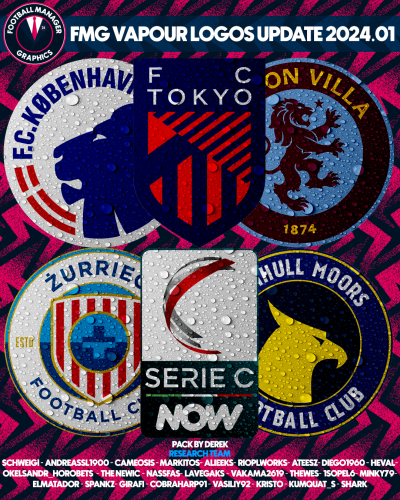 FMG Vapour Logos 2024.01 Pack by Derek Research Team @schweigi @AndreaSSL1900 @cameosis @Markitos @Alieeks @rioplworks @ateesz @diego1960 @Heval @Oleksandr_Horobets @The Newic @NassFas @Lavegaks @Vakama2619 @Thewes @1Sopel6 @minky79 @ElMatador @spankz @Girafi @CobraHarp91 @kristo @kumquat_s @Vasiliy92 @Shark Installation Instructions Drag and drop the contents (including the config files) of each folder in this update pack into the corresponding folder in the megapack and replace the existing logos when prompted. Do not drag and drop the actual folders as this will overwrite your megapack. Then simply go to preferences in FM and reload your skin. Alternative | Fantasy | Retro Logos To use any of the alternative, fantasy or retro logos in game you must remove the text at the end of each logo i.e. alt, retro or fantasy and drag and drop into the normal logo folder in the megapack. You will need to repeat this for all four sizes. Then simply go to preferences in FM and reload your skin. I would advise creating a copy of the original logos before replacing them.
 -
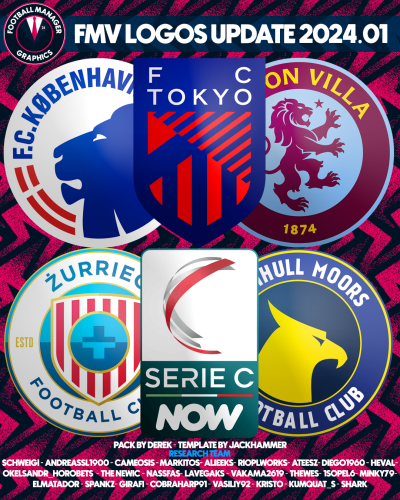 FMV Logos 2024.01 Pack by Derek Research Team @schweigi @AndreaSSL1900 @cameosis @Markitos @Alieeks @rioplworks @ateesz @diego1960 @Heval @Oleksandr_Horobets @The Newic @NassFas @Lavegaks @Vakama2619 @Thewes @1Sopel6 @minky79 @ElMatador @spankz @Girafi @CobraHarp91 @kristo @kumquat_s @Vasiliy92 @Shark Installation Instructions Drag and drop the contents (including the config files) of each folder in this update pack into the corresponding folder in the megapack and replace the existing logos when prompted. Do not drag and drop the actual folders as this will overwrite your megapack. Then simply go to preferences in FM and reload your skin. Alternative | Fantasy | Retro Logos To use any of the alternative, fantasy or retro logos in game you must remove the text at the end of each logo i.e. alt, retro or fantasy and drag and drop into the normal logo folder in the megapack. You will need to repeat this for all four sizes. Then simply go to preferences in FM and reload your skin. I would advise creating a copy of the original logos before replacing them.
 -
FMG Stone Logos 2024.01 Pack by Derek Research Team @schweigi @AndreaSSL1900 @cameosis @Markitos @Alieeks @rioplworks @ateesz @diego1960 @Heval @Oleksandr_Horobets @The Newic @NassFas @Lavegaks @Vakama2619 @Thewes @1Sopel6 @minky79 @ElMatador @spankz @Girafi @CobraHarp91 @kristo @kumquat_s @Vasiliy92 @Shark Installation Instructions Drag and drop the contents (including the config files) of each folder in this update pack into the corresponding folder in the megapack and replace the existing logos when prompted. Do not drag and drop the actual folders as this will overwrite your megapack. Then simply go to preferences in FM and reload your skin. Alternative | Fantasy | Retro Logos To use any of the alternative, fantasy or retro logos in game you must remove the text at the end of each logo i.e. alt, retro or fantasy and drag and drop into the normal logo folder in the megapack. You will need to repeat this for all four sizes. Then simply go to preferences in FM and reload your skin. I would advise creating a copy of the original logos before replacing them.
-
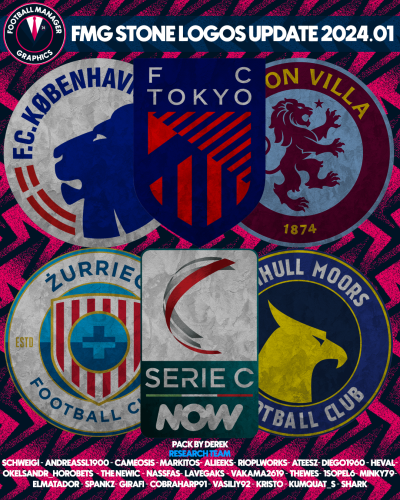 FMG Stone Logos 2024.01 Pack by Derek Research Team @schweigi @AndreaSSL1900 @cameosis @Markitos @Alieeks @rioplworks @ateesz @diego1960 @Heval @Oleksandr_Horobets @The Newic @NassFas @Lavegaks @Vakama2619 @Thewes @1Sopel6 @minky79 @ElMatador @spankz @Girafi @CobraHarp91 @kristo @kumquat_s @Vasiliy92 @Shark Installation Instructions Drag and drop the contents (including the config files) of each folder in this update pack into the corresponding folder in the megapack and replace the existing logos when prompted. Do not drag and drop the actual folders as this will overwrite your megapack. Then simply go to preferences in FM and reload your skin. Alternative | Fantasy | Retro Logos To use any of the alternative, fantasy or retro logos in game you must remove the text at the end of each logo i.e. alt, retro or fantasy and drag and drop into the normal logo folder in the megapack. You will need to repeat this for all four sizes. Then simply go to preferences in FM and reload your skin. I would advise creating a copy of the original logos before replacing them.
 -
FMG Steel Logos 2024.01 Pack by Derek Research Team @schweigi @AndreaSSL1900 @cameosis @Markitos @Alieeks @rioplworks @ateesz @diego1960 @Heval @Oleksandr_Horobets @The Newic @NassFas @Lavegaks @Vakama2619 @Thewes @1Sopel6 @minky79 @ElMatador @spankz @Girafi @CobraHarp91 @kristo @kumquat_s @Vasiliy92 @Shark Installation Instructions Drag and drop the contents (including the config files) of each folder in this update pack into the corresponding folder in the megapack and replace the existing logos when prompted. Do not drag and drop the actual folders as this will overwrite your megapack. Then simply go to preferences in FM and reload your skin. Alternative | Fantasy | Retro Logos To use any of the alternative, fantasy or retro logos in game you must remove the text at the end of each logo i.e. alt, retro or fantasy and drag and drop into the normal logo folder in the megapack. You will need to repeat this for all four sizes. Then simply go to preferences in FM and reload your skin. I would advise creating a copy of the original logos before replacing them.
-
FMG Standard Logos 2024.01 Pack by Derek Research Team @schweigi @AndreaSSL1900 @cameosis @Markitos @Alieeks @rioplworks @ateesz @diego1960 @Heval @Oleksandr_Horobets @The Newic @NassFas @Lavegaks @Vakama2619 @Thewes @1Sopel6 @minky79 @ElMatador @spankz @Girafi @CobraHarp91 @kristo @kumquat_s @Vasiliy92 @Shark Installation Instructions Drag and drop the contents (including the config files) of each folder in this update pack into the corresponding folder in the megapack and replace the existing logos when prompted. Do not drag and drop the actual folders as this will overwrite your megapack. Then simply go to preferences in FM and reload your skin. Alternative | Fantasy | Retro Logos To use any of the alternative, fantasy or retro logos in game you must remove the text at the end of each logo i.e. alt, retro or fantasy and drag and drop into the normal logo folder in the megapack. You will need to repeat this for all four sizes. Then simply go to preferences in FM and reload your skin. I would advise creating a copy of the original logos before replacing them.
-
 FMG Steel Logos 2024.01 Pack by Derek Research Team @schweigi @AndreaSSL1900 @cameosis @Markitos @Alieeks @rioplworks @ateesz @diego1960 @Heval @Oleksandr_Horobets @The Newic @NassFas @Lavegaks @Vakama2619 @Thewes @1Sopel6 @minky79 @ElMatador @spankz @Girafi @CobraHarp91 @kristo @kumquat_s @Vasiliy92 @Shark Installation Instructions Drag and drop the contents (including the config files) of each folder in this update pack into the corresponding folder in the megapack and replace the existing logos when prompted. Do not drag and drop the actual folders as this will overwrite your megapack. Then simply go to preferences in FM and reload your skin. Alternative | Fantasy | Retro Logos To use any of the alternative, fantasy or retro logos in game you must remove the text at the end of each logo i.e. alt, retro or fantasy and drag and drop into the normal logo folder in the megapack. You will need to repeat this for all four sizes. Then simply go to preferences in FM and reload your skin. I would advise creating a copy of the original logos before replacing them.
 -
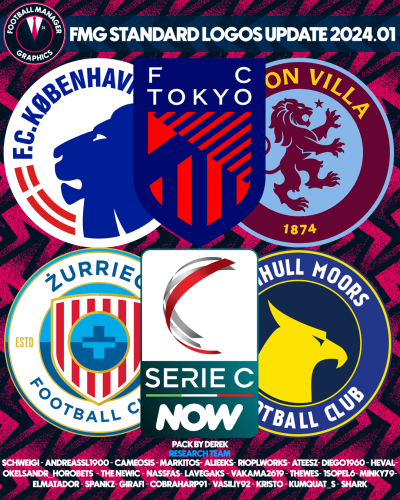 FMG Standard Logos 2024.01 Pack by Derek Research Team @schweigi @AndreaSSL1900 @cameosis @Markitos @Alieeks @rioplworks @ateesz @diego1960 @Heval @Oleksandr_Horobets @The Newic @NassFas @Lavegaks @Vakama2619 @Thewes @1Sopel6 @minky79 @ElMatador @spankz @Girafi @CobraHarp91 @kristo @kumquat_s @Vasiliy92 @Shark Installation Instructions Drag and drop the contents (including the config files) of each folder in this update pack into the corresponding folder in the megapack and replace the existing logos when prompted. Do not drag and drop the actual folders as this will overwrite your megapack. Then simply go to preferences in FM and reload your skin. Alternative | Fantasy | Retro Logos To use any of the alternative, fantasy or retro logos in game you must remove the text at the end of each logo i.e. alt, retro or fantasy and drag and drop into the normal logo folder in the megapack. You will need to repeat this for all four sizes. Then simply go to preferences in FM and reload your skin. I would advise creating a copy of the original logos before replacing them.
 -
FMG Plastic Logos 2024.01 Pack by Derek Research Team @schweigi @AndreaSSL1900 @cameosis @Markitos @Alieeks @rioplworks @ateesz @diego1960 @Heval @Oleksandr_Horobets @The Newic @NassFas @Lavegaks @Vakama2619 @Thewes @1Sopel6 @minky79 @ElMatador @spankz @Girafi @CobraHarp91 @kristo @kumquat_s @Vasiliy92 @Shark Installation Instructions Drag and drop the contents (including the config files) of each folder in this update pack into the corresponding folder in the megapack and replace the existing logos when prompted. Do not drag and drop the actual folders as this will overwrite your megapack. Then simply go to preferences in FM and reload your skin. Alternative | Fantasy | Retro Logos To use any of the alternative, fantasy or retro logos in game you must remove the text at the end of each logo i.e. alt, retro or fantasy and drag and drop into the normal logo folder in the megapack. You will need to repeat this for all four sizes. Then simply go to preferences in FM and reload your skin. I would advise creating a copy of the original logos before replacing them.
-
 FMG Plastic Logos 2024.01 Pack by Derek Research Team @schweigi @AndreaSSL1900 @cameosis @Markitos @Alieeks @rioplworks @ateesz @diego1960 @Heval @Oleksandr_Horobets @The Newic @NassFas @Lavegaks @Vakama2619 @Thewes @1Sopel6 @minky79 @ElMatador @spankz @Girafi @CobraHarp91 @kristo @kumquat_s @Vasiliy92 @Shark Installation Instructions Drag and drop the contents (including the config files) of each folder in this update pack into the corresponding folder in the megapack and replace the existing logos when prompted. Do not drag and drop the actual folders as this will overwrite your megapack. Then simply go to preferences in FM and reload your skin. Alternative | Fantasy | Retro Logos To use any of the alternative, fantasy or retro logos in game you must remove the text at the end of each logo i.e. alt, retro or fantasy and drag and drop into the normal logo folder in the megapack. You will need to repeat this for all four sizes. Then simply go to preferences in FM and reload your skin. I would advise creating a copy of the original logos before replacing them.
 -
Pack by Derek Research Team @schweigi @AndreaSSL1900 @cameosis @Markitos @Alieeks @rioplworks @ateesz @diego1960 @Heval @Oleksandr_Horobets @The Newic @NassFas @Lavegaks @Vakama2619 @Thewes @1Sopel6 @minky79 @ElMatador @spankz @Girafi @CobraHarp91 @kristo @kumquat_s @Vasiliy92 @Shark Installation Instructions Drag and drop the contents (including the config files) of each folder in this update pack into the corresponding folder in the megapack and replace the existing logos when prompted. Do not drag and drop the actual folders as this will overwrite your megapack. Then simply go to preferences in FM and reload your skin. Alternative | Fantasy | Retro Logos To use any of the alternative, fantasy or retro logos in game you must remove the text at the end of each logo i.e. alt, retro or fantasy and drag and drop into the normal logo folder in the megapack. You will need to repeat this for all four sizes. Then simply go to preferences in FM and reload your skin. I would advise creating a copy of the original logos before replacing them.
-
 FMG Logos 2024.01 Pack by Derek Research Team @schweigi @AndreaSSL1900 @cameosis @Markitos @Alieeks @rioplworks @ateesz @diego1960 @Heval @Oleksandr_Horobets @The Newic @NassFas @Lavegaks @Vakama2619 @Thewes @1Sopel6 @minky79 @ElMatador @spankz @Girafi @CobraHarp91 @kristo @kumquat_s @Vasiliy92 @Shark Installation Instructions Drag and drop the contents (including the config files) of each folder in this update pack into the corresponding folder in the megapack and replace the existing logos when prompted. Do not drag and drop the actual folders as this will overwrite your megapack. Then simply go to preferences in FM and reload your skin. Alternative | Fantasy | Retro Logos To use any of the alternative, fantasy or retro logos in game you must remove the text at the end of each logo i.e. alt, retro or fantasy and drag and drop into the normal logo folder in the megapack. You will need to repeat this for all four sizes. Then simply go to preferences in FM and reload your skin. I would advise creating a copy of the original logos before replacing them.
 -
FMG ING Logos 2024.01 Template by @Tempelman Pack by Derek Research Team @schweigi @AndreaSSL1900 @cameosis @Markitos @Alieeks @rioplworks @ateesz @diego1960 @Heval @Oleksandr_Horobets @The Newic @NassFas @Lavegaks @Vakama2619 @Thewes @1Sopel6 @minky79 @ElMatador @spankz @Girafi @CobraHarp91 @kristo @kumquat_s @Vasiliy92 @Shark Installation Instructions Drag and drop the contents (including the config files) of each folder in this update pack into the corresponding folder in the megapack and replace the existing logos when prompted. Do not drag and drop the actual folders as this will overwrite your megapack. Then simply go to preferences in FM and reload your skin. Alternative | Fantasy | Retro Logos To use any of the alternative, fantasy or retro logos in game you must remove the text at the end of each logo i.e. alt, retro or fantasy and drag and drop into the normal logo folder in the megapack. You will need to repeat this for all four sizes. Then simply go to preferences in FM and reload your skin. I would advise creating a copy of the original logos before replacing them.
-
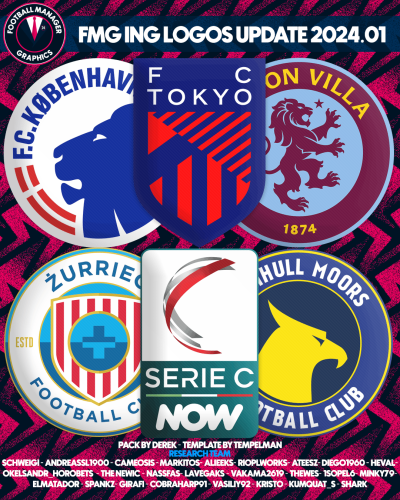 FMG ING Logos 2024.01 Template by @Tempelman Pack by Derek Research Team @schweigi @AndreaSSL1900 @cameosis @Markitos @Alieeks @rioplworks @ateesz @diego1960 @Heval @Oleksandr_Horobets @The Newic @NassFas @Lavegaks @Vakama2619 @Thewes @1Sopel6 @minky79 @ElMatador @spankz @Girafi @CobraHarp91 @kristo @kumquat_s @Vasiliy92 @Shark Installation Instructions Drag and drop the contents (including the config files) of each folder in this update pack into the corresponding folder in the megapack and replace the existing logos when prompted. Do not drag and drop the actual folders as this will overwrite your megapack. Then simply go to preferences in FM and reload your skin. Alternative | Fantasy | Retro Logos To use any of the alternative, fantasy or retro logos in game you must remove the text at the end of each logo i.e. alt, retro or fantasy and drag and drop into the normal logo folder in the megapack. You will need to repeat this for all four sizes. Then simply go to preferences in FM and reload your skin. I would advise creating a copy of the original logos before replacing them.
 -
https://i.ibb.co/tYXCqnR/FMG-Grunge-Logos-2024-01.png FMG Grunge Logos 2024.01 Pack by Derek Research Team @schweigi @AndreaSSL1900 @cameosis @Markitos @Alieeks @rioplworks @ateesz @diego1960 @Heval @Oleksandr_Horobets @The Newic @NassFas @Lavegaks @Vakama2619 @Thewes @1Sopel6 @minky79 @ElMatador @spankz @Girafi @CobraHarp91 @kristo @kumquat_s @Vasiliy92 @Shark Installation Instructions Drag and drop the contents (including the config files) of each folder in this update pack into the corresponding folder in the megapack and replace the existing logos when prompted. Do not drag and drop the actual folders as this will overwrite your megapack. Then simply go to preferences in FM and reload your skin. Alternative | Fantasy | Retro Logos To use any of the alternative, fantasy or retro logos in game you must remove the text at the end of each logo i.e. alt, retro or fantasy and drag and drop into the normal logo folder in the megapack. You will need to repeat this for all four sizes. Then simply go to preferences in FM and reload your skin. I would advise creating a copy of the original logos before replacing them.
-
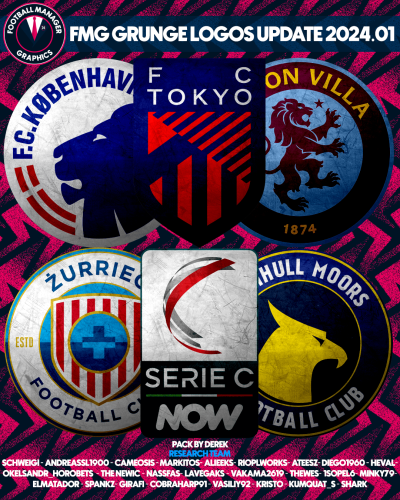 FMG Grunge Logos 2024.01 Pack by Derek Research Team @schweigi @AndreaSSL1900 @cameosis @Markitos @Alieeks @rioplworks @ateesz @diego1960 @Heval @Oleksandr_Horobets @The Newic @NassFas @Lavegaks @Vakama2619 @Thewes @1Sopel6 @minky79 @ElMatador @spankz @Girafi @CobraHarp91 @kristo @kumquat_s @Vasiliy92 @Shark Installation Instructions Drag and drop the contents (including the config files) of each folder in this update pack into the corresponding folder in the megapack and replace the existing logos when prompted. Do not drag and drop the actual folders as this will overwrite your megapack. Then simply go to preferences in FM and reload your skin. Alternative | Fantasy | Retro Logos To use any of the alternative, fantasy or retro logos in game you must remove the text at the end of each logo i.e. alt, retro or fantasy and drag and drop into the normal logo folder in the megapack. You will need to repeat this for all four sizes. Then simply go to preferences in FM and reload your skin. I would advise creating a copy of the original logos before replacing them.
 -
FMG D11 Logos 2024.01 Pack by Derek Research Team @schweigi @AndreaSSL1900 @cameosis @Markitos @Alieeks @rioplworks @ateesz @diego1960 @Heval @Oleksandr_Horobets @The Newic @NassFas @Lavegaks @Vakama2619 @Thewes @1Sopel6 @minky79 @ElMatador @spankz @Girafi @CobraHarp91 @kristo @kumquat_s @Vasiliy92 @Shark Installation Instructions Drag and drop the contents (including the config files) of each folder in this update pack into the corresponding folder in the megapack and replace the existing logos when prompted. Do not drag and drop the actual folders as this will overwrite your megapack. Then simply go to preferences in FM and reload your skin. Alternative | Fantasy | Retro Logos To use any of the alternative, fantasy or retro logos in game you must remove the text at the end of each logo i.e. alt, retro or fantasy and drag and drop into the normal logo folder in the megapack. You will need to repeat this for all four sizes. Then simply go to preferences in FM and reload your skin. I would advise creating a copy of the original logos before replacing them.
-
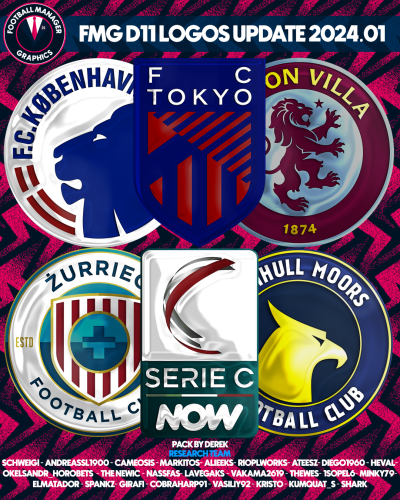 FMG D11 Logos 2024.01 Pack by Derek Research Team @schweigi @AndreaSSL1900 @cameosis @Markitos @Alieeks @rioplworks @ateesz @diego1960 @Heval @Oleksandr_Horobets @The Newic @NassFas @Lavegaks @Vakama2619 @Thewes @1Sopel6 @minky79 @ElMatador @spankz @Girafi @CobraHarp91 @kristo @kumquat_s @Vasiliy92 @Shark Installation Instructions Drag and drop the contents (including the config files) of each folder in this update pack into the corresponding folder in the megapack and replace the existing logos when prompted. Do not drag and drop the actual folders as this will overwrite your megapack. Then simply go to preferences in FM and reload your skin. Alternative | Fantasy | Retro Logos To use any of the alternative, fantasy or retro logos in game you must remove the text at the end of each logo i.e. alt, retro or fantasy and drag and drop into the normal logo folder in the megapack. You will need to repeat this for all four sizes. Then simply go to preferences in FM and reload your skin. I would advise creating a copy of the original logos before replacing them.
 -
FMG Button Logos 2024.01 Pack by Derek Research Team @schweigi @AndreaSSL1900 @cameosis @Markitos @Alieeks @rioplworks @ateesz @diego1960 @Heval @Oleksandr_Horobets @The Newic @NassFas @Lavegaks @Vakama2619 @Thewes @1Sopel6 @minky79 @ElMatador @spankz @Girafi @CobraHarp91 @kristo @kumquat_s @Vasiliy92 @Shark Installation Instructions Drag and drop the contents (including the config files) of each folder in this update pack into the corresponding folder in the megapack and replace the existing logos when prompted. Do not drag and drop the actual folders as this will overwrite your megapack. Then simply go to preferences in FM and reload your skin. Alternative | Fantasy | Retro Logos To use any of the alternative, fantasy or retro logos in game you must remove the text at the end of each logo i.e. alt, retro or fantasy and drag and drop into the normal logo folder in the megapack. You will need to repeat this for all four sizes. Then simply go to preferences in FM and reload your skin. I would advise creating a copy of the original logos before replacing them.
-
 FMG Button Logos 2024.01 Pack by Derek Research Team @schweigi @AndreaSSL1900 @cameosis @Markitos @Alieeks @rioplworks @ateesz @diego1960 @Heval @Oleksandr_Horobets @The Newic @NassFas @Lavegaks @Vakama2619 @Thewes @1Sopel6 @minky79 @ElMatador @spankz @Girafi @CobraHarp91 @kristo @kumquat_s @Vasiliy92 @Shark Installation Instructions Drag and drop the contents (including the config files) of each folder in this update pack into the corresponding folder in the megapack and replace the existing logos when prompted. Do not drag and drop the actual folders as this will overwrite your megapack. Then simply go to preferences in FM and reload your skin. Alternative | Fantasy | Retro Logos To use any of the alternative, fantasy or retro logos in game you must remove the text at the end of each logo i.e. alt, retro or fantasy and drag and drop into the normal logo folder in the megapack. You will need to repeat this for all four sizes. Then simply go to preferences in FM and reload your skin. I would advise creating a copy of the original logos before replacing them.
 -
You can send it to me if you like mate. Do you want to continue to run the project and we supply some help with the researching?
-
That sounds great @ElMatador Maybe we can open a new thread similar to the Logo Update Thread once you have shared the pack. What file dimensions and type do you use?


